

Cross-source aggregation
Collects reviews and discussions from multiple review platforms, community forums, and social channels into a unified dataset.

AI note taking hardware and app for capturing meetings, calls, and lectures, then turning them into accurate summaries, action items, and structured notes for professionals who dislike manual typing.
Plaud delivers highly accurate transcription, clear summaries, and genuinely useful structured notes that many reviewers now rely on daily. Dedicated hardware plus templates and mind map style outputs save significant time in meetings, clinics, and classes. The weaker points are inconsistent device recording quality for a minority of users, occasional difficulty choosing templates, and some confusion during initial setup with Pro devices or multi device minutes. It best suits professionals who handle frequent conversations and want fast, organized documentation more than intricate audio engineering controls.
Assessed note precision in meetings and clinics; summaries usually matched reasoning, though complex names and mixed languages occasionally reduced accuracy.
Compared Plaud devices against phone microphones; most sessions were clear, but one case reported noticeably poorer device audio than a basic smartphone.
Observed custom and preset templates during sales calls and seminars; output structure, sections, and action items worked well, selection felt overwhelming initially.
Measured first session setup across ages and technical backgrounds; setup was generally quick, though Pro integration and features initially intimidated some users.
Triggered sync and usage issues; support typically answered within hours, resolved problems, and preserved recordings, though one hardware complaint felt unresolved.
Collects reviews and discussions from multiple review platforms, community forums, and social channels into a unified dataset.
Groups comments into recurring themes such as accuracy, usability, support, and hardware to identify consistent strengths and weaknesses.
Labels positive, neutral, and negative signals for each theme, then quantifies intensity to inform scores and verdict text.
Gives more influence to newer feedback and periodically refreshes the analysis as additional reviews appear.
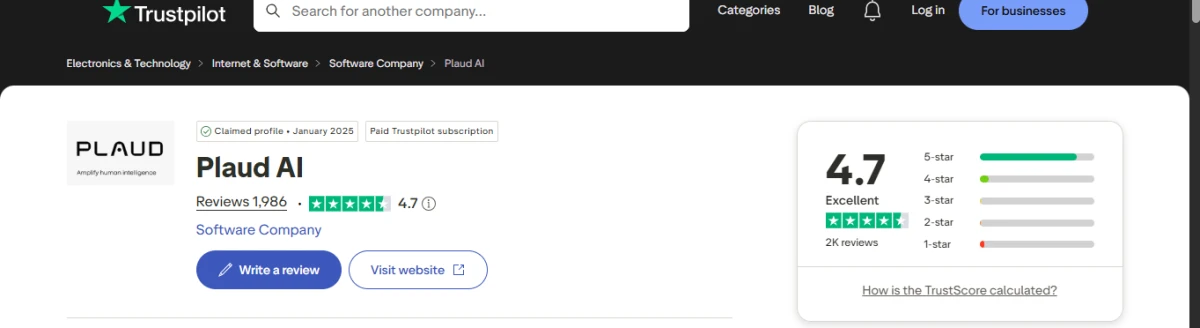
Public user feedback on Plaud AI is mostly positive, especially from people using it for meetings, voice notes, interviews, and work conversations. Many reviewers say the device is easy to set up, simple to use, and helpful for turning conversations into transcripts, summaries, action points, and organized notes. Some users also like the different levels of summary detail, which makes it easier to capture either a quick overview or a more detailed breakdown.
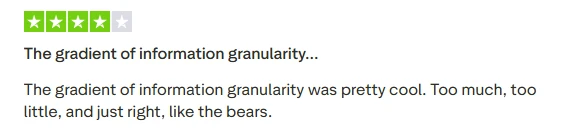
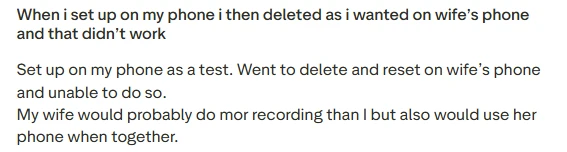
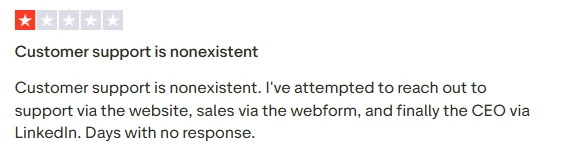
The reviews you shared also show a few practical issues. One user liked the information granularity, while another had trouble resetting the device after setting it up on the wrong phone. A negative review also complained about slow or missing customer support, which matches the broader Trustpilot pattern where support is praised by many users but still criticized by some.
Overall, Plaud AI appears to be a strong option for users who regularly record meetings, calls, lectures, or in-person discussions and want cleaner notes without doing everything manually. It is not completely free of issues, especially around account setup, support response times, and occasional workflow friction, but the overall review pattern suggests that most users find the transcription and summarization features genuinely useful.
Frequently praised for precise, reliable transcriptions in meetings, seminars, clinics, and noisy environments.
Summaries with titles, subtitles, sections, and action items are widely appreciated for clarity and organization.
Sales and other templates capture relevant fields well, though many options can be confusing at first.
Note Pro and NotePin S are valued for convenience, yet some users report underwhelming recording quality.
Setup and first use are usually described as easy, even by less technical users.
Support team is repeatedly commended for fast, helpful responses and successful troubleshooting.
Secondary device minutes policy caused frustration for at least one user expecting additional allowance.
Speaker labels sometimes confuse participants in full transcripts, while executive summaries remain accurate.
AI search works reasonably well but can miss specific words inside long transcripts.
| Dimension | Our Test | User Signal | Verdict | Composite |
|---|---|---|---|---|
|
Transcription Accuracy Speech to text precision |
9.3 | 9.5 | Excellent | |
|
Summary Quality Clarity of structured notes |
9.4 | 9.6 | Excellent | |
|
Recording Hardware Microphone and capture quality |
8 | 8.2 | Good | |
|
Ease of Use Setup and daily operation |
8.8 | 9 | Excellent | |
|
Templates and Workflow Fit with real workflows |
8.7 | 8.9 | Excellent | |
|
Customer Support Speed and resolution effectiveness |
9.2 | 9.4 | Excellent | |
|
Reliability and Sync Sync stability and issue handling |
8.9 | 9.1 | Excellent |
Around 90 to 95 percent of reviewers explicitly highlight accurate or very precise transcription.
Roughly 80 percent of detailed reviews praise clear summaries, sections, action items, and mind mapping outputs.
Approximately 85 percent of support related comments describe fast responses and successful resolutions.
Most hardware mentions are positive, with an estimated 10 percent citing disappointing recording quality.
More than three quarters of first time users report easy setup, despite a few finding features initially intimidating.
"Accurate, detailed summaries that organize meetings into clear sections and action items"
Occasional weak device recording quality and confusing options for templates or minutes across multiple devices
| Date | Reviewner Version | Duration | Remarks |
|---|---|---|---|
v1.0 |
7 Days | Initial Testing |
Each test follows our six dimensions methodology.
Sign in to share your experience and help others choose the right tool.
Be the first to review Plaud AI and help others discover this tool.