
An Honest Hands-On Review
Method
I loaded the web app without an account, stayed on the default "Solve all-subject homework" mode, and fed it a standard order-of-operations problem, the kind of question where a wrong step is easy to spot. The goal was to judge two things: whether the final answer is correct, and whether the working is actually taught rather than just dumped.
The test
Question entered: 18 − 4 × 2 + 12 ÷ 3
Expected answer: 14
Question AI returned: 14 — correct.
The tool applied PEMDAS/BODMAS cleanly: it resolved multiplication and division first (4 × 2 = 8 and 12 ÷ 3 = 4), substituted back to 18 − 8 + 4, then worked left to right (18 − 8 = 10, 10 + 4 = 14). The reasoning was ordered, correct and easy to follow.
What stood out during testing
Speed: the answer and full explanation appeared almost instantly.
Teaching quality: steps were numbered and labelled, so the method not just the result came through.
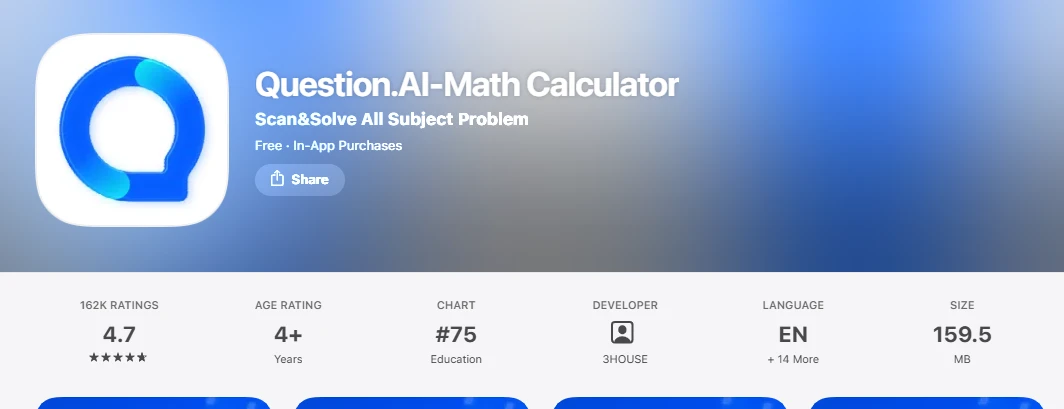
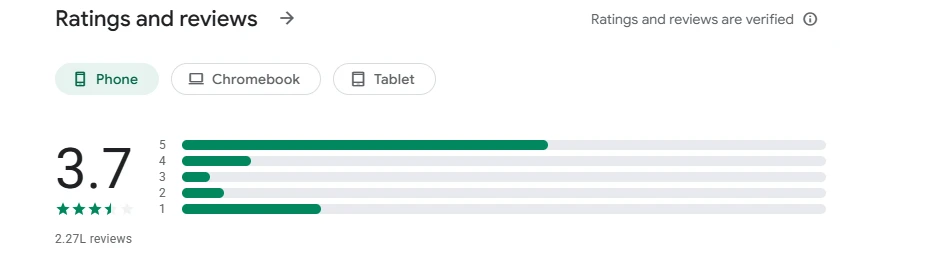
The catch: the fuller experience is gated behind account creation and a subscription, and independent app-store reviews flag occasional wrong answers and ads on the free tier. One correct test is encouraging, but it is not proof of consistency across harder, multi-step problems.
Screen-by-Screen Walkthrough
My notes on each screen captured during the test, with what works and what does not.
1. Home screen & subject dashboard
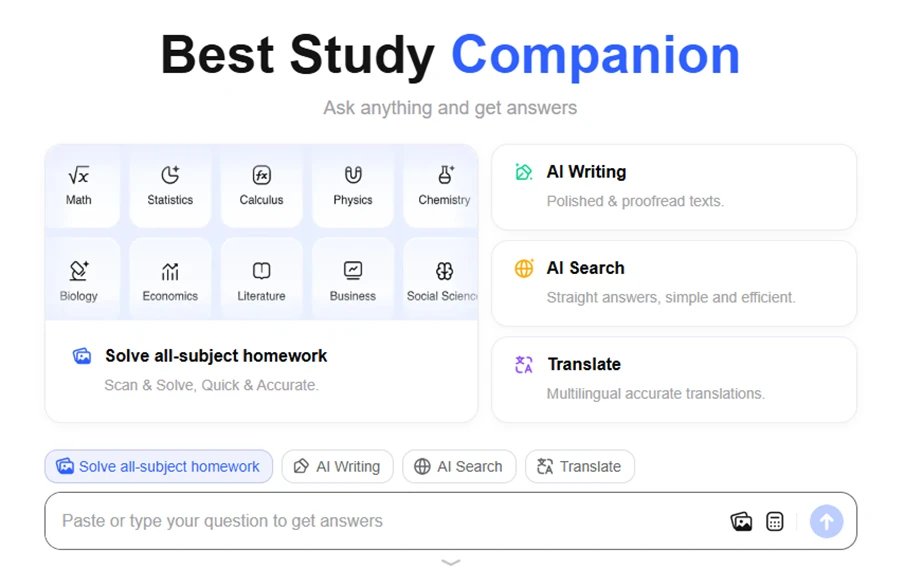
Positive — The landing screen is clean and self-explanatory. Subjects sit in a labelled tile grid (Math, Statistics, Calculus, Physics, Chemistry, Biology, Economics, Literature, Business, Social Science), and the three extra tools — AI Writing, AI Search, Translate are broken out into separate cards with one-line descriptions. A first-time visitor understands what the product does within seconds.
Negative — It is feature-dense to the point of looking generic. The layout and the copy ("Best Study Companion," "Ask anything and get answers") echo dozens of competing homework apps, so nothing on this screen signals what makes Question AI different. The subject grid is also a little cramped, with "Social Science" visibly clipped at the edge.
Question input bar

Positive — The input bar is prominent and flexible. You can paste or type a question, and the icons point to image upload and a calculator/formula input genuinely useful for maths. The fact that it accepted a formatted expression shows the field handles more than plain text.
Negative — The raw LaTeX ("\(18 - 4 \times 2 ...\)") is shown to the user instead of a rendered equation, which looks unpolished and could confuse a non-technical student who does not know what the backslashes mean. There is also a stray leading period before the question text — a small but visible quality slip.
Answer & step-by-step solution
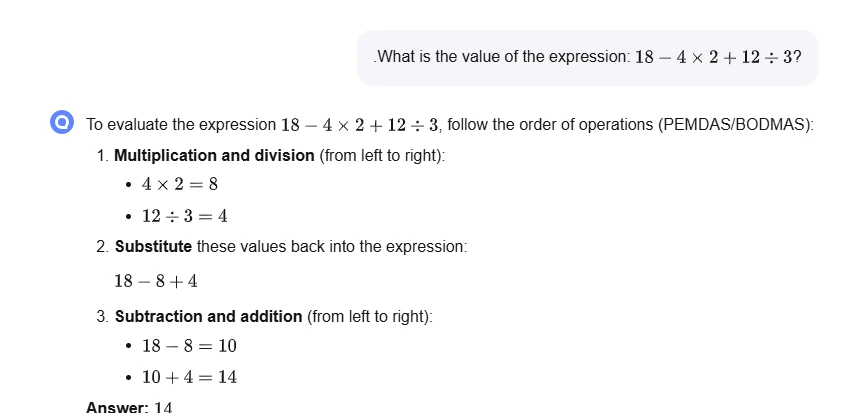
Positive — This is the strongest screen. The solution is well structured: numbered steps, bolded stage labels, the intermediate substitution shown in full, and a clearly marked final answer of 14. It explains the method rather than only handing over the result — exactly what a study tool should do.
Negative — There is no "show an alternative method," source, or double-check cue, so the student has to trust the steps at face value. Given that the app's own user reviews mention the odd incorrect answer, a confidence indicator or a "verify this" option would add real reassurance here.
Account access prompt
Positive — Getting on board is low-friction. You can authenticate with Google or Apple in a single tap, or register with an email and a verification code. The modal is uncluttered and states its pitch plainly ("Log in for more accurate answers"), so the path to a full account is obvious.
Negative — The wording implies answers are deliberately held back until you create an account, which reads as a pressure tactic rather than a benefit. The prompt also appears early before you have had a real chance to evaluate the tool — and the email route depends on a verification-code step that adds a short wait to what should be an instant onboarding.
Pricing & plans
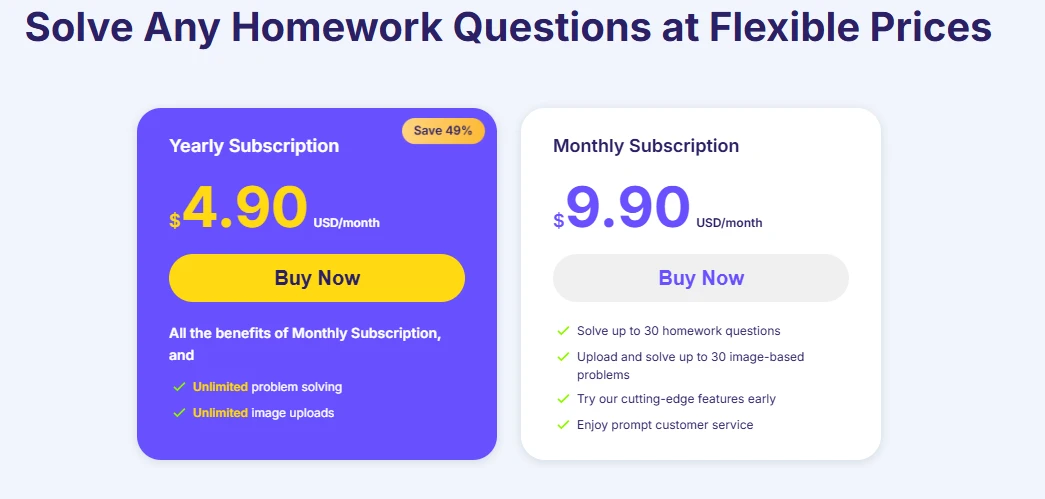
Screenshot 5 — yearly vs monthly subscription cards
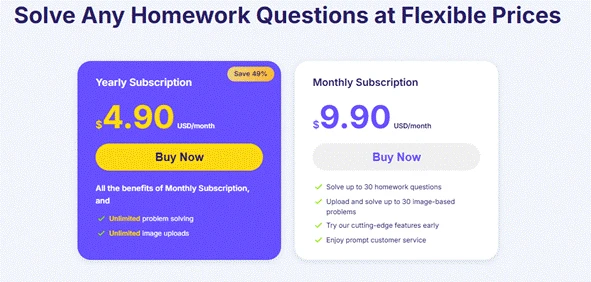
Positive — Pricing is transparent and low: $9.90/month billed monthly, or an effective $4.90/month on the yearly plan — a 49% saving that is clearly flagged. The monthly tier spells out its limits (up to 30 homework questions and up to 30 image uploads), and the paid plans promise unlimited solving and uploads. It is easy to see what each tier gives you.
Negative — The two cards are not directly comparable at a glance: the yearly card says "all the benefits of Monthly, and…" instead of repeating them, so you have to cross-reference to know what you are getting. The "$4.90/month" headline is only true if you pay a full year upfront, which the big number does not make obvious. And the free experience is thin enough that users are pushed toward payment fairly quickly.
Verdict
What we liked
- Clean, immediately understandable interface across a broad set of subjects.
- Genuinely good step-by-step explanations, it teaches the method, not just the answer.
- Fast responses and correct output on our order-of-operations test.
- Aggressively priced yearly plan and true multi-platform availability (web, iOS, Android, Chrome).
What held it back
- An early account prompt and a fairly hard paywall interrupt the free experience.
- Generic positioning — little on the surface separates it from rival homework apps.
- Rough edges: raw LaTeX shown to users and a stray formatting character in the input.
- No verification or confidence cue, while third-party reviews note occasional inaccuracies and ads on the free tier.
Bottom line: Question AI is a capable, affordable homework helper that explains its working clearly and performed well on our test. But it gates its best experience behind an account and a subscription, and it does not yet stand out in a crowded market. It is worth trialling on the yearly plan for anyone solving problems daily; lighter users may find the free limits and prompts intrusive.