
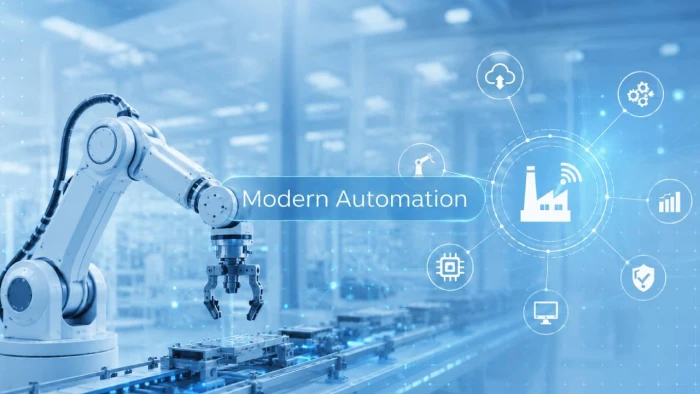
Automation now sits inside the systems people use every day. It checks payments, updates deliveries, routes support tickets, monitors machines, flags security risks, and helps apps respond in real time. Most of this happens quietly in the background, but modern technology would feel slow, expensive, and unreliable without it.
The main story is no longer about machines replacing repetitive work. Automation has become the operating layer that connects data, software, devices, AI systems, and human decisions.
Why Automation Matters Now
Modern technology produces more activity than people can handle manually. Every app login, payment request, factory reading, customer message, delivery scan, and security alert creates data. The value of that data depends on how quickly a system can read it and act on it.
A simple online order shows how automation works in real life. A buyer clicks “place order,” and several systems start moving at once:
● The payment system checks whether the transaction looks safe.
● The inventory system confirms stock.
● The warehouse receives the order.
● The delivery system estimates timing and route.
● The customer gets automatic updates.
● The business records the sale for reporting and support.
No employee manually pushes each of these steps forward. Software does the coordination, while people handle exceptions, quality checks, and customer issues that need judgment.
This is why automation has become central to modern technology. It reduces the gap between information and action. A system detects something, processes it, and triggers the next step before a human team would even finish reviewing the data.
McKinsey’s 2025 global AI survey found that 88 percent of organizations were using AI in at least one business function. That number matters because AI adoption is closely connected to automation. Companies are not only buying smarter tools. They are trying to make business processes respond faster, with less manual routing and fewer repeated tasks.
Automation Is More Than One Technology
Automation is often described as one broad idea, but in practice it works through different layers. Some automation is simple and rule-based. Some connects business apps. Some works through physical machines. Some now uses AI to interpret text, images, patterns, and behavior.
| Type of Automation | What It Does | Simple Example |
| Rule-based automation | Follows fixed instructions | Sends a reminder when an invoice is overdue |
| Workflow automation | Connects tasks across tools | Moves a website lead into a CRM and email sequence |
| Data automation | Syncs and updates information | Updates stock across an online store and warehouse system |
| Robotic automation | Performs physical or repetitive machine work | Assembles parts or moves packages |
| AI-based automation | Interprets data, text, images, or behavior | Flags fraud or summarizes support tickets |
| Agentic automation | Handles multi-step digital tasks with less input | Researches, drafts, updates, and reports across apps |
The strongest automation usually combines more than one layer.
For example, a smart factory machine may send a temperature warning. A monitoring system records the reading. AI compares it with past failure patterns. A maintenance ticket is created automatically. A technician receives the alert before the machine breaks down.
That is the real value of automation. It connects signals to action.
The Everyday Side of Automation
People often notice automation only when it fails. A payment gets blocked by mistake. A delivery update stops appearing. A support chatbot gives the wrong reply. A login verification takes too long. These moments reveal how much users now expect systems to work automatically.
In daily technology, automation appears in familiar places:
● A phone unlocks through face recognition.
● A banking app sends a suspicious activity alert.
● A map app changes the route after traffic builds up.
● A streaming platform recommends what to watch next.
● A food delivery app updates order progress in real time.
● A smart thermostat adjusts temperature based on routine.
These examples feel ordinary because automation has become part of the expected user experience. People now expect apps to remember preferences, respond quickly, and reduce the number of manual steps.
For businesses, the same idea appears at a larger scale. A support platform can assign tickets to the right team. An accounting system can match payments with invoices. A retail system can reorder stock when inventory drops. A project management tool can notify a manager when work is delayed.
Automation makes technology feel responsive. Without it, many digital services would still exist, but they would feel much slower.
How AI Is Making Automation Smarter
Traditional automation works well when the rules are clear. If a customer fills out a form, send a confirmation email. If a payment fails, trigger a warning. If a file enters a folder, rename it and store it.
AI adds a different ability. It can work with less structured information. It can read text, classify intent, detect unusual behavior, summarize long documents, and identify patterns in large datasets.
This changes what automation can do.
A customer support system from a few years ago might sort messages using keywords. A newer AI-assisted system can understand whether a customer is asking for a refund, reporting a technical issue, complaining about delivery, or requesting account help. It can then route the case, suggest a reply, attach account details, and help the support agent respond faster.
The most useful AI automation usually helps with three things:
● Understanding messy information, such as emails, chats, documents, and images.
● Prioritizing work, such as urgent tickets, risky transactions, or abnormal system activity.
● Preparing actions, such as draft replies, summaries, reports, or recommended next steps.
This does not mean humans disappear from the process. In serious workflows, people still need to review, approve, correct, and take responsibility. AI helps automation interpret information, but human judgment still matters when the outcome affects money, safety, health, law, or trust.
Gartner has predicted that up to 40 percent of enterprise applications could include task-specific AI agents by 2026. If that happens, automation will move deeper into business software. Employees may not open a separate automation tool. The automation will sit inside the apps they already use.
Manufacturing Shows the Physical Backbone
Manufacturing is one of the clearest examples of automation becoming a technology backbone. Factories no longer depend only on machines that repeat one movement. Modern production uses robots, sensors, cameras, analytics software, predictive maintenance, and digital planning systems.
Industrial automation can now support several parts of production at once:
● Robots can weld, lift, assemble, package, and move materials.
● Vision systems can check product quality during production.
● Sensors can track heat, vibration, pressure, and machine condition.
● Software can adjust schedules when supply or demand changes.
● Predictive systems can warn teams before equipment failure.
The International Federation of Robotics reported that 542,000 industrial robots were installed worldwide in 2024, with Asia accounting for 74 percent of new deployments. This shows that automation is not a small upgrade in manufacturing. It is part of how production capacity is being built.
The main benefit is not only faster output. Automation helps factories reduce downtime, improve quality control, and respond to problems earlier. A machine fault that once appeared only after production stopped can now be detected through sensor data before it turns into a breakdown.
The factory is becoming a connected technology environment. Machines create data. Software interprets it. Workers use that information to make better operational decisions.
Finance, Healthcare and Security Rely on It
Automation becomes even more important in industries where timing and accuracy matter.
In finance, automated systems screen transactions, detect unusual behavior, process claims, send alerts, calculate risk, and support compliance checks. A bank cannot manually inspect every card payment in real time. Automation makes large-scale digital finance possible.
In healthcare, automation helps with scheduling, billing, records, lab workflows, prescription handling, and patient reminders. It can reduce missed steps in busy systems, but it must be designed carefully because errors can affect care.
In cybersecurity, automation is almost unavoidable. Companies receive huge volumes of logs, alerts, login attempts, and network events. Human analysts cannot review all of them manually. Automated systems scan activity, flag suspicious behavior, block known threats, quarantine files, and prioritize incidents for security teams.
Across these fields, automation works best when it supports expert review rather than hiding decisions from people.
The most sensitive use cases need:
● Clear audit trails, so teams can see what happened.
● Human approval points, especially for high-impact decisions.
● Strong access controls, so automation does not expose private data.
● Regular testing, because risks and user behavior change.
● Clear accountability, so responsibility does not disappear inside software.
Speed is useful only when the system is also safe, explainable, and controlled.
The Benefits Are Practical
Automation has become so widely used because its benefits are direct. It removes repeated manual work, reduces delays, improves consistency, and helps organizations handle more activity without adding manual steps to every process.
For users, automation often appears as convenience. They get faster updates, quicker payments, easier account access, better recommendations, and fewer forms.
For organizations, the benefits are operational:
● Teams spend less time moving information between systems.
● Routine errors become easier to reduce.
● Workflows become more predictable.
● Managers get better visibility into what happened and when.
● Customer response times improve.
● Systems can handle larger volumes without the same increase in manual labor.
The best automation does not simply make work faster. It makes work easier to track and easier to improve.
A customer support manager, for example, can see how many tickets arrived, how many were resolved, which topics created delays, and where automation helped or failed. That visibility becomes useful for planning, training, and service quality.
The Risks Need Serious Attention
Automation can also create problems when companies use it without enough design or oversight. A bad manual process is slow. A bad automated process can scale the same mistake across thousands of users.
The risks are easy to overlook because automation often works quietly. Problems may not be noticed until customers complain, workers lose trust in the system, or errors appear in reports.
Some common risks include:
● Poor rules that reject, delay, or misroute valid requests.
● Bad data that leads to wrong automated decisions.
● AI outputs that sound confident but contain mistakes.
● Over-automation in areas that need empathy or judgment.
● Weak security controls across connected systems.
● Workers being expected to use new tools without proper training.
The workforce question is especially important. The World Economic Forum’s Future of Jobs Report 2025 projected that job disruption could affect 22 percent of jobs by 2030, with 170 million new roles created and 92 million displaced. This points to a future where automation changes work instead of simply removing it.
People will need new skills. Workers may need to manage automated systems, check AI outputs, handle exceptions, understand data, and work with tools that did not exist a few years ago.
Companies that automate without training their teams create a different problem. They may have faster systems, but not enough people who understand how those systems should be used, checked, or challenged.
What Strong Automation Looks Like
Strong automation starts with a real problem. It should not be added only because a tool exists or because a process looks modern on paper. The best systems are designed around clear goals, reliable data, and human responsibility.
A useful automation setup usually has five qualities:
● It solves a specific problem, such as delay, error, duplication, or poor visibility.
● It uses clean and reliable data, not scattered or outdated information.
● It keeps humans involved where judgment or accountability matters.
● It creates a record of actions, so decisions can be reviewed later.
● It is tested regularly, because workflows and risks change over time.
This is where many automation projects succeed or fail. The technology may be powerful, but the surrounding process decides whether it actually helps.
A company can automate invoice approvals, but it still needs rules for exceptions. A hospital can automate reminders, but it still needs staff to handle urgent patient needs. A security team can automate threat blocking, but it still needs analysts to investigate serious incidents.
Good automation does not remove responsibility. It makes responsibility easier to manage.
The Future Is Human-Guided Automation
The next stage of automation will be more connected. Businesses will not only automate single tasks like sending emails or updating spreadsheets. They will connect customer data, inventory, finance, support, analytics, and operations into larger workflows.
Low-code and no-code platforms will make this easier for non-technical teams. A marketing team can build campaign workflows. A finance team can automate approvals. A support team can create routing rules. This can save time, but it also needs governance. Too many disconnected automations can create confusion, security gaps, and fragile processes.
AI agents will add another layer. They may help employees research, summarize, schedule, update records, prepare reports, and coordinate work across apps. Some of these systems will be useful. Others will need careful limits, especially around permissions, private data, and final decisions.
The strongest future will not be fully automated. It will be human-guided automation, where machines handle speed, monitoring, and coordination, while people handle judgment, ethics, safety, and direction.
Verdict
Automation is becoming the backbone of modern technology because modern systems need to act faster than manual work allows. Apps, factories, banks, hospitals, delivery networks, and cybersecurity platforms all depend on automated processes to move information, trigger action, and keep services running.
Its real value is coordination. Automation connects data to decisions, software to machines, and users to services without forcing every step through a manual queue.
But automation must be designed carefully. It needs reliable data, security controls, human oversight, clear records, and regular testing. Used well, it makes technology faster, safer, and more useful. Used poorly, it can scale errors, hide accountability, and weaken trust.
The future of technology will not be built on automation alone. It will be built on systems where automation handles speed and scale, while people remain responsible for judgment and direction.



Comments 0
Join the discussion and share your perspective.
Sign in to post a comment and reply to other readers.
No comments yet
Be the first to share your perspective on this article.