
From Sign-Up to Paywall
I ran Animaker's AI video generator end to end to see how far a brand-new user can get before the product asks for money. The short version: the onboarding is slick and the creation flow is genuinely friendly, but I was walked all the way to the final "Generate" click and then stopped dead by a credits paywall, so I never actually produced a single video. Below is the eight-screen walk-through, grouped into six stages, with what I liked and disliked at each step.
Signing Up Before You Can Look Around
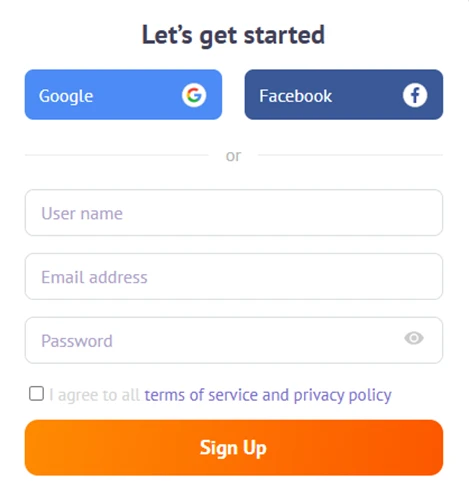
Screen 1 — the very first thing you see: a mandatory sign-up wall.
There's no "try it first" door. The opening screen is a hard sign-up gate, Google, Facebook, or username, email and password plus a required terms-of-service checkbox. You commit an account before you've seen a single feature, template or sample.
My verdict — Dislike: Gating everything behind sign-up is friction, especially for someone comparing tools. I'd much rather poke around the editor before handing over an email address.
A Second Password Screen I Didn't Expect
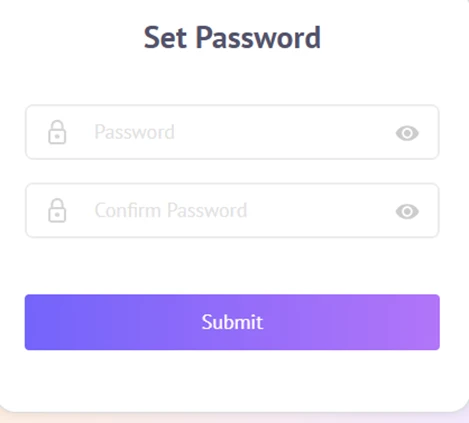
Screen 2 — a separate "Set Password" step right after sign-up.
Immediately after signing up, a fresh "Set Password" screen appeared, asking me to type and confirm a password again. Since I'd just entered one on the previous form, this felt redundant and made me stop and wonder whether the first step had failed.
My verdict — Dislike: Two back-to-back password steps is confusing. It's minor, but a duplicated field this early chips away at trust in the flow.
The “What's Your Background?” Quiz
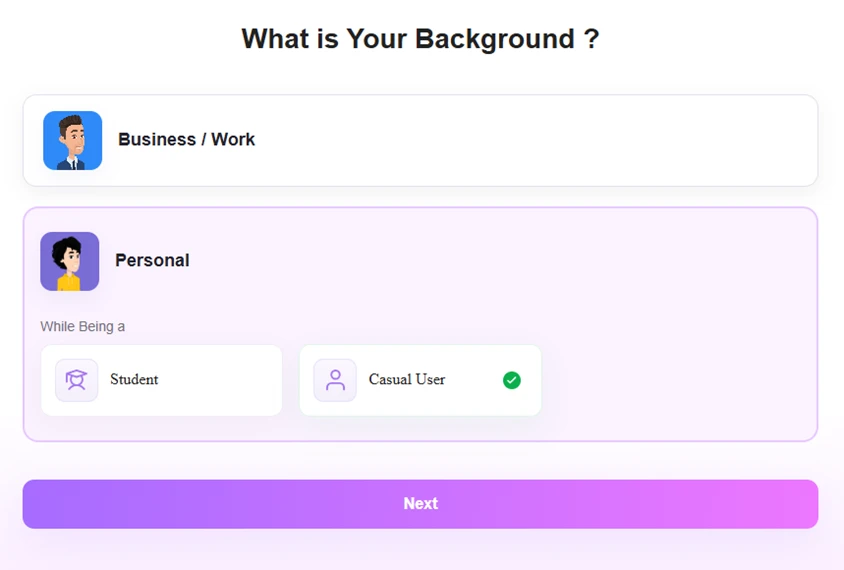
Screen 3 — a one-tap onboarding question about who you are.
Next came a quick segmentation question: Business / Work, or Personal — and if Personal, Student or Casual User. I picked Personal, then Casual User. It's a single screen, tappable, and doesn't drag you through a long survey.
My verdict — Like: Fast and low-effort, and it presumably tailors what comes next. My only reservation is the usual one with these quizzes, it's never clear whether the answer actually changes anything.
The 10% Off Pop-Up, Right on Cue
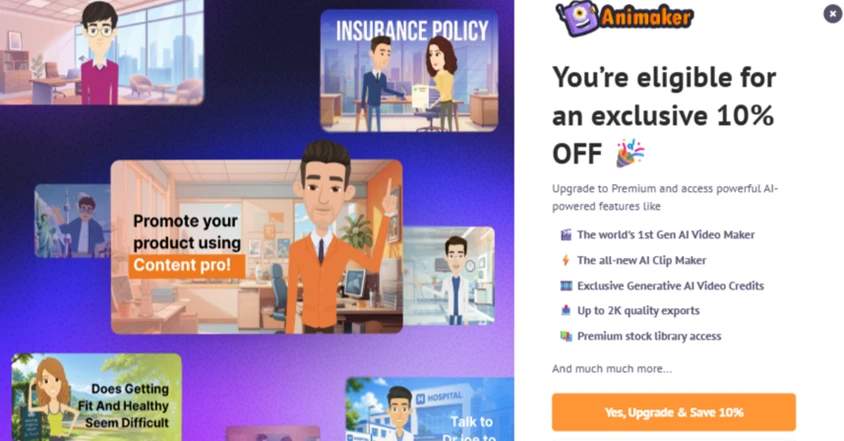
Screen 4 — an upgrade pop-up before I'd made anything at all.
Before I'd created so much as a title card, a full-screen upsell appeared: “You're eligible for an exclusive 10% OFF,” pushing Premium AI features and a “Yes, Upgrade & Save 10%” button. Textbook urgency timing, aimed at a user who hasn't even tried the product yet.
My verdict — Dislike: Being sold to before I've built anything is pushy. It interrupts onboarding and sets an early “everything good is paid” tone that colours the rest of the experience.
Meet Max, and Pick Your Video Type
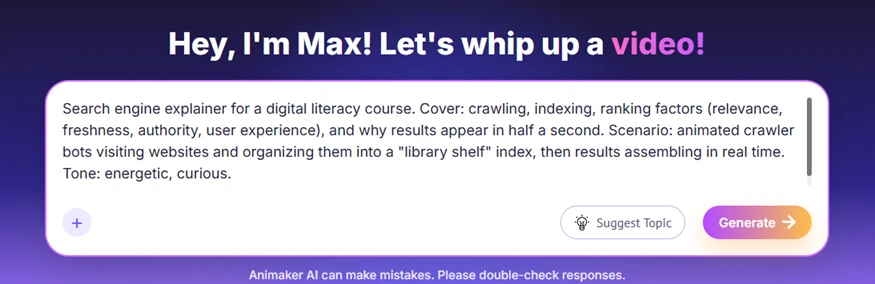
Screen 5 — “Max” and a roomy prompt box; I pasted a detailed explainer brief.
This is where it finally felt like a product. A friendly assistant (“Hey, I'm Max! Let's whip up a video!”) gave me a large prompt box. I pasted a detailed brief, a search-engine explainer for a digital-literacy course, covering crawling, indexing and ranking factors, with an energetic, curious tone and a “library shelf” visual metaphor.
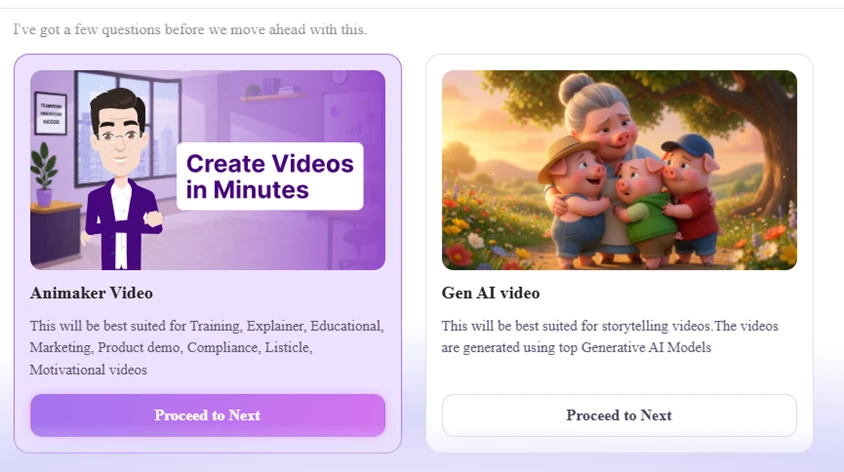
Screen 6 — choosing between a structured Animaker video and a Gen AI video.
Max then asked me to choose an engine: Animaker Video (best for training, explainer, marketing and product demos) or Gen AI video (storytelling built with generative models). A sensible fork that matches the tool to the job.
My verdict — Like: The prompt box is generous, the copy is warm rather than robotic, and splitting structured explainers from generative storytelling is a smart, clear choice. This is the strongest part of the flow.
Customizing the Settings, Then Hitting the Wall
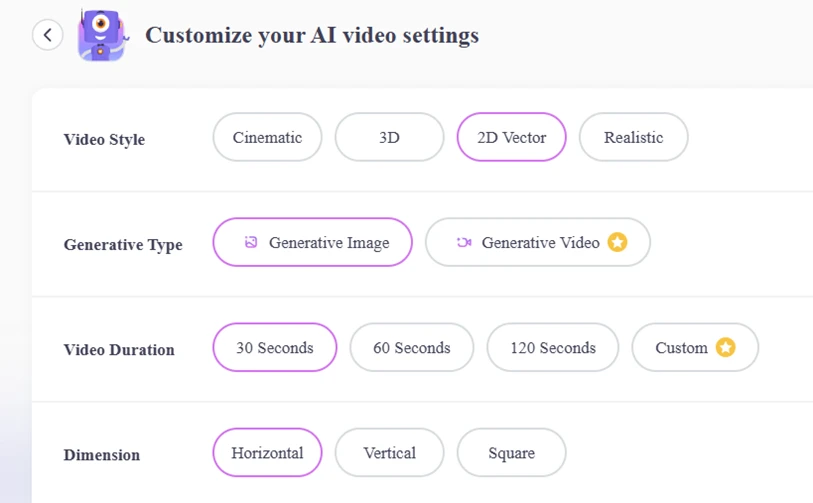
Screen 7 — clean, well-labelled AI video settings.
The customization screen was the nicest part: Video Style (Cinematic / 3D / 2D Vector / Realistic), Generative Type (Image or Video), Duration (30 / 60 / 120 seconds or Custom) and Dimension (Horizontal / Vertical / Square). I set 2D Vector, Generative Image, 30 seconds, Horizontal. Everything here is clear and quick to configure.
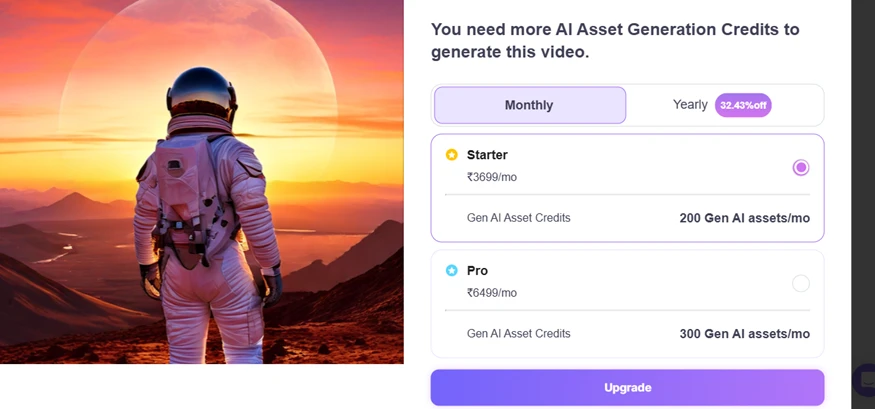
Screen 8 — the dead end: a credits paywall instead of a rendered video.
And then the wall. The instant I tried to generate, I was blocked: “You need more AI Asset Generation Credits to generate this video,” followed by a paywall offering Starter at ₹3,699/mo (200 Gen AI assets) or Pro at ₹6,499/mo (300 assets). This is the headline of the whole test: I could not generate the video. The trial marched me through a full, detailed setup and then stopped me at the very last click — the payment step.
My verdict — Dislike: The settings screen is genuinely good, which makes the ending worse. Being led all the way to “Generate” only to be blocked feels like bait, and it left me unable to judge the one thing that matters most: the actual output.
The Bottom Line
Animaker nails presentation. The onboarding is polished, Max is friendly, the video-type fork is smart, and the settings screen is clean and fast. But the experience is heavy with monetization pressure, an upgrade pop-up before I'd created anything, and then a hard credits paywall that blocked generation entirely. I completed the entire funnel and produced zero videos.
What I could NOT test, because generation was blocked:
• Actual render quality of the 2D-vector output.
• Generation speed and whether the 30-second video matched the brief.
• How faithfully Max turned a detailed prompt into scenes and visuals.
• Voiceover, music, captions and any editing after the first render.
Note: pricing and the exact flow reflect what appeared on 21 September 2026 during this test and may change over time.