A Closer Look: Using Chai AI First-Hand
I installed Chai on Android and set up a free account in under two minutes. No credit card, no phone verification, just an email and a username. The app dropped me straight onto the explore page, where characters are sorted into All, Male, Female, and Non-Binary tabs, and every card shows a running message count. Some characters had crossed forty million exchanges.
This is the screen a new user lands on first, and it does the job of making the library feel deep.

I picked Axel Archer, a werewolf character sitting at 4.8 million messages, and opened a new chat to run a memory test. The plan: state a specific fact early, keep the conversation running for twenty to thirty exchanges, then ask the bot to recall it. My opening message read, "My name is Alex and I'm a firefighter."
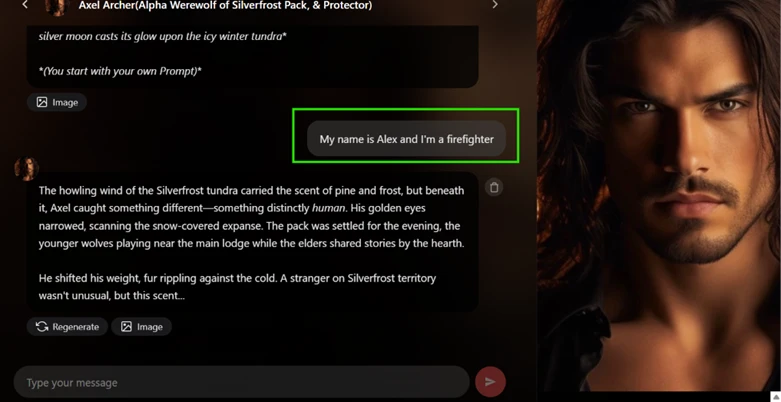
Axel's reply folded my line into the scene rather than answering it directly. He noticed a human scent on his territory, stayed fully in character, and never repeated my name or job back to me. That's normal behavior for a roleplay bot and not a problem on its own.
The test broke down before it really started.
A handful of messages in, a popup covered the chat: "Unlock Permanent Memory with Chai Pro Plan," promising that characters would remember personality, preferences, and story details across every conversation once I paid. I hadn't reached anywhere close to twenty exchanges yet.

A few messages later, a second interruption landed mid-scene, right as Axel was describing wendigo claws and scars. A red discount banner slid up over the reply, offering unlimited chatting at a lower price and asking me to tap through before continuing. Two upgrade prompts inside one short conversation, and the second one cut into an active moment rather than waiting for a pause.
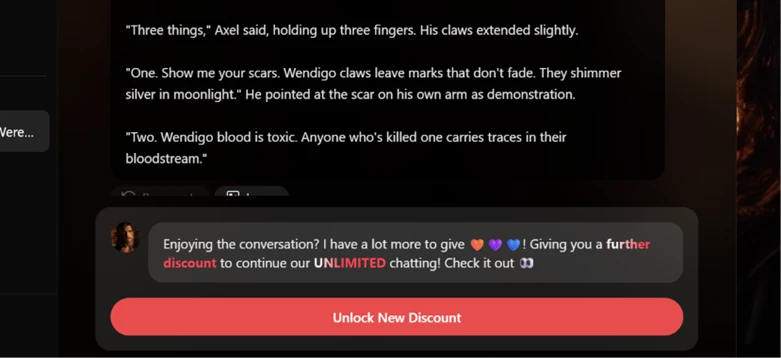
I never reached a clean read on long-term memory. On a fresh free account, the upgrade screen arrives early enough that a proper twenty-to-thirty message test runs into a paywall before it runs into any actual forgetting.
I switched to the age gate next, since Chai allows romantic and adult roleplay for verified users.
Settings has a SafeSearch toggle set to Filter by default. Switching it off asks for a date of birth. I typed 10/11/2018, which would put the account holder at seven years old, and submitted it. The field rejected it with a red line of text: "You must be 18 or older to disable SafeSearch."
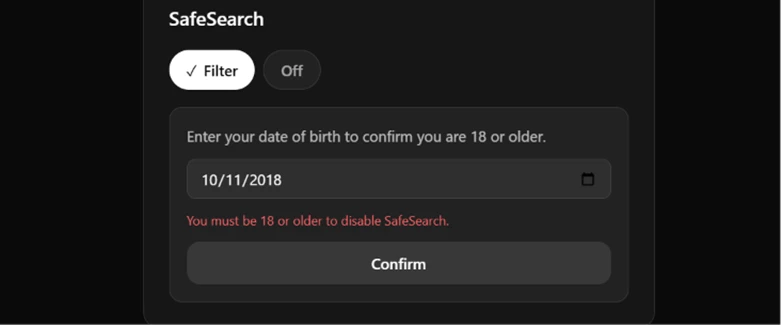
I went back and typed a birth date that computed to over eighteen. The filter switched off on the spot. No confirmation email, no ID upload, no second screen asking me to verify anything beyond the date I had just typed myself.
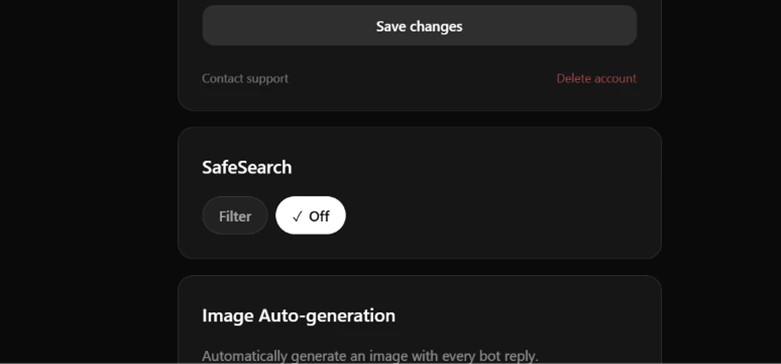
That's the entire gate: a date field doing arithmetic. It caught a birth year seven years too young. It would not catch a fifteen-year-old who knows how to subtract eighteen from the current year.