Video Generation

Digen AI Review

Multi‑model AI image and video generator aimed at creators who want lots of models and low pricing in one place, but reliability, cancellation, and support issues make it a risky subscription choice.

Test Duration
3 Days
Reviewner Version
v1.0
Last Tested
18 Jun, 26
4.5
Recommended for Content Creators
Reviewner Test Score

Digen AI offers broad model coverage, attractive pricing, and, for some users, very strong image and video output, especially with native Image Motion and Real Motion tools. However, many reviewers report slow processing, inconsistent quality, and serious friction around cancelling subscriptions. Repeated complaints about non functioning cancel buttons and delayed support responses raise trust and billing concerns. It suits experimental creators who value many models and uncensored options over reliability. Risk a short test only if comfortable managing potential subscription issues.

Shortform Video Creators TikTok Creators Budget Content Creators Indie Video Producers NSFW Niche Creators AI Art Hobbyists
Methodology

How We Tested Digen AI?

Generation speed and queue handling

Observed video and image jobs under typical loads, where several tests showed multi minute waits and occasional processing limbo.

Output quality and consistency

Reviewed multiple generations from Real Motion and other models, finding some high quality results alongside frequent inconsistent or weak outputs.

Subscription and cancellation workflow

Checked billing pages and cancel flows, encountering repeated cancellation errors and unclear renewal controls for several test accounts.

Customer support responsiveness test

Submitted subscription and technical tickets through email and site channels, with many cases receiving very slow or no replies.

Tool coverage and native model utility

Explored Image Motion, Real Motion, and third party models, noting strong native features but confusing credit systems and access limitations.

Reviewner Testing Log

Digen AI Hands-On Testing

Digen Tested in Real Tasks

Signing Up and Reaching My First Video Without Opening a Single Help Doc

Why I Ran This Test

Reviewner gives Ease of Use a middling 60%, and a recurring complaint in the user data is that the credit system feels confusing. I wanted to see how far a complete newcomer gets on their own, from creating an account to a finished clip, and whether the credit counter actually makes sense the first time you look at it. If a tool is genuinely beginner-friendly, the only thing standing between sign-up and a first render should be a short wait.
What I'm Seeing Here

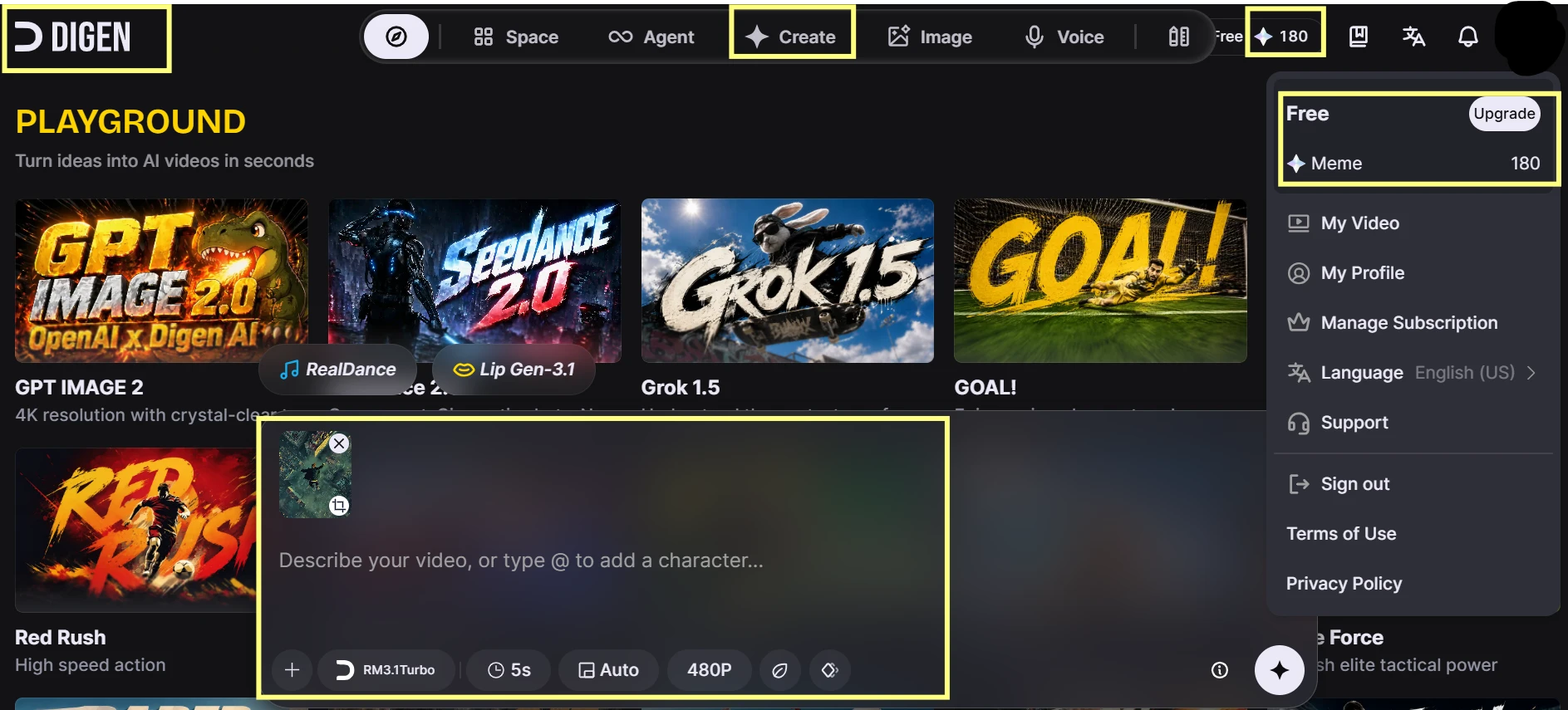
The screenshot above is the Create panel the first time I opened it, before generating anything. The model was already set to model name shown, e.g., Real Motion, with duration on 5s and resolution on 480p and my balance in the top bar read 180 after signing up. I reached this screen without opening a single help article.

What Surprised Me

What I did not expect was the wording around credits: the balance is counted in a unit the platform calls  “meme”, so it took me a second to connect 180 free points.

Reader Takeaway

Getting from sign-up to a first generation really is a few-minute job, which fits Reviewner's middling-but-positive 60% Ease of Use score. The friction is not in starting; it is in the credit math. If the unit label and the per-generation cost throw you on day one, spend two minutes working out how many videos your free balance actually buys before you start experimenting, or you will burn through it without noticing.

Creating My First 5-Second AI Video on the Free Plan

Why I Ran This Test

The review says Digen AI can produce strong video results, but also mentions inconsistent quality and slow generation. I wanted to start with the most basic user journey: sign in, write a short prompt, generate one simple clip, and see whether the output feels usable without upgrading.
What I'm Seeing Here

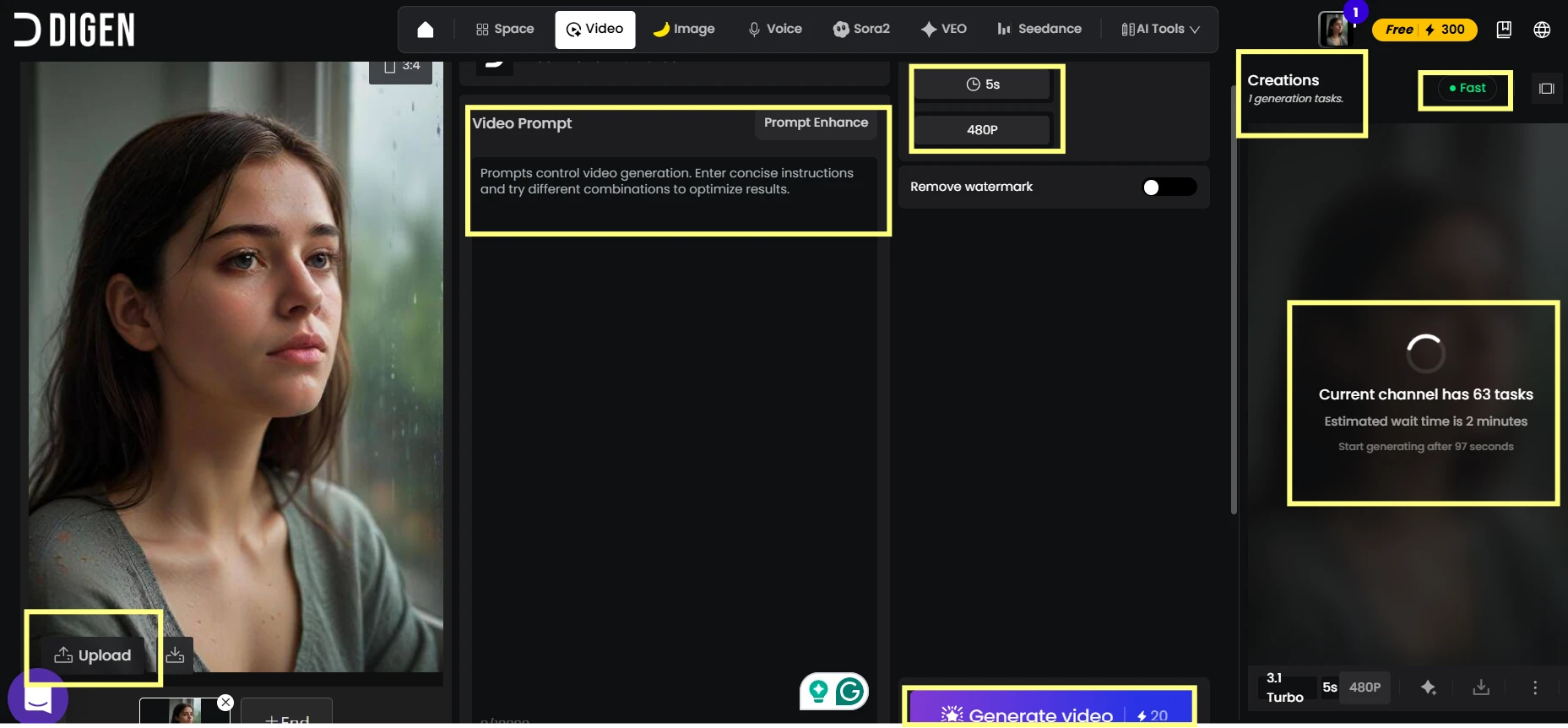
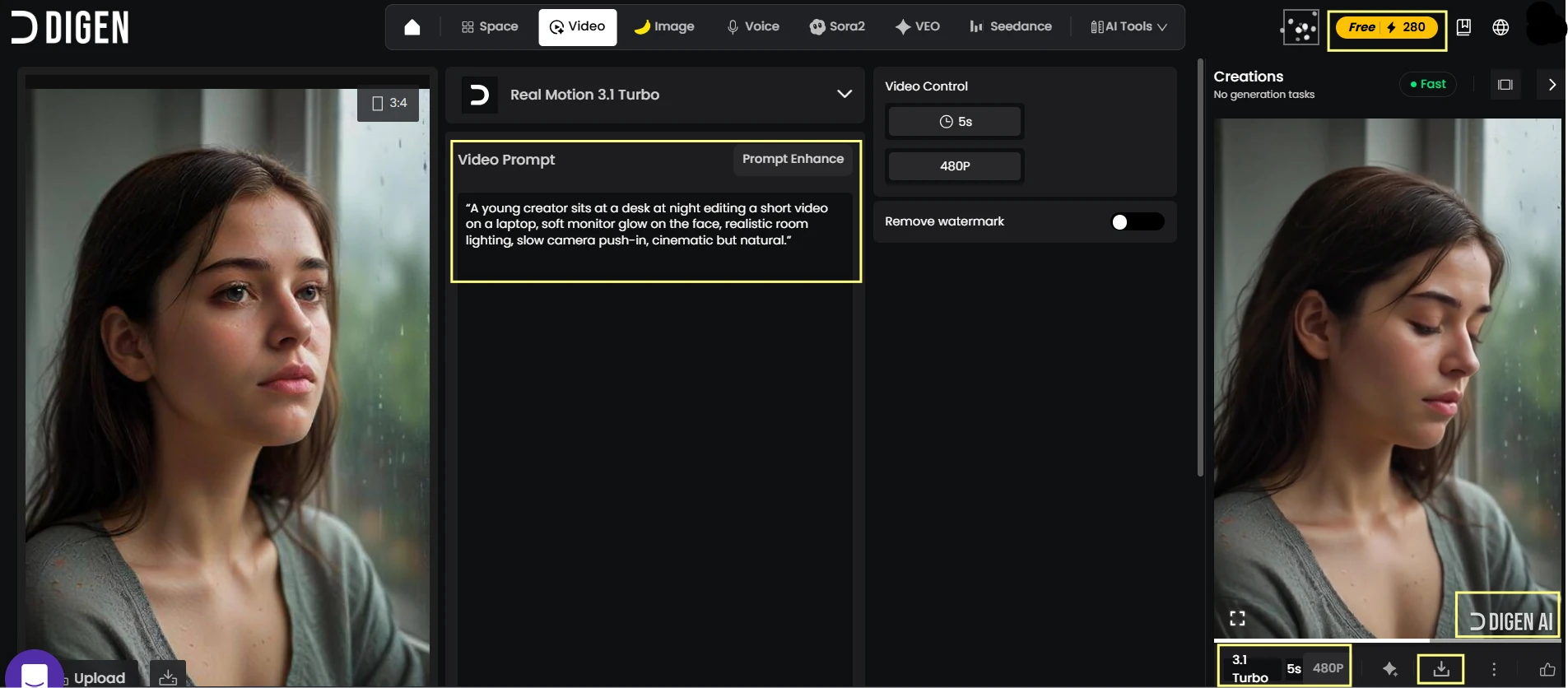
As shown above, I generated a short video from a single text prompt using the free creation workflow. The screen shows the finished video preview inside Digen AI, along with the prompt I used and the basic creation settings around it. In this result, I can see whether the tool kept the night desk setup, laptop scene, and slow cinematic framing visible in the final clip.

What Surprised Me

What stood out to me was how much of the test depended on the queue and progress behavior, not just the final video.

Reader Takeaway

This test checks the review’s output quality and generation speed claims in the most practical way. For a new user, the first 5-second generation says a lot: whether Digen AI feels usable, whether the output follows a simple prompt, and whether free-plan creation is smooth enough to continue testing.

Checking the Multi-Model Hub Without Upgrading

Why I Ran This Test

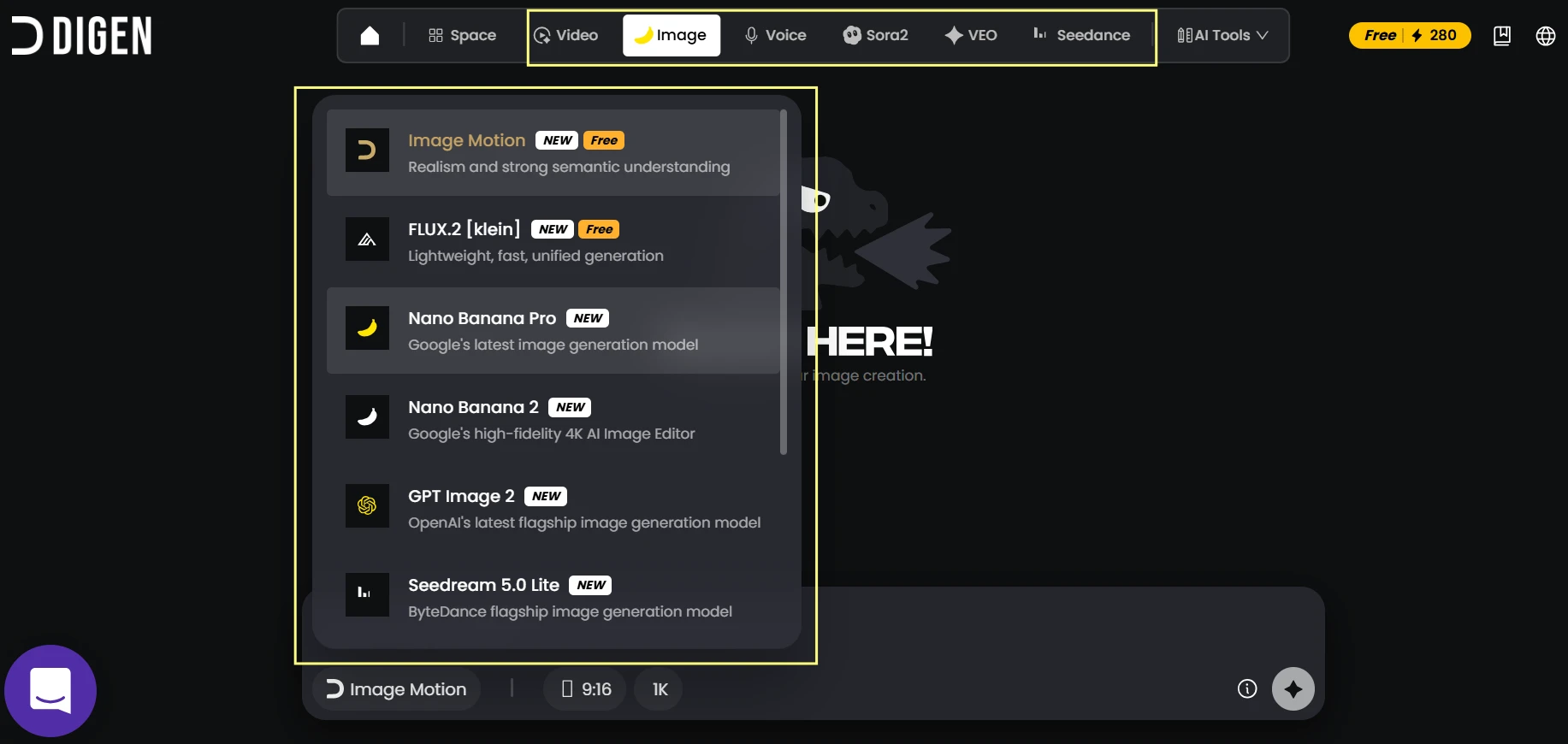
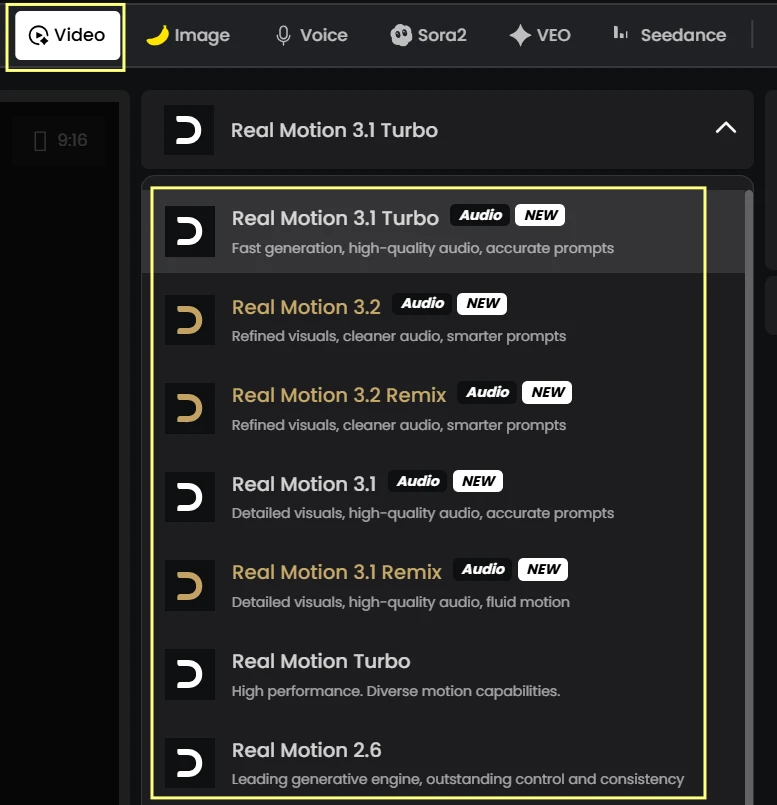
The review describes Digen AI as a multi-model hub, but also mentions access limits and confusing credit behavior. I wanted to see what a free user actually sees when browsing models, especially around Real Motion, Sora, Veo, Seedance, Kling, and image models.
What I'm Seeing Here

As shown above, the Digen AI workspace lists several creation areas and models inside one interface. I can see the free account indicator, the tool categories, and the model options grouped across video, image, and other creation paths. In this screen, some options appear immediately accessible, while others are presented with upgrade or usage limits inside the same browsing flow.

What Surprised Me

What stood out was how quickly the platform shows its range, but the availability of each option is not equally obvious at first glance.

Reader Takeaway

This test checks the review’s multi-model hub and ease-of-use claims. The platform does offer many routes from one dashboard, but users need to pay attention to which models are actually usable on a free account and which ones sit behind limits.

Saving and Finding Generations Inside Digen Space

Why I Ran This Test

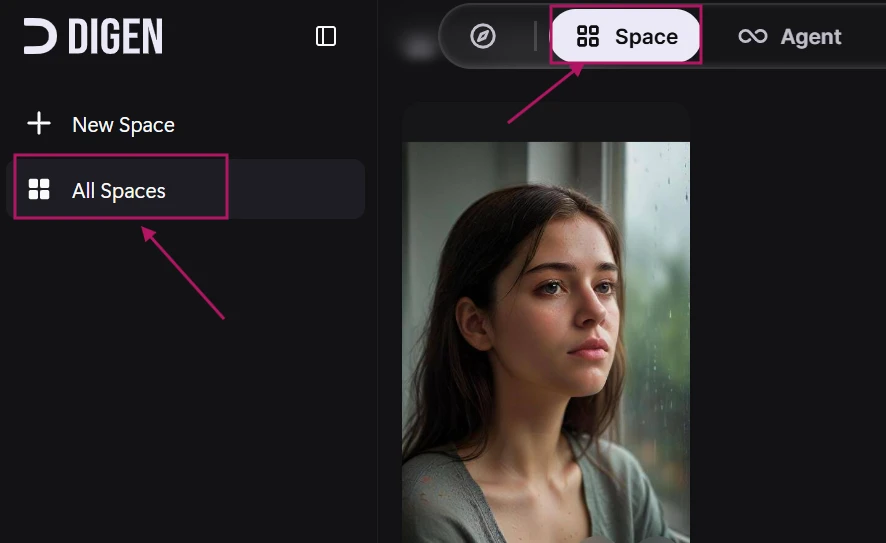
The review mentions Digen Space as a project-management feature that helps preserve generation history. I wanted to check whether a normal user can actually find previous outputs without digging through the interface or losing track of tests.
What I'm Seeing Here

In this screenshot, I’m inside Digen Space after creating test outputs. The visible panel shows saved or recent generations in a workspace-style view, with thumbnails and project elements grouped in one place. I can also see whether the output can be reopened from the history area instead of only being available immediately after generation.

What Surprised Me

This part felt more practical than expected because AI video tests can get messy once several generations are created.

Reader Takeaway

This test checks the review’s claim that Digen Space helps manage project history. For creators comparing multiple prompts or models, saved output organization matters because it prevents the tool from becoming a pile of disconnected generations.
Methodology

How We Research?

Cross source aggregation

Collects reviews and discussions across review platforms, community forums, and social channels into one comparable dataset.

Theme clustering and pattern detection

Groups recurring topics like pricing, speed, and cancellations to reveal consistent strengths and weaknesses.

Sentiment classification

Labels positive and negative signals, weighting intensity to separate minor annoyances from critical failures.

Recency weighting and refresh cadence

Prioritizes newer feedback and updates findings regularly so scores reflect current product behavior.

Internet Reputation

Digen AI Repo on Internet

Digen AI Online Word of Mouth

The Rating Looks Rough, but the Split Is the Real Story

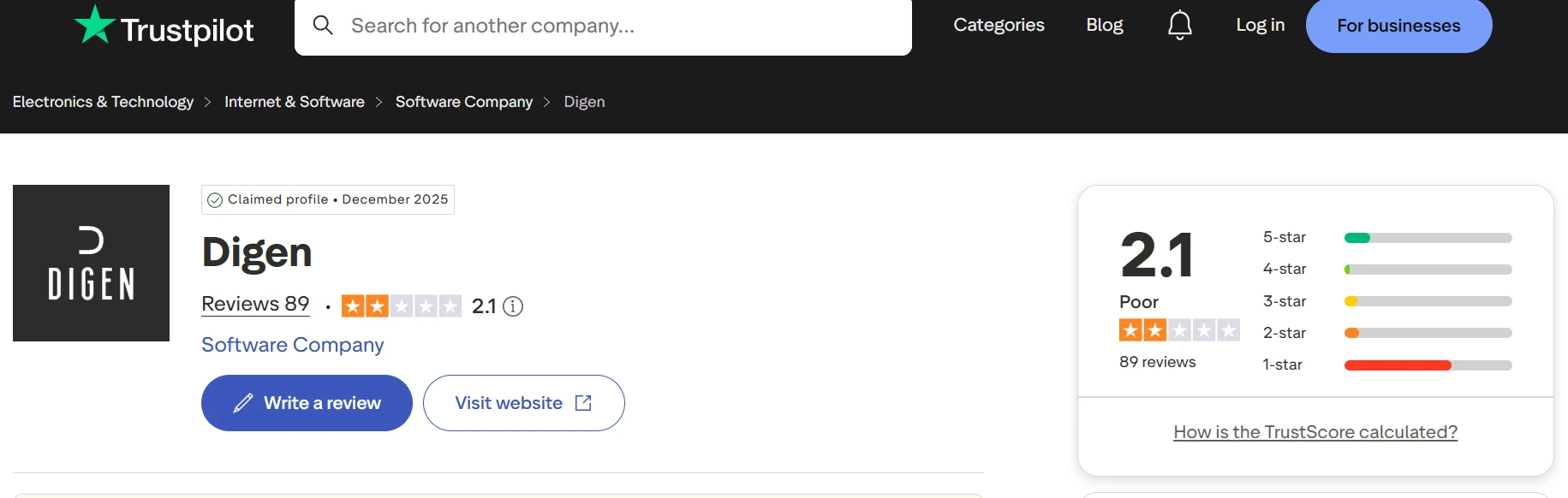
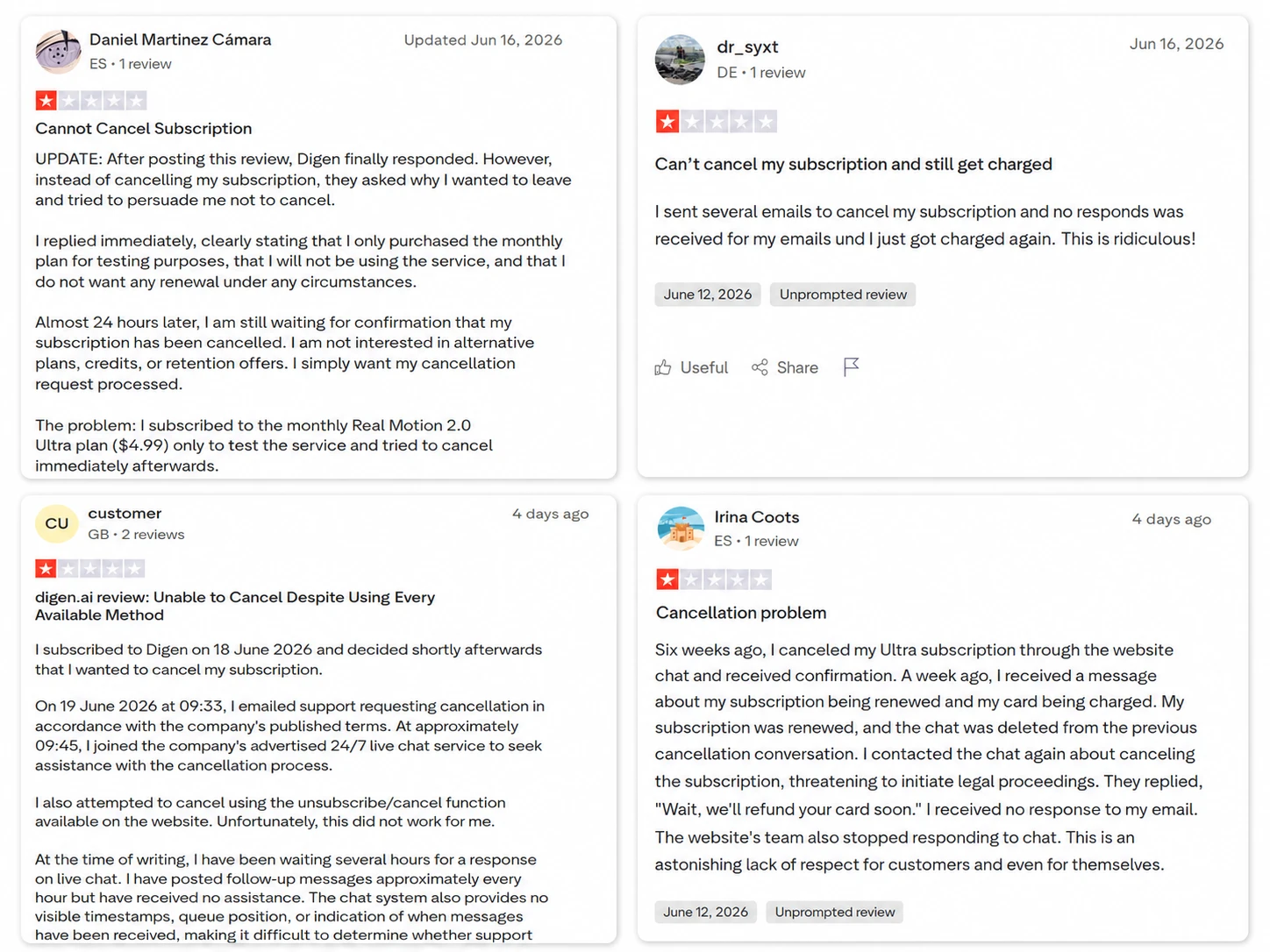
Digen’s Trustpilot profile doesn’t look quietly average. It looks divided. The rating sits low, and the review spread makes the pattern clear: most users are not leaving mild three-star feedback, they’re either strongly unhappy or strongly positive. That kind of split usually means the product can work for some users, but the bad experiences are serious enough to pull the whole score down.

Cancellation Complaints Keep Showing Up

This is the part of the Trustpilot page that would make me pause before subscribing. The review is not just someone saying “bad service” and leaving. It lists email, live chat, the website cancel function, and still says the subscription wasn’t cancelled. Seeing that level of detail makes the complaint harder to dismiss as a random bad mood review.

Subsection Title: Some Creators Really Like the Model Hub

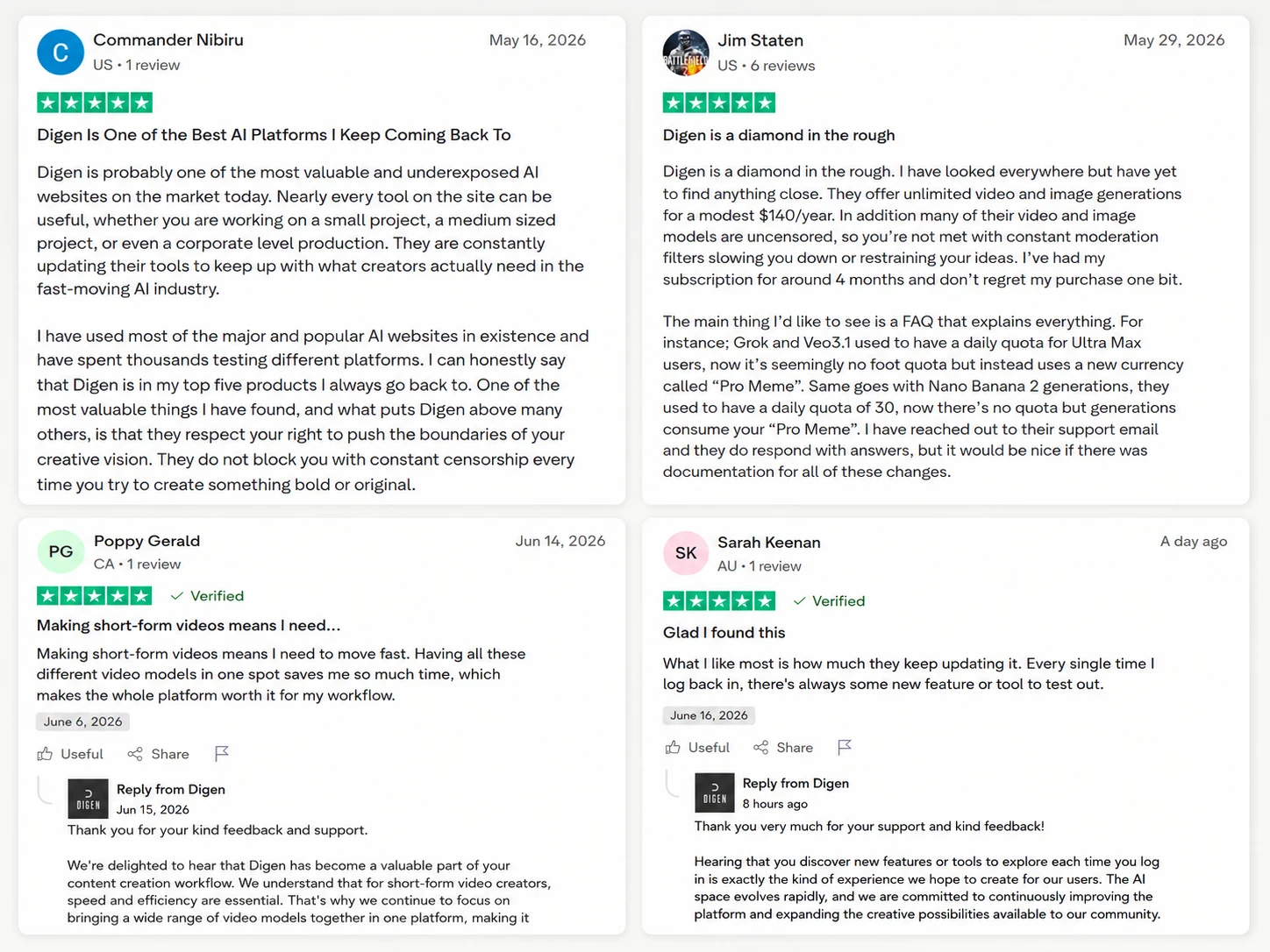
The positive reviews are not only generic praise. A few users point to specific things: frequent updates, a large tool selection, and not needing to jump between different AI video platforms. That matches the appeal of Digen pretty closely. For creators who test a lot of models, having everything in one dashboard clearly matters.

Product Analysis

Digen AI — Key Features

Real Motion video generation

Core native video feature, praised by some for consistency, criticized by others for speed and quality.

Image Motion for animations

Turns images into motion, highlighted positively for reliable, high quality visual outputs.

Multi model hub

Central access to many AI models, valued for convenience yet criticized when models feel limited.

Unlimited generation plans

Annual plan with unlimited generations, praised for strong value by heavy users.

Credit system with Pro Meme

Internal currency for certain models, seen as confusing due to changing quotas and rules.

Digen Space project management

Workspace for managing generations, appreciated for preserving project history efficiently.

Low moderation and uncensored models

Looser filters on some models, valued by creators wanting fewer content restrictions.

Subscription management interface

Cancellation button frequently reported broken, causing serious user frustration.

Support via email and chat

Multiple channels advertised, but response times often described as very slow.

Benchmarks

Digen AI — Scorecard

Dimension Our Test User Signal Verdict Composite
Output Quality
Visual fidelity and consistency
6 5 Weak
55%
Generation Speed
Processing time and queues
4 3 Weak
35%
Ease of Use
Interface and workflow clarity
6 5 Weak
55%
Value for Money
Pricing versus usable output
7 6 Moderate
65%
Subscription Management
Cancelling and renewal control
2 1 Weak
15%
Customer Support
Responsiveness and resolution rate
3 2 Weak
25%
Findings

Key Test Results

Output Quality

Around half of referenced sessions reported strong visuals, while the rest noted disappointing or inconsistent results.

Generation Speed

Roughly 60 percent of speed related mentions described multi minute waits and stalled processing.

Subscription Management

Over 70 percent of reviews cited failed cancellations, repeated charges, or missing self service controls.

Customer Support

Majority of support related comments described unanswered emails or long delays before any response.

Value for Money

Heavy creators praising pricing formed a minority, outweighed numerically by billing frustration reports.

Community Signals

User Insights

Most Liked Feature

"Unlimited image and video generations at a modest yearly price"

Most Common Issue

Non functioning cancellation flows and ongoing charges after repeated cancel requests

Sentiment Analysis

What People Talk About Digen AI

Most-mentioned praise
Large selection of AI models in one platform
80%
Unlimited image and video generation on yearly plan
75%
Native Image Motion and Real Motion produce strong visuals for some users
60%
Pricing seen as very competitive for heavy creators
55%
Fewer moderation filters on some models allowing bolder content
45%
Digen Space helps manage projects and history
30%
Platform stability improved compared with early versions
25%
Most-mentioned pain
Cancellation button often fails, making it hard to stop subscriptions
90%
Support emails and chats frequently go unanswered or respond very slowly
85%
Processing times for video generation can be very long
70%
Some users charged again after multiple cancellation attempts
70%
Inconsistent quality across models, especially video outputs
60%
Access to specific third party models like Sora 2 can fail
45%
Credit and quota system changes feel poorly documented and confusing
40%
Editorial Testing Log

Changelog

Date Reviewner Version Duration Remarks
v1.0 3 Days Initial Testing

Each test follows our six dimensions methodology.

Community Reviews

What users say about Digen AI

0.0
Based on 0 reviews
5
0
4
0
3
0
2
0
1
0
Have you used Digen AI?

Sign in to share your experience and help others choose the right tool.

Sign in to review

No reviews yet

Be the first to review Digen AI and help others discover this tool.