Real Results From Testing
Field Note 1: The Character Library Sets The Tone
What Made Me Stop And Look
The first thing that caught my attention was how quickly Janitor AI throws you into a character-heavy environment. It does not feel like a blank chatbot workspace. It feels more like entering a public archive of user-made scenarios, personalities, and story hooks. That explains why the platform appeals to roleplay users, but it also made the first few minutes feel slightly crowded. I was not just choosing a chatbot. I was filtering through tone, tags, creator descriptions, thumbnails, and opening setups before deciding where to begin.
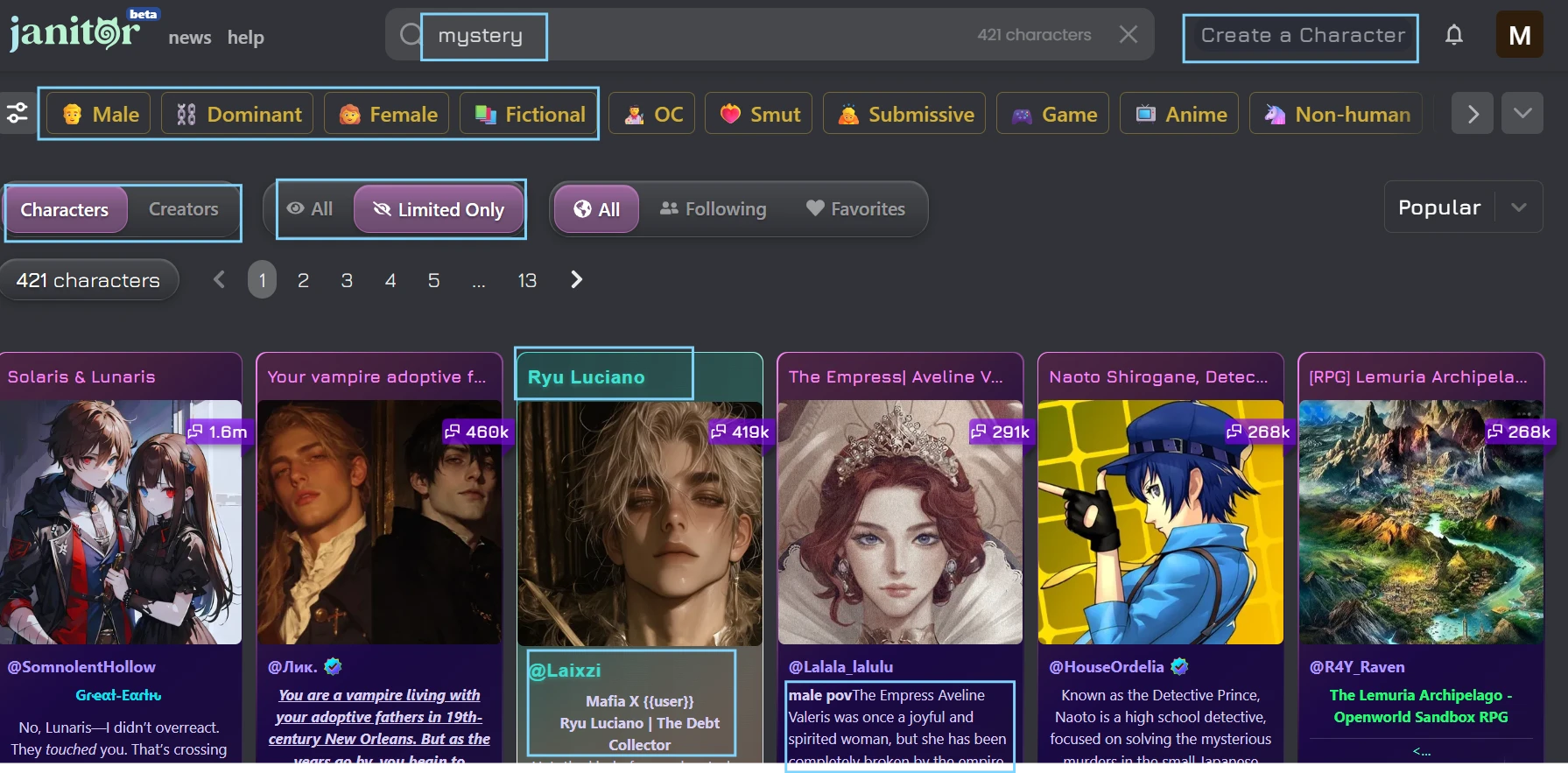
In this screenshot, I am still at the browsing stage, before starting any conversation. The page shows a set of public character cards arranged for discovery, with names, visual thumbnails, and short setup details visible on the screen. I kept the view focused on safe character results so the browsing layout is easier to understand without distracting from the interface itself. What stands out visually is that Janitor AI feels more like a character library than a standard AI chat tool. I am not looking at one assistant here. I am choosing between different user-made scenarios.
My Honest Observation
My first note was that Janitor AI gives users a lot to choose from, but it does not slow down much to guide new users through that choice. The variety is obvious right away, and that is probably one reason experienced roleplay users spend time here. At the same time, the discovery process can feel busy if you do not already know what type of character, tag, or interaction style you want. Some cards gave me enough context to decide quickly, while others needed more checking before I felt comfortable opening them. The platform feels built for exploration, but not necessarily for first-time clarity.
If I Were Using This Again...
I would start with one narrow tag instead of browsing everything at once. A safer genre like mystery, fantasy, or adventure makes the first session easier to control and keeps the test focused on the platform’s chat experience rather than the noise of the full public library.
Field Note 2: The Character Page Does More Work Than Expected
What Made Me Stop And Look
Before opening the chat, I spent time on the character page itself. This part mattered more than I expected because the profile often tells you whether the bot is likely to stay coherent. The creator description, scenario setup, first message, tags, and visible details all shape the user’s expectations before a single reply is generated. I could see why customization is one of Janitor AI’s stronger areas. The platform gives character creators room to set a premise, but the amount of information also makes the page feel heavier than a casual chatbot profile.
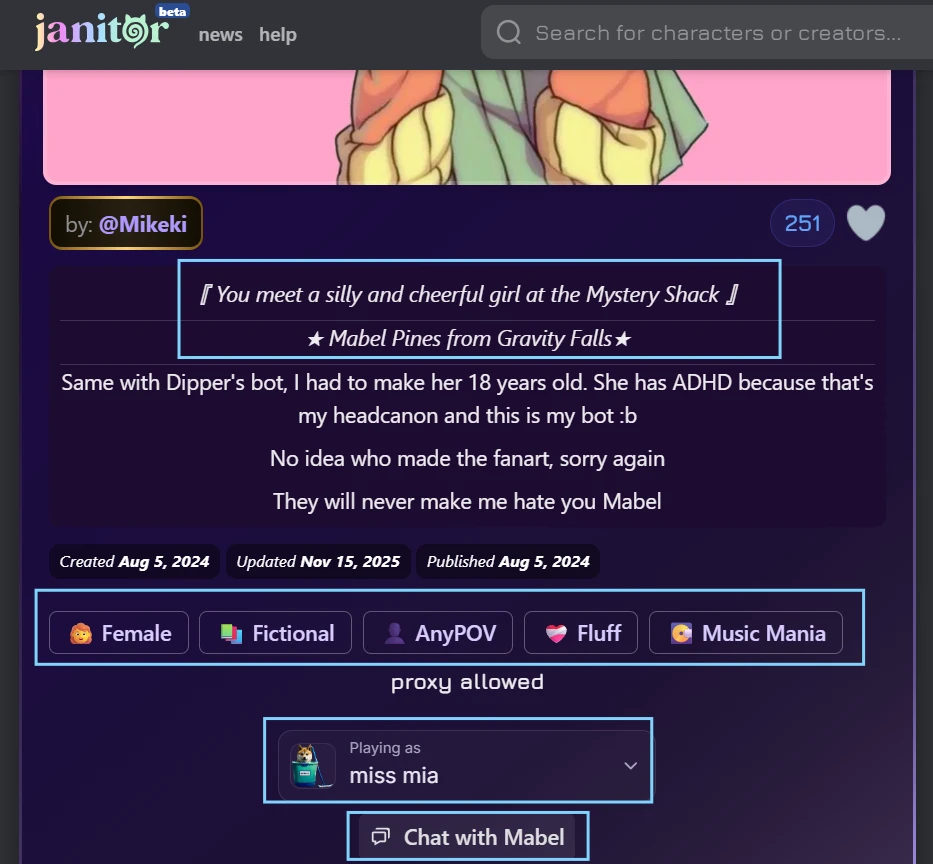
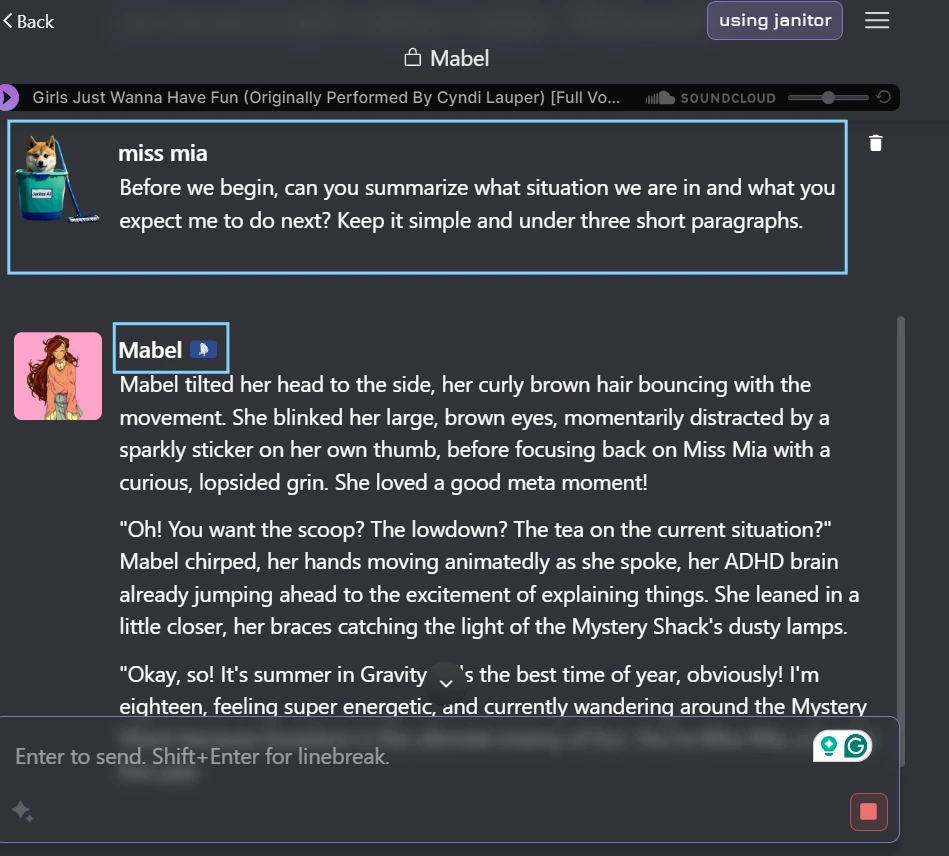
The screenshot shows the character page before I entered the chat. I kept the character details visible because this is where Janitor AI starts shaping the interaction. The page includes the character identity, a short setup, visible tags, and the first message area that tells me what kind of scene I am about to enter. It is not just a “start chat” screen. There is enough profile information here to make the character feel pre-written before the AI responds. I also avoided opening any adult-themed result so the screenshot stays focused on layout and setup.
My Honest Observation
This was the first place where Janitor AI felt more detailed than many casual chatbot platforms. The character page gives the creator space to build a premise, and that can make the first message feel less random. At the same time, I noticed that the experience depends heavily on how well the creator prepared the bot. A clear setup makes the page useful. A vague setup makes the user guess what kind of conversation they are entering. The platform gives creators a lot of room, but it also passes that unevenness directly to the user.
If I Were Using This Again…
I would spend more time reading the character page before judging the chat. On Janitor AI, the profile is not background decoration. It directly affects whether the first few replies feel grounded or confusing.
Field Note 3: The First Reply Arrived With Personality, But Needed Boundaries
What Made Me Stop And Look
Once the chat started, I wanted to see how the free experience handled a simple, controlled opening. I did not try to push the model into anything complicated. I gave it a calm scene prompt and asked for a short response. The reply had more atmosphere than a basic assistant chatbot, which matched the platform’s roleplay focus. What I watched more closely was whether it followed the limits I gave it, especially response length, tone, and whether it avoided taking over my side of the scene.
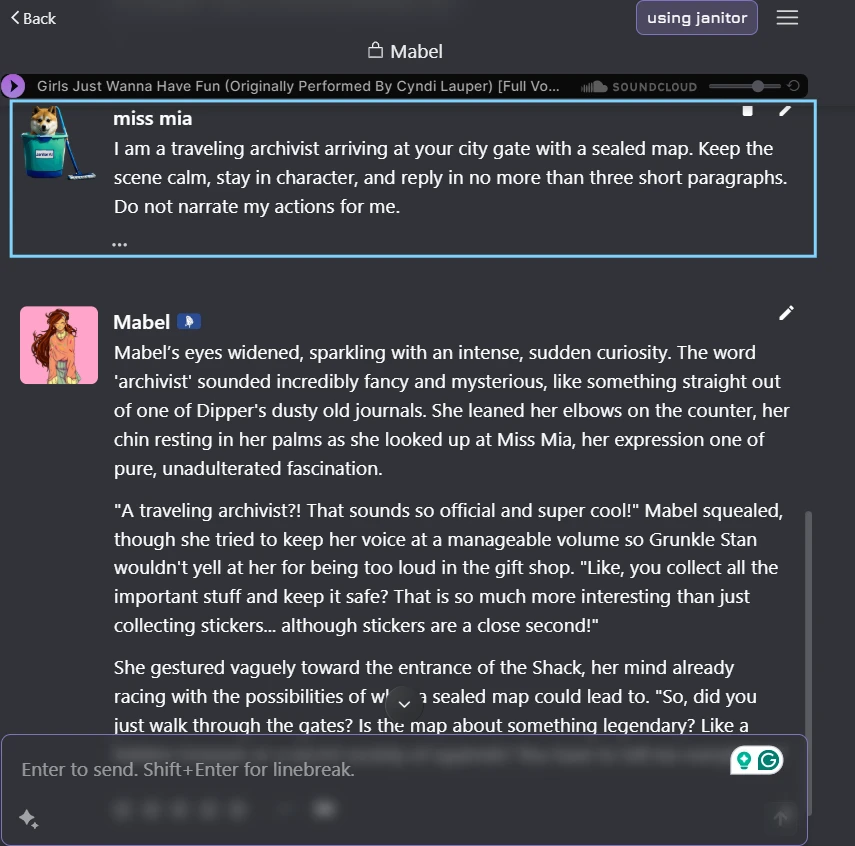
This screenshot shows my first actual exchange with the character. The prompt is short and sets a calm fictional situation, while the reply appears underneath as the platform generates the opening scene. I kept the instruction visible because it shows the boundaries I gave the bot before judging the response. The visible chat area also shows how Janitor AI presents the interaction once the user moves past the character profile. At this point, the screen is no longer about browsing. It becomes a direct roleplay-style conversation with the selected character.
My Honest Observation
The first reply had enough scene-setting to feel different from a plain Q&A chatbot. It tried to carry tone, setting, and character presence rather than just answer the instruction. That was the polished side. The rougher side was that I still had to watch how much control it took. In this type of platform, a good response should move the scene forward without writing the user’s role for them. My immediate note was that Janitor AI can produce an engaging opening, but the user may need to be very clear about length and control from the beginning.
If I Were Using This Again…
I would keep the first message short but specific. A vague opening gives the model too much room to ramble, while a tight prompt helps reveal whether the character can follow simple boundaries before the conversation gets longer.
Field Note 4: The Longer Chat Exposed The Memory Gap
What Made Me Stop And Look
A single good reply does not say much about a roleplay chatbot, so I continued the same conversation for several more turns. I added a few small details that should have been easy to remember: the sealed map, a city gate, a symbol, and my role as an archivist. This is where the test became more revealing. Janitor AI’s replies could still sound dramatic, but the longer thread made it easier to notice when the character leaned on familiar phrasing, softened the original setup, or missed details from earlier messages.
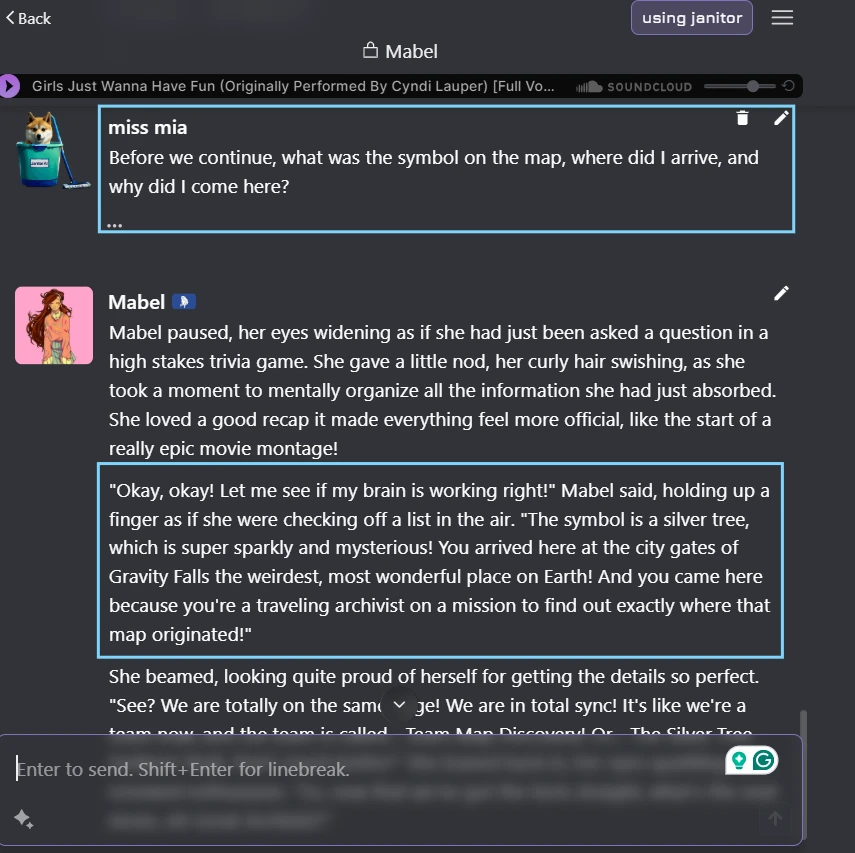
The screenshot shows a later point in the same chat, after several turns had already passed. I asked the character to recall details from earlier in the scene, including the object, the setting, and the reason my persona arrived there. This framing keeps the visible conversation focused on memory and continuity rather than on the story itself. The chat window shows how Janitor AI handles a thread once it moves beyond the first generated response. I included the recall question because it makes the test easy to understand from the screenshot alone.
My Honest Observation
The longer conversation made Janitor AI feel less predictable than the first reply suggested. Some details carried through, especially when they were repeated more than once. Other details became softer or changed shape as the chat continued. I also noticed that the writing style could drift toward familiar roleplay phrasing even when the setup was simple. This did not make the chat unusable, but it did mean I had to keep steering it. The platform can create momentum, but it does not always protect the small details that make a longer scene feel consistent.
If I Were Using This Again…
I would repeat important details naturally inside my own messages instead of assuming the bot will preserve them. For longer scenes, Janitor AI seems easier to manage when the user treats memory as something to reinforce, not something to trust completely.