Kapwing Tested: 10 Free Credits, 30 Needed, Zero Videos
approached Kapwing the way a small business owner or content creator actually would: land on the site, sign up, and immediately try to turn a plain-English brief into a finished video. No template hunting, no tutorial just "can this thing make me a video?" What follows is exactly what I saw, screen by screen, with my honest take on each step.
The landing page: a confident, prompt-first pitch
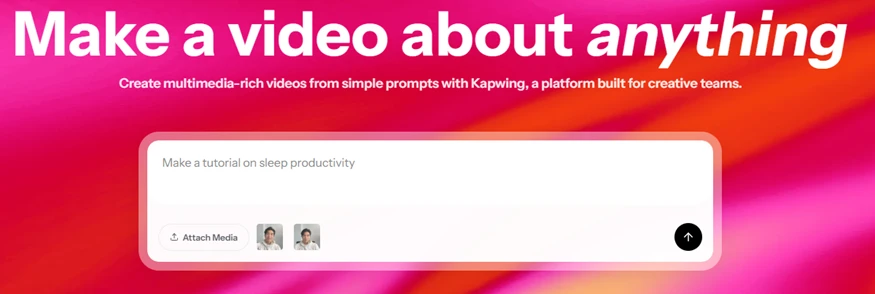
Kapwing's homepage: "Make a video about anything" with a single prompt box.
The first thing Kapwing does is put a prompt box right in your face under a bold "Make a video about anything." It's a confident, generative-first pitch: no menus, no gallery to wade through, just type an idea and go. The pre-filled example ("Make a tutorial on sleep productivity") tells you exactly what it wants from you, and the "Attach Media" button plus the two face chips hint that you can feed it your own footage and even talking-head avatars. As a first impression it works: the friction to start is basically zero and the branding is clean and memorable. My only note is that it's marketing-forward — a big promise, with the actual limits tucked a few clicks deeper.
The sign-in gate: friction-free landing, then a wall
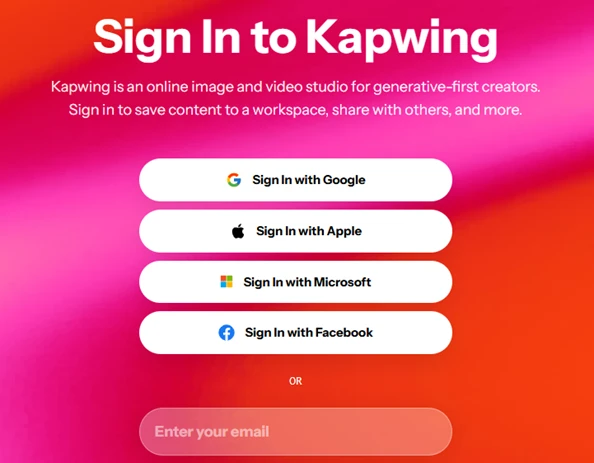
Sign-in options: Google, Apple, Microsoft, Facebook, or email.
Here's the catch to that friction-free landing: you can type a prompt, but the moment you want to actually do something, Kapwing walks you to a sign-in wall. You get the usual quartet — Google, Apple, Microsoft, Facebook plus an email option, so account creation is painless and OAuth gets most people in within seconds. Nothing unusual here. It's just worth flagging that the "make a video about anything" energy of the home page quietly becomes "make an account first." Expected, but the bait-and-gate rhythm starts early.
Onboarding: what are you here for?
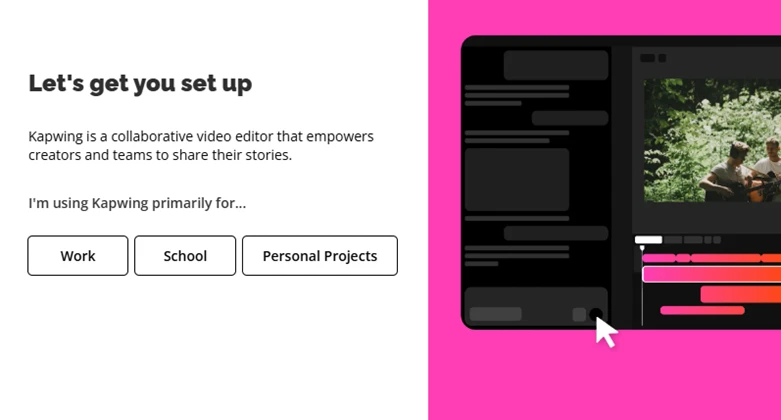
"Let's get you set up" — Work, School, or Personal Projects.
Standard SaaS segmentation. Kapwing asks whether you're using it for Work, School, or Personal Projects so it can tailor the workspace. It's a single tap, and the preview panel showing a real editing timeline behind the generative layer is quietly reassuring: this isn't only a prompt toy, there's an actual editor underneath. Quick, harmless, done.
The attribution question
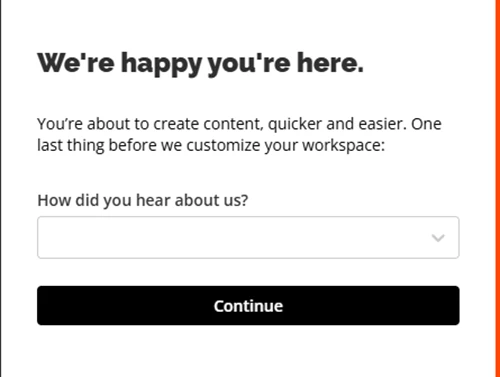
"How did you hear about us?" — the second onboarding gate.
A second onboarding step “How did you hear about us?” which is purely for Kapwing's analytics, not for me. On its own it's trivial, but stacked on top of the previous screen it's the second gate between me and the thing I came to do. I'd have preferred to be dropped straight into the editor and asked this later. Minor, but the setup flow is already feeling longer than the "type a prompt and go" promise implied.
The pricing wall: it runs on credits
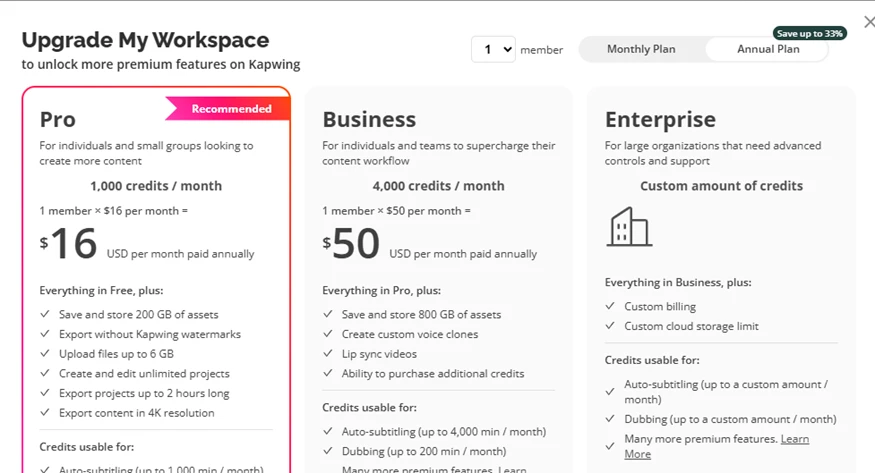
Upgrade sheet: Pro $16/mo (1,000 credits), Business $50/mo (4,000 credits), Enterprise custom.
And here's where the business model shows its hand: Kapwing runs on credits. The upgrade sheet lays out Pro at $16/month (1,000 credits), Business at $50/month (4,000 credits), and a custom Enterprise tier, with annual billing nudged hard via a "Save up to 33%" badge and Pro pre-marked "Recommended." The feature list is genuinely attractive: 4K export, no watermark, voice clones and lip-sync higher up. But the one number that actually matters for a free user isn't on this screen: how few credits you start with. That becomes painfully clear two steps later.
The real test — a genuine ad brief

My test prompt: a 10%-off sunglasses promo for an optical business.
This is where I stopped playing and gave it a real job: "CREATE a mesmerising video on an optical business offering flat 10 percent discount on all its sunglasses." A concrete, commercial ad brief exactly the kind of thing a small business would actually want to produce. The composer itself is clean and capable-looking: attach media, @-mentions, #-tags, a settings toggle, and a send button. At this point I was optimistic, the prompt bar feels like a serious tool, not a gimmick.
The credit wall — the part I hated most
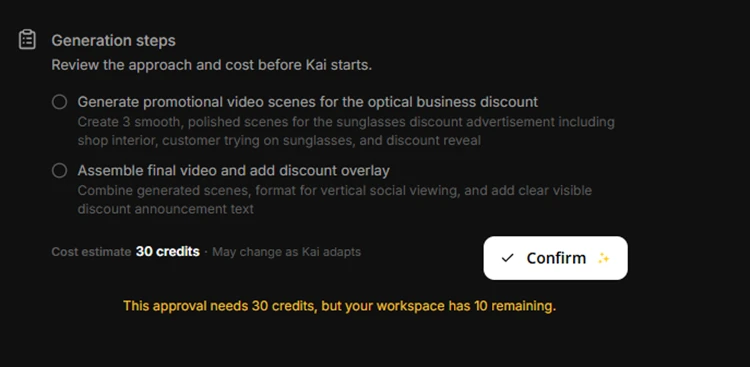
Kai plans the job at 30 credits but the free workspace has only 10 remaining.
And then the wall. Kapwing's agent, "Kai," did the smart thing: it broke my request into a clear plan — generate three polished scenes, then assemble the final vertical video with a discount overlay and even estimated the cost up front at 30 credits. The problem is spelled out in bold yellow: "This approval needs 30 credits, but your workspace has 10 remaining."
That single line is the whole story of the free tier. Ten credits isn't enough to generate one video not a long one, not a fancy one, just one. I did everything the product asked: wrote a real prompt, watched it plan a genuinely sensible workflow, and then simply could not press go. This was the single most frustrating moment of the entire test, and honestly the thing I hated the most, the free version lets you do everything except the one thing you actually came for. I never generated a single video.
Bottom line: All setup, no video. The 10-credit free allowance can't cover a single 30-credit generation which is exactly where this test, and my patience, ran out.