Video Generation

Pictory.ai Review

AI-assisted video creation platform for non-editors who want to turn scripts, articles, and ideas into shareable videos quickly, with simple controls, stock assets, captions, and responsive support behind it.

Test Duration
3 Days
Reviewner Version
v1.0
Last Tested
14 Sep, 26
8.6
Recommended for Content Creators
Reviewner Test Score

Pictory.ai delivers fast, easy script to video creation that many reviewers say outperforms other AI video tools for everyday content work. Users consistently praise its intuitive interface, time savings, and strong customer support. However, several reviews highlight billing frustrations, refund denials, and serious cases of lost or corrupt projects, and some find the AI visuals inaccurate or basic. It suits creators who value speed and usability over perfect automation and who can tolerate occasional manual visual tweaking. Overall, it fits solo creators, educators, and small teams needing frequent video output more than demanding archival or niche-production workflows.

YouTube Creators Course Creators Social Media Marketers Agency Video Teams Small Business Owners Nonprofit Marketers
Reviewner Testing Log

Pictory.ai Hands-On Testing

Testing the Pictory AI Video Builder

I signed up for the free trial to see how Pictory performs once you move past the marketing page. The account came with 50 credits and a 14 day trial window. The dashboard greets you by name and puts an idea box front and center, with quick tool shortcuts sitting below it.

Text to video, URL to video, PPT to video, and Audio to video sit in that row, along with a few more shortcuts for images and recordings. A promotional banner for the annual plan stayed pinned across the top of my screen for the entire session, worth flagging before the pricing section later on.
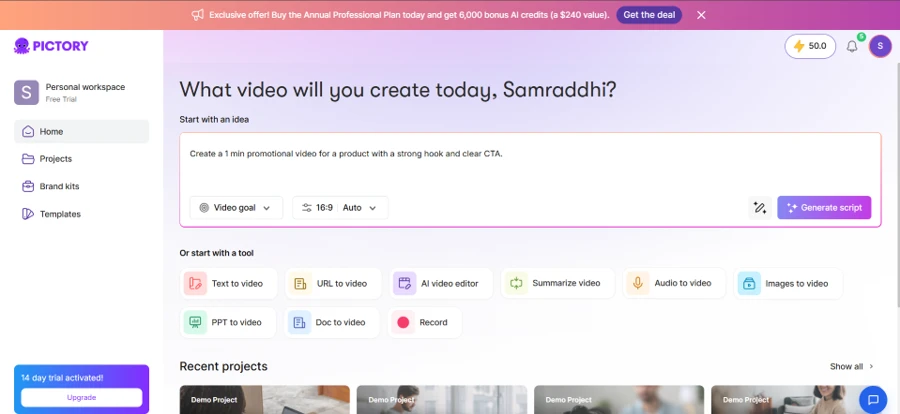
The Pictory dashboard right after signing up for the trial.

Generating a Script

For the first test, I typed a prompt into the idea box and clicked through to generate a script rather than jumping straight into the editor. That single choice mattered more than I expected, and I will come back to it later. Pictory took my prompt, a short brief about AI in everyday life, and expanded it into a full script on its own, adding sentences I never wrote. The scene settings let you choose whether scenes break per sentence or per line, and a toggle highlights keywords for the AI to key off when picking visuals.
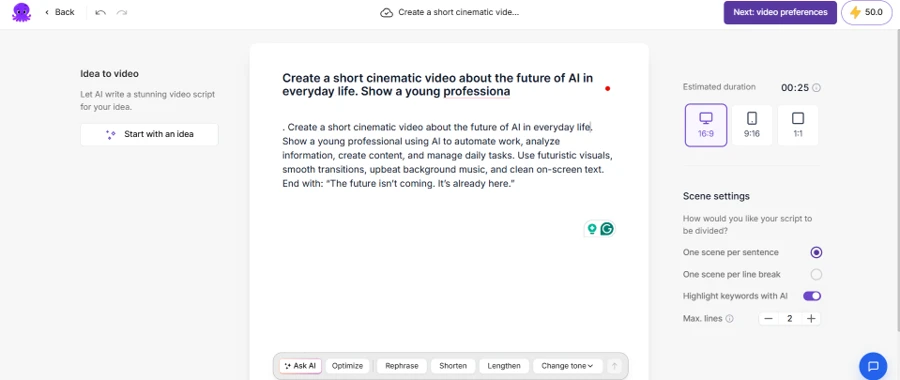
Typing a prompt and letting Pictory expand it into a full script.

Once I approved the script, Pictory split it into six separate scene cards, one per sentence, each ready to pair with its own visual.
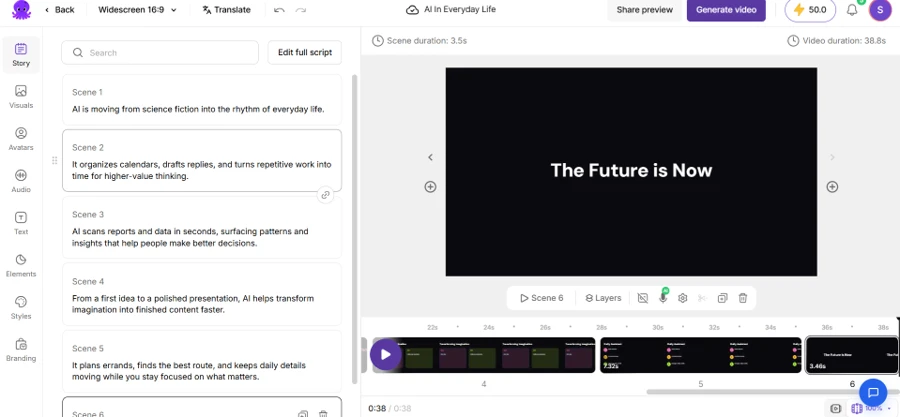
The script broken into individual scenes before video generation.

Setting Video Preferences

The video preferences screen covers two decisions before generation. Visual source can stay on auto select, pulling from stock footage and Pictory's own AI Studio, or you can lock it to a single source. Narration type offers a plain AI voice or an AI avatar reading the script on camera. You can also turn narration off entirely. A separate dropdown further down lets you apply an optional theme. Pictory calculated the credit cost before I committed, 16 credits for a roughly 40 second video, so the spend is visible up front rather than buried until checkout.
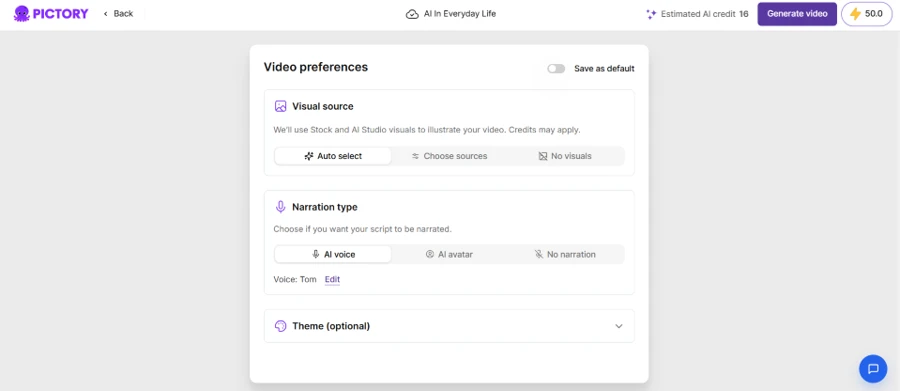
Choosing a visual source and narration type before generating a video.

Inside the Editor

The scene editor is where Pictory earns its pitch to people with no editing background. Text overlays live in their own panel, separate from the video canvas, so adding a heading doesn't touch the voiceover underneath it. Basics shapes, stickers, GIFs, and emoji sit under Elements for anything beyond stock footage. Styles applies a full color palette across one scene or the entire project in a single click.

Swapping in an AI avatar triggered a popup I hadn't expected, asking whether to keep my current narration voice or replace it with the voice bundled to that avatar.
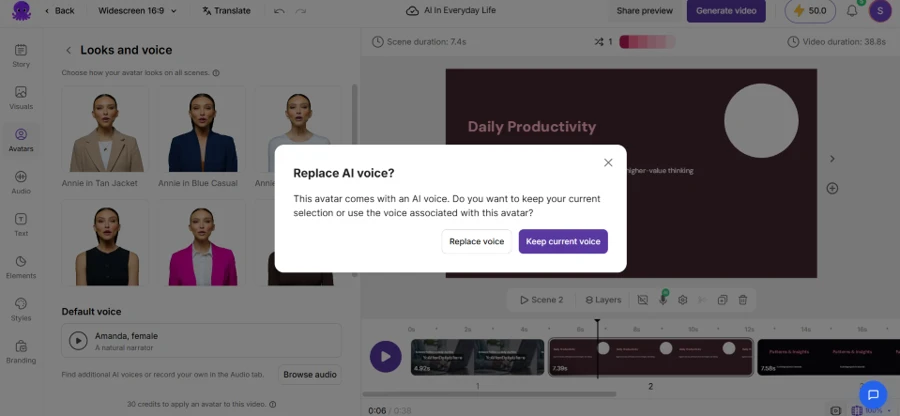
Pictory checking before it swaps an avatar's paired voice into the project.

That one popup saved me from an accidental voice change I would have had to notice and undo later. The avatar library itself is a short, scrollable set of stock presenters, each with a name and a look, not a character built from scratch.

Testing How Pictory Handles Language

This is where I wanted evidence rather than a guess. I wrote two scripts on the same topic, global teams working across time zones, and ran each one through Pictory on its own. The first leaned on idiomatic language rather than plain description, phrases like building bridges across a calendar and burning the midnight oil, with trust itself framed as infrastructure. For that run I skipped the script generation step by mistake and went straight into the editor. Pictory treated the entire paragraph as a single scene lasting 29 seconds. It picked one stock clip of a video call montage and held it for the full 29 seconds, regardless of what the script said next.

The opening line, building bridges across a fractured calendar, showed up as literal on-screen text over a different clip the second time I ran the same prompt, a single man sitting at a desk in what looks like a brick-walled office. Neither shot shows a bridge, a calendar, or anything resembling a global team.
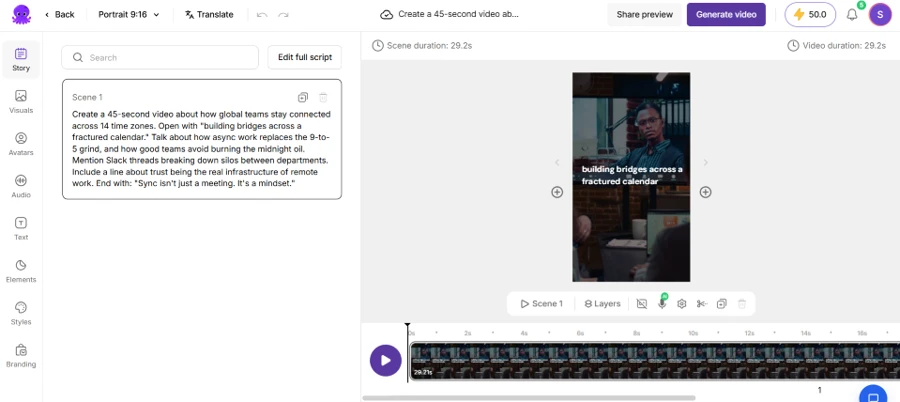
On-screen text quoting the script's opening line, paired with unrelated office footage.

The second script told a different story, though not the one I expected walking in. I ran it through the script generation step properly this time, and it split into six scenes as intended. Scene one pulled real footage, people in what reads as a team meeting, overlaid with the line 14 Time Zones. One Team. That felt accurate.
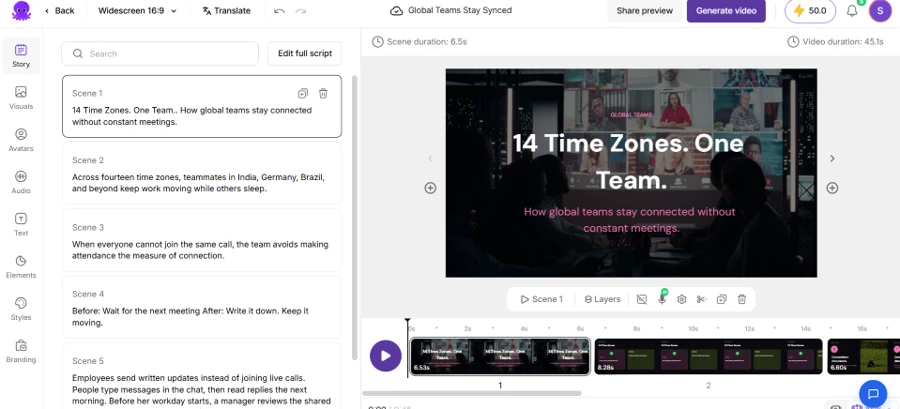
Scene one of the literal script, matched with real meeting footage.

Scenes two through six mostly abandoned stock video. Instead of searching for footage matching lines like employees send written updates or a manager reviews the shared task list, Pictory generated flat graphic cards. One scene turned into a checklist titled Practices. Another became a black title card reading Write It Down, with no visual at all behind the text. A third did use a photograph, a single person crouching in a field of grass, paired with a line about not measuring connection by meeting attendance. Nothing in that photo relates to the sentence sitting above it.
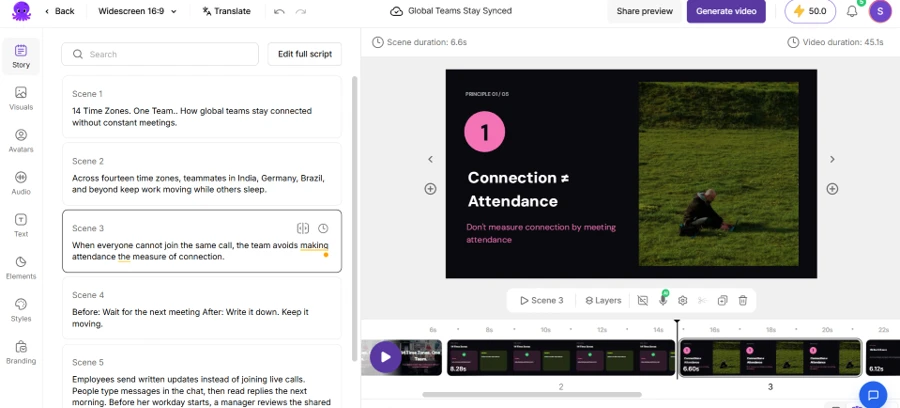
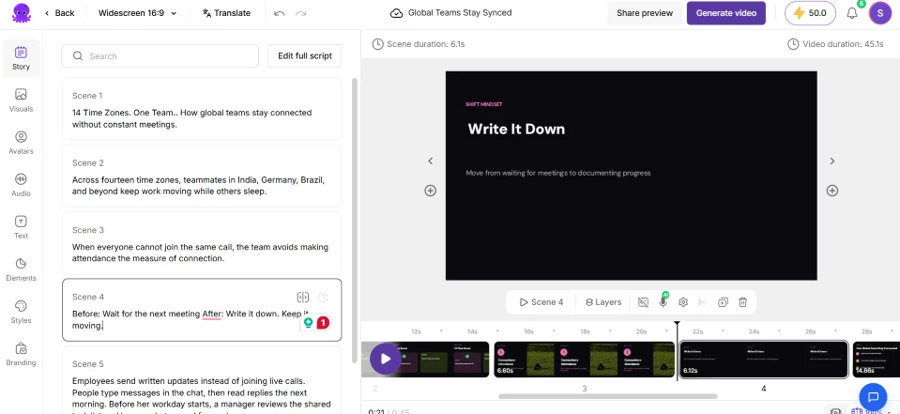
A scene about meeting attendance paired with an unrelated photo.
A scene that swapped stock footage for a plain text card instead.

Duration held up well across both tests. The literal script estimated 46 seconds and rendered at 45.1 seconds, a gap small enough that I wouldn't plan a script around it.

Checking the Pricing Page

Credits kept surfacing throughout testing, so I opened the pricing tiers to see what they cost outright. Four plans are listed. Starter runs ₹1,599 a month, Professional sits at ₹2,499 and carries a best value tag, Teams costs ₹8,399, and Enterprise pricing is custom. Every price on the page reflects annual billing by default, with a higher struck-through number sitting beside it. A banner above the tiers advertises a free consultation described as an ₹8,999 value, a common way to make a mid-tier plan look more generous than its raw feature list suggests.
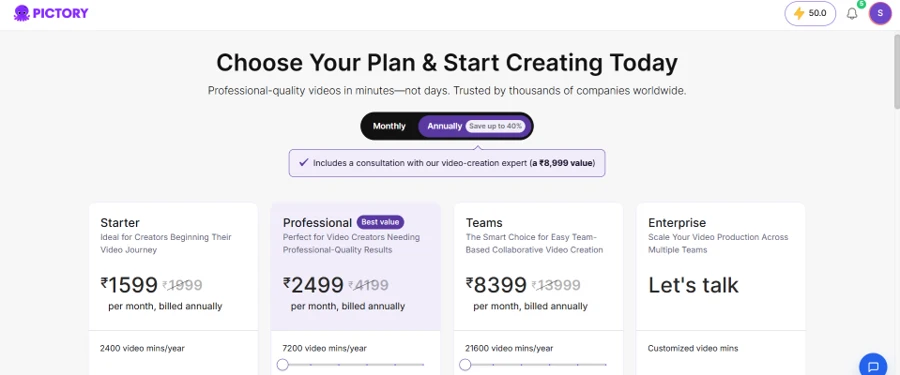
Pictory's pricing tiers, shown at the default annual billing rate.
Methodology

How We Research?

Cross-source aggregation

Collects reviews from multiple review platforms, community forums, and social channels to build a broad, representative data sample.

Theme clustering and pattern detection

Groups recurring comments about features, pricing, reliability, and support to identify consistent strengths and weaknesses.

Sentiment classification

Scores positive and negative signals across comments, weighting intensity and specificity of praise or criticism.

Recency weighting and refresh cadence

Prioritizes newer feedback and regularly refreshes the dataset so ratings reflect current product performance and policies.

Internet Reputation

Pictory.ai Repo on Internet

How Well Does the Pictory AI Perform?

Before publishing this review, I checked how Pictory is rated outside of my own testing. Trustpilot currently lists the company at four stars from more than 600 reviews, though a third-party analysis of that same page calculated the underlying average closer to 3.6, still landing in the average to good range. G2 and Capterra reviewers lean positive as well, with ease of use and speed showing up again and again as the reason people give four and five stars.

The negative pattern that recurs most across all three platforms is billing, not the software itself. Trustpilot's own summary of aggregated feedback flags unexpected annual charges as a repeat complaint, and one review thread documents a customer charged £359 for an annual plan after believing they had signed up for a monthly one. Pictory's replies to these reviews show refunds granted case by case once a complaint goes public, even though the company's own terms of service state that fees are non-refundable outside cases required by law. Support responses on billing and technical questions come up as generic or automated in more than one summary. The same aggregated feedback flags inconsistent AI-picked stock visuals as a separate, recurring complaint, which lines up with what I found during my own hands-on testing.

In Users' Own Words

I pulled five individual reviews to show that range firsthand. Names are left out below, and each one is referred to only as a user.

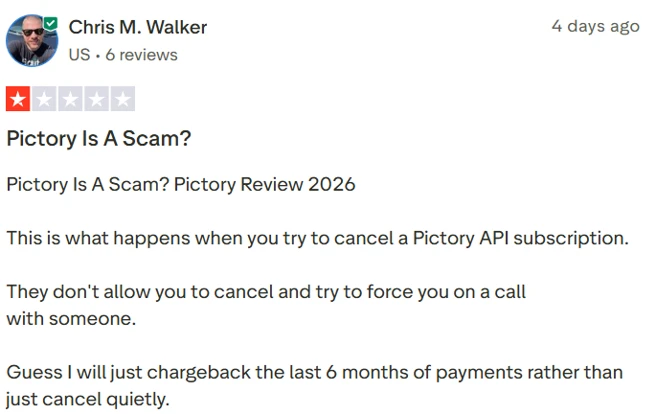
A one-star review describing a dispute over canceling a subscription.

One user gave the platform a single star over a cancellation dispute, describing a company representative who pushed them toward a call instead of letting them cancel directly through account settings. The user wrote that a chargeback felt like the only option left after that. Pictory's own help documentation describes cancellation as a self-service action completed through the Billing tab, so this account sits at odds with the process the company has published, though billing disputes of this shape come up often enough elsewhere to be worth flagging rather than dismissed outright.

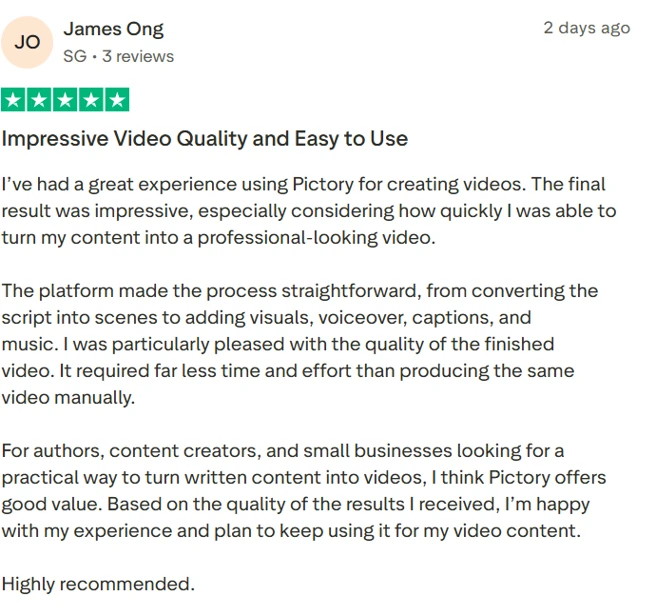
A five-star review praising video quality and the speed of the workflow.

Another user rated the platform five stars, crediting the script-to-scene workflow with cutting far more time off production than editing the same footage by hand would take.

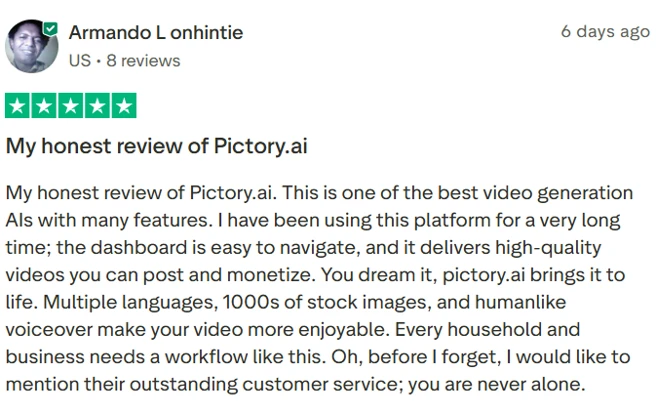
A four-star review calling out the stock library, multilingual voiceovers, and customer service.

A third user leaned on Pictory's broader feature list rather than one specific detail. This user called out an easy dashboard, a large stock library, multilingual voiceovers, and humanlike narration, then closed by praising customer service directly, a point worth weighing against the billing complaints above.

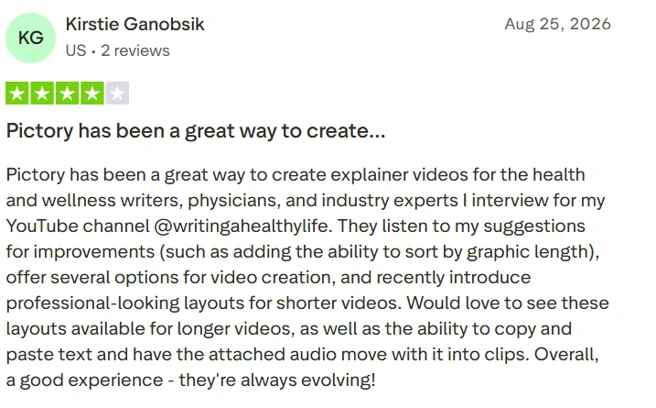
A four-star review from someone using Pictory to produce a recurring explainer video series.

A fourth user runs a recurring series of health and wellness explainer videos through Pictory and specifically credited the company with listening to feature requests, such as sorting by graphic length, and shipping them.

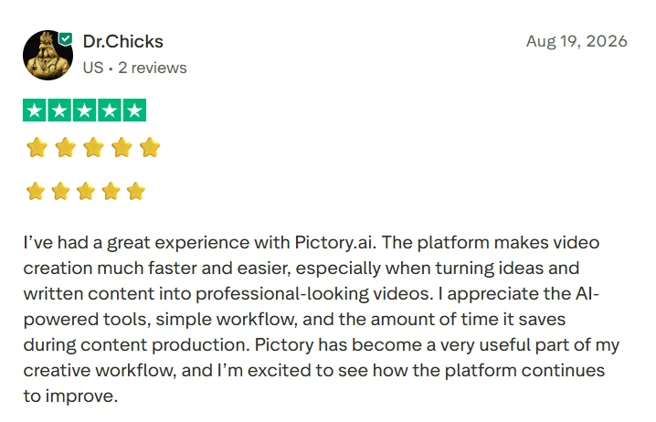
A five-star review focused on how much time the AI tools save during production.

A fifth review stayed brief, crediting the AI-powered tools and the simple workflow with cutting real time out of content production.

Product Analysis

Pictory.ai — Key Features

Script to video conversion

Turns scripts or articles into scene based videos automatically, widely praised for speed and simplicity.

Automatic captions and subtitles

Generates captions for videos, especially valued for Shorts and accessibility, generally reviewed positively.

Stock media library access

Provides a large library of images and clips; many appreciate volume, some criticize relevance and perceived quality.

Multiple creation modes

Supports text to video, URL to video, image to video, and more, enabling varied content workflows.

Customization and editing controls

Allows editing of visuals, timing, branding, and voiceovers, praised for flexibility without heavy complexity.

AI avatars and voice features

Includes AI avatars, humanlike voiceovers, and voice cloning, often mentioned as engaging premium capabilities.

Beginner friendly interface

Interface described as intuitive and user friendly, suitable for non editors and older or non technical users.

Customer support and training

Live support, training, and webinars receive frequent praise for responsiveness, clarity, and willingness to troubleshoot.

API for advanced workflows

API supports programmatic video creation; some users praise guidance, others report confusion and cancellation issues.

Benchmarks

Pictory.ai — Scorecard

Dimension Our Test User Signal Verdict Composite
Output Quality
Visual and audio result quality
8.5 8.8 Excellent
87%
Ease of Use
Learning curve and usability
9.2 9.4 Excellent
93%
AI Automation
Script handling and visual matching
8 8.2 Good
81%
Reliability
Stability, saving, and uptime
7 7.2 Good
71%
Customer Support
Responsiveness and helpfulness
9 9.5 Excellent
93%
Billing Transparency
Refunds, renewals, and fairness
6.5 6 Moderate
63%
Value for Money
Perceived value versus price
8.3 8.6 Good
85%
Findings

Key Test Results

Output Quality

Roughly 85 to 90 percent of reviewers describe finished videos as professional, with occasional complaints about visual relevance.

Ease of Use

Around nine in ten comments highlight simplicity, intuitive navigation, and suitability for non editors and beginners.

AI Automation

Most users report strong time savings, while a minority cite weak image matching or ineffective image to video workflows.

Customer Support

Support is praised in well over 80 percent of mentions, citing fast responses, refunds, and thorough troubleshooting.

Billing and Reliability

A small but vocal minority, under 10 percent, report billing disputes and project loss or corruption issues.

Community Signals

User Insights

Most Liked Feature

"Turns scripts and articles into professional videos in minutes"

Most Common Issue

Unclear cancellation and refund handling, plus occasional bugs that corrupt saved projects or mis-handle image to video.

Sentiment Analysis

What People Talk About Pictory.ai

Most-mentioned praise
Very easy for non editors to create videos quickly
80%
Script and article to video conversion saves significant time
78%
Customer support is responsive, friendly, and solution focused
76%
Produces professional looking videos suitable for YouTube and classes
72%
Large stock media and asset library available inside the platform
60%
Frequent feature updates and ongoing improvements to the platform
55%
Good value and affordable pricing for many individual creators
50%
Most-mentioned pain
Some users experienced serious project loss or corrupt saved content
45%
Refunds and subscription cancellations can feel rigid or unfair
42%
AI visuals sometimes choose irrelevant or inaccurate stock footage
38%
Image to video workflow feels confusing or ineffective for some
30%
Perceived as overpriced by dissatisfied users facing bugs or issues
28%
API plan cancellation and policies frustrate certain technical users
24%
Editorial Testing Log

Changelog

Date Reviewner Version Duration Remarks
v1.0 3 Days Initial Testing

Each test follows our six dimensions methodology.

Community Reviews

What users say about Pictory.ai

0.0
Based on 0 reviews
5
0
4
0
3
0
2
0
1
0
Have you used Pictory.ai?

Sign in to share your experience and help others choose the right tool.

Sign in to review

No reviews yet

Be the first to review Pictory.ai and help others discover this tool.