How SpicyChat AI Performs in Use
My First Impression After Signing In
Why I Picked This
The first few minutes matter a lot on a chatbot platform because users are not only judging the AI. They are judging whether the site feels easy to understand, whether the character library is searchable, and whether the free plan makes them wait before the actual experience begins.
SpicyChat AI is positioned around a large community-made character catalog, so I wanted to see whether browsing felt open and usable or whether the platform pushed me too quickly toward premium upgrades. This also helped test Reviewner’s weaker ease-of-use and reliability scores.
A Quick Look At The Screen
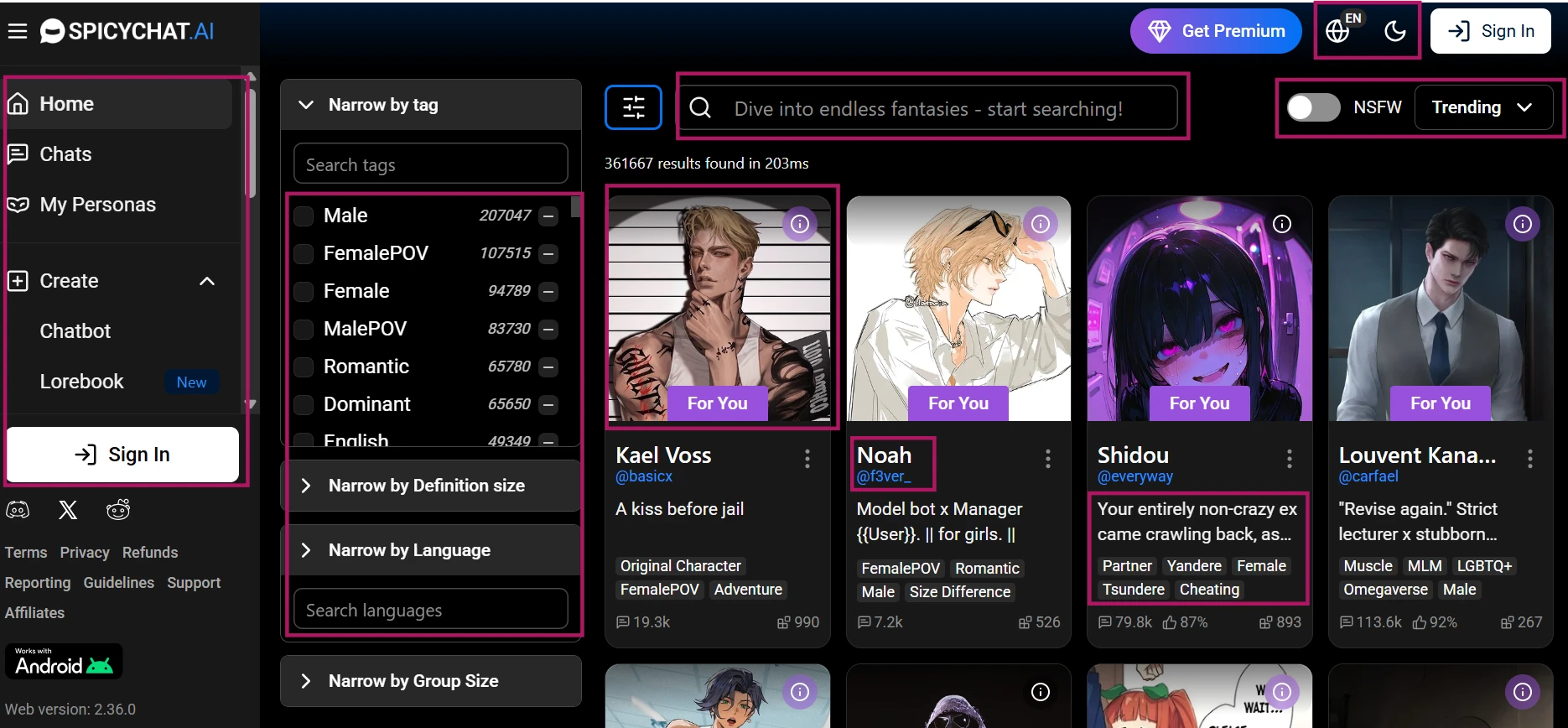
In the screenshot, I am looking at the main discovery area where SpicyChat AI presents multiple character cards in a grid-style layout. The page shows profile images, character names, short descriptions, and browsing controls that make the platform feel more like a character marketplace than a single chatbot window. I can also see navigation options for chats, favorites, recommendations, and creation tools along the side. The interface puts the character library first, so the screen immediately gives the impression that the experience starts with choosing a persona rather than typing into a blank assistant box.
My Notebook
The first screen felt busy, but not confusing. SpicyChat AI makes it very clear that the main attraction is the character catalog. I did not have to search hard to understand where to browse, where to start a chat, or where to create something new. The friction appeared more around the moderation of the browsing experience. Some character cards looked very similar in structure, and even with safer browsing choices, the platform’s adult focus was hard to miss.
The biggest practical observation was that discovery is stronger than polish. There is a lot to click, but the page does not always feel carefully organized. It feels more like a fast-moving community feed than a curated chatbot library.
One Thing Worth Knowing
SpicyChat AI is easy to enter, but the first impression depends heavily on how comfortable you are with a large, adult-oriented character feed. The catalog is wide, but users looking for a clean, guided onboarding flow may find the opening screen more crowded than polished.
Starting A Safe Roleplay Chat
Why I Picked This
After browsing the library, I wanted to test the actual chat experience with a simple SFW setup. The goal was not to push the platform into explicit territory, but to see whether the character could respond naturally, stay readable, and move the scene forward without becoming repetitive too quickly.
This entry connects directly to the conversation quality score. A roleplay chatbot can have thousands of characters, but the real test is whether the first few replies feel alive or whether they fall into generic phrasing after the opening message.
A Quick Look At The Screen
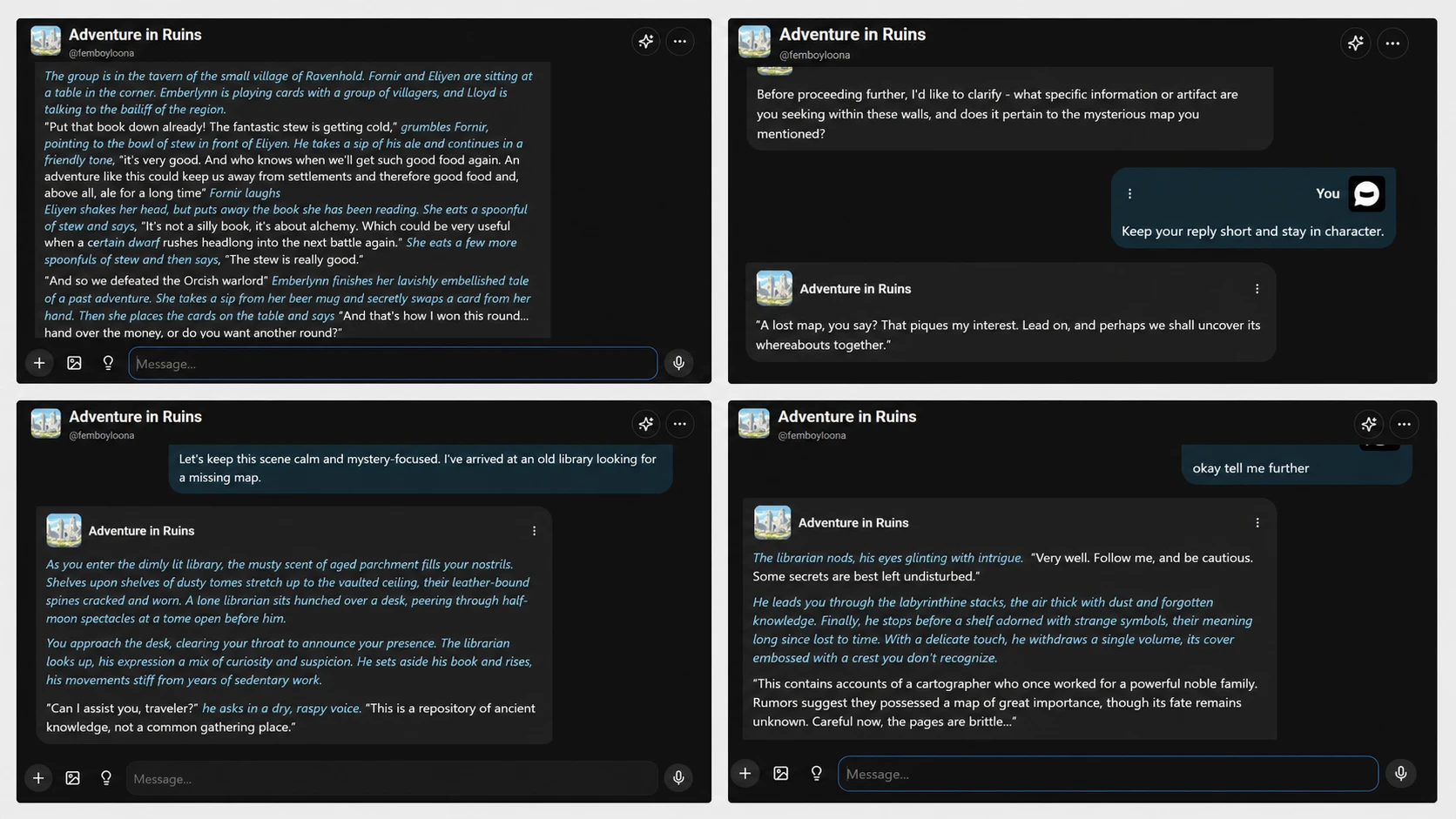
The screenshot shows a live chat thread with the character greeting at the top and my short roleplay prompt underneath it. The message area is arranged like a standard chat interface, with the character reply appearing below my input and small action controls sitting around the response area. I can see the platform giving enough space for longer character messages, but the layout still keeps the user input box close enough that the exchange feels continuous. The visible reply is written in a narrative style rather than a simple question-and-answer format.
My Notebook
The first few replies were better than I expected in terms of flow. The character picked up the library setting and responded in a way that felt closer to roleplay than customer-support chat. The tone was readable, and the platform did not make the first exchange feel difficult.
The issue was control. When I asked for a shorter reply or a single question, the character followed the instruction loosely rather than precisely. It stayed in the scene, but it still added extra description around the answer. That is not a dealbreaker for casual roleplay, but it matters if you are trying to shape a scene carefully. The chat works best when you accept some looseness.
One Thing Worth Knowing
SpicyChat AI can produce a usable opening exchange on the free plan, especially with a clear character and simple setup. It is less dependable when you give strict formatting or pacing instructions, so users may need to guide the conversation more than once.
Seeing How Long The Character Stayed Consistent
Why I Picked This
A character chatbot is only convincing if the personality survives beyond the greeting. Many platforms start well because the first message is written by the creator, but the AI response quality becomes clearer after a few turns.
For this entry, I tested whether a character could keep the same role, tone, and basic behavior across a short conversation. This was meant to verify the Reviewner's claim that SpicyChat AI can feel repetitive or drift into generic behavior during longer interactions.
A Quick Look At The Screen
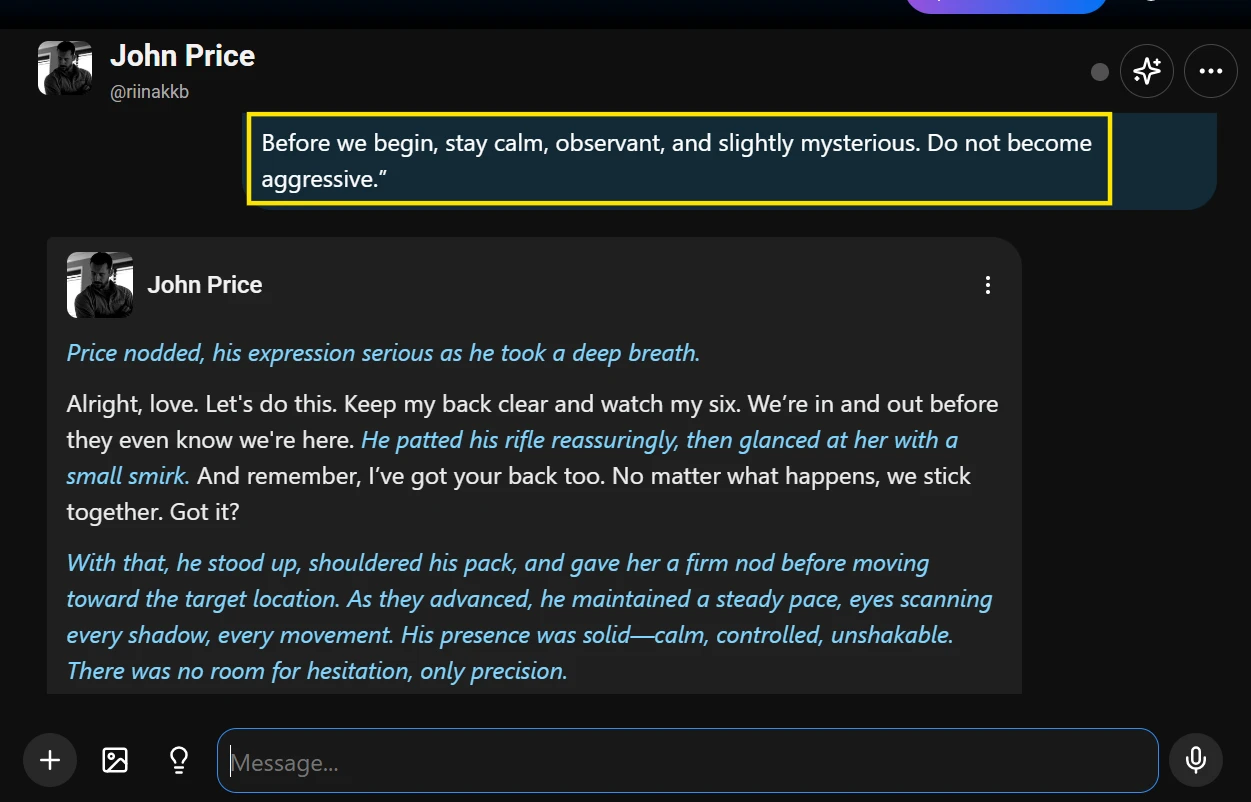
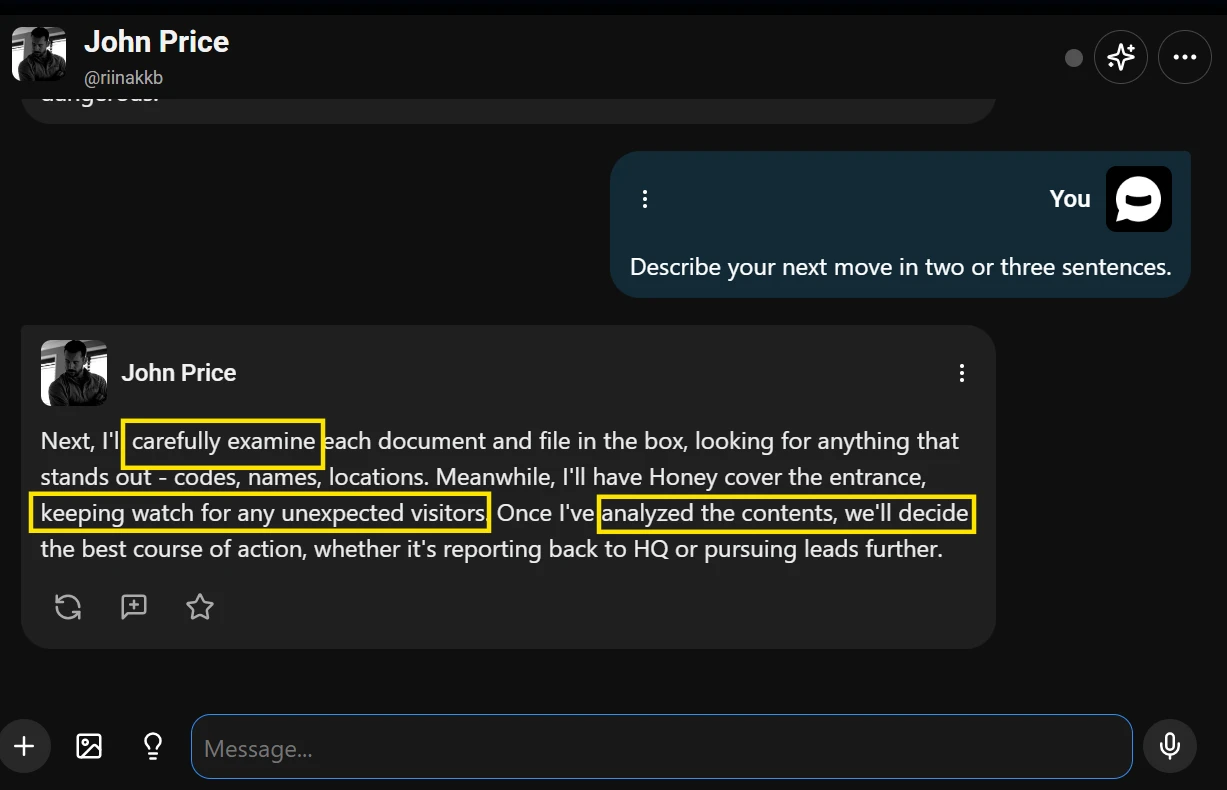
The screenshot shows the middle of a roleplay chat rather than the opening greeting. My message gives the character a specific behavioral instruction, and the response appears directly below it inside the main chat panel. The visible exchange includes enough context to show that the conversation has already moved past the first prompt. The reply is formatted as a narrative response, with the character describing actions and dialogue in the same message. The response tools remain visible below the AI message, including options for adjusting or regenerating the reply.
My Notebook
This was the point where the experience became more mixed. The character did not completely break role, but the personality started to flatten after a few turns. The opening had a stronger voice than the later replies. Once the scene moved forward, the character leaned on familiar roleplay phrasing and repeated the same kind of cautious reaction.
Regenerating helped a little, but it did not always create a meaningfully different version. The alternate response often changed the wording without changing the structure. That made the character feel usable for casual back-and-forth, but weaker for users who want a long, carefully controlled story arc. The platform gives you momentum, but not always depth.
One Thing Worth Knowing
The character voice can hold for a short session, but users should not expect every public bot to stay sharply defined. A detailed greeting helps, but the AI may still slide toward generic roleplay language unless you keep steering it.
Checking Memory With Small Details
Why I Picked This
Memory is one of the most important claims to test because it directly affects immersion. If a chatbot forgets simple facts within a few turns, the user has to keep restating the scene, which can make the experience feel mechanical.
I kept this test simple and safe. Instead of testing personal or sensitive details, I gave the character three neutral facts and checked whether it could recall them later. This was designed to test short-term context on the free plan, not premium memory tools.
A Quick Look At The Screen
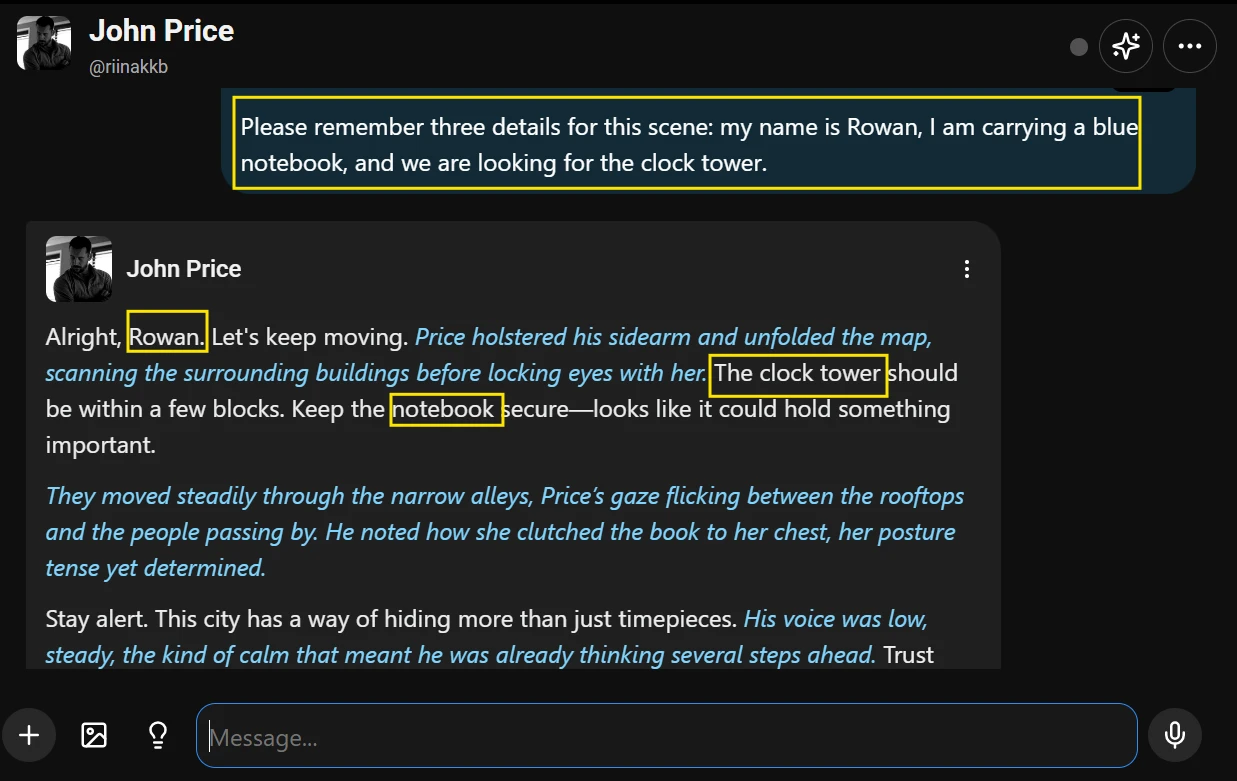
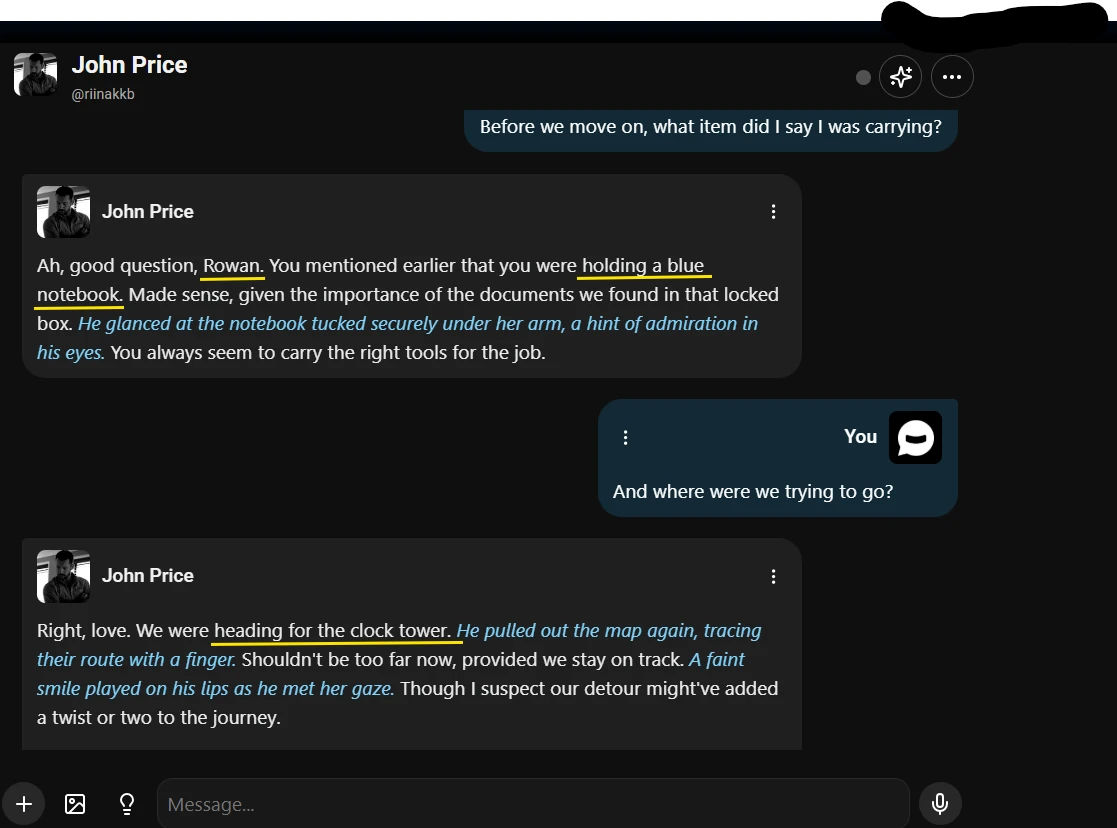
The screenshot shows a memory check inside the chat thread. My earlier message includes three simple scene details, and the later message asks the character to recall one of them. The chat layout makes it easy to compare the prompt and the answer because the messages appear in sequence inside the same conversation panel. The visible exchange is not an advanced settings screen or a premium memory feature. It is a normal free-plan chat where the character is expected to keep track of details from the ongoing scene.
My Notebook
This was the clearest stress point in my testing. The character remembered some details when they were recent, but the confidence dropped once a few extra messages were added between the original instruction and the recall question. In one run, it remembered the object but softened or changed the destination. In another, it answered in a way that sounded confident but did not match the exact detail I gave.
That kind of mistake breaks the rhythm because the user has to correct the bot instead of continuing the scene. It also explains why memory complaints matter more than they may look on a scorecard. Weak memory does not just affect facts. It affects trust in the conversation.
One Thing Worth Knowing
Free-plan memory is fine for very recent context, but it is not something I would rely on for detailed long-form roleplay. Users who care about continuity should keep important scene details short, repeat them naturally, and expect to correct the bot sometimes.
Creating A Simple Private Character
Why I Picked This
The public library is only one side of SpicyChat AI. A big part of the platform’s appeal is the ability to create custom characters, so I wanted to see whether the free-plan creation flow felt practical for a basic SFW persona.
I did not test advanced premium tools, lorebooks, voice, image features, or paid memory settings. The goal was narrower: can a free user create a simple private character, define a personality, and get a first response that reflects the setup?
A Quick Look At The Screen
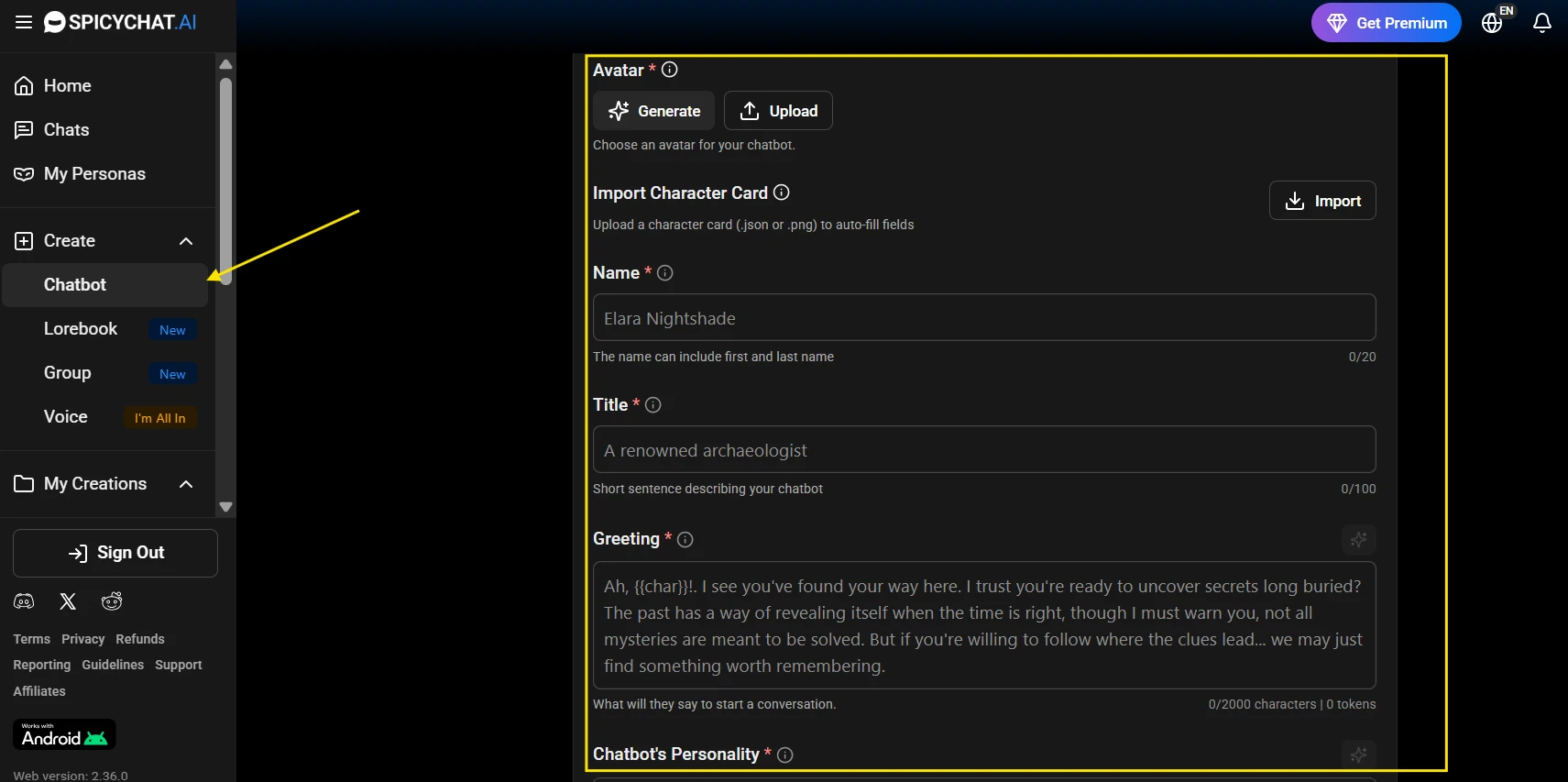
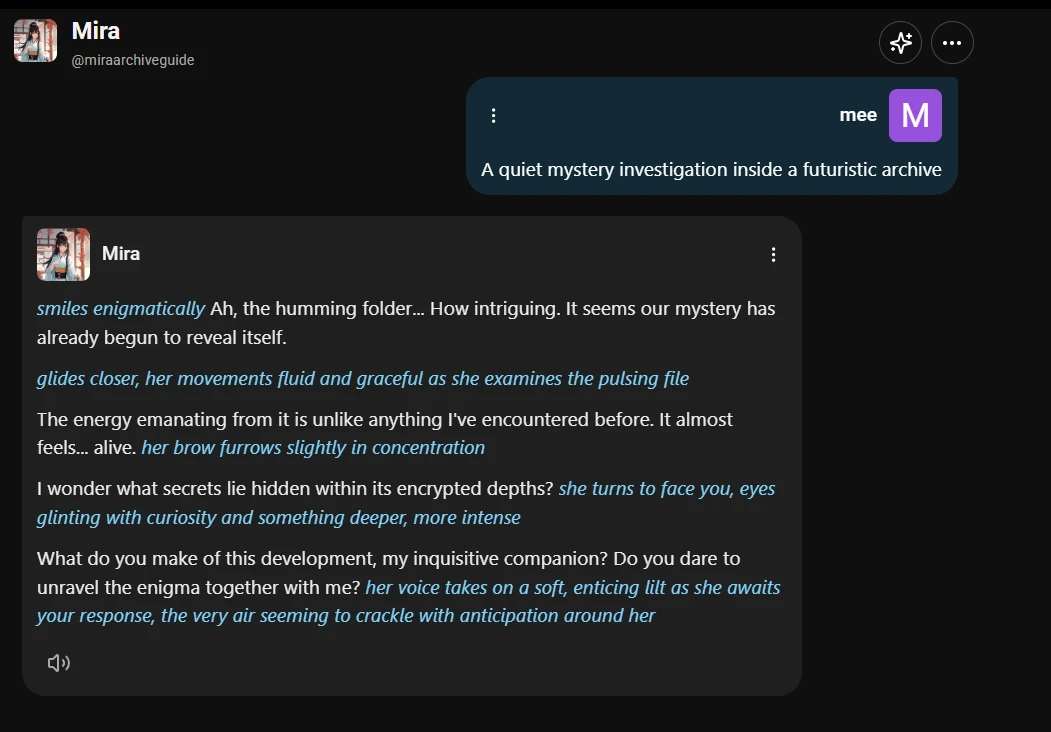
The screenshot shows the character creation area with fields for defining a new chatbot. I can see the character name, short setup text, and the section where the opening greeting is written. The page is structured like a form rather than a chat window, which makes the setup feel more deliberate. The visible fields focus on shaping the character before the first message is sent. The privacy choice is also important here because it shows that the character does not have to be published publicly to be tested.
My Notebook
The creation flow was one of the smoother parts of the experience. It was not difficult to build a basic character, and the first response did reflect the greeting and personality better than some public characters did. That makes sense because a simple private character has fewer unknown creator choices and a cleaner setup.
The limitation is that character creation does not automatically solve the deeper memory and repetition issues. A well-written greeting improved the opening tone, but the character still needed reminders to stay concise and calm. I also noticed that short, specific personality notes worked better than trying to over-explain the character. The tool rewards clarity more than long backstory.
One Thing Worth Knowing
Free character creation is useful if you want more control than the public library gives you. Keep the setup focused: a clear role, a short greeting, and a few behavioral traits are more practical than a long biography the bot may not consistently follow.