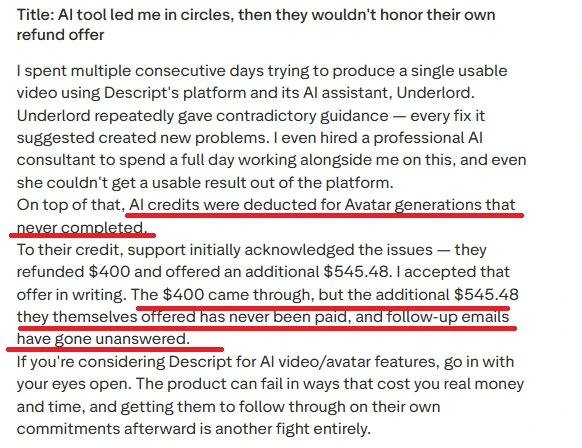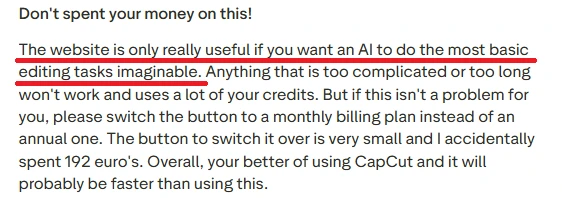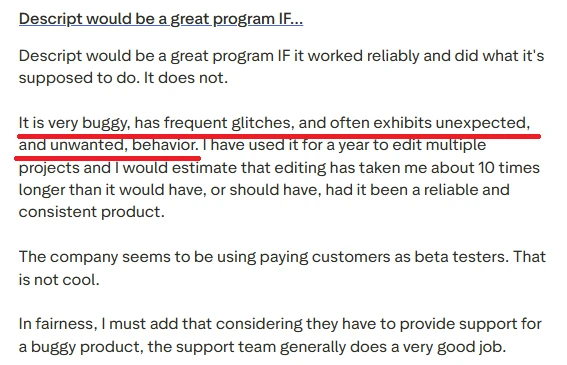
Testing Descript: An Avatar Video with Underlord
1: Signing in
The landing page described Descript as AI editing for every kind of video, with the pitch that editing is as easy as typing. There was a Get started for free button, plus Sign in and Sign up in the top right, and I began by creating an account. I noticed the messaging leaned hard on the "easy as typing" idea, which set my expectations for a low-effort flow before I had even signed in.
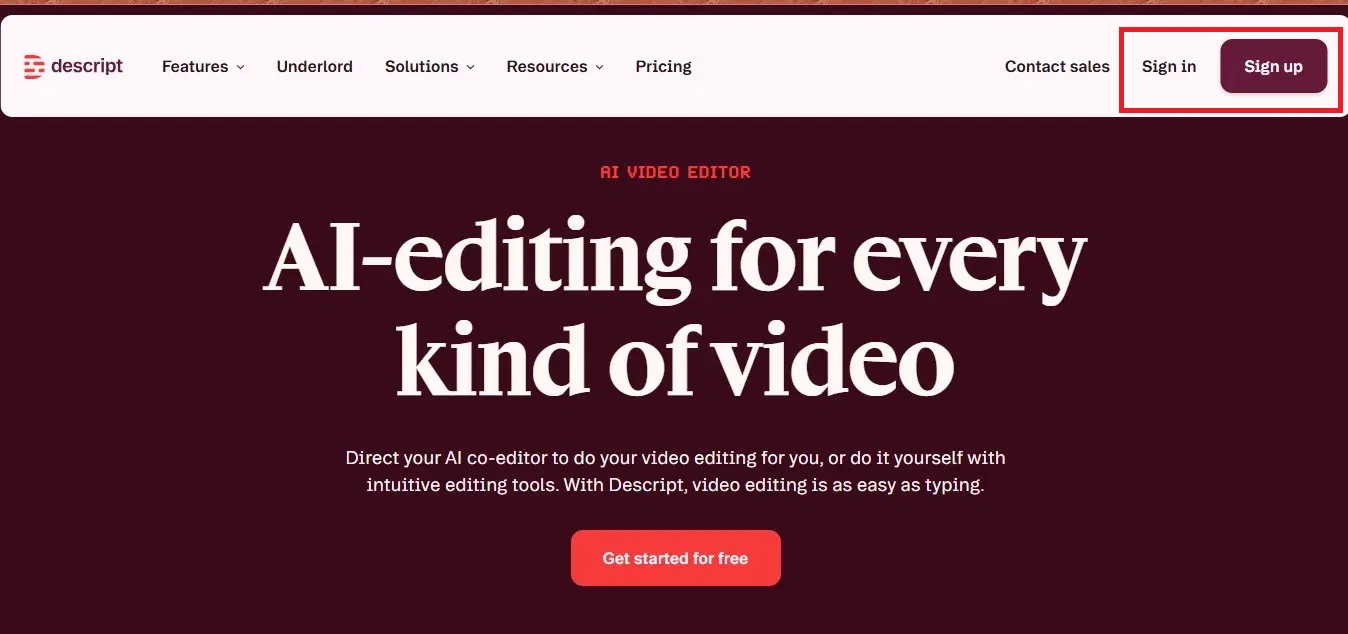
Image 1: The Descript landing page. Start with Get started for free, or sign up from the top right.
2: Picking a plan
After signing in, Descript asked me a few setup questions and then showed its plans. The Free plan cost nothing and needed no card, but it exports at 720p with watermarks and includes a small pool of AI credits. The paid plans (Hobbyist at 16 dollars, Creator at 24 dollars, and Business at 50 dollars per person each month) add more media hours, more AI credits, and exports at 1080p with no watermark. I chose the Free plan to test. What I noticed here was that being able to test without a card was a real plus, but the watermark and 720p cap told me early on that anything I made would be limited until I paid.
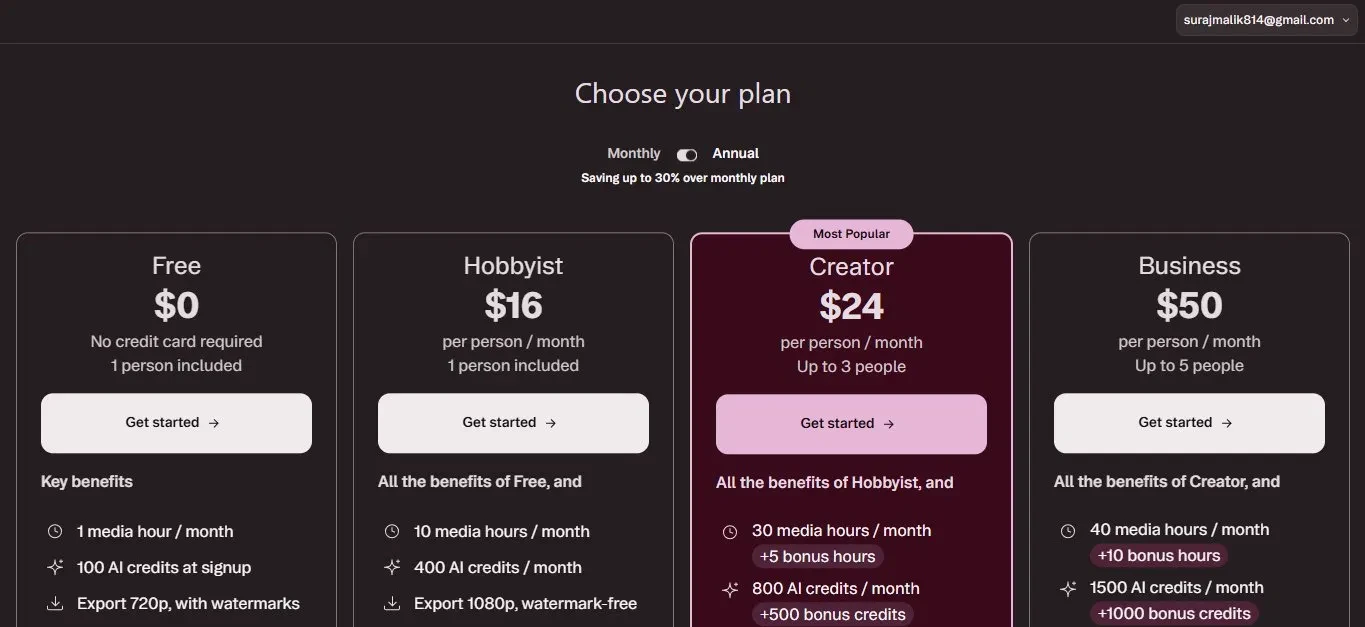
Image 2: The plan choices. The Free plan is enough to test, but it exports at 720p with a watermark.
3: Reaching the console
Inside the app, the home screen asked what it could help me with. The left sidebar held my drives, workspaces, and tools like Brand Studio, Media library, AI speakers, and Layout packs, with a banner reminding me I was on the Free plan. In the prompt box I described what I wanted, and there were quick actions like Generate with an avatar and Turn slides into video. I typed a prompt to create an avatar:
Create an avatar of Indian girl in red saree standing in middle of road in rainy weather
One thing I observed right away was that even with so many tools crowding the sidebar, the prompt box kept the main action obvious, so the extra features stayed in the background rather than getting in my way.
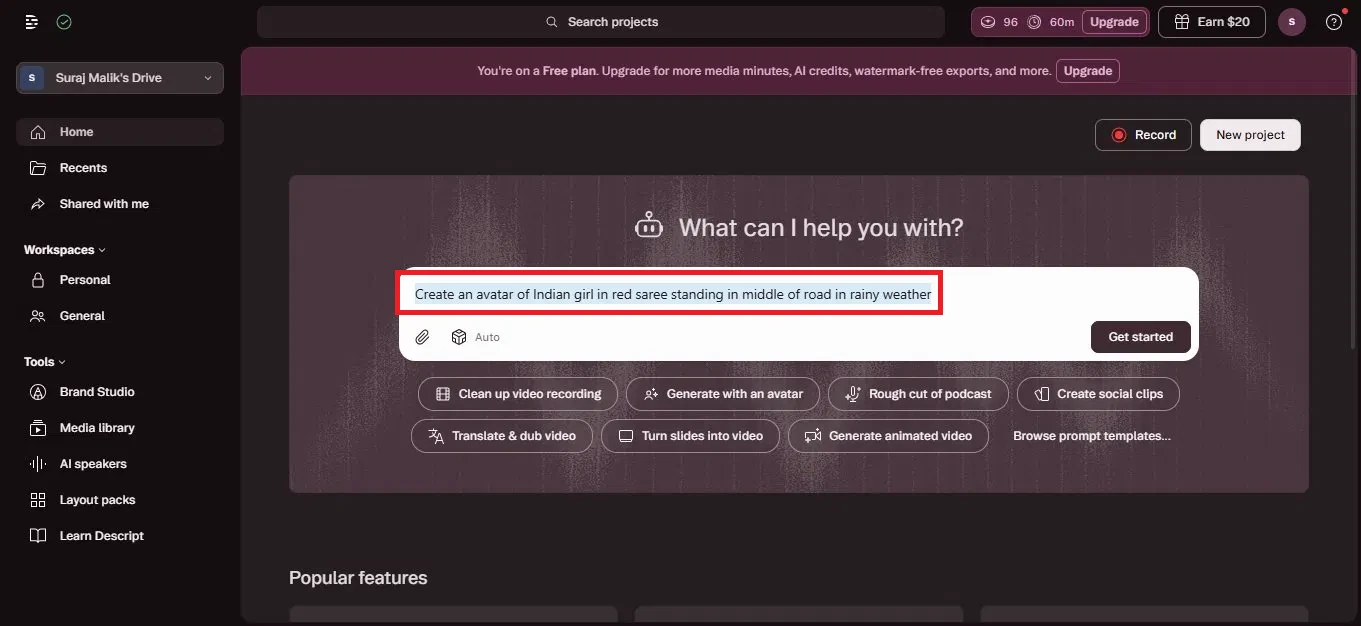
Image 3: The Descript home screen. Describe what you want in the box, or pick a quick action.
4: Underlord checks the request
When I pressed generate, Underlord opened a chat. Rather than running with the prompt straight away, it flagged a mismatch: my description was a background scene, not an avatar, since Descript avatars are talking-head presenters. It then offered three ways forward: generating the scene as a background with a talking avatar on top, generating the scene purely as visual content, or something else entirely. I chose the option that combined the scene with an avatar video. This was the moment that stood out most to me, because instead of handing back something wrong, it caught the gap in my request and let me steer, which felt more thoughtful than a tool that just runs whatever you type.
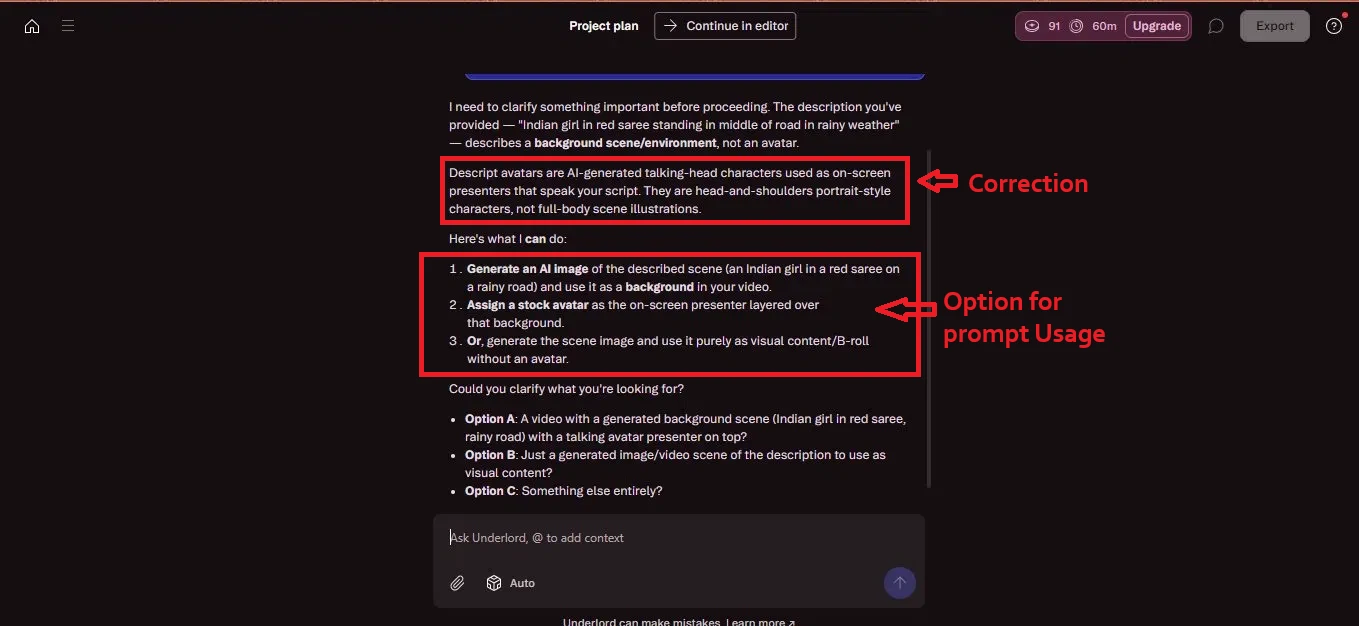
Image 4: Underlord checking the request and offering options before it builds anything.
5: It builds a plan automatically
Once I picked an option, Underlord wrote out a full plan on its own. It laid out the steps: write a short script of about thirty seconds in a conversational tone, assign an AI voice (a voice called Hope), generate a cinematic background image of the scene, add a stock avatar as the on-screen presenter, build the scene with a specific layout pack, set the video to landscape at about thirty seconds, and generate the avatar video last. It then asked whether to go ahead or make changes. I liked seeing the whole plan before anything was built, since it made the process feel transparent and gave me a clear chance to step in rather than waiting to find out what I would get.
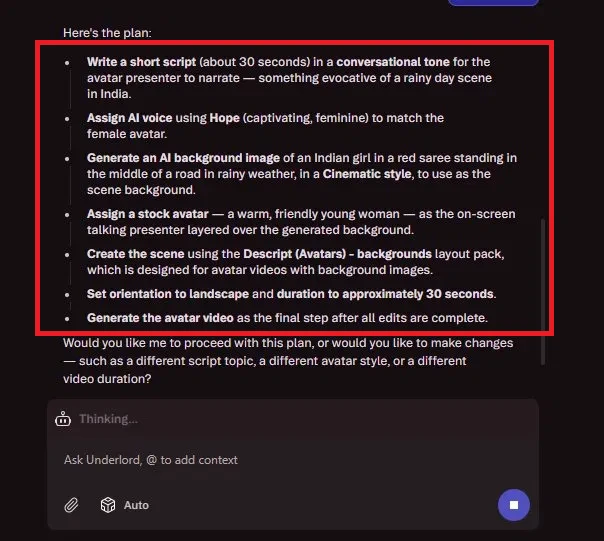
Image 5: The plan Underlord created, step by step, before asking for the go ahead.
6: Underlord builds the project in the editor
After I approved it, Descript opened the project in the editor and began building. It gave the video a title, Crimson Sari in Monsoon Stillness, and wrote the narration script in the main panel. The right side showed Underlord working through the plan, while a Create a Scene panel let me generate media, set the layout, or add layers. The right rail held the editing tools: Project, AI Tools, Properties, Elements, Captions, Media, and Underlord itself. What struck me here was that it dropped me straight into a real editor while it worked, so it felt less like waiting on a black box and more like watching a project take shape in front of me.
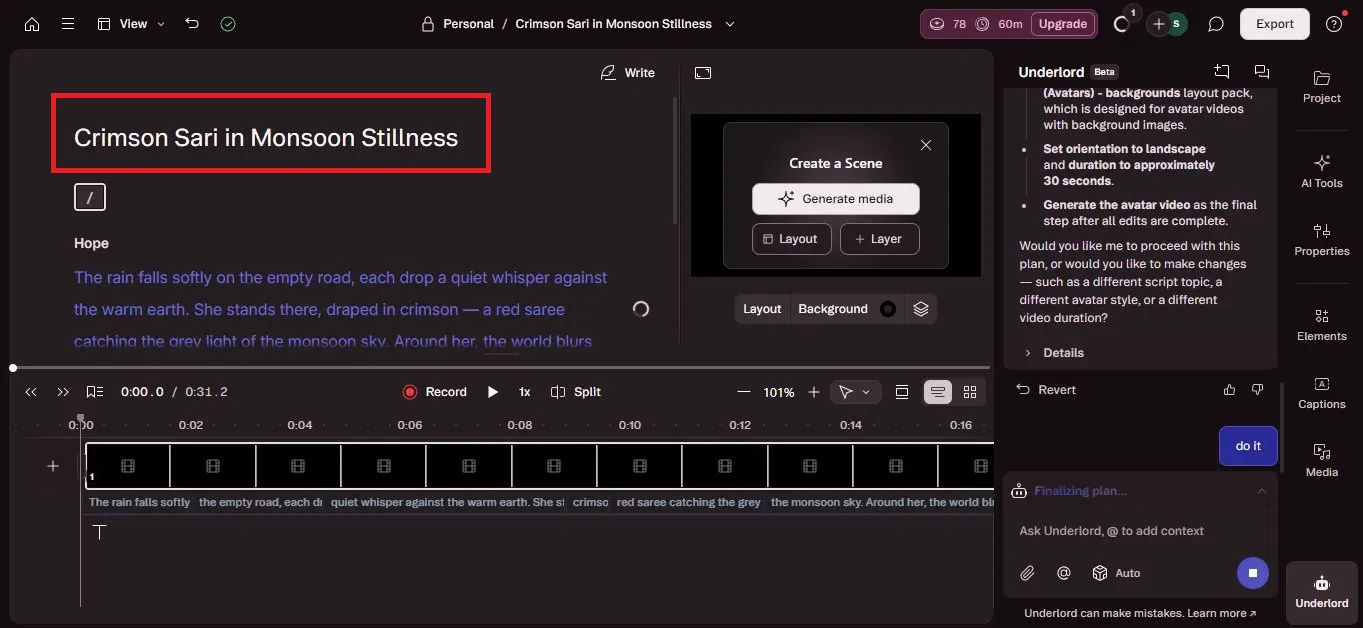
Image 6: The editor, with the generated script on the left and Underlord finalising the plan on the right.
7: The generated scene and avatar come together
The pieces then came together in the editor. The background image generated from my prompt showed the woman in a red saree with an umbrella on a rainy road. Layered with it was the AI avatar presenter, who narrated the short story Underlord had written from my prompt and the image. The timeline at the bottom showed the scenes and the voiceover waveform, and I could add the generated image as a new layer. I noticed it had quietly turned my single line into a full short narrative with a voiceover, which was more than I had asked for, and seeing it all sit on a timeline made it clear I could still go in and adjust the pieces.
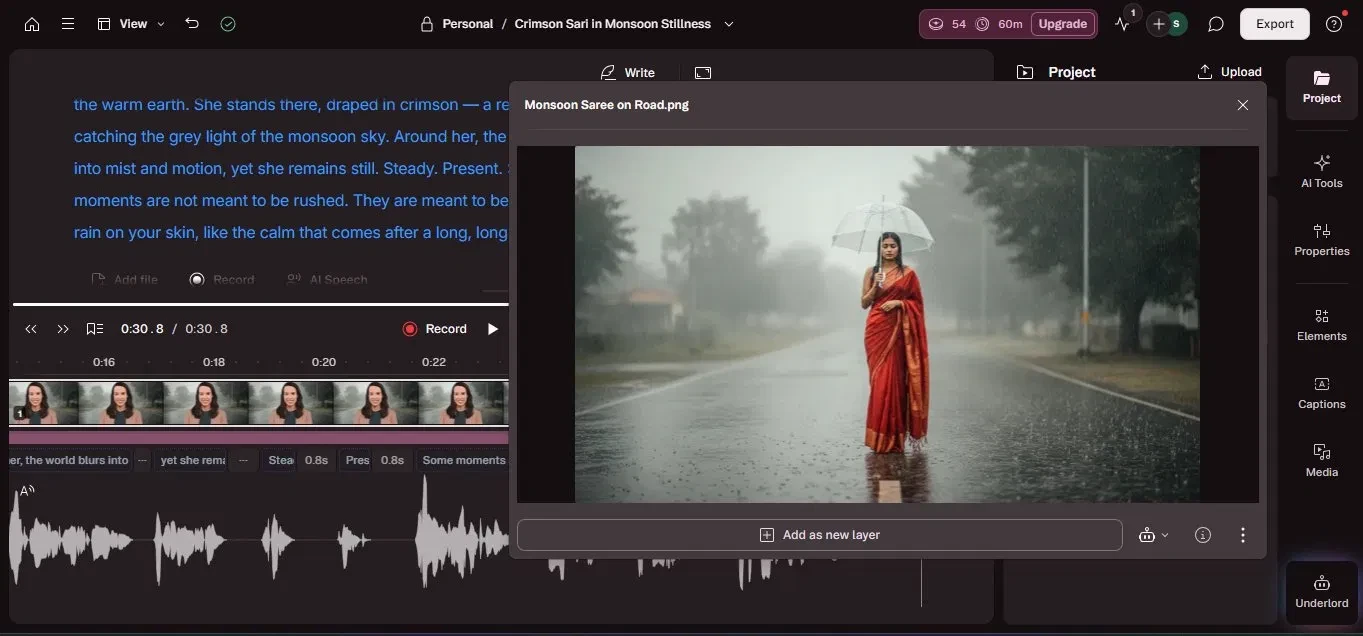
Image 7: The generated background image and the avatar presenter, with the narration on the timeline.
8: Export the video
To save the video, the Export panel opened on the right, with tabs for Video, Audio, Timeline, Transcript, and Subtitles. On the Free plan the resolution was capped at 720p, and the preview carried a Descript watermark. A note made clear that removing the watermark needs an upgrade, and the Remove watermark toggle was locked. There was also a reminder that one avatar still needed to be generated before I could publish. This is where the free plan made itself felt: the locked watermark toggle and the 720p cap were a clear push toward upgrading right at the finish line, just as I was ready to save.
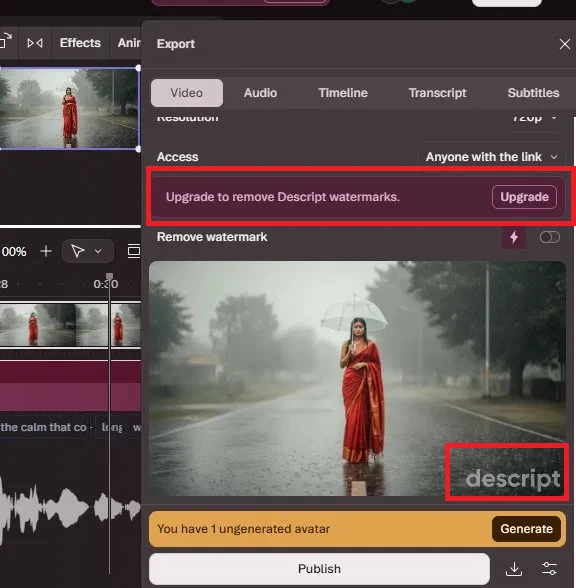
Image 8: The export panel. The free plan keeps the watermark and the 720p cap unless you upgrade.
What impressed me
- It was hands-off from start to finish. From one line, Underlord wrote the script, picked a voice, generated the background, and assembled the avatar video.
- It thought before it acted. Instead of blindly following my prompt, it caught that I had asked for a scene rather than an avatar and let me choose a direction.
- It planned in the open, laying out the full step-by-step plan and asking before building, so nothing happened behind my back.
- There was a real editor underneath. The result landed in a full timeline editor where I could change the script, media, captions, and layers, so it felt more like a collaborator than a one-shot generator.
- I could test it without a card, since the Free plan needed no payment details to start.
What held it back
- The free plan keeps a watermark and caps exports at 720p, with the Remove watermark toggle locked, so a clean 1080p export means upgrading.
- The paywall lands at the finish line. The limits became most obvious right at export, just as I was ready to save my work.
- It reinterprets your request a fair bit. Catching the avatar-versus-scene mismatch was helpful, but it also expanded my one line into a script, a title, a chosen voice, and a layout, so the result was as much Underlord's creative call as mine.
- It is more involved than a quick generator. Between the request check, the plan approval, and the build, there were several steps before I had a finished video.