Testing Leonardo.AI: Generating an Image
1: Logging in
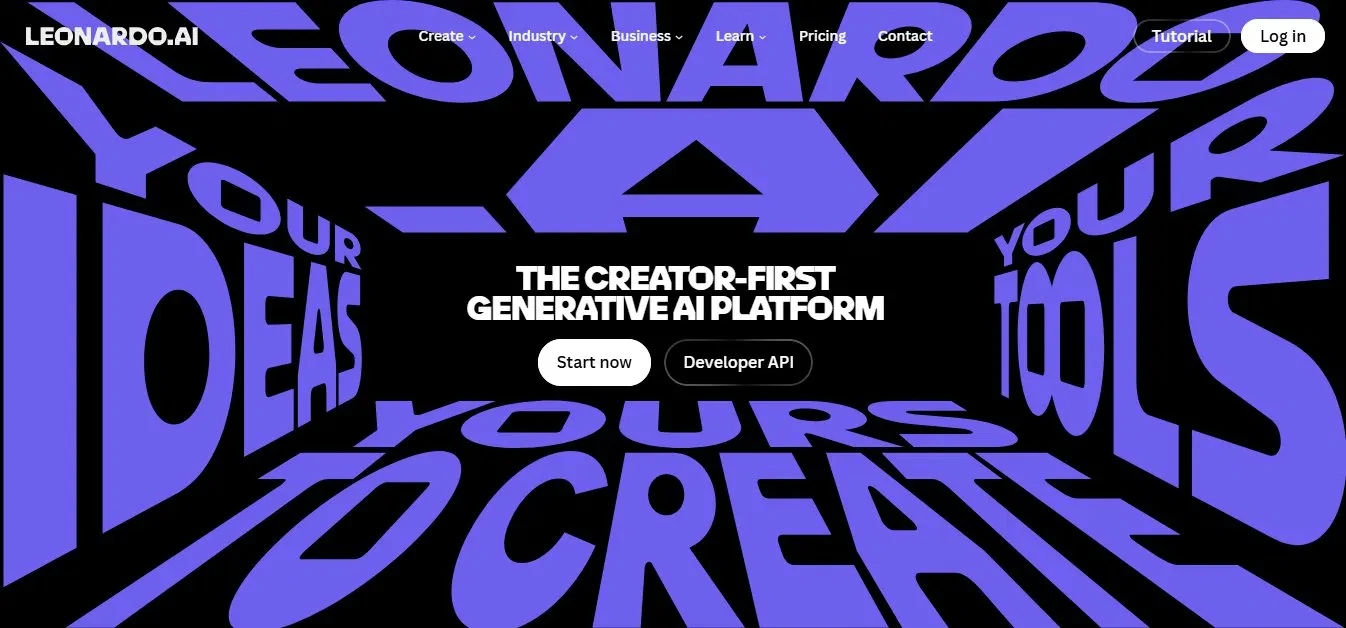
Searching for Leonardo.AI brought me to the marketing home page, which describes itself as the creator first generative AI platform and offers a Start now button alongside a Developer API option. To use the tools I had to log in, and signing in with a Google account was the quickest way through.
My take: the homepage is really a marketing page, so the actual tools sit behind a login, but the Google sign-in made getting past that painless.
(Image 1 below: the Leonardo.AI landing page; click Start now, then log in, with Google as the fastest option.)
2: Reaching the app console
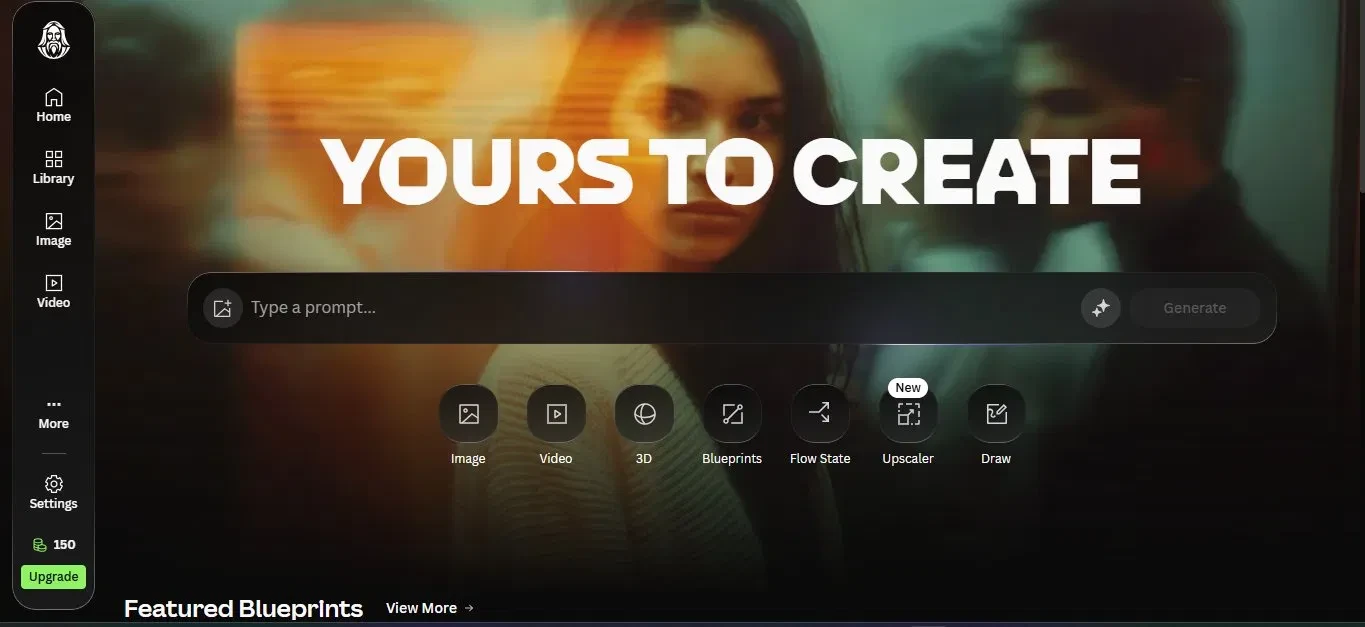
After clicking Start now and logging in, I arrived at the app itself. The left sidebar held the main areas (Home, Library, Image, and Video), with Settings and my credit balance near the bottom (150 credits here, next to an Upgrade button). In the middle was a prompt box and a row of tools below it: Image, Video, 3D, Blueprints, Flow State, Upscaler, and Draw. My take: seeing 150 credits up front told me exactly how much I had to play with, and the row of tools made it clear this was a lot more than a single prompt box.
(Image 2 below: the Leonardo app console, with the prompt box and the tool icons below it.)
3: Entering my prompt and generating
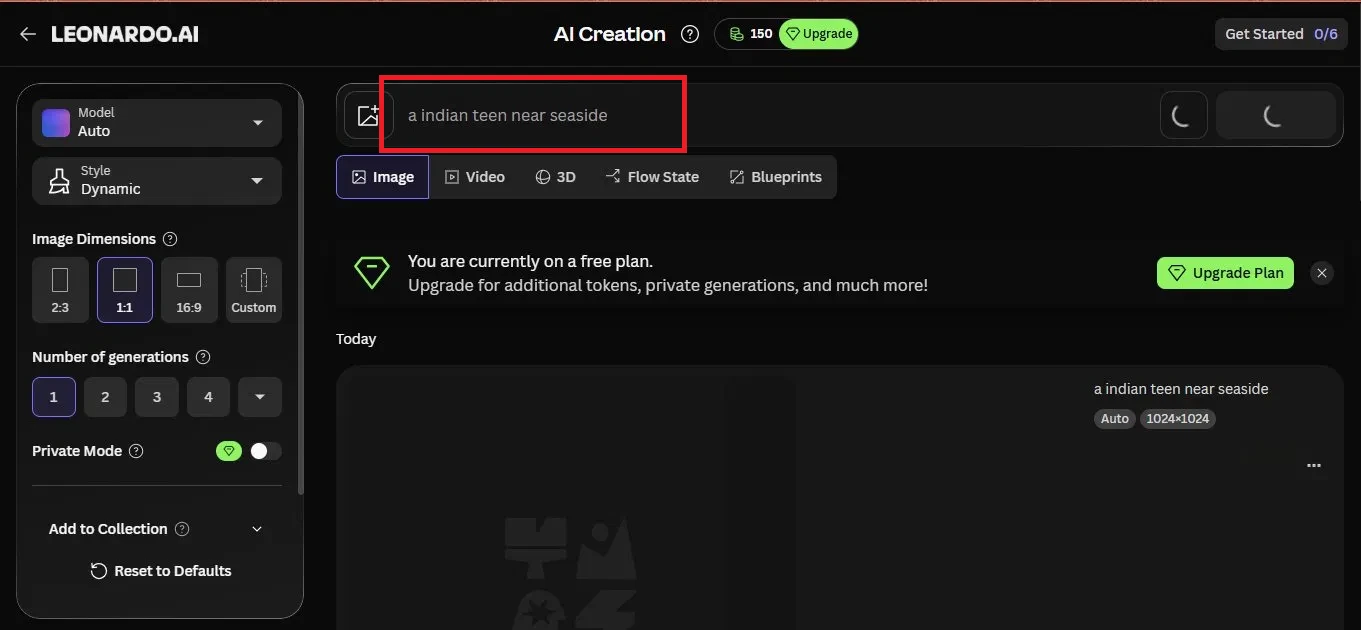
I opened the Image tool, which brought up the AI Creation page. The left panel is where I set things up: the model (left on Auto), the style (Dynamic), the image dimensions (2:3, 1:1, 16:9, or Custom, with 1:1 chosen here), the number of generations, and a Private Mode toggle. A banner reminded me I was on the free plan. I typed my prompt at the top and started the generation, which finished quickly. The prompt I used was:
a indian teen near seaside
My take: there were more setup options than I expected before generating, and once I hit go the generation itself was genuinely fast.
(Image 3 below: the AI Creation page; set your options on the left, type the prompt, and generate.)
4: Reviewing the image and its details
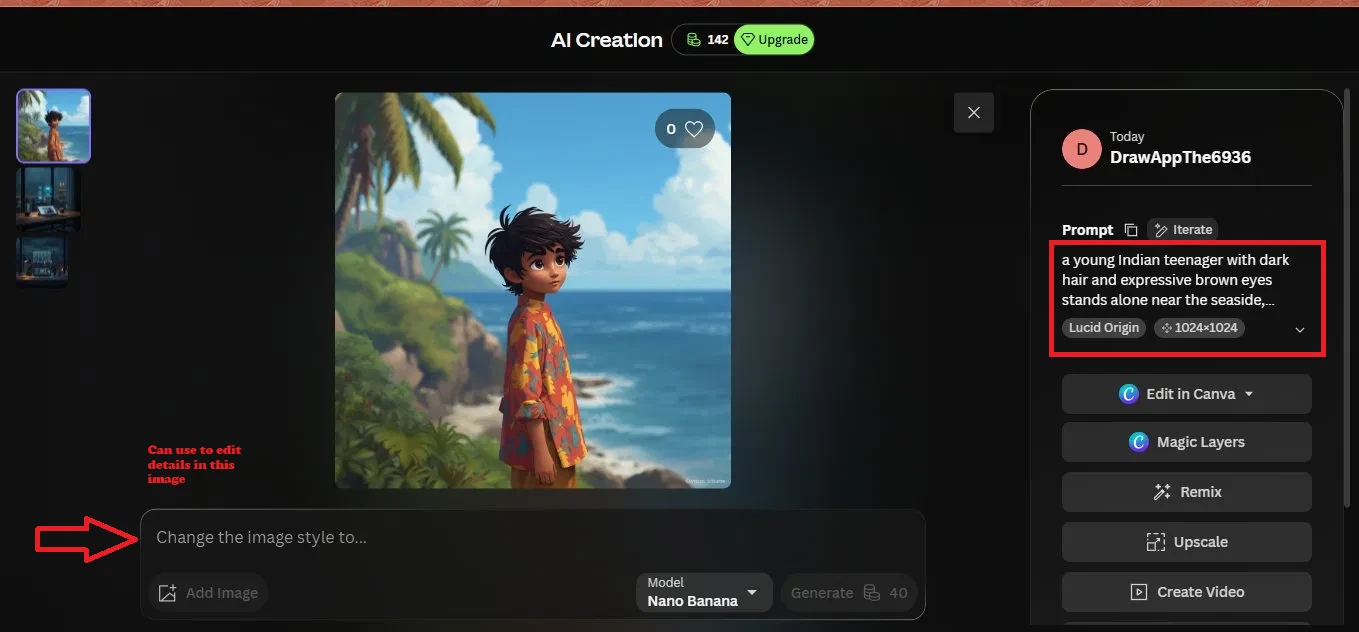
When the image was ready I opened it to see the full result along with its details. The panel on the right showed who generated it, the full prompt (here expanded into a longer description of the scene), the model used (Lucid Origin), and the size (1024 by 1024). Below that sat a set of editing actions, including Edit in Canva, Magic Layers, Remix, Upscale, and Create Video, plus a box at the bottom for changing the image style by typing a new instruction. My take: I noticed the tool expanded my short prompt into a much longer scene description on its own, so it filled in detail I had not actually specified.
(Image 4 below: the finished image with its details and editing tools on the right.)
5: The other features it offers
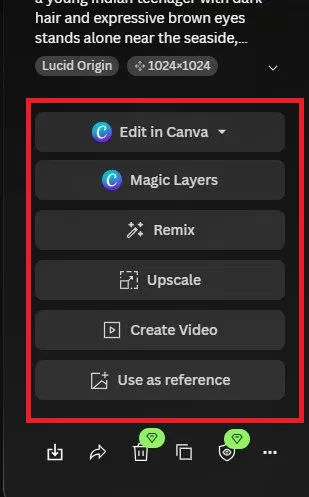
Beyond the basic edits, the right panel listed more I could do with the image: Edit in Canva, Magic Layers, Remix, Upscale, Create Video, and Use as reference for a new generation. A row of small icons at the bottom let me download, share, delete, and copy the image.
My take: I liked that a single result was not a dead end. It could become the starting point for an upscale, a video, or a fresh remix, which made the one generation feel like more than a single output.
(Image 5 below: the full set of actions, including Use as reference and the download and share icons.)
6: The output
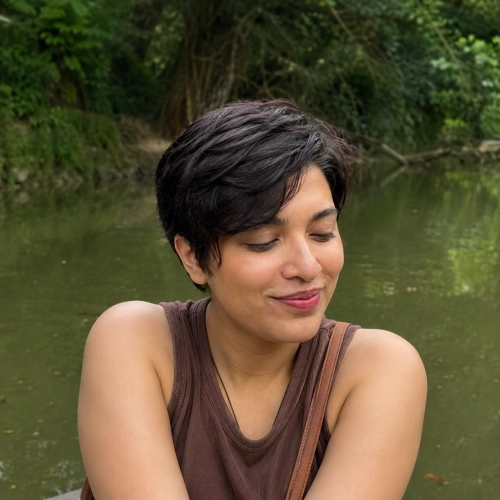
This was the final image Leonardo produced from the prompt. It came out as a polished, animation style portrait by the sea, matching the prompt closely. My take: the result was clean and lined up well with what I had asked for, with no obvious artefacts.
(Image 6 below: the finished image.)

What impressed me
- Signing in with Google was quick, and the image generated in very little time.
- The free plan came with 150 credits, enough to test several generations without paying.
- There was real control before creating: model, style, aspect ratio, and number of generations are all adjustable on the left panel.
- There was plenty to do afterwards: upscaling, remix, video, Canva editing, and using the image as a reference.
What to watch for
- The tools sit behind a login, so the marketing homepage is not where you actually work.
- The free credits (150) are finite, and an Upgrade button and a free-plan banner are never far away.
- It expanded my short prompt into a much longer description on its own, adding detail I had not specified, so the output reflected its choices as much as mine.
- On the free plan the output came out at 1024 by 1024, so it is worth checking the resolution limits before relying on it for anything larger.
Overall, Leonardo.AI felt capable and polished. It is more than a simple prompt box, with genuine controls and a strong set of tools for what comes after a generation, and the free credits make it easy to try before deciding whether to upgrade.