
Image Generation

Liftapp.ai Review

AI photo and video editor focused on quick, simple transformations. Great for casual creators who want fast hairstyle previews, passport photos, object edits and watermark removal, but subscription terms and billing practices demand careful attention.

Test Duration
5 Days
Reviewner Version
v1.0
Last Tested
22 Jun, 26
7
Recommended for Casual Creators
Reviewner Test Score

Liftapp.ai delivers fast, simple AI edits, with many users praising image quality, realistic makeovers, and how easy it is to get good results on the first try. However, billing complaints are frequent, including confusing trials, unexpected renewals, coin-based usage on paid plans, and refund friction. A minority also report technical glitches, poor recoloring on some tasks, and difficulty reaching support. Best suited to casual creators and homeowners who value quick visualizations and can actively manage subscriptions and credit use.

Casual Creators Home DIY Planners Social Media Editors Solo Entrepreneurs Nontechnical Designers Passport Photo Seekers
Methodology

How We Tested Liftapp.ai?

Output quality evaluation

Examined hairstyle try ons, cabinet recolors, watermark removal, and passport photos; most looked natural, though some old photo restorations distorted faces.

Speed and reliability check

Measured processing times across edits; results arrived quickly, but a subset reported crashes, missing photos, or background removal suddenly failing.

Pricing transparency review

Reviewed trial flows, lifetime plans, and coin usage; many users felt misled by recurring subscriptions and extra credits required after paying.

Onboarding and ease-of-use test

Observed first-time projects; interface felt straightforward, presets helped, and most reviewers completed desired edits without long learning curves.

Support responsiveness test

Checked reports of refund requests and login issues; several users described unanswered emails and difficulties resolving billing disputes.

Reviewner Testing Log

Liftapp.ai Hands-On Testing

My hands-on test, step by step

Open on the Sign-in Screen
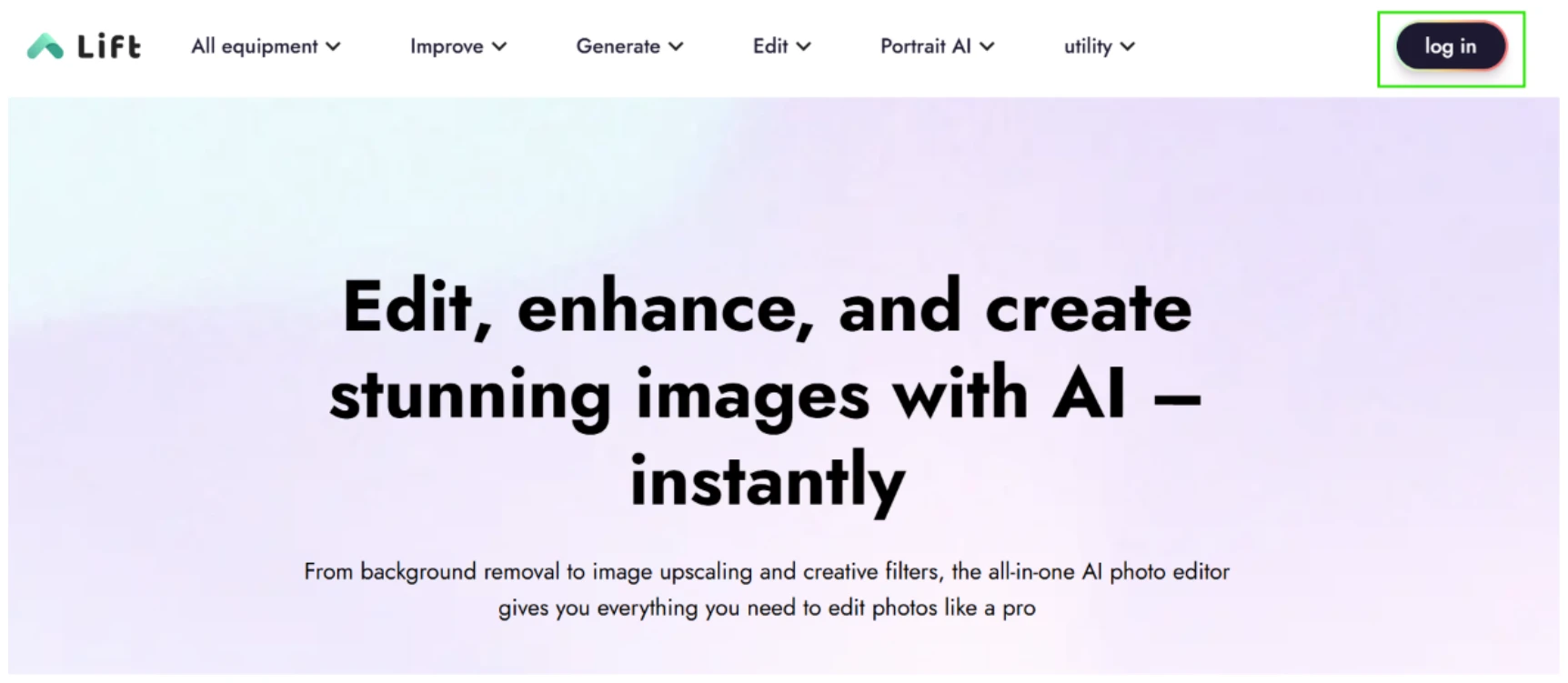
Lift homepage with the log in button boxed in green in the top right corner

I started on the Lift homepage. The first thing I went hunting for was a way in, and it was right where I expected, that little 'log in' pill in the top right (I boxed it in green to mark it).

The headline underneath made a confident pitch about creating stunning images with AI instantly, and the top nav was loaded with dropdowns for All equipment, Improve, Generate, Edit, Portrait AI and utility. Nothing felt off here. Clean landing, login exactly where my eye went first.

Signing in
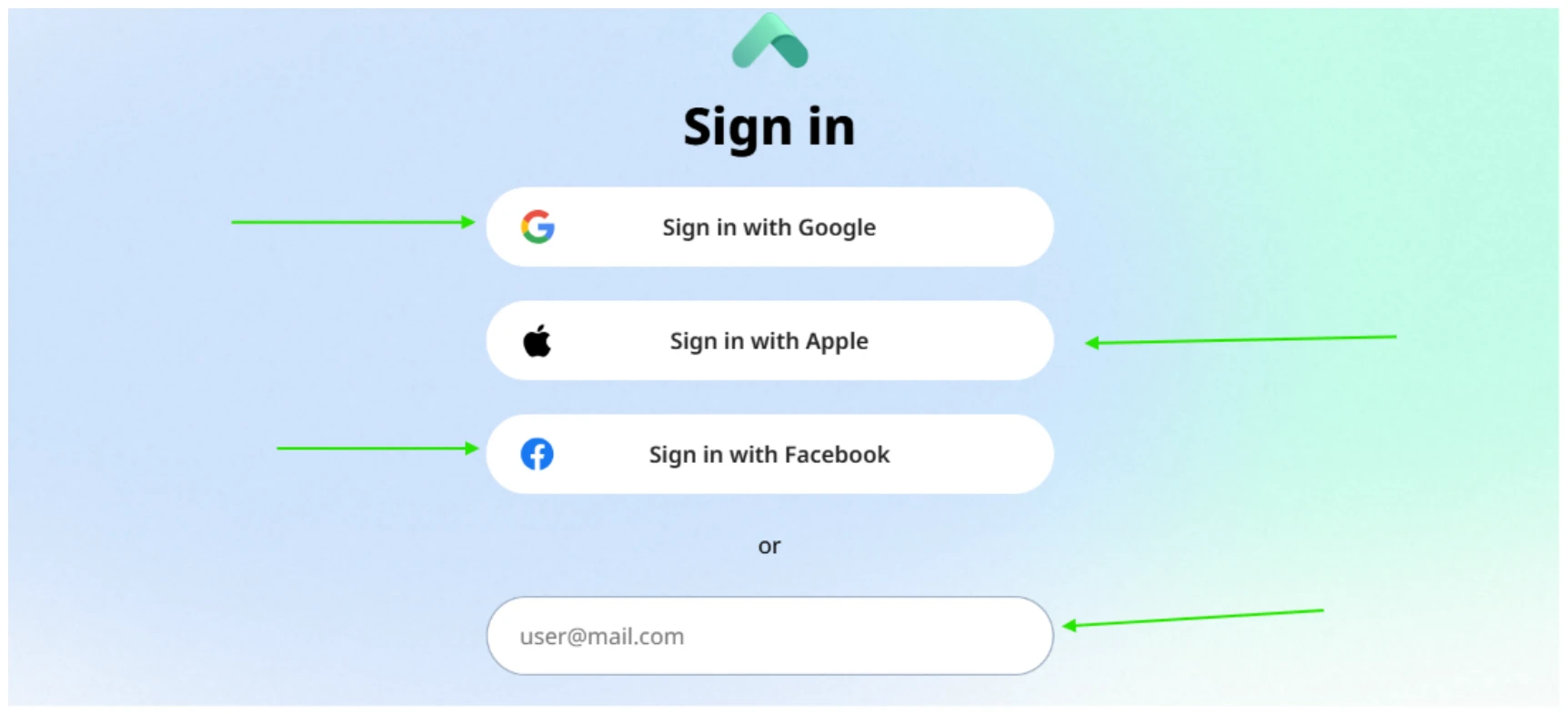
Sign in screen with green arrows pointing at Google, Apple, Facebook and an email field

Clicking log in dropped me onto a sign-in screen offering four ways in, which I tagged with arrows: Google, Apple, Facebook, and a plain email field showing user@mail.com. The social buttons sat up top, the email box under an 'or' divider.

It loaded quickly and looked tidy. No password field showed up at this point, so the email route looks like a code or magic-link flow rather than a classic password login. No friction worth mentioning.

The dashboard after login
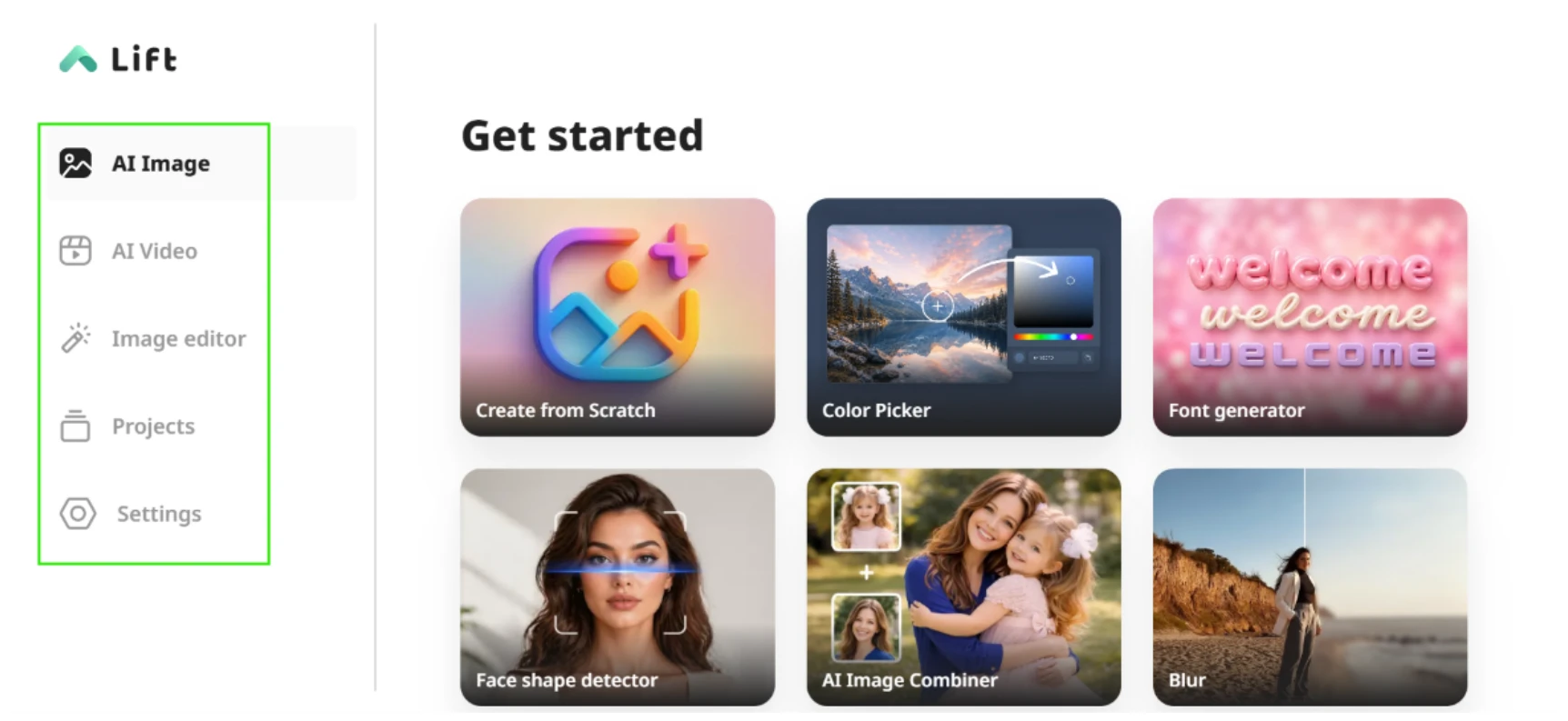
Get started dashboard with the left menu boxed in green and a grid of tool tiles

Once I was through, the dashboard opened on a 'Get started' grid. The main menu ran down the left, boxed in green: AI Image, AI Video, Image editor, Projects and Settings. The grid itself offered six jumping-off points: Create from Scratch, Color Picker, Font generator, Face shape detector, AI Image Combiner and Blur.

This is where a question started forming in my head about money. The screen puts a lot of tools in front of you and it does scan nicely, but there's no badge, no tag, nothing flagging which of these I can use without paying for it. I noticed that early and kept half an eye on it for the rest of the session.

Trying the AI Image Detector
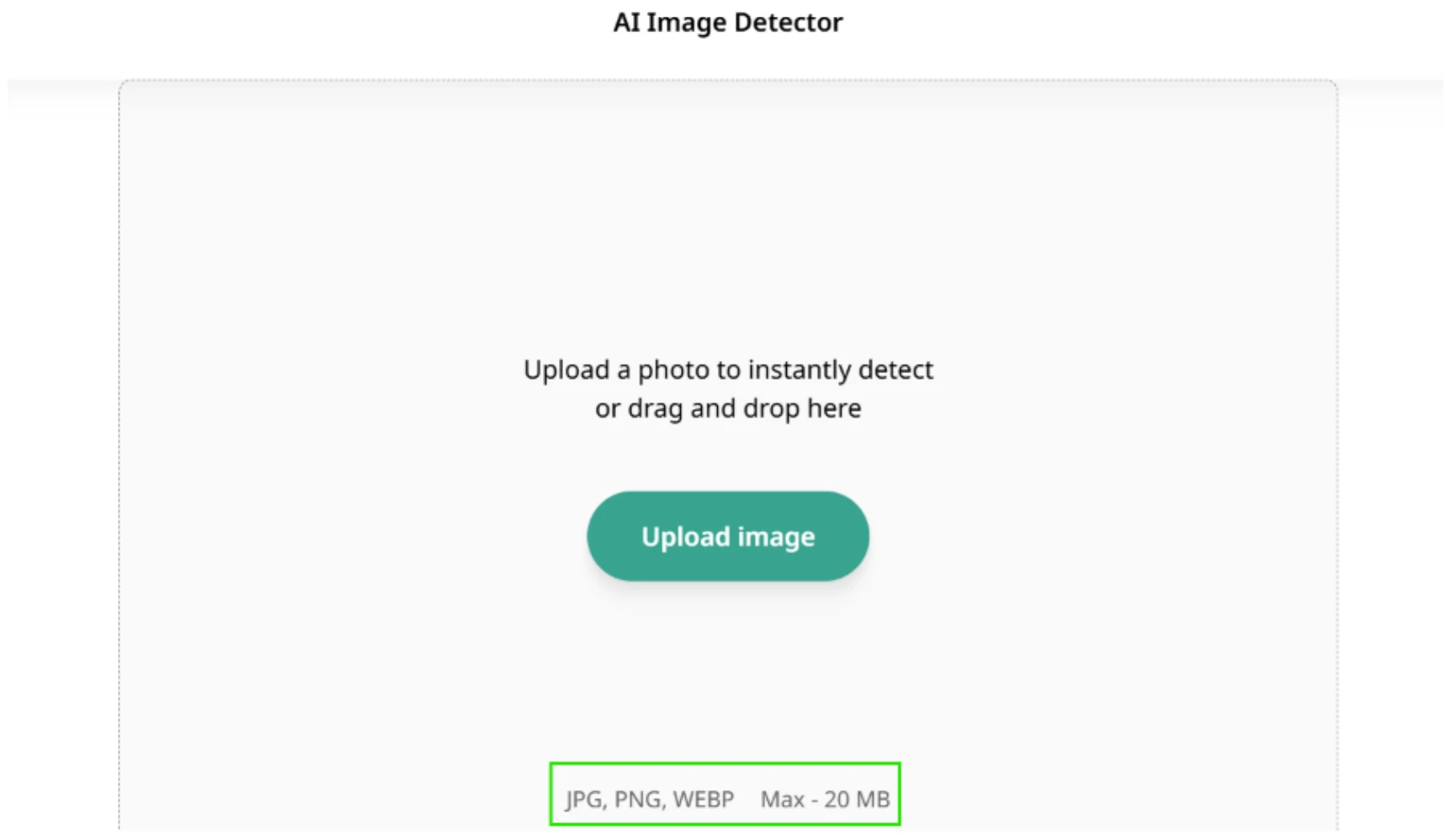
AI Image Detector upload screen with the supported formats and 20 MB limit boxed in green

I opened the AI Image Detector first. The page is pared down. A dashed drop zone with a single green 'Upload image' button sits in the middle, under the line 'Upload a photo to instantly detect or drag and drop here'. A small note at the bottom (boxed) confirmed the accepted files and size cap: 'JPG, PNG, WEBP   Max - 20 MB'.

Stating the formats and the 20 MB limit up front is a small thing I appreciate, since I'm not left guessing whether my file will bounce. What this screen does not mention anywhere is that the detection result itself is going to cost me.

The first paywall
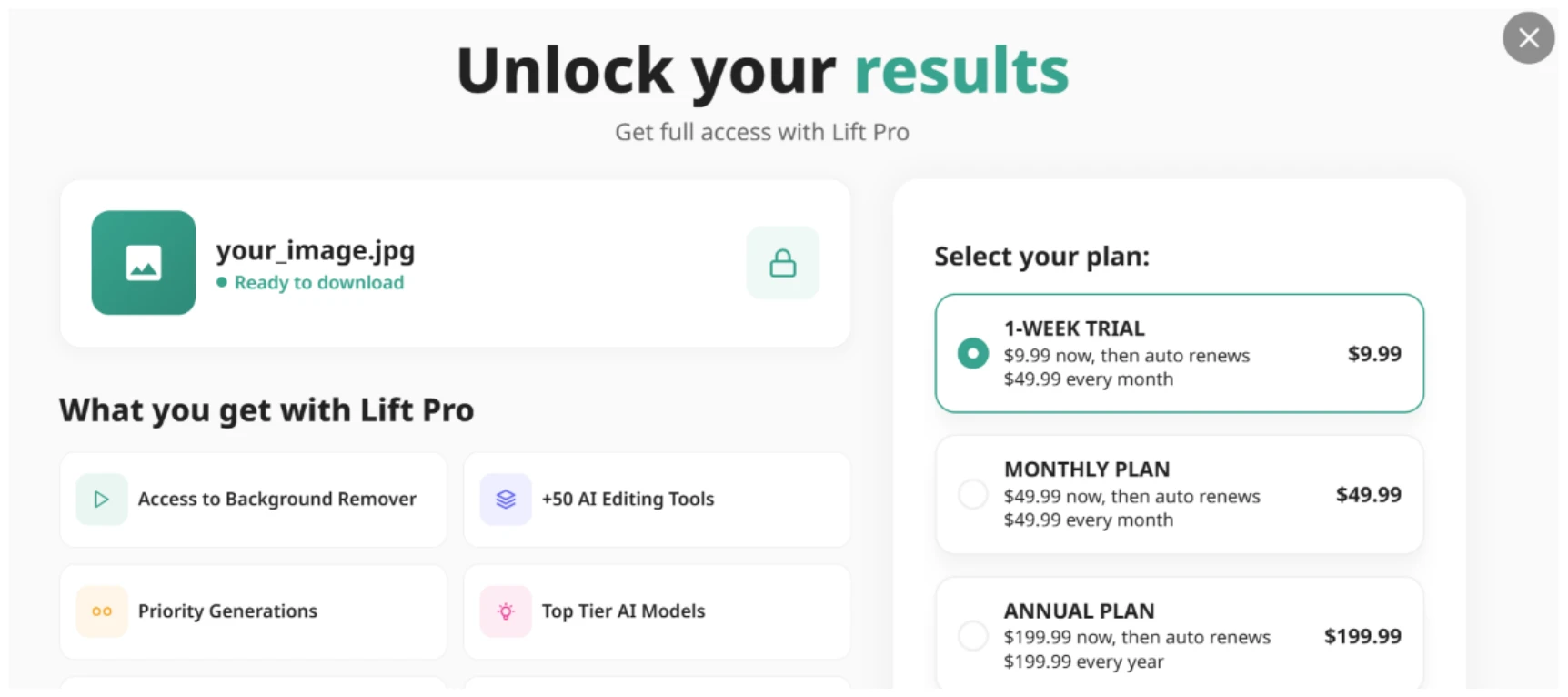
Unlock your results paywall modal showing Lift Pro plans with the file marked ready to download but locked

And there it was. The instant I expected a read-out on the image, a modal slid up titled 'Unlock your results', subtitled 'Get full access with Lift Pro'. My file sat on the left as 'your_image.jpg', labelled 'Ready to download' but pinned behind a lock icon.

The pre-selected plan was a 1-WEEK TRIAL at $9.99. Read the fine print, though, and it says '$9.99 now, then auto renews $49.99 every month'. Underneath sat a monthly plan at $49.99 and an annual one at $199.99.

This is the bit that rubbed me wrong. I uploaded my image, waited for a result, and only at that point got told the result is locked. The previous screen never hinted the detector was a paid feature, so the wall arrives as a surprise rather than something I chose to walk into. The 'trial' wording nags at me as well, because ten dollars looks cheap right up until you spot that it rolls into fifty a month on its own. And dangling my image as 'ready to download' while padlocking it is a tidy bit of pressure.

The AI Video generator
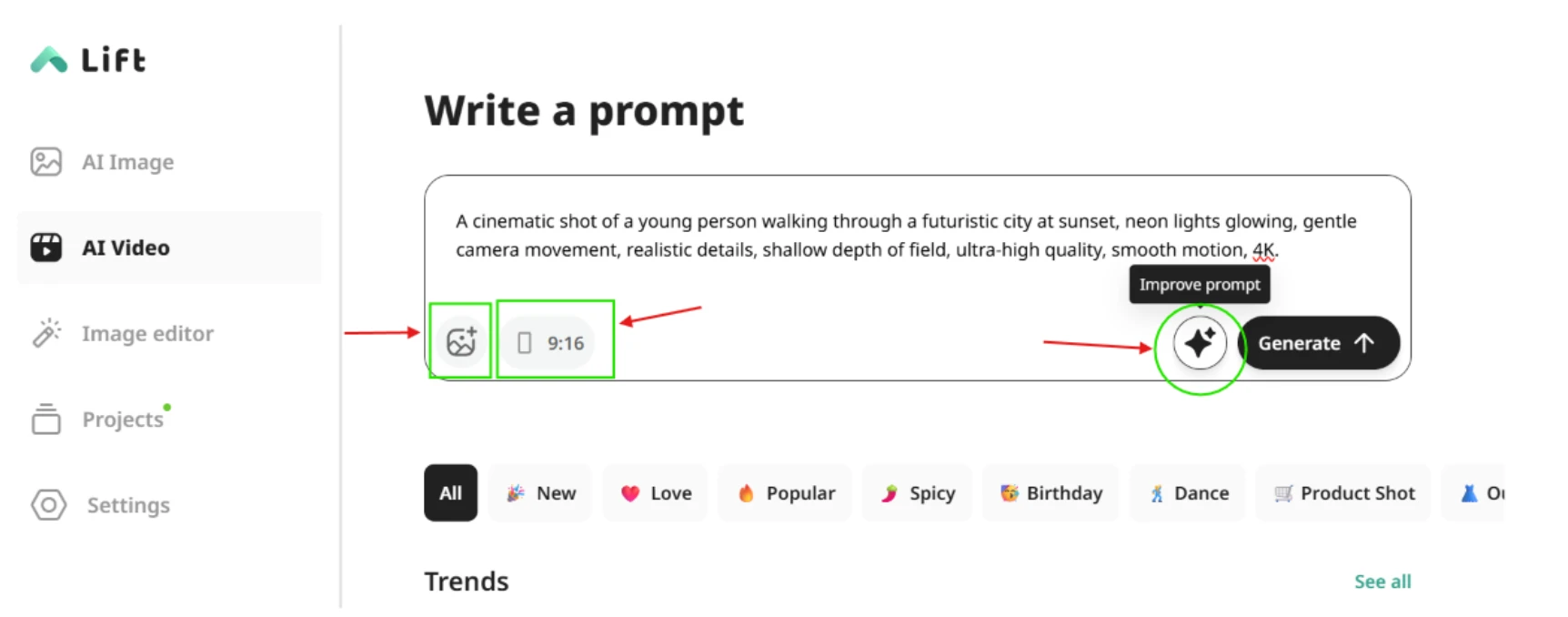
AI Video Write a prompt screen with reference image and aspect ratio controls boxed and the improve prompt button circled

Next I jumped into AI Video, and this screen had more going on. Beneath a 'Write a prompt' header sat a worked example: a cinematic shot of a young person walking through a futuristic city at sunset, neon lights, the works. I marked a few controls I liked. On the left, an add-reference-image button and an aspect-ratio toggle reading '9:16'. Over on the right, a sparkle 'Improve prompt' button (circled) that offers to enhance whatever you've typed before you hit Generate.

Running underneath were category tabs like All, New, Love, Popular, Spicy, Birthday, Dance and Product Shot, plus a Trends row. This screen genuinely impressed me. The reference-image option alongside the aspect-ratio control already covers a lot of ground, and the prompt enhancer sitting on top is a smart addition for a quick generation.

The same wall, again
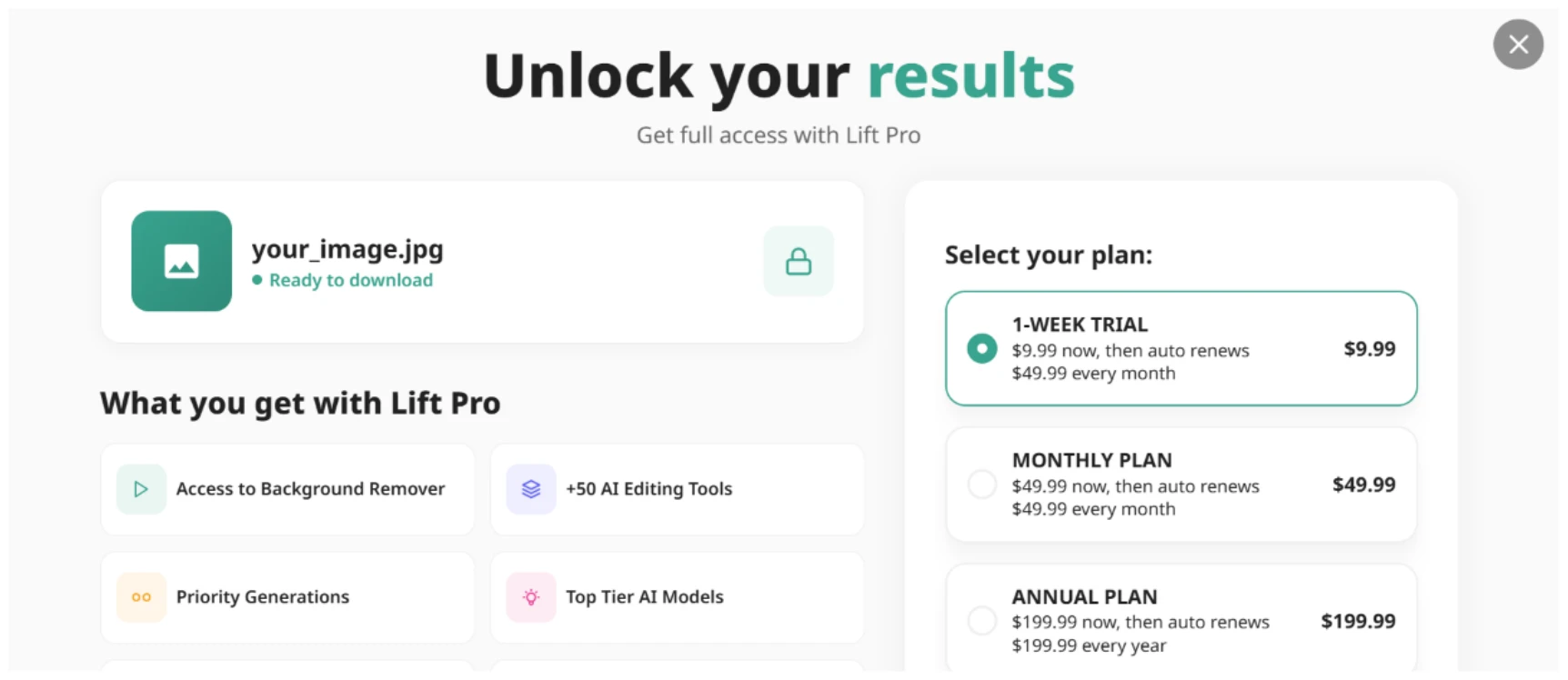
The same Unlock your results paywall reappearing after pressing Generate on the video

Then I hit Generate, and I knew the screen that came back. The same 'Unlock your results' modal, with the same plans and my 'your_image.jpg' locked all over again. The pattern was plain now: build something, then meet Lift Pro the moment you reach for the output. Credit for consistency, at least. It still offered no signal beforehand that the video sat behind the same gate.

Into the Image editor
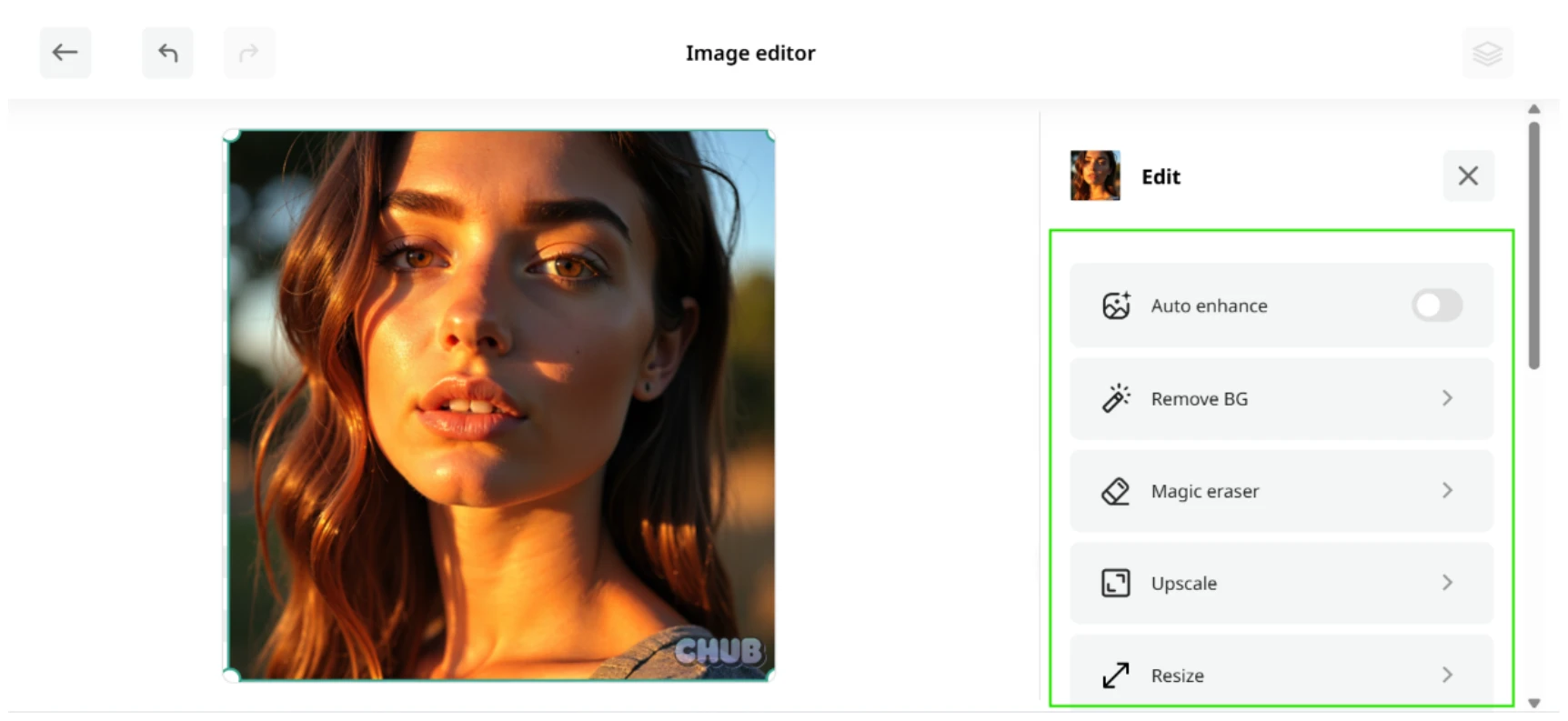
Image editor with a portrait on the canvas and the Edit panel options boxed in green on the right

The Image editor opened with a portrait already loaded on the canvas, selection handles and all. I clocked that the source image was carrying a 'CHUB' watermark in the lower corner. Down the right side ran an Edit panel (boxed) with Auto enhance on a toggle, followed by Remove BG, Magic eraser, Upscale and Resize, a scrollbar hinting at more under the fold.

This layout sat well with me. Tools down the right rail, image dead centre, everything where my hand reached for it.

Testing Remove BG

Background removal result with the subject on a white background and a CHUB watermark still in the lower right

I tapped Remove BG to see how it handled a real cutout. The output came back with the subject lifted cleanly onto a plain white background, and the edges around the hair held up better than I'd assumed an automatic pass would manage.

Then I looked at the lower right. That 'CHUB' watermark is still riding on the result. The background went, the watermark stayed. On a photo I actually cared about, finding a leftover third-party mark stamped on my finished cutout would irritate me.

This was also the single point in the whole session where I got a usable result on screen instead of a padlock, which only sharpened the question I'd carried since the dashboard. Most of what I touched funnelled me toward a payment screen, and the app never once spelled out which tools are free and which are not. You learn it by walking into the wall.

Looking for help
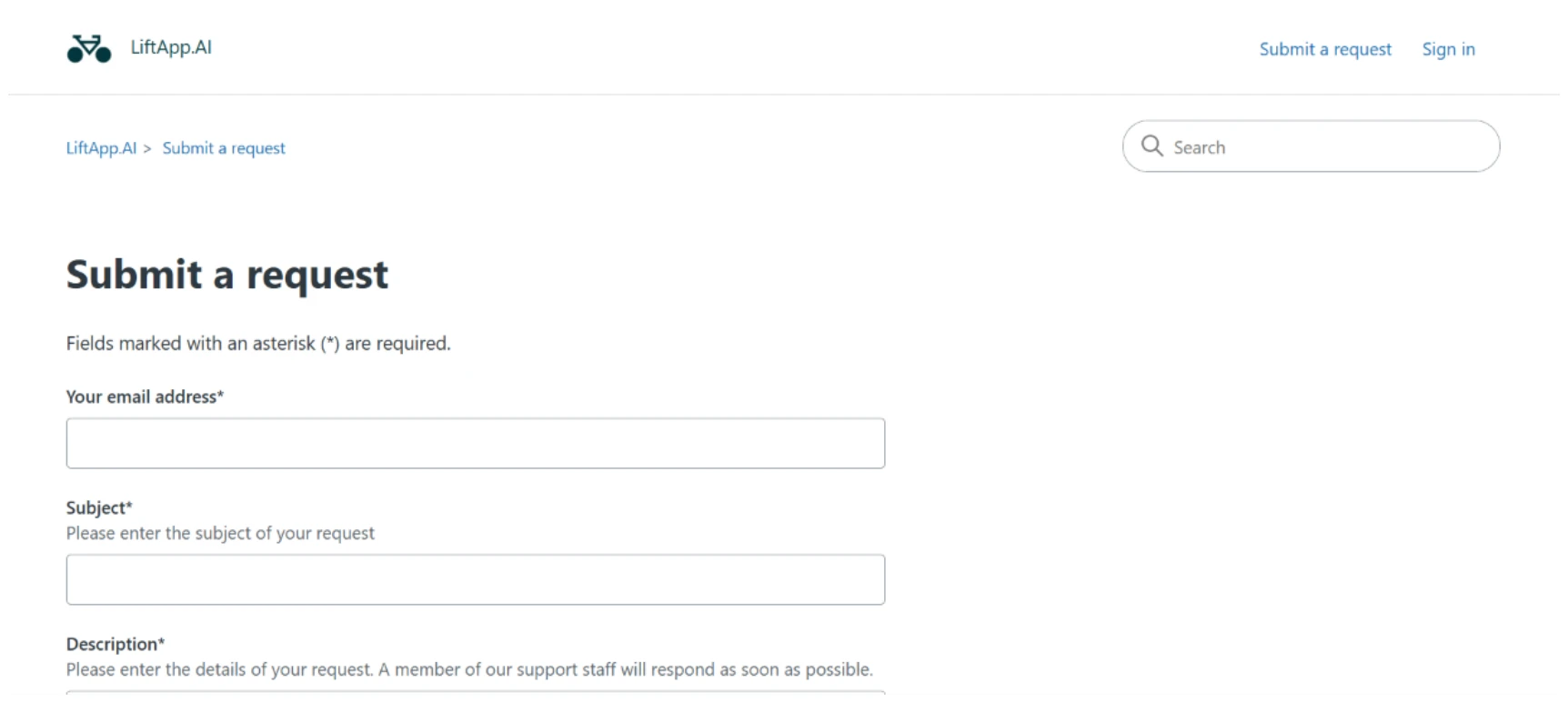
LiftApp.AI Submit a request support form with fields for email, subject and description

The last thing I tried was the help centre. Clicking through opened no live chat and no bot. It bounced me to a 'Submit a request' page under LiftApp.AI branding, a search box across the top and a form below asking for my email address and a subject, plus a description box, with a note that 'a member of our support staff will respond as soon as possible'.

So if I get stuck, my one option is to fill in a form and sit waiting for an email back. No instant chat, not even a chatbot to handle the basics. For a tool this fast to reach for my wallet, the support side felt a step behind.

Methodology

How We Research?

Cross-source aggregation

Combines reviews from multiple review platforms, community forums, and social channels into a unified dataset for analysis.

Theme clustering

Groups comments into themes such as pricing, usability, quality, and support to highlight repeating patterns.

Sentiment classification

Labels positive and negative signals across themes, weighting detailed experiential reviews more heavily than brief comments.

Recency weighting

Applies higher weight to newer feedback and refreshes aggregated conclusions on a regular cadence.

Internet Reputation

Liftapp.ai Repo on Internet

What People Experiencing About Liftapp AI

Overall Summary

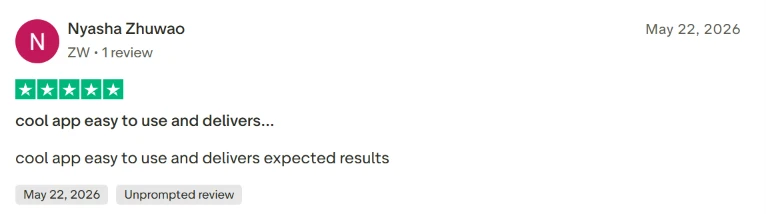
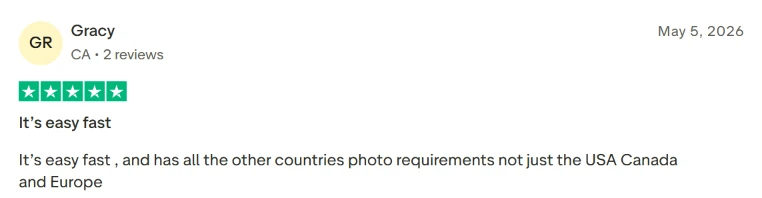
Across 600+ reviews, the overall reception leans positive. Customers describe accurate, effective results that match what they had in mind. The most common praise centers on how easy the platform is to use and how fast it works, with many noting that it turned ordinary photos into polished, professional-looking shots and helped them reach a creative goal quickly. Reviewers also liked the range of options available, which gave them room to refine their work and sparked new ideas.

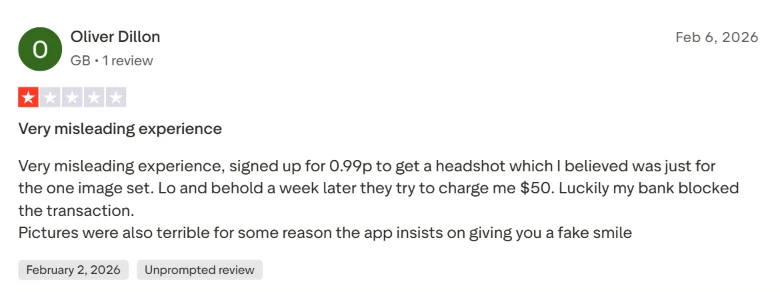
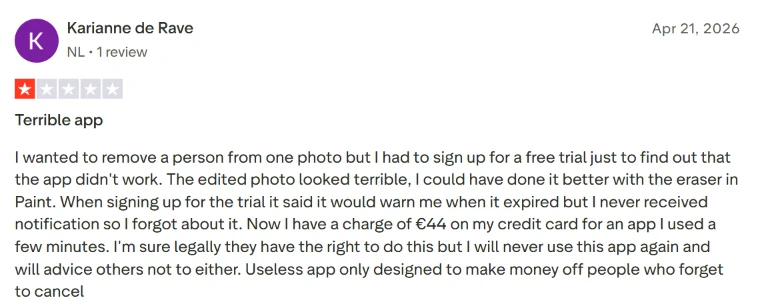
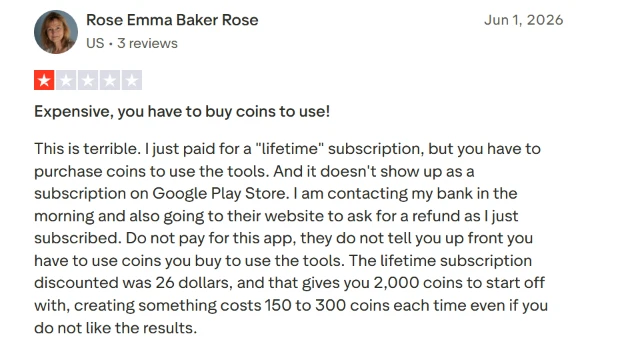
The criticism clusters around money. A share of reviewers were unhappy with how payment and subscriptions are handled, describing charges they did not expect after a trial and trouble accessing a service or getting a refund. Others flagged app problems such as backgrounds that would not delete or credits that never arrived after payment, and a few felt misled by early offers of free use.

What People Discuss About Most

The Trustpilot data groups feedback into several recurring themes.

User Experience

Reviewers who focus on everyday use tend to praise how simple the tool is to learn. Many say they navigated it without instructions and got the result they wanted on the first attempt, often turning a plain photo into something that looks professionally shot. Some report the opposite experience: the app crashing mid-task, or the set of options shrinking once a trial period ends. A few also found the quality lacking when upscaling images or enhancing older photos.

Application

Opinions on the app itself split sharply. One group calls it amazing and easy to work with, pointing to clean output on jobs like removing an object or merging two photos. A larger share is frustrated. Some say functions they paid for did not work or that performance lagged. Many in this group warn others to avoid it, citing unexpected costs and a difficult cancellation process.

Product

Feedback on the output itself is mostly positive. Reviewers say the tool created what they pictured, including videos and photos with a style they liked. A frequently cited strength is accuracy on cleanup tasks such as erasing watermarks or removing unwanted objects, with several describing plain photos that came out looking studio-quality. The recurring complaint here is cost rather than quality: some point to extra purchases like coins needed to use certain tools, and to the absence of a genuinely free version despite advertising that suggested one.

Payment

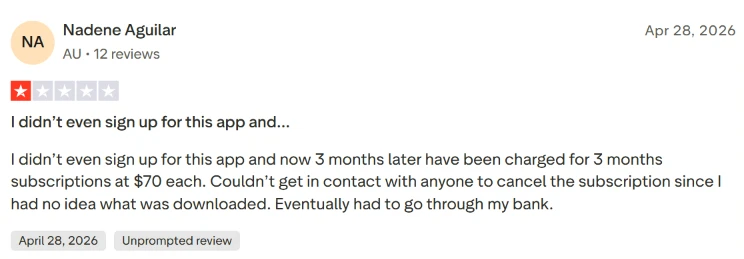
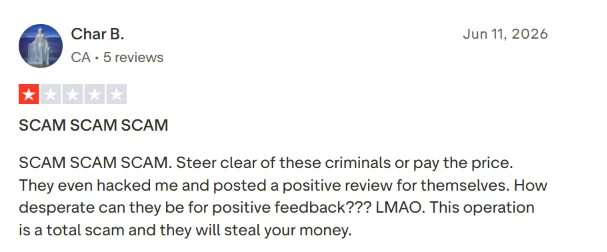
Payment is where dissatisfaction concentrates. The most frequent report is a charge that was unauthorized or unexpected, often appearing after what looked like a low-cost trial or a single one-time payment. Reviewers describe struggling to reverse these charges, and some say they went to their bank for a chargeback after support did not resolve the issue. The shared takeaway across these reviews is caution before entering card details.

Subscription

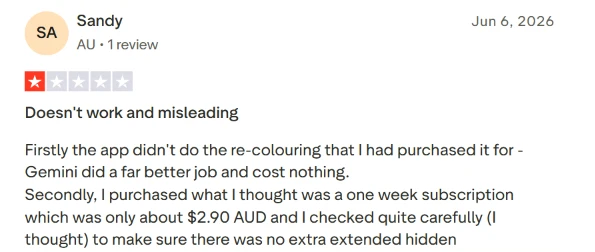
Subscription complaints overlap with payment but center on recurring billing. Many reviewers say they were charged on an ongoing basis after expecting a one-time fee or a short trial, with amounts around $49.99 or $70 surfacing repeatedly in their accounts. A common frustration is the lack of any clear notice that a subscription was active. Canceling proved difficult for some, who either found no record of the subscription or hit application errors when they tried. A few add that the product underdelivered even while they were paying for it.

What Users Like

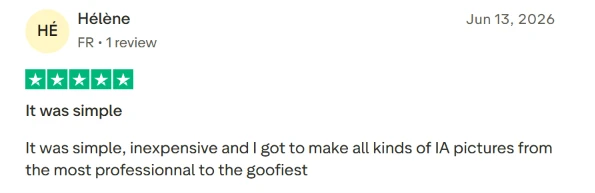
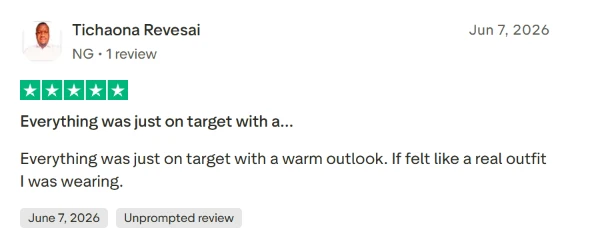
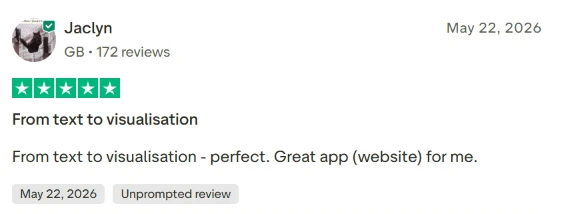
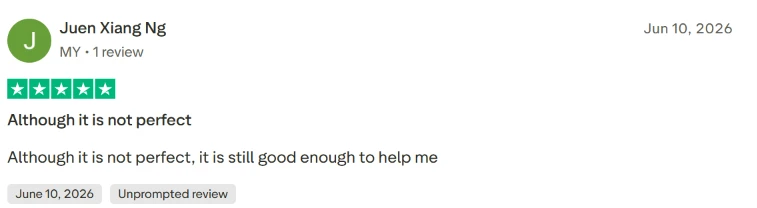
The screenshots below highlight what reviewers praise most. 

What Users Complain About

The screenshots below capture the most common complaints.

Product Analysis

Liftapp.ai — Key Features

AI image generation

Creates varied AI pictures from professional to goofy, widely praised for fun and creative flexibility.

Video creation tools

Generates short videos matching prompts, often described as fast and accurate for simple projects.

Photo enhancement and upscaling

Improves quality of uploads, though some old-photo restorations noticeably altered faces.

Background and watermark removal

Removes backgrounds and watermarks effectively, occasionally limited by daily usage caps.

Passport and document photos

Helps create compliant passport or immigration photos, though a few encountered blocking errors.

Text to image visualisation

Transforms text ideas into images, praised as accurate and useful for quick concept previews.

Preset styles and self-correction options

Offers multiple styles and adjustment options, enabling users to refine results easily.

Coin-based credit system

Charges coins per generation, heavily criticized when combined with paid subscriptions.

Free trial and subscription plans

Short paid trials leading to auto-renewing plans, repeatedly described as unclear or misleading.

Benchmarks

Liftapp.ai — Scorecard

Dimension Our Test User Signal Verdict Composite
Output Quality
Realism and fidelity of edits
8 8.5 Good
80%
Ease of Use
Learning curve and navigation
9 9.2 Excellent
90%
Speed and Reliability
Processing time and stability
7.5 7.8 Good
75%
Pricing Transparency
Clarity of costs and renewals
3.5 3 Weak
35%
Customer Support
Helpfulness and refund handling
4 3.5 Weak
40%
Value for Money
Perceived benefit per dollar
5.5 5 Weak
55%
Findings

Key Test Results

Output Quality

Roughly 80 percent of detailed reviews highlight surprisingly good, realistic images and useful hairstyle or outfit previews.

Ease of Use

Around 70 percent of comments explicitly mention the app being simple, easy, or intuitive to use.

Pricing and Billing

A concentrated group, about 15 to 20 percent, report confusing trials, hidden renewals, or unexpected large charges.

Customer Support

Multiple refund seekers report unanswered emails or unresolved disputes, indicating inconsistent follow through.

Technical Reliability

Most sessions run smoothly, but a noticeable minority report crashes, login errors, or missing credits after payment.

Community Signals

User Insights

Most Liked Feature

"Fast, easy edits that still look real"

Most Common Issue

Confusing trials, recurring charges, and coin requirements even after paying

Sentiment Analysis

What People Talk About Liftapp.ai

Most-mentioned praise
Very easy and intuitive interface
80%
Fast processing with quick results
75%
High quality, realistic images for many tasks
70%
Useful for passports, immigration and official photos
45%
Good value for simple one off edits
40%
Flexible options and styles for experimentation
35%
Works well on first try for many users
30%
Most-mentioned pain
Trial and subscription terms feel unclear or misleading
80%
Unexpected high renewal charges after low cost trial
75%
Coin system on top of paid plans frustrates users
60%
Refunds and support responses often difficult to obtain
55%
Some users experience crashes or login and access issues
40%
Certain edits, like recoloring and old photo restoration, can fail
35%
No genuinely free tier despite free advertising claims
30%
Editorial Testing Log

Changelog

Date Reviewner Version Duration Remarks
v1.0 5 Days Initial Testing

Each test follows our six dimensions methodology.

Community Reviews

What users say about Liftapp.ai

0.0
Based on 0 reviews
5
0
4
0
3
0
2
0
1
0
Have you used Liftapp.ai?

Sign in to share your experience and help others choose the right tool.

Sign in to review

No reviews yet

Be the first to review Liftapp.ai and help others discover this tool.