
Voice & Speech

Murf.ai Review

AI voiceover and scripting platform focused on natural sounding text to speech and quick production workflows, ideal for creators and businesses needing realistic narration without hiring voice actors or complex audio software.

Test Duration
3 Days
Reviewner Version
v1.0
Last Tested
19 Sep, 26
8.6
Recommended for Content Creators
Reviewner Test Score

Murf.ai delivers highly realistic AI voices, an intuitive interface, and big time savings for training content, audiobooks, IVR, and marketing videos. Most reviewers praise its ease of use, variety of voices, and efficient workflow. However, there are recurring complaints about steep pricing, loss of unused minutes on cancellation, limited controls on lower tiers, and some accent or translation gaps. It suits users who value quality voices and speed over granular billing flexibility or advanced studio timelines. Best for creators and teams producing frequent professional voiceovers across multiple formats.

YouTube Creators Course Instructors Marketing Teams Training Departments SaaS Companies Small Agencies
Reviewner Testing Log

Murf.ai Hands-On Testing

Signing up, building a voiceover, and exporting it

Signing Up

The very first click already tells you how Murf thinks about itself.
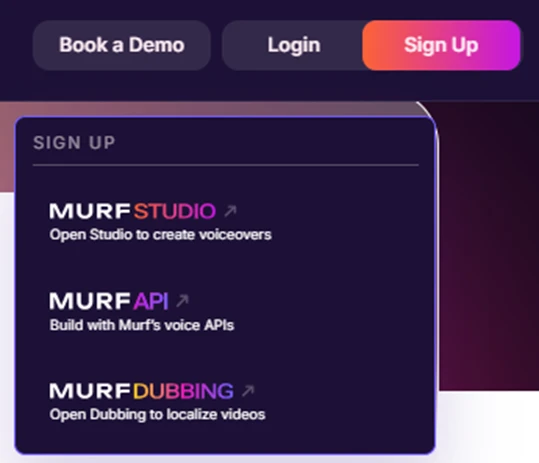
Love it. Before you even create an account, Murf splits itself into three clear doors — Studio, API and Dubbing — so you know exactly where you are headed. No guessing, no clutter.
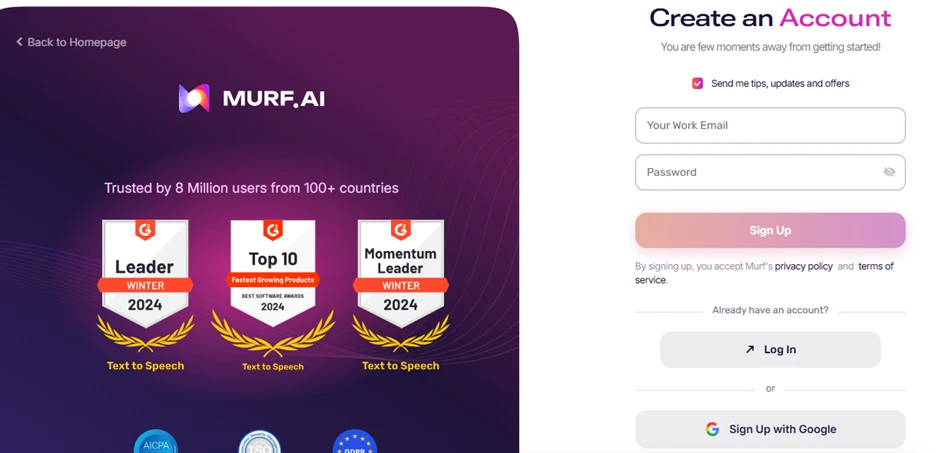
Mostly good, one gripe. The G2 badges and the “8 million users” line build instant trust, and Google sign-up is a single tap. But “Send me tips, updates and offers” is pre-ticked, and asking for a work email just to try a tool feels a touch pushy.

Verification & Onboarding

Two quick steps stand between the sign-up form and the actual product.
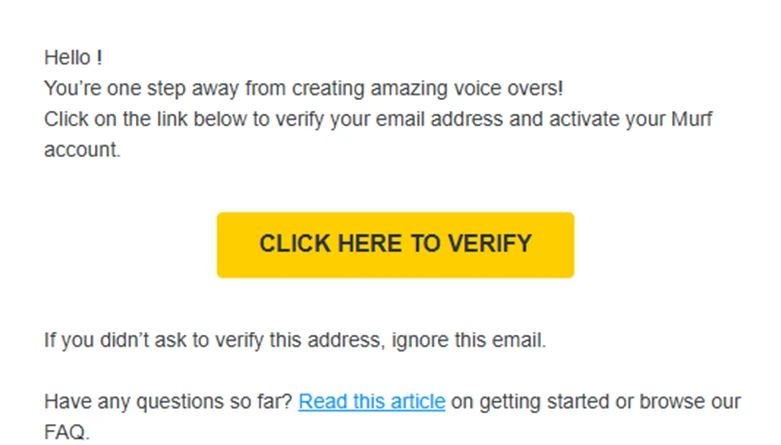
Fine, does the job. A plain verify-your-email step. The giant yellow button is impossible to miss and there is a help link if you get stuck  nothing exciting, nothing broken.
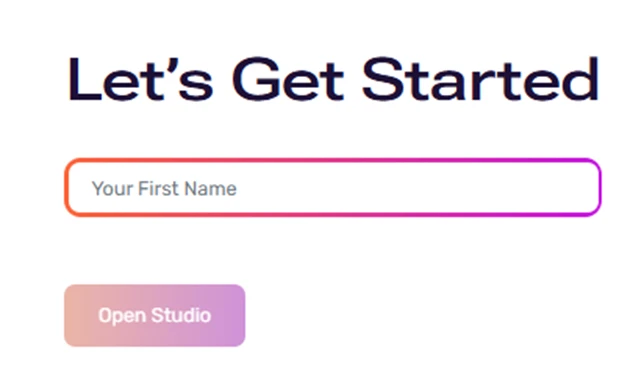
Nice touch. One friendly field, just your first name and you are in. Low friction, and it keeps the momentum going instead of drowning you in a setup form.

The Studio Editor

This is where the real work happens, and where the free-plan ceiling first shows up.
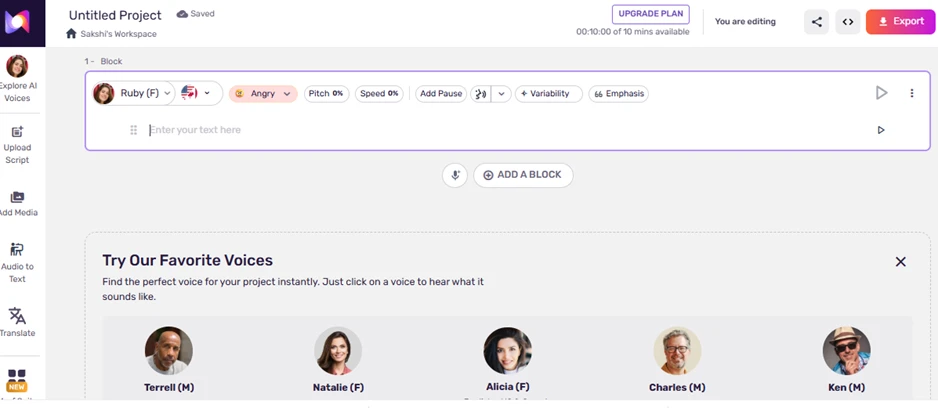
Impressive, but the clock is ticking. Emotion (Angry!), pitch, speed, pauses and emphasis all live right on the block — genuinely intuitive. The catch is “10 mins available” on the free plan and an UPGRADE PLAN button glaring at you from day one.

Testing the Voices

The voice catalogue is the part I spent the longest with — and the part that sells the product.
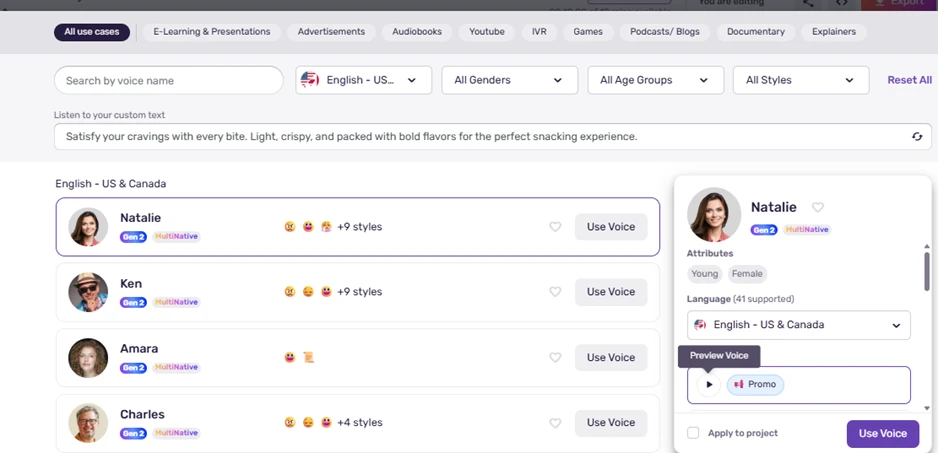
The star of the show. Filter by use-case, gender, age and style across 41 languages, then paste your own text to preview it. The emoji style tags (+9 styles) make the emotional range genuinely fun to explore.
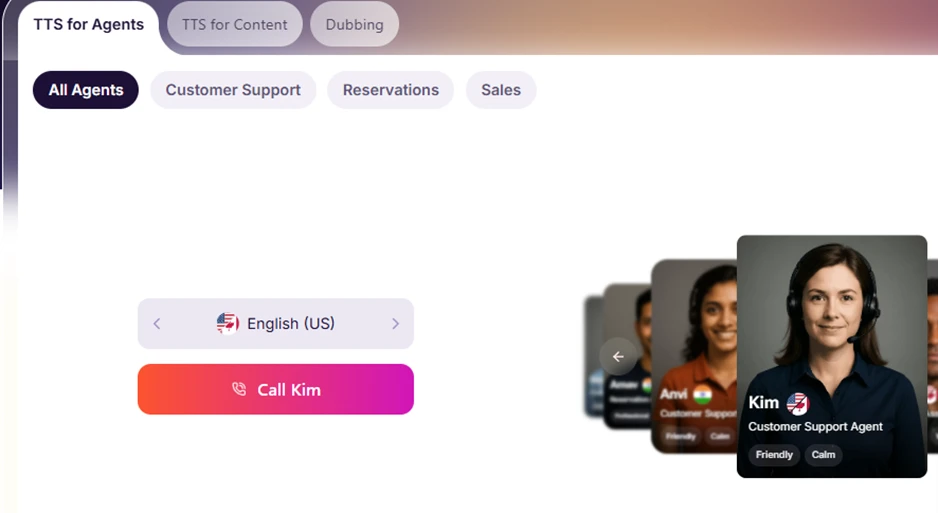
Smart demo. Named agent personas, Kim, Amvi tagged Friendly and Calm, with a live “Call Kim” button. It shows off the conversational voices without making you sign up first. Clever top-of-funnel.

Export & Pricing

Finally, getting your audio out, and finding out what continued use actually costs.
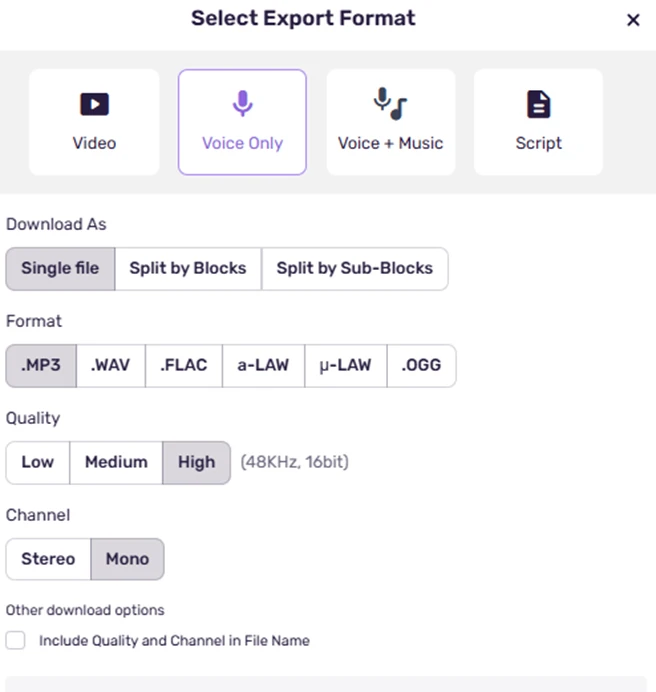
Punches above its weight. Video, Voice Only, Voice+Music or Script; single file or split by blocks; MP3, WAV, FLAC, OGG and even a-LAW / µ-LAW; plus quality and stereo/mono. This is proper pro-grade export flexibility.
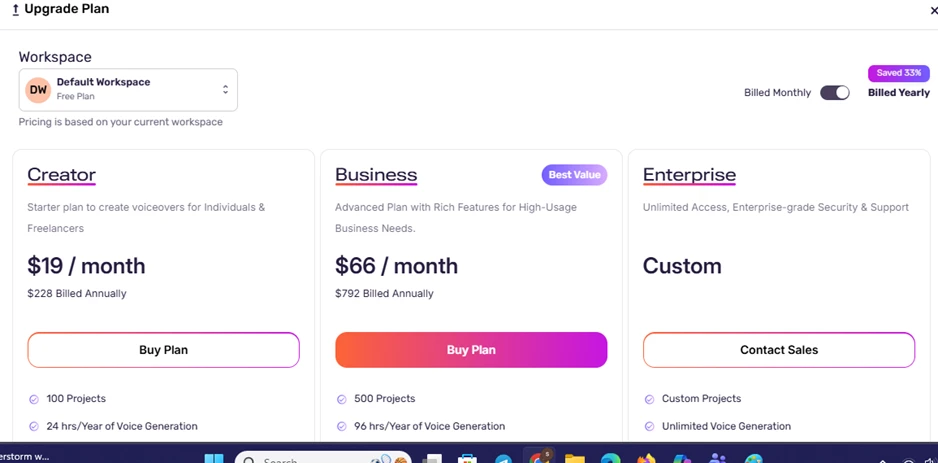
Clear, if a little tight. Creator at $19, Business at $66 (Best Value) and a custom Enterprise tier, with 33% off yearly. The tiers are easy to read — but 10 free minutes is really just a taster, so any serious use means paying fairly quickly.

Overall take

Murf makes the whole journey feel polished, the sign-up is fast, the Studio is approachable, and the voice library is a real highlight. The main friction is the free plan: 10 minutes disappears quickly, and the upgrade nudges are never far away. As a paid tool it looks well put together; as a free trial, it is more of a taste than a test drive.
Methodology

How We Research?

Cross-source aggregation

Collects reviews from multiple review platforms, community forums, and social channels for a consolidated performance picture.

Theme clustering and pattern detection

Groups recurring topics such as pricing, usability, and quality, then surfaces consistent patterns across user experiences.

Sentiment classification

Separates positive and negative signals on each feature, weighting detailed qualitative feedback more heavily than star ratings.

Recency weighting and refresh cadence

Prioritizes newer feedback and updates analyses regularly so current product behavior influences scores most.

Internet Reputation

Murf.ai Repo on Internet

Voice of Customers

Ratings at a Glance

PlatformRatingReviewsOne-line takeaway
G24.7 / 51,000+Highest volume of reviews; Momentum Leader multiple years. Praised for ease of use and natural output.
Product Hunt4.4 / 5~57Strong launch reception; creators love the Canva workflow. Free tier called too limited.
Capterra4.5 / 5FewPositive but a very small sample (listed as “Murf Studio”) — read as indicative, not definitive.
GetApp4.5 / 5LimitedMirrors Capterra; broadly positive with the same small-sample caveat.
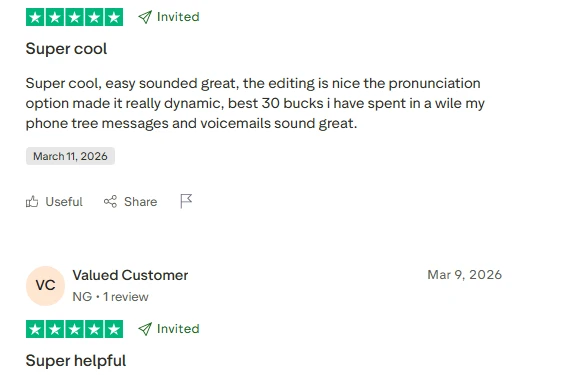
Trustpilot~4.6 / 5~185Broadly positive on voices and support; refund policy is the single most-cited gripe.
TrustRadius~3.6 / 5LimitedThe outlier low score — freelancers frustrated that voice cloning sits behind higher tiers.

Note: some third-party aggregators list Trustpilot at 4.7, but Trustpilot’s own page currently displays a 4-star TrustScore. Where sources disagree, the platform’s own figure is used above.

What Users Love

Natural, human-like voices. The newer premium (Gen2) voices are repeatedly called realistic and hard to tell apart from a human read.  (G2, Trustpilot, Product Hunt)

Genuinely easy to use. Reviewers with no audio background say they were producing polished voiceovers within minutes.  (G2, Trustpilot)

Huge voice and language range. 120+ voices and wide language coverage give plenty of choice for different tones and markets.  (G2, Product Hunt)

Fine-grained control. Per-sentence and per-word tuning of pitch, speed, emphasis and pauses is a recurring favourite.  (G2, hands-on reviews)

Big time and cost savings. Users highlight not having to hire voice actors or book studio time for professional-sounding audio.  (Trustpilot)

Useful integrations. The Canva app plus PowerPoint and Google Slides plugins let people voice content without switching tools.  (Product Hunt, G2)

Built-in video / timeline editor. Syncing voiceover to visuals in one place is called out as an edge over plain text-to-speech tools.  (Trustpilot, G2)

Responsive support. Especially on business tiers, reviewers praise fast, helpful chat support and quick bug fixes.  (Trustpilot, G2)

Where Users Push Back

It’s expensive — and the best bits are gated. Premium voices and voice cloning sit on higher tiers; G2 sentiment tagged dozens of reviews “Expensive” and “Pricing Issues.”  (G2, TrustRadius)

The free plan is too limited. Ten minutes disappears fast, and reviewers openly ask for more generous free downloads.  (Product Hunt, multiple)

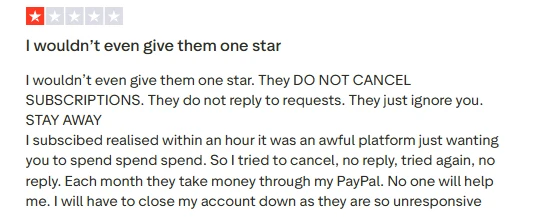
 A strict refund policy. Refunds require a request within 24 hours and under 10 minutes of use, and unused minutes don’t roll over — the top Trustpilot complaint.  (Trustpilot)

Non-English voices lag. Spanish, Hindi and Australian-accent voices are repeatedly described as more robotic than the English output.  (G2, Capterra, Reddit)

Studio lag and glitches. Some users report the interface stuttering or glitching when syncing text blocks to video.  (Trustpilot, G2)

Limited emotional range. Basic emotions are fine, but subtle or intense delivery (sarcasm, real sadness) still sounds scripted.  (hands-on reviews)

Occasional pronunciation slips. Technical terms and acronyms sometimes need manual correction.  (G2, Trustpilot)

Watch the sample bias. Many Trustpilot entries are invited/solicited reviews, so treat the raw score with a little caution.  (independent reviewers)

The Consensus

Across every major platform the story rhymes. Murf.ai earns a strong 4.4–4.7 wherever the sample is large, with users consistently rewarding voice realism, an approachable Studio, and time saved versus hiring talent. The score is pulled down almost entirely by commercial friction rather than the core product: the price ladder, a free tier that’s really just a taster, a strict refund policy, and weaker non-English voices.

Bottom line

For businesses, e-learning teams and marketers who need polished voiceovers at scale, the reviews say Murf is a safe, well-supported choice. Budget-conscious solo creators are the group most likely to feel the paywalls and they’re the ones leaving the lower scores.

Product Analysis

Murf.ai — Key Features

Natural AI voice library

Widely praised for human like English voices and strong quality across many languages.

Intuitive editing interface

Users highlight simple layout for creating, editing, and exporting scripts and audio.

Pronunciation and tuning tools

Advanced pronunciation and emphasis tools praised, though some are locked behind higher tiers.

Integration with Canva and workflows

Reported to pair directly with Canva and slot easily into video and training toolchains.

Batch processing for projects

Considered very helpful for batching voiceovers for courses, sports clubs, and training materials.

Multilingual and accent support

Offers many languages and accents, but several users want more realistic regional options.

Subscription minutes system

Credit based minutes system criticized for losing accumulated minutes on cancellation.

Customer support service

Frequently praised as fast and friendly, with rare complaints about unresponsive cancellation handling.

Studio timeline and video tools

Studio enables video plus audio editing but some report lag, glitches, and awkward syncing.

Benchmarks

Murf.ai — Scorecard

Dimension Our Test User Signal Verdict Composite
Voice Quality
Realism of generated speech
9.2 9.4 Excellent
93%
Ease of Use
Learning curve and usability
9 9.3 Excellent
92%
Value for Money
Perceived fairness of pricing
7 6.8 Moderate
69%
Feature Depth
Controls, accents, integrations
8.4 8.2 Good
83%
Billing and Policies
Refunds, credits, cancellations
5.8 5.5 Weak
57%
Customer Support
Helpfulness and responsiveness
8.2 8 Good
81%
Performance and Stability
Lag, glitches, export reliability
7.8 7.6 Good
77%
Findings

Key Test Results

Voice Quality

Around 85 to 90 percent of detailed reviews explicitly praise voice realism and overall audio quality.

Ease of Use

Roughly four out of five reviewers mention the interface as easy, intuitive, or quick to learn.

Pricing and Billing

A concentrated minority, about 10 to 15 percent, complain about pricing, renewals, and lost minutes.

Language and Accent Coverage

Most multilingual users satisfied, while about 10 percent request better accents or additional moods.

Support and Reliability

Majority report efficient support and working exports, with isolated cases of lag and ignored tickets.

Community Signals

User Insights

Most Liked Feature

"The voices are great, very natural and realistic across many projects"

Most Common Issue

High pricing and strict subscription rules that remove unused minutes on cancellation

Sentiment Analysis

What People Talk About Murf.ai

Most-mentioned praise
Very natural, realistic AI voices
80%
Extremely easy and intuitive to use
75%
Significant time savings for courses and videos
65%
Large variety of voices and languages
60%
Strong results for training, IVR, and audiobooks
55%
Helpful pronunciation and tuning controls
45%
Responsive and friendly customer support
40%
Most-mentioned pain
Steep pricing for advanced features
70%
Unused minutes lost immediately on cancellation
65%
Billing and auto renewal complaints
55%
Some accents and voices sound robotic
40%
Studio interface lag and timeline frustration
35%
Key pronunciation controls gated to higher tiers
30%
Limited integration polish with certain tools
20%
Editorial Testing Log

Changelog

Date Reviewner Version Duration Remarks
v1.0 3 Days Initial Testing

Each test follows our six dimensions methodology.

Community Reviews

What users say about Murf.ai

0.0
Based on 0 reviews
5
0
4
0
3
0
2
0
1
0
Have you used Murf.ai?

Sign in to share your experience and help others choose the right tool.

Sign in to review

No reviews yet

Be the first to review Murf.ai and help others discover this tool.