

Testing NoteGPT: AI Image, Video, and Text to Speech
1: Opening NoteGPT
I landed on the home page, where the headline called it an all-in-one AI learning assistant and the page pointed to a large user base across the Chrome Store, schools, and teams. The part that mattered most for getting work done was the left sidebar, which listed every tool: AI Notes, AI Voices, AI Images, AI Videos, AI Slides, AI Chat, AI Writer, and More. I could begin from here without an account, though a Sign In button sat at the bottom of the sidebar for when I needed it. What I noticed first was that I could dive straight in without signing up, which lowered the barrier and made me want to start testing right away.
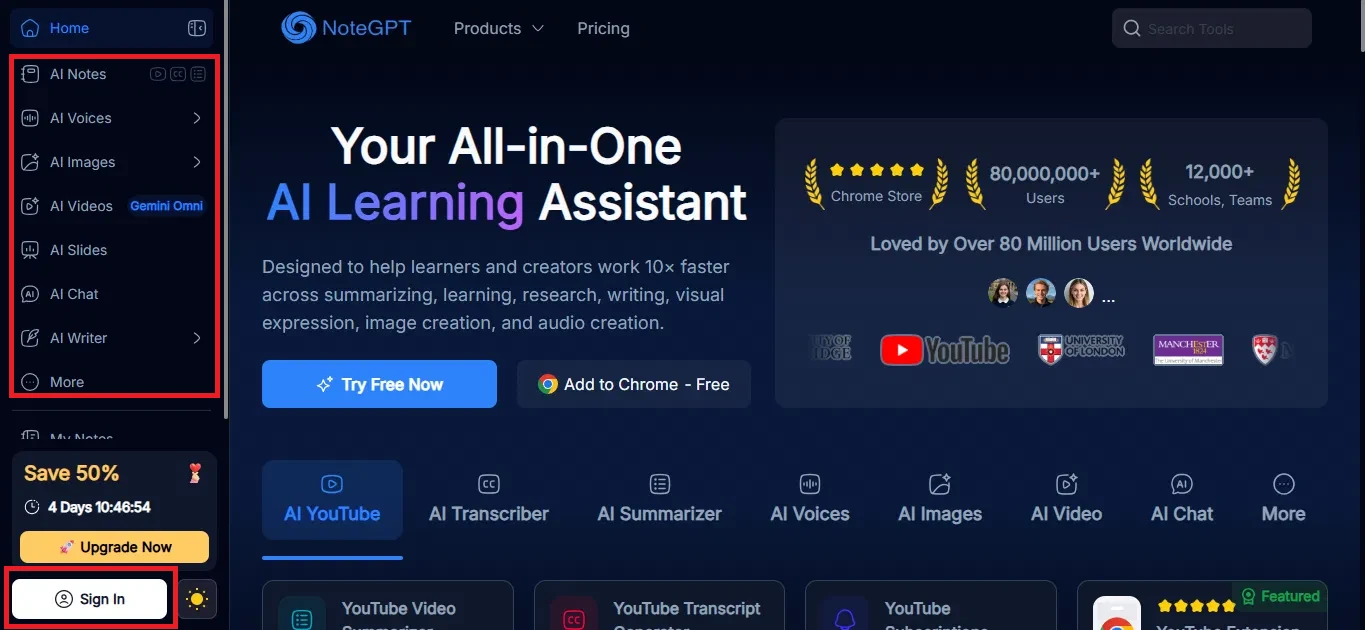
Image 1: The NoteGPT home page, with the full tool list down the left side.
2: Opening the AI Image Generator
To reach the image tool I could open the Products menu at the top, which listed the AI Image Generator, AI Image Editor, AI Headshot Generator, AI Object Remover, and more. I could also get to it from AI Images in the left sidebar. For this test I picked the AI Image Generator first. I liked having two routes to the same tool, but I also noticed the sheer number of products in that menu, which made the platform feel broad and a little sprawling before I had even generated anything.
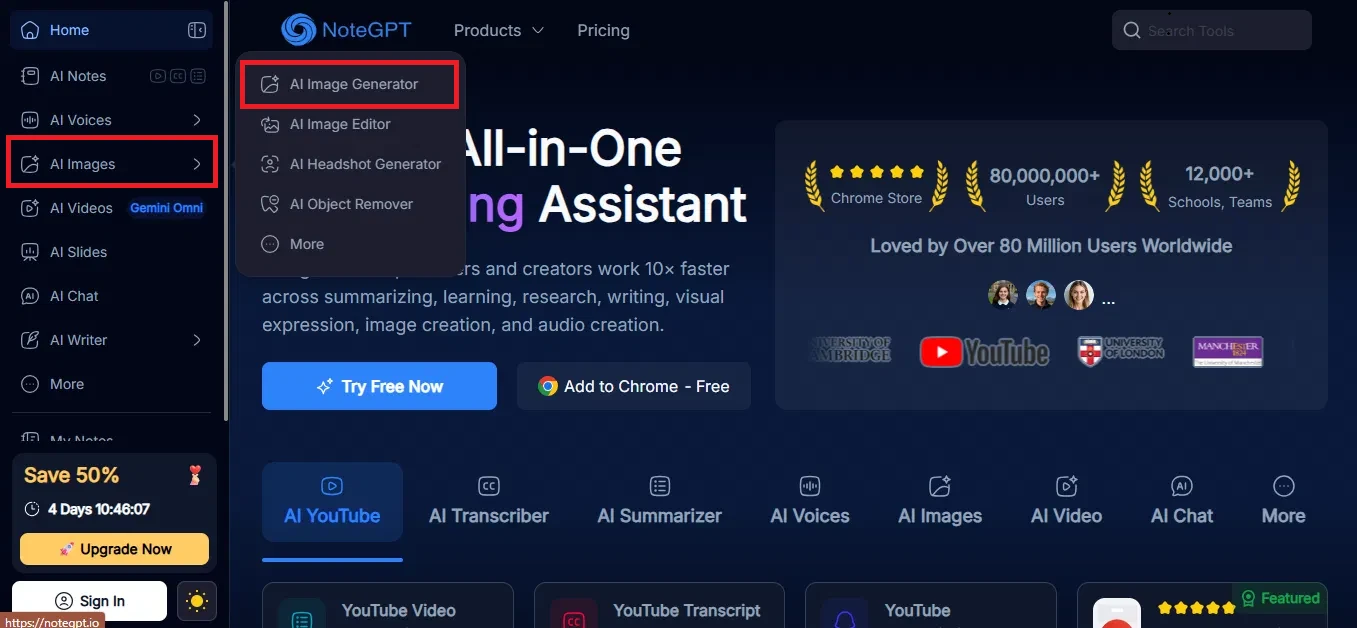
Image 2: The Products menu, where you can pick the AI Image Generator.
3: Entering the image prompt
The tool was labelled Free AI Image Generator and ran on a model called GPT Image 2. It noted that free users get two images per day. I typed my description into the box, and before generating I could attach reference images, choose the model, set the aspect ratio (16:9 here), set the resolution (1K), and pick Fast or Think. This is the prompt I used:
generate a indian girl girl in yellow suit in golden hour
The two-images-a-day limit caught my eye straight away, so I noticed myself being a little careful about how I spent that small free allowance.
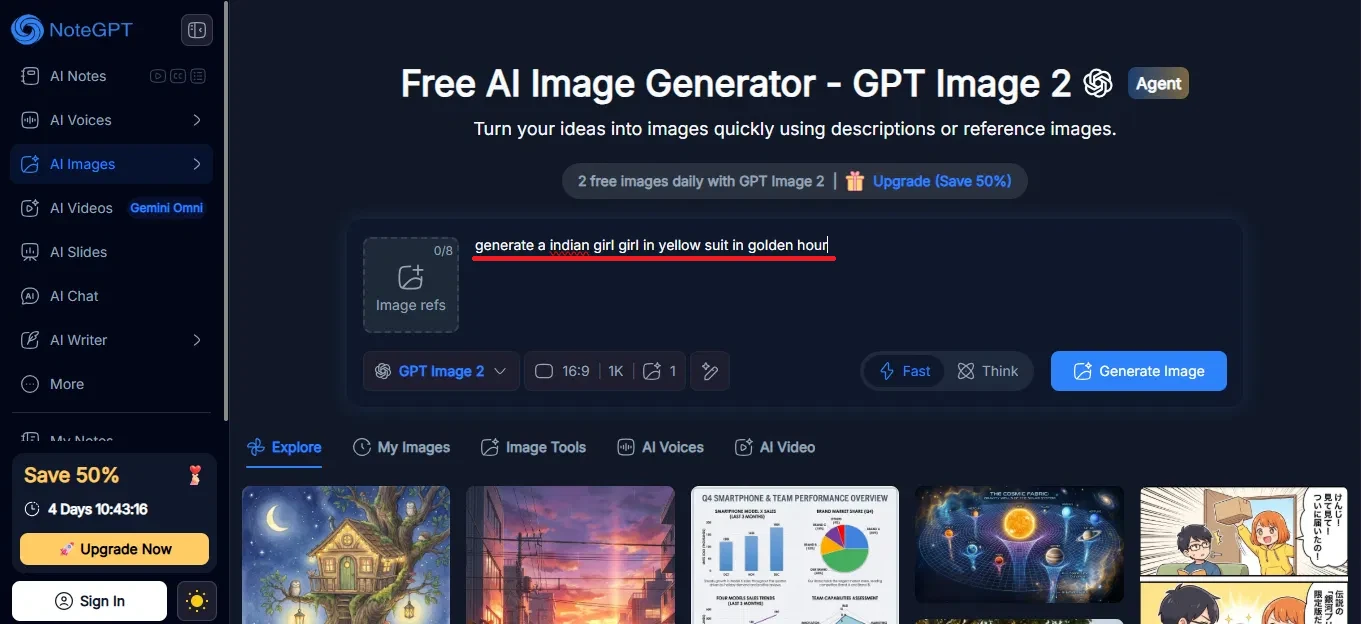
Image 3: The AI Image Generator with my prompt typed in.
4: Generating the image
Clicking Generate Image produced a result in a short time. The preview opened with the image on the left and its details on the right, including the prompt, the model (GPT Image 2), the aspect ratio (16:9), and the exact size (1672 by 941 pixels). There were tools to edit with a description, remove objects, change elements, upscale, adjust the ratio, and translate. One thing to watch: a banner warned that, because I was not signed in, the image would not be saved, so I had to download it right away. The speed impressed me, but that "won't be saved" banner was a clear nudge, and I noticed it put the pressure on me to download immediately or lose the result.
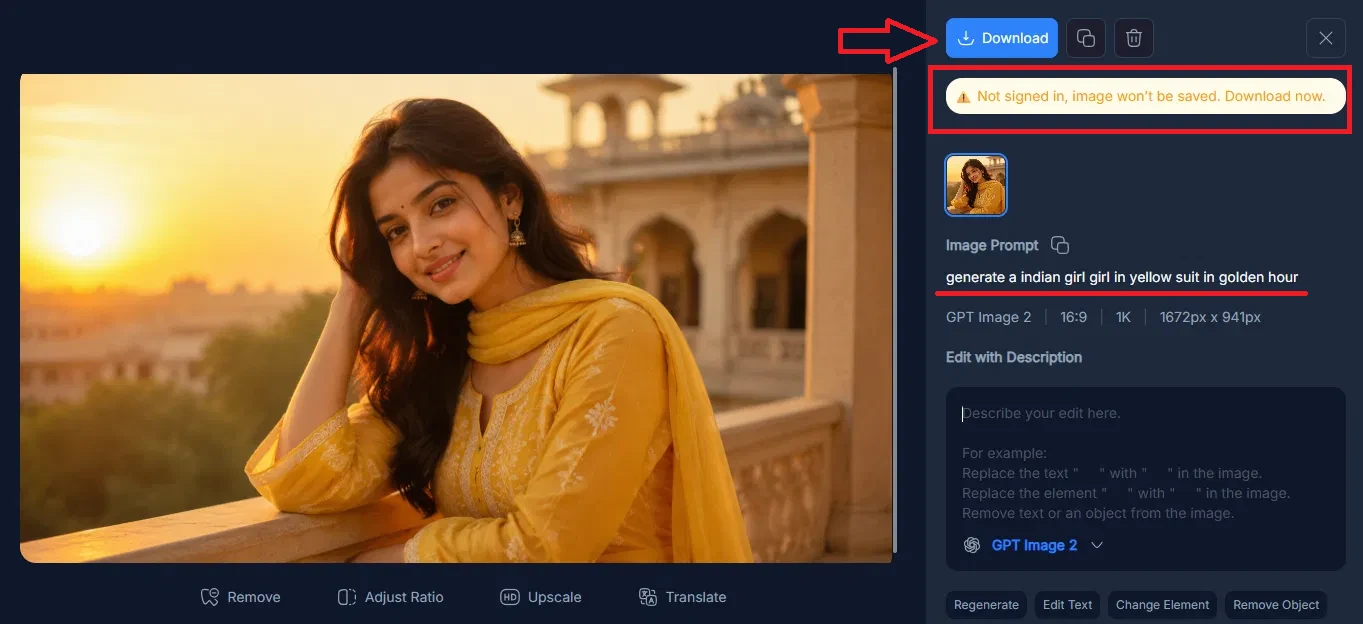
Image 4: The image result. The banner warns it will not be saved unless you download it now, since I was not signed in.
5: The image result
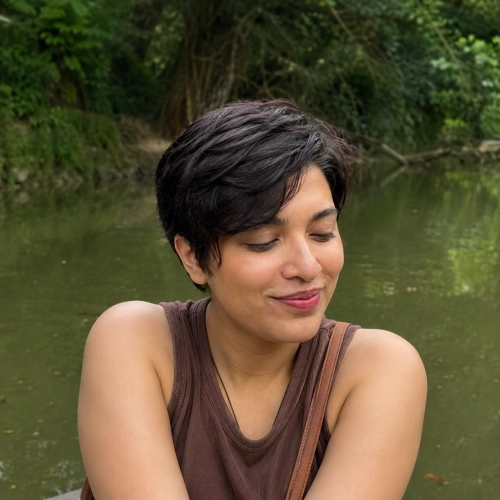
This is the image the tool produced from that single line prompt. The quality was high for a free and fast generation, with the golden hour light and the yellow outfit matching my description closely. I was struck that a one-line prompt on a free tier gave me something this usable, and it set a high bar for the other tools I was about to try.

Image 5: The downloaded image.
6: Switching to the AI Video Generator
Next I tried the AI Video Generator, which ran on a model called Gemini Omni. The setup was similar to the image tool: a prompt box, reference slots, and settings for the aspect ratio (16:9), the length (6 seconds), audio, and resolution (1080p). I entered a prompt for a short clip. When I tried to generate, though, the tool asked me to sign in first, which was different from the image tool. This is the prompt I used:
generate the indian girl in yellow suit walking in rainy road
The moment I hit generate and was asked to sign in, I noticed the experience shift. The image tool had let me work freely, so being gated here felt like a step backward.
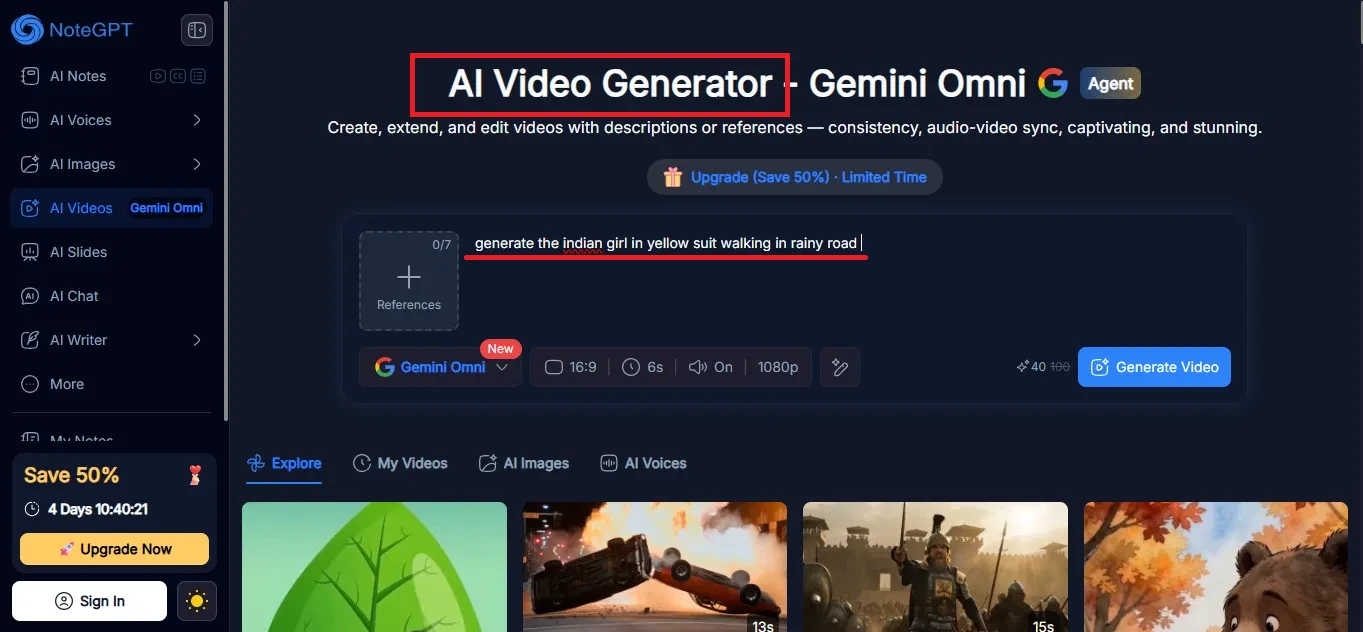
Image 6: The AI Video Generator. Generating a video required signing in.
7: Logging in leads to the subscription page
After logging in and trying again, I still did not get a video. Instead a screen appeared saying the month's premium credits were not enough and that I would need to buy more to continue. It showed three plans, Max, Unlimited, and Pro, with monthly and yearly pricing and a limited-time discount. So in practice, video generation here sits behind paid credits. This was the most disappointing point of the test for me, since I had signed in expecting a video and instead landed on a sales page, which made the login feel like it was really just a step toward the paywall.
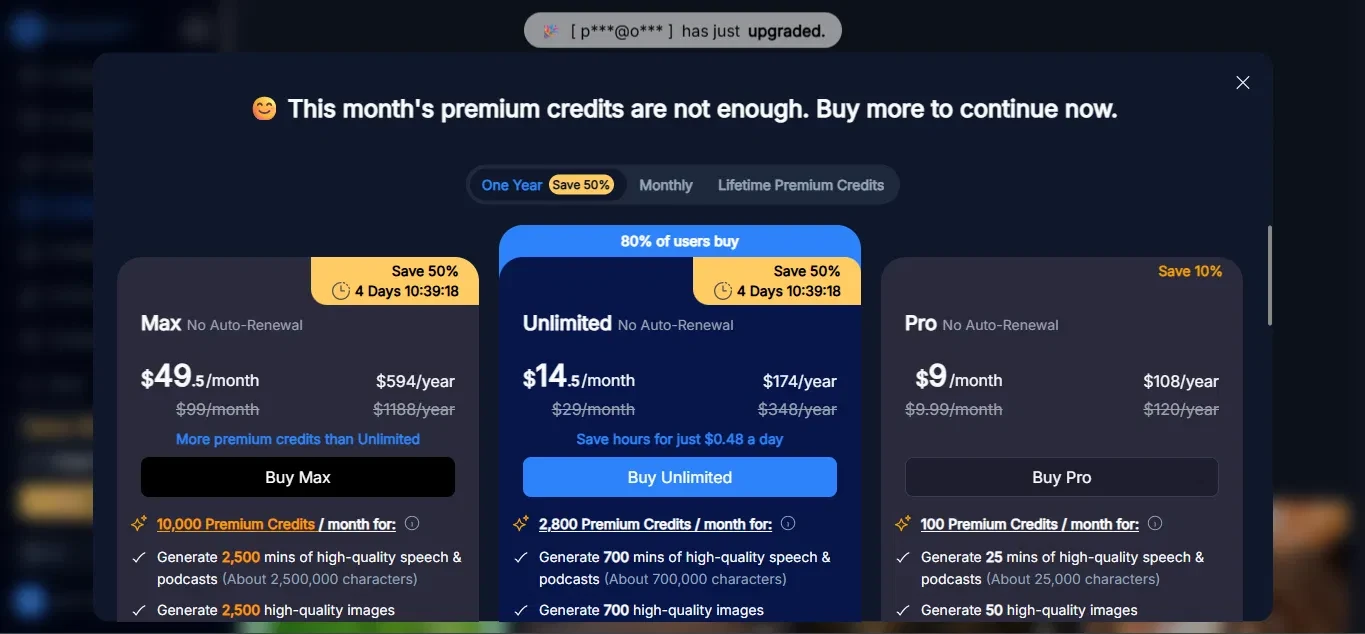
Image 7: The subscription screen that appeared when I tried to generate a video.
8: Trying Text to Speech
I then moved on to Text to Speech, found under AI Voices. The tool let me paste text, upload a file, or use an article link. I pasted a short news paragraph into the box. I could pick a voice, and the default here was Lily Parker, a free American English voice. The character counter showed I was well within the limit. This is the text I used:
Amazon's AI chief Peter DeSantis said AWS is in talks with companies interested in buying Trainium, Amazon's homegrown AI accelerator, for deployment in their own data centers. The discussions are still early, and Amazon has not named potential buyers. But the shift is important because Trainium has so far been mainly available through AWS cloud services.
If Amazon begins selling the chips more widely, it would mark a significant change in strategy. AWS would no longer only offer rented access to its AI hardware inside Amazon's cloud. It would begin competing more directly with Nvidia in the market for AI accelerators that companies use to build, train, and run large AI systems.
After the video paywall, I noticed I was bracing for another login wall here, so the fact that I could paste my text and pick a free voice without any friction was a relief.
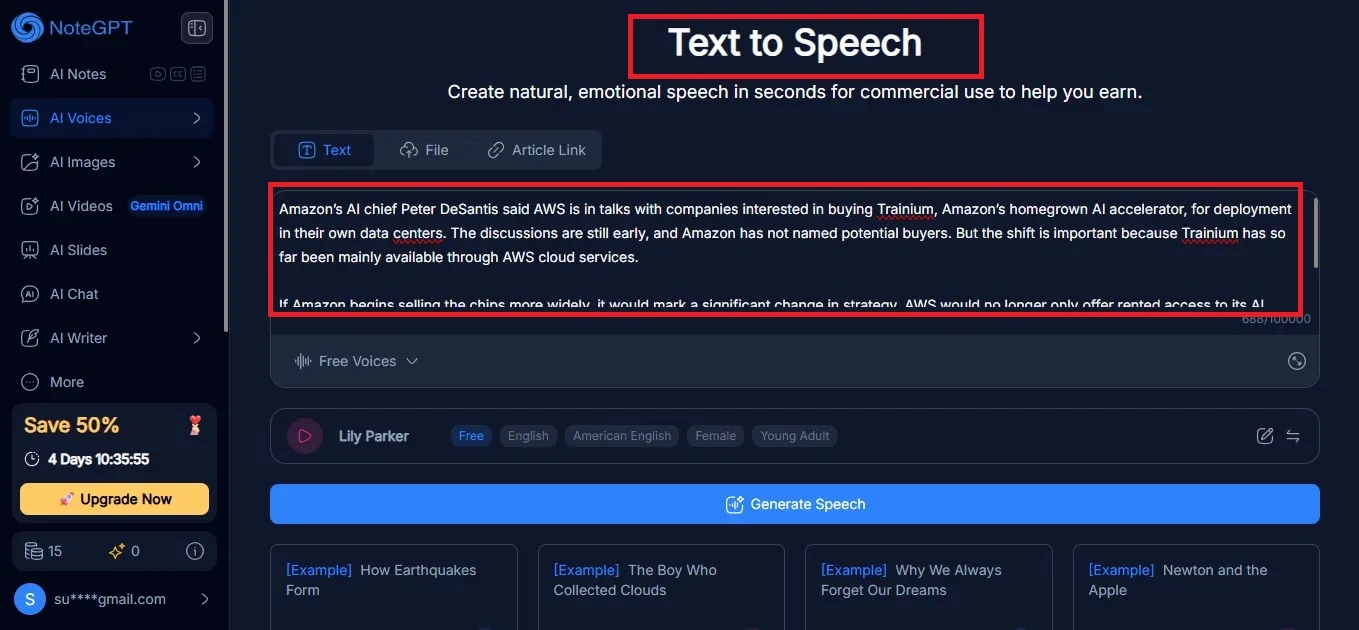
Image 8: The Text to Speech tool with my paragraph pasted in and a free voice selected.
9: Generating the speech
Clicking Generate Speech worked quickly. A Generated Successfully panel appeared with an audio player, so I could listen straight away. From the same panel I could share the audio, listen on my phone, or start a new one. This tool did not block me with a login or a paywall. What stood out was how smooth this felt right after the video roadblock, and being able to listen on the spot without signing in made it feel like the tool wanted me to finish the task.
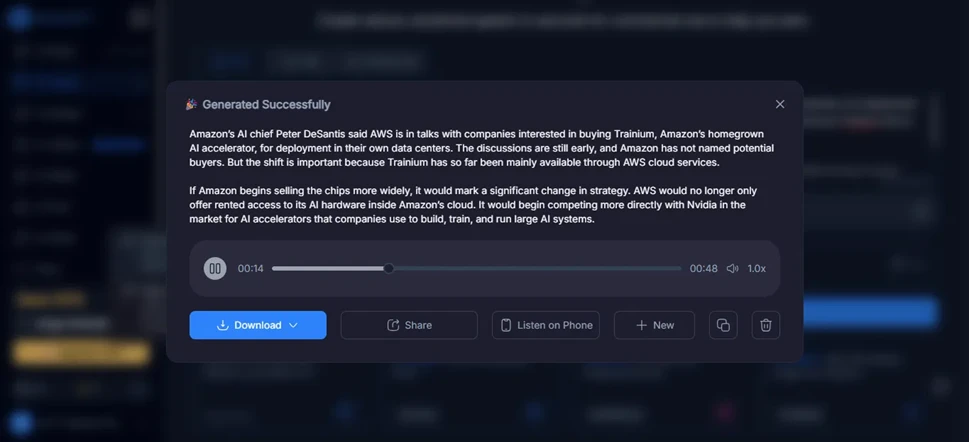
Image 9: The finished speech, with a player to listen right away.
10: Downloading in my preferred format
The Download button opened a menu of formats. I could save the audio as MP3 (44.1kHz, 256kbps) or WAV (44.1kHz), open an Advanced option for more settings, or even download the text itself as Markdown or as a plain TXT file. That mix of audio and text formats is a nice touch. I appreciated that it let me take away both the audio and the text in different formats, which felt more generous than I expected after hitting a paywall earlier in the same session.
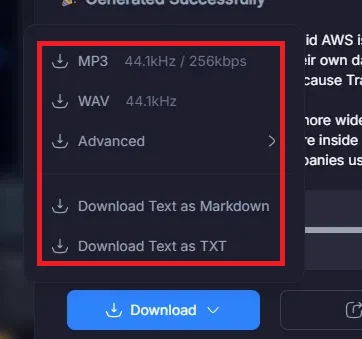
Image 10: The download menu, with both audio and text format options.
The bright spots
- I could start without an account, with the full tool list usable from the home page right away.
- The image generator was the highlight: free, fast, and a high-quality result from a one-line prompt.
- The settings were there when I wanted them, with control over the model, aspect ratio, resolution, and a Fast or Think mode before generating.
- Text to Speech was just as smooth, generating quickly with a free voice and letting me listen right away, with no login or paywall in my test.
- The download options were generous, covering MP3 and WAV for audio plus Markdown and TXT for the text itself.
The sticking points
- The free image allowance is tight, capped at two images per day.
- Nothing is saved without an account, so the image came with a "won't be saved" banner that pressured me to download it on the spot.
- The video generator was the weak point. It asked me to sign in, and then, even after I logged in, showed a subscription screen for credits before it would generate anything.
- The gating was inconsistent across tools. The image and speech tools ran freely while the video tool sat behind a login and a paywall, so I could not predict which features would let me through.