
Udio in Practice
The First Prompt
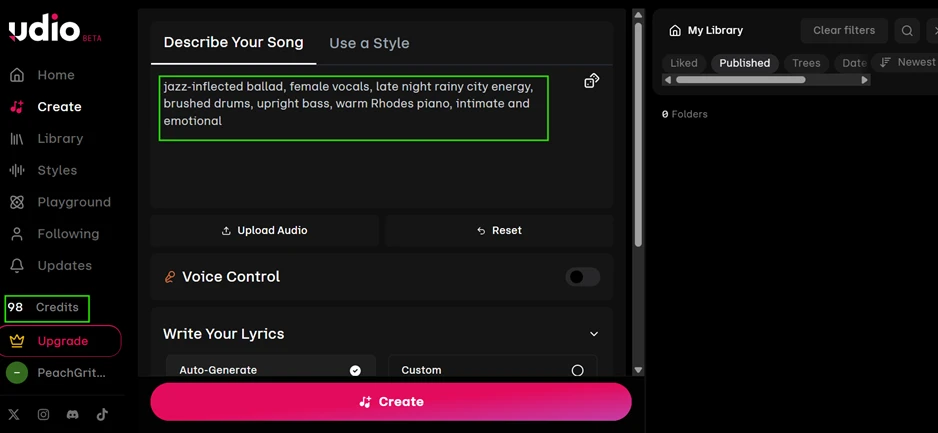
I started on the free tier with 98 credits in the account. Udio’s create screen stays simple: you type a description into the "Describe Your Song" box and press a single Create button. My opening request asked for a jazz-inflected ballad with female vocals, brushed drums, upright bass, and a warm Rhodes piano, set in late-night rainy-city territory.
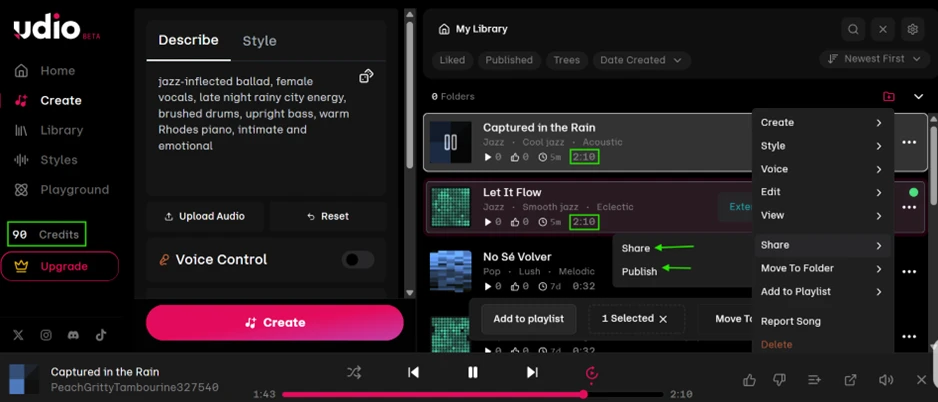
One request came back with two full tracks, "Captured in the Rain" and "Let It Flow," each running 2:10. The credit counter dropped from 98 to 90, so a single generation costs eight credits and hands you a pair of variations to compare side by side. Both sat squarely in the jazz register I asked for.
Reading the Prompt
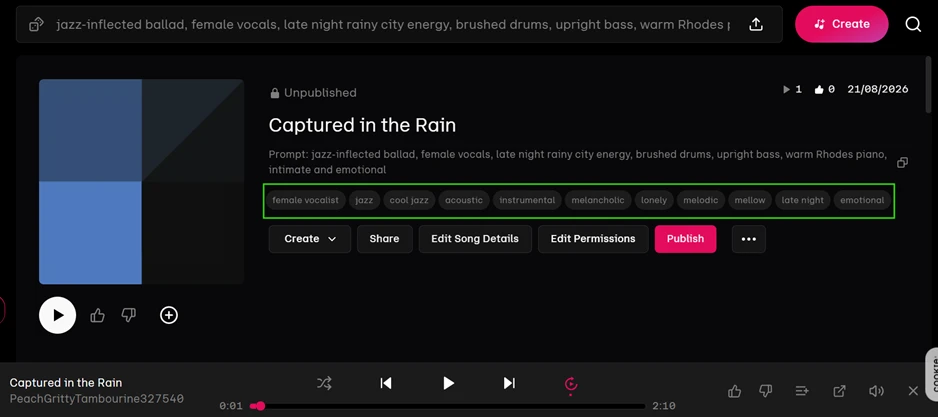
Opening a finished track shows how closely Udio interpreted the brief. "Captured in the Rain" returned with tags for female vocalist, jazz, cool jazz, acoustic, instrumental, melancholic, lonely, melodic, mellow, late night, and emotional. Every mood I wrote into the prompt surfaced in the output description, which points to a model that reads intent well rather than grabbing one genre and guessing at the rest.
The Controls Behind Each Track
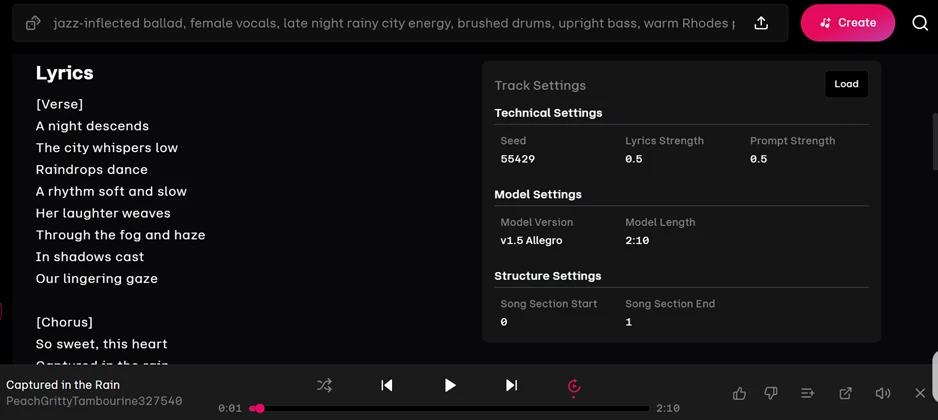
Udio exposes more of its machinery than most click-and-go tools. The Track Settings panel lists the seed (55429) alongside a Lyrics Strength and Prompt Strength both set to 0.5. Those sliders decide how tightly the output holds to your written lyrics and your description, and being able to see and move them is what separates Udio from tools that bury everything under one button.
The same panel carries a detail that matters for anyone weighing the free plan. My tracks were generated on Model Version v1.5 Allegro, capped at a 2:10 length. That is the older, faster model rather than the higher-fidelity version the marketing leans on, so the audio a free user actually hears may sit a step below what paid reviews describe.
Editing, and Where the Paywall Starts
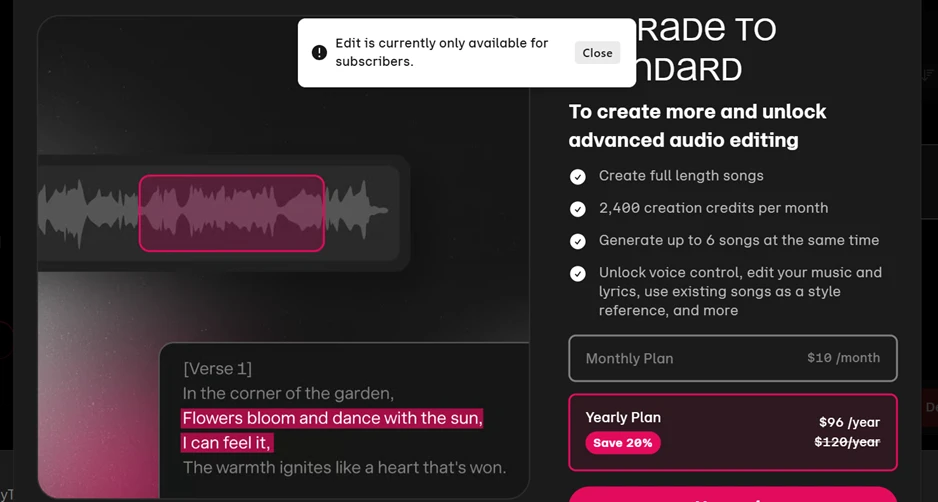
The editing tools are Udio’s most distinctive feature. Highlighting a slice of the waveform lets you regenerate only that portion, a technique called inpainting, so you fix a weak bar without rerolling the whole song.
Trying it on the free tier stops you cold.
A popup reads "Edit is currently only available for subscribers," and behind it sits the upgrade panel: full-length songs, 2,400 credits a month, up to six songs generated at once, and voice control, priced at $10 a month or $96 a year.
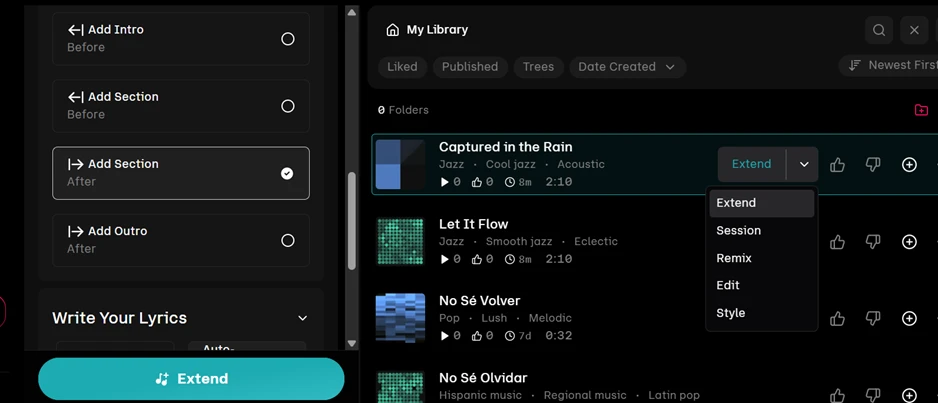
Extending a track does work without paying. The Extend menu lets you bolt on an intro or an outro, and drop fresh sections before or after the existing audio, with a side dropdown offering Session, Remix, Edit, and Style. The Edit route inside that menu loops straight back to the same paywall.
Sharing, and the Missing Download
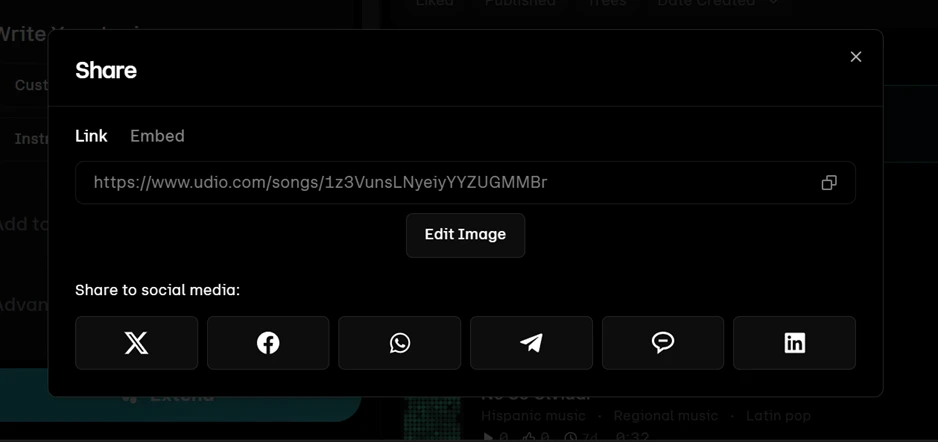
This is the finding that colors the whole review. Across every menu I opened, no download or export button appeared anywhere. You can publish a track and you can share a link, and the Share dialog duly produces a udio.com URL plus buttons for X, Facebook, WhatsApp, Telegram, and LinkedIn.
Getting the actual audio file onto your own machine is another story. Part of that is the free tier’s ceiling, and part traces back to the licensing overhaul Udio has been working through. The practical result reads the same either way: you can build a song here and send someone a link to hear it, but the file itself stays on Udio’s servers.