OpenArt Creation Tools Walkthrough
Instead of testing OpenArt like a normal chatbot, I tested it as a creative production workspace. The screenshots show that OpenArt is not focused on only one AI feature. It combines image creation, character building, voice-over, world generation, and frame-to-video tools inside one dark-themed dashboard.
The platform feels more like an AI studio than a simple image generator.
The Dashboard Feels Like a Creative Control Room
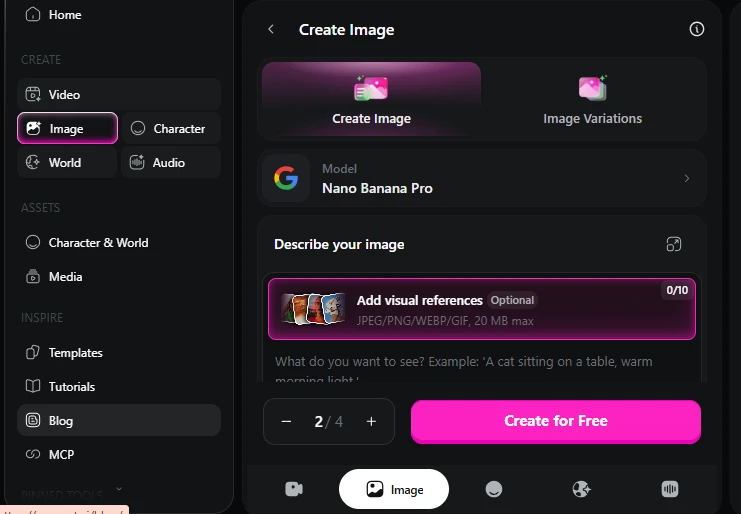
The first screen shows OpenArt’s main creation dashboard. On the left side, the platform divides tools into clear sections like Video, Image, Character, World, and Audio. This layout immediately tells users that OpenArt is built for more than just text-to-image generation.
The center panel is focused on Create Image, with options for Create Image and Image Variations. The selected model is Nano Banana Pro, and users can also add visual references before generating.
This is useful because creators often need control over style, references, and output quantity.
My testing note:
The dashboard looks powerful, but it may feel slightly heavy for a first-time user because there are many tools visible at once.
OpenArt opens like a full creative studio, with separate tools for image, video, characters, worlds, and audio.
The Login Screen Keeps the Design Simple
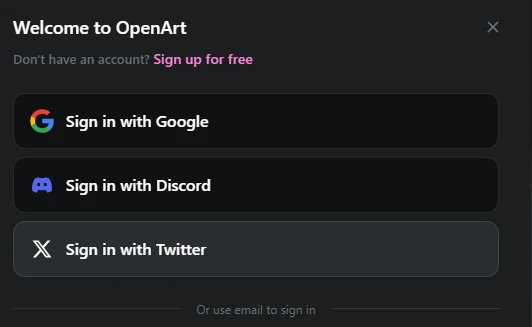
The login popup is minimal and matches the dark theme of the platform. OpenArt allows users to sign in with Google, Discord, or Twitter/X. It also has a signup option for new users.
This login screen feels more creator-focused because Discord and Twitter/X are common platforms for AI art communities, creators, and digital artists.
My testing note:
The login options are simple, but email login is not immediately visible in the main buttons. Users who prefer email may need to look lower on the screen.
The Audio Tool Adds a Different Layer
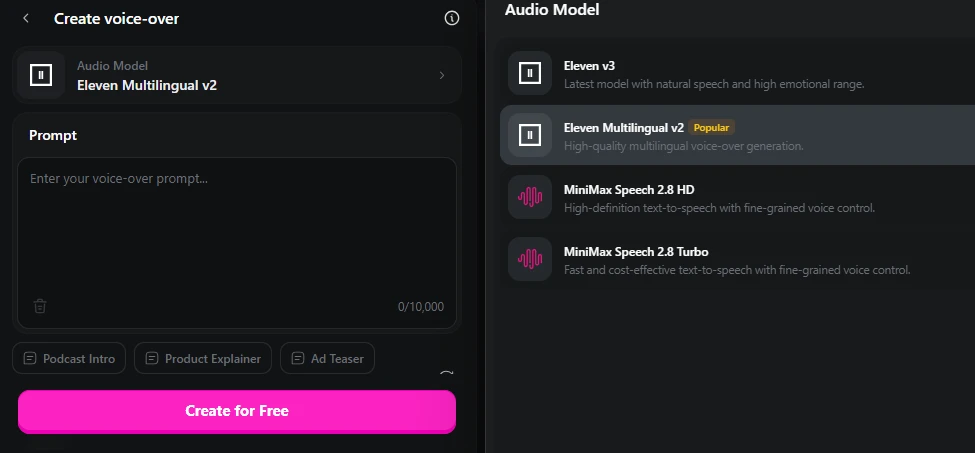
One thing that makes OpenArt different is the Create Voice-over section. The screenshot shows an audio prompt box with a 10,000-character limit and model options like Eleven Multilingual v2, Eleven v3, MiniMax Speech 2.8 HD, and MiniMax Speech 2.8 Turbo.
This is interesting because most AI art tools stop at images or videos. OpenArt appears to support voice creation too, which can help creators build video ads, product explainers, podcast intros, or storytelling clips.
The preset buttons like Podcast Intro, Product Explainer, and Ad Teaser make it easier for users who do not know how to start.
My testing note:
This section makes OpenArt feel more useful for video creators, not only image designers..
The World Feature Is Built for Storytelling
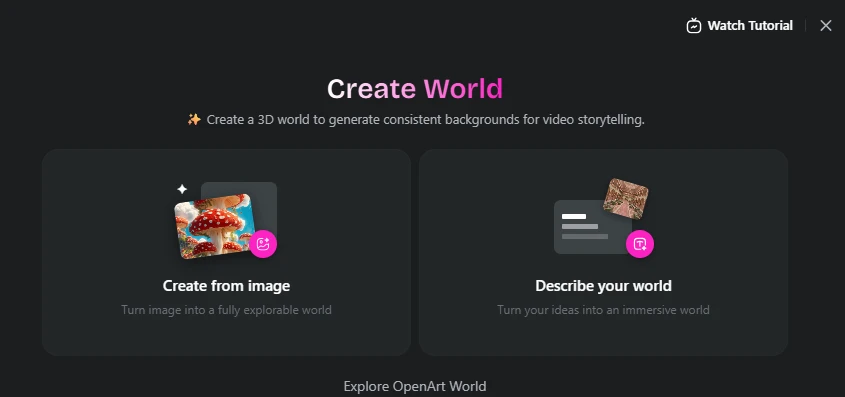
The Create World section is one of the more unique parts of OpenArt. It lets users create a 3D-style world either from an image or by describing an idea. The page says users can generate consistent backgrounds for video storytelling.
This feature is useful for creators who want repeated scenes, fantasy worlds, game-like environments, or visual storytelling backgrounds.
There are two clear options:
Create from image — turn an image into an explorable world.
Describe your world — turn a written idea into an immersive world.
My testing note:
This feature is more advanced than basic image generation. It may be especially useful for creators making stories, animations, or scene-based videos.
Character Creation Looks Like a Reusable Asset Tool
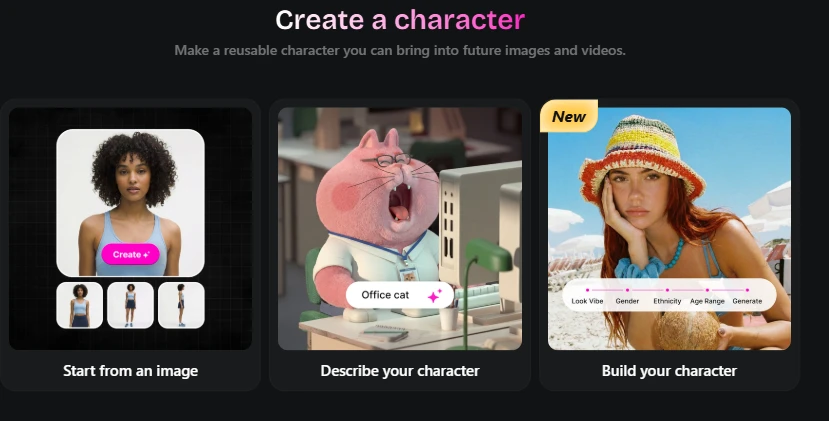
The Create a Character section shows three creation paths: Start from an image, Describe your character, and Build your character. This is useful because AI creators often struggle with keeping the same character consistent across multiple images or videos.
OpenArt clearly positions this feature as a reusable character system. The page says users can make a character and bring it into future images and videos.
This is a strong feature for creators who want a recurring mascot, brand character, influencer-style AI persona, comic character, or video story character.
My testing note:
The character section feels practical because it solves a common AI image problem: character consistency.
Strong Points I Noticed
Multi-Tool Creative Workspace
OpenArt brings different creation tools into one dashboard. This is useful for users who work with images, videos, characters, and audio.
Visual Reference Support
The image creation screen allows users to add visual references, which can help improve style direction and output consistency.
Character Consistency Focus
The character builder is valuable because many AI tools struggle to keep the same character consistent across multiple outputs.
Storytelling Features
World creation and frame-to-video tools make OpenArt useful for scene-based content, not just random image generation.
Voice-Over Support
The audio tool adds more value for creators making videos, ads, explainers, or social media content.
Weak Points I Noticed
The Interface May Feel Heavy at First
Because OpenArt has many tools in one place, beginners may need time to understand where to start.
Some Tools Look Advanced
Features like World, Character, and Frame-to-Video are powerful, but they may require experimentation before getting good results.
Login Comes Early
The login screen appears before users can fully explore everything. This can slow down first-time testing.