Putting Yodayo AI to the Test
I put Yodayo through a full walkthrough instead of trusting its feature list. I started with the tools on offer, ran real generations through them, and pushed at the spots where anime models usually break. The platform rewarded simple requests and struggled the moment I asked for precision.
Mapping the Toolkit
Before generating anything, I opened the platform's home view to see what it actually offers. Yodayo packs its tools into a single grid.
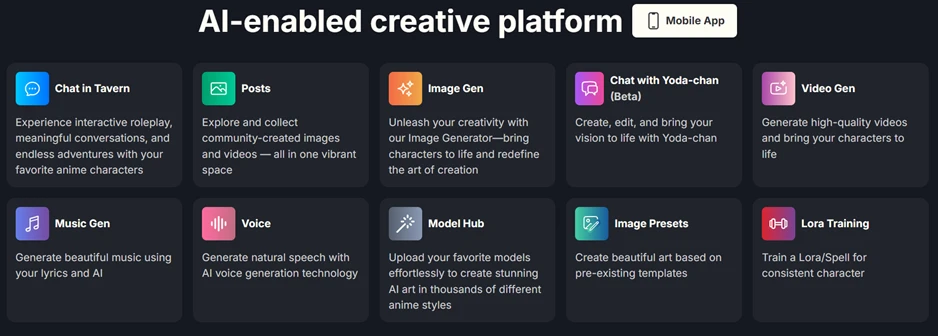
Ten tools sit in one place. Image generation and video generation share space with music generation, voice synthesis, a model hub, LoRA training, and the Tavern roleplay chat. For a platform aimed at anime fans, this range covers most of what a creator would reach for without leaving the site.
Image Generation Quality
My first run was a plain character prompt. I asked for a girl with long silver hair and blue eyes, standing in a cherry blossom garden lit by soft morning light.
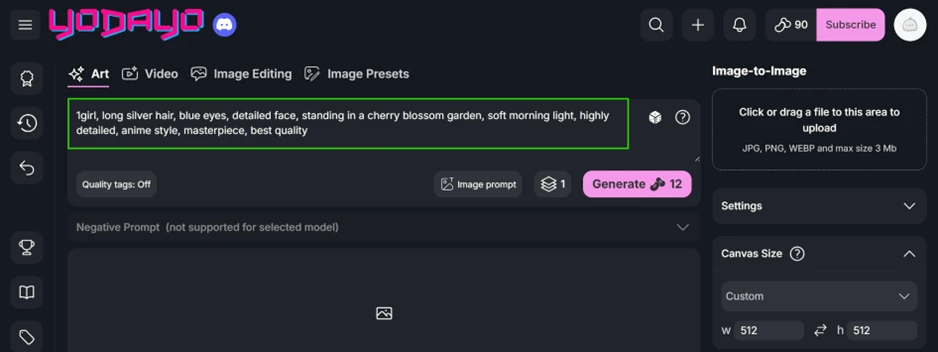
The output held up well. The face rendered cleanly and the lighting matched the request. Cherry blossoms filled the background without smearing into a flat wash of pink, and the whole image looked like it came out of a studio rather than a text box.
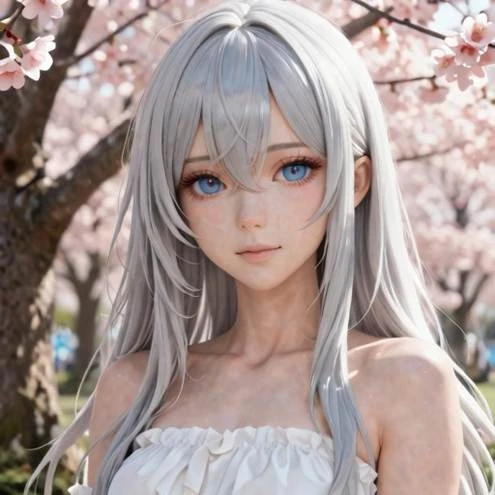
A prompt this simple taking ten seconds to write, followed by a finish this polished, is the reason anime fans keep returning to the platform.
Where the Anatomy Breaks Down
Hands are the known failure point for anime image models, so I pointed a prompt straight at them. I asked for both hands raised near the face, fingers spread wide, all ten fingers visible, framed as a close-up.
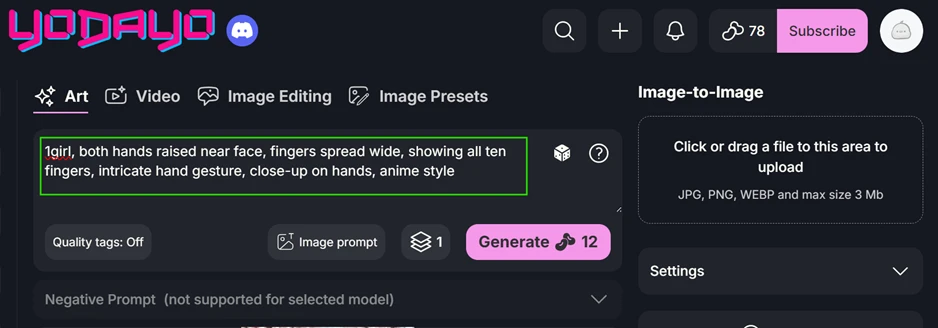
The model failed the count.
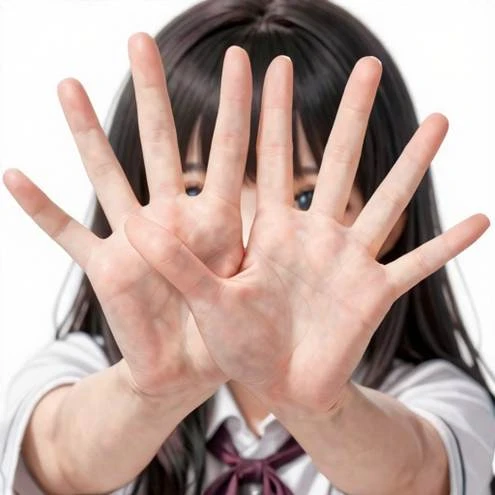
Fingers merged together where the two hands overlapped, and the image ended up carrying more digits than any person has. I handed the model explicit instructions to get this right, and it still could not produce ten clean fingers.
One detail sharpens the criticism. The negative prompt field, the standard fix for anatomy errors, sat greyed out for the model I had selected. The one built-in tool for correcting the problem was locked at the exact moment it mattered.
Hand quality shifts from one model to the next, so a different base model might do better. A casual user should not have to hunt for expert workarounds to get a hand with the correct number of fingers.
The Image-to-Prompt Tool
Yodayo runs the process backwards too. Upload an image and it writes a prompt describing it. I gave it a photo of a woman in a pale halter gown seated on a stone balcony above the sea at sunset.
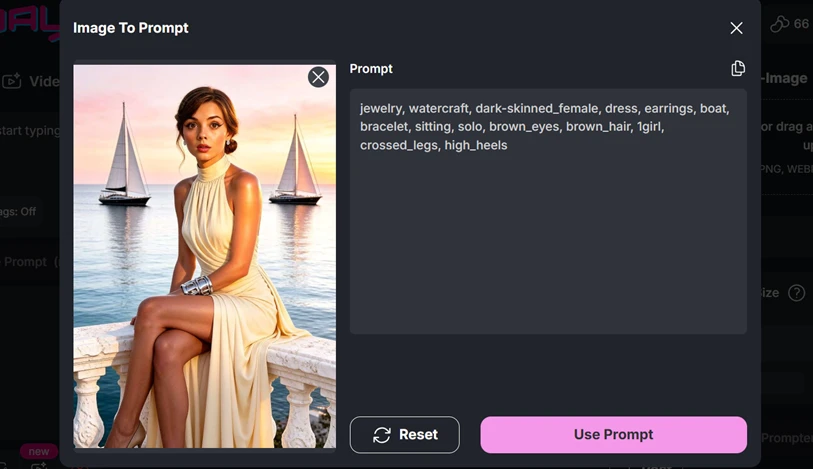
What it returned was thin. The tags caught scattered objects like jewelry and high heels while missing nearly everything that gave the image its character. The golden-hour glow, the pastel sky, the halter neckline, and the balcony composition never appeared. It also labelled the subject as dark-skinned when she reads as light in the photo. Anyone feeding this prompt back into the generator would land somewhere far from the original picture.
Reading Generation Data
Yodayo publishes the full recipe behind community images. I opened a post from the public feed to see how much it exposes.
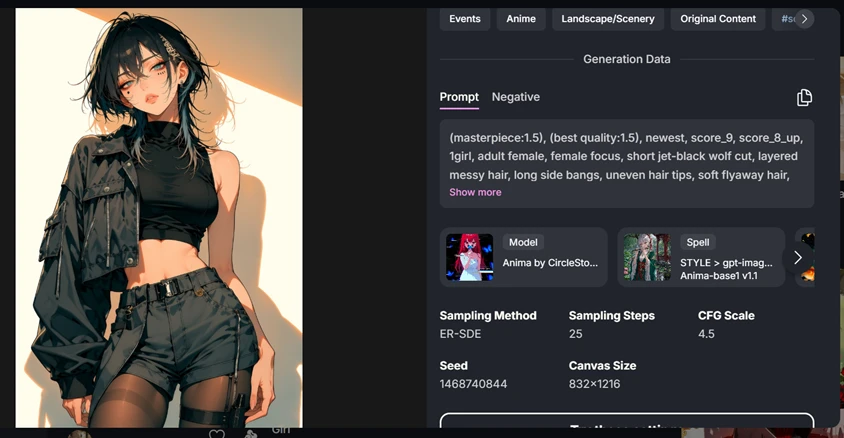
Every setting sits on display. The prompt, the negative prompt, the model, the sampling method, the step count, the CFG scale, and the seed all appear, along with a button to load those exact settings into your own canvas. For anyone learning prompt craft, this transparency turns the feed into a study resource. Many platforms hide this data, so finding it laid out in full works in Yodayo's favour.
One-Click Presets
The Image Presets tab promises curated styles applied in a single click, so I tested how far that goes.
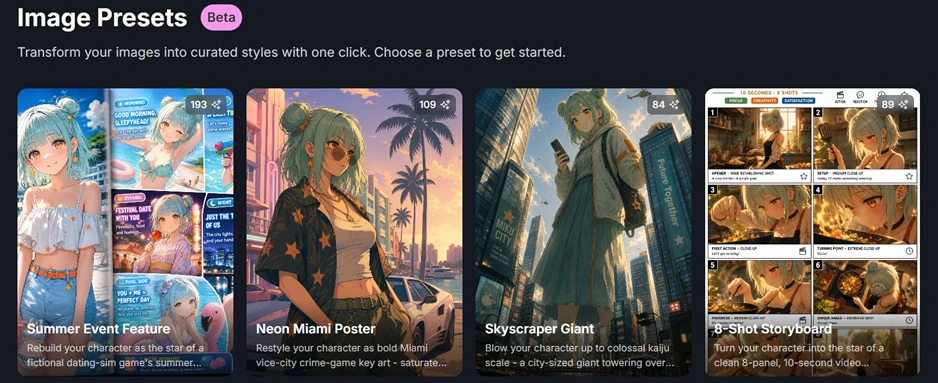
The options include a summer dating-sim makeover and a neon Miami poster treatment, among others. One preset builds an eight-panel storyboard from a single character. A user with no prompt skills can pick one of these and get a finished, stylised result. This is the clearest path Yodayo offers to a beginner who wants polish without learning tag syntax.
Building a Character
The Tavern side runs on characters, so I walked through creating one. Yodayo hands you two routes.
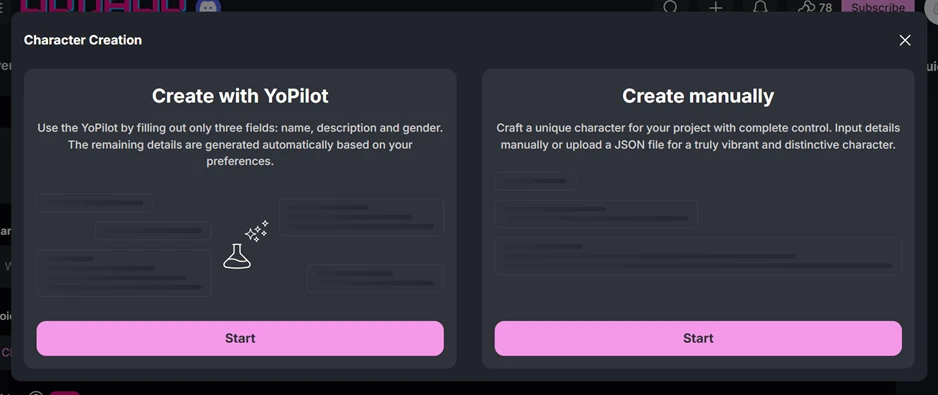
The YoPilot route asks for a couple of basics like a name and a short description, then fills in the rest on its own. The manual route opens every field for editing and accepts a JSON upload for people who want total control or who want to import a character from elsewhere. The guided path lowers the barrier for newcomers while the manual path keeps power users happy.
Memory and the Credit Cost
The Memory feature summarises a long chat so the character remembers earlier events. I ran it and hit the platform's main friction point.
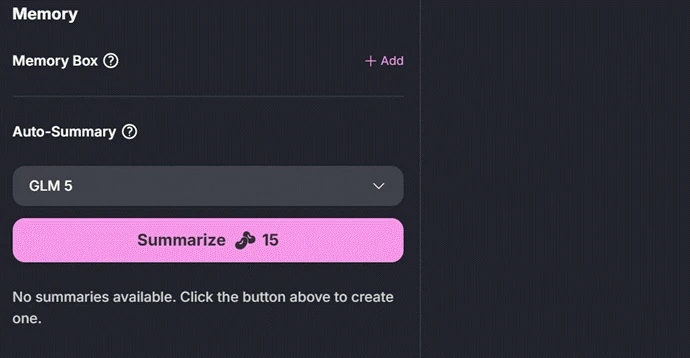
Running a single summary costs 15 credits. This is the recurring complaint with Yodayo. Core actions that other platforms fold into a flat subscription get metered here, so a long roleplay session that needs several summaries keeps drawing down the same balance you spend on image generation. The feature works. The meter never stops running.