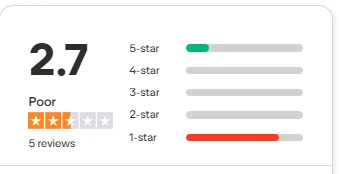

My Unfiltered Run Through the Whole Thing, Screen by Screen
What actually happened when I stopped reading the marketing and started clicking
I don’t really trust a tool until I’ve tried to break something on it. So instead of parroting Wava AI’s feature list back at you, I sat down one afternoon, signed in, and put it through the kind of ordinary session I’d actually throw at it. What follows is the honest play-by-play, the moments that impressed me, the one that genuinely annoyed me, and the part where I ended up staring at an error message wondering what on earth had just happened.
The homepage made me a promise
“Seconds” is a big word to put on a homepage

The first thing Wava AI wants me to believe.
The very first thing Wava does is make a loud, confident claim: create viral videos with AI in seconds. Red-on-black, high energy, an “all-in-one tool for creating the most viral, high-quality content.”
My honest reaction? I liked the design a lot. It’s punchy, it’s not shy, and it knows exactly who it’s talking to, people chasing short-form virality who don’t want to touch a timeline.
But the word “seconds” quietly set a bar in my head, and the reviewer in me immediately started a stopwatch. A bold homepage is a promise you then have to keep on the inside. So in I went to see whether it could.
Getting past the front gate
A clean entry, and a sneaky-good preview
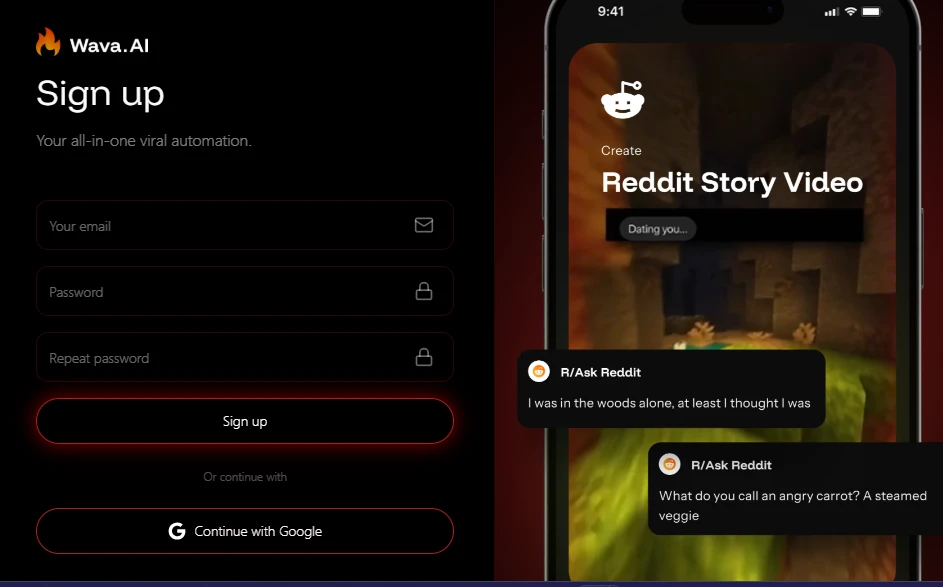
The way in, with a Reddit Story Video quietly assembling itself on the right.
Email, password, repeat it, or just carry on with Google. Nothing surprising here, and honestly that’s a compliment, I was through the door with zero friction.
What I didn’t expect to enjoy was the phone mockup sitting right next to the form, calmly showing a Reddit Story Video being built in front of me. That little preview did more selling than the headline did.
Before I’d created a single thing, it had already shown me the exact flavour of output I was signing up for. Smart placement, and I appreciated it. too many tools make you commit blind.
Walking into the toolbox
This is where I got genuinely excited
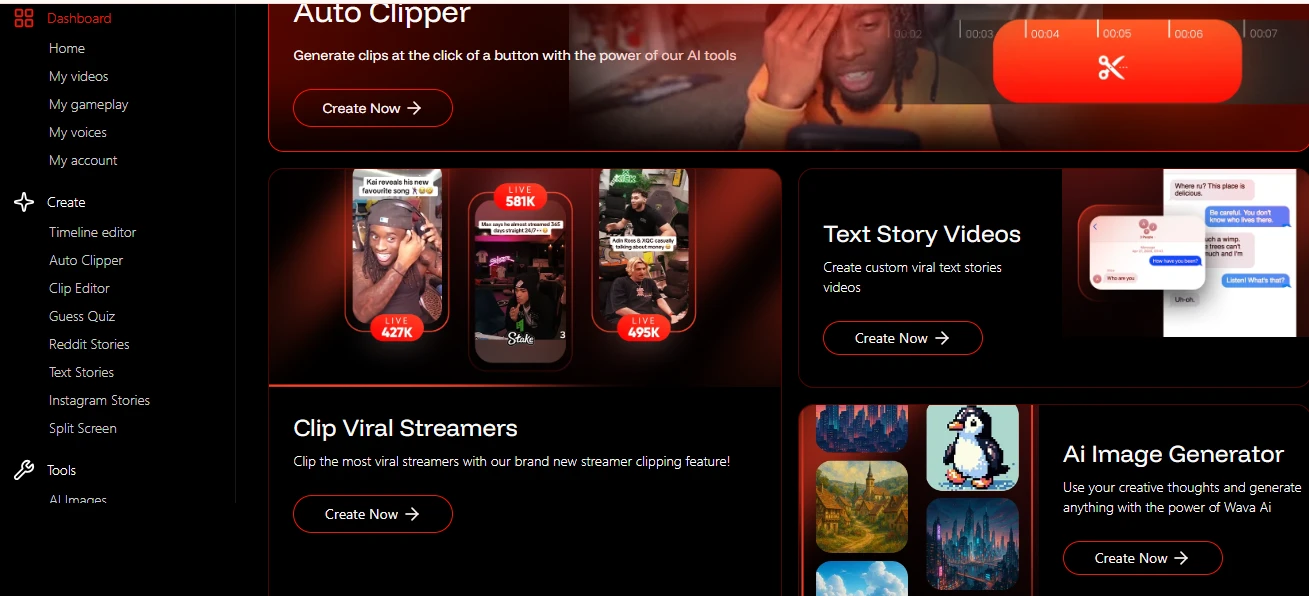
The dashboard: Auto Clipper up top, a full rail of creators’ toys down the side.
This is the part of the tour where I stopped being a skeptic for a minute.
Auto Clipper sits front and centre, and then there’s a whole wall of options down the left rail, a timeline editor, a clip editor, Guess Quiz, Reddit Stories, Text Stories, Instagram Stories, Split Screen, plus big tiles for clipping viral streamers, spinning up text-story videos, and an AI image generator.
The breadth is real, and it’s clearly built by people who understand the faceless-content and clip-farming world. It leans into that identity without apology, which I respect.
My one quiet worry, jotted in the margin: when a dashboard offers this many doors, the real question is whether every room behind them is finished or just framed. So I picked one and walked in to find out.
Putting the image generator to the test
I fed it something with actual detail
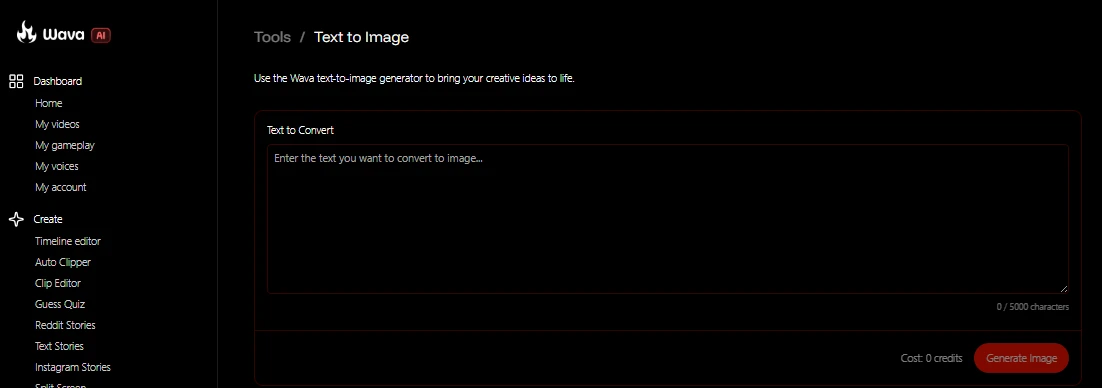
A clean, single-purpose prompt box. So far, so promising.
I went straight for the Text to Image tool. It’s refreshingly plain — one big prompt box, a character counter, and a clearly displayed credit cost. I didn’t want to lob it a lazy one-liner and call that a test, so I wrote something with real intent behind it.
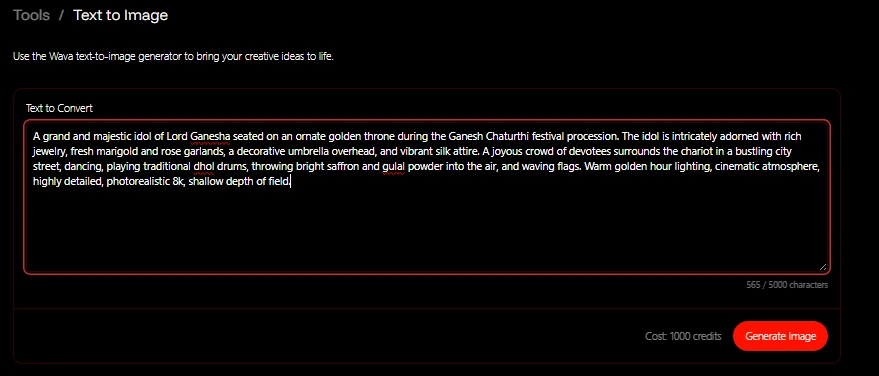
My prompt — 565 characters of Ganesh Chaturthi, and a cost shown before I committed.
I asked for a grand, majestic idol of Lord Ganesha on an ornate golden throne during a Ganesh Chaturthi procession , marigold and rose garlands, a decorative umbrella, devotees dancing around the chariot, dhol drums, gulal thrown into the air, warm golden-hour light, photorealistic and cinematic. Five hundred and sixty-five characters of it.
The interface then did exactly what a well-behaved one should: it told me, up front, that this would cost 1,000 credits before I committed to anything. I genuinely liked that honesty, no hidden meter, no surprise bill. I hit generate with real curiosity about what it would do with all that detail.
And then the afternoon went sideways
The one moment that actually frustrated me
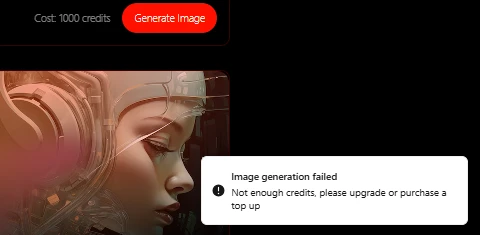
Not the image I asked for and not an image I was allowed to keep.
Here’s where my stopwatch stopped mattering. The generation failed.
“Image generation failed, not enough credits, please upgrade or purchase a top up.” And the twist that really got me: there was a half-formed image sitting right there on screen, some cyberpunk-ish woman in a headset that had absolutely nothing to do with my Ganesha prompt.
So I was left holding three feelings at once. I’d been shown a price of 1,000 credits. I hadn’t been told I couldn’t actually afford it until after I clicked. And the preview taunting me on screen wasn’t even mine. As a paying-minded user, that sequence is exactly backwards.
Tell me I’m short on credits before I sit and craft a 565-character prompt, not after I’ve hit the button. That was my one real disappointment of the session, and it was a sharp one.
Making sense of the money
The numbers, and the question they left me with
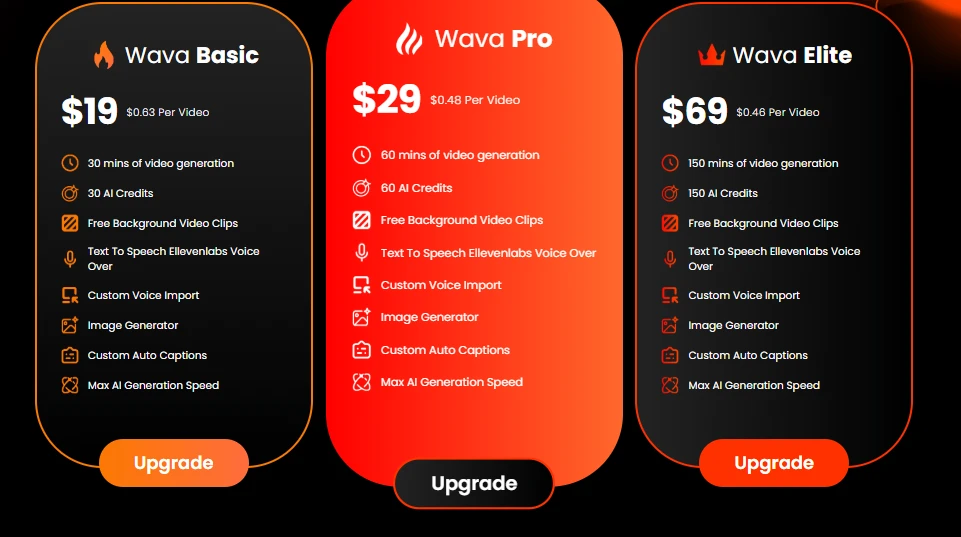
The three tiers, with a monthly/yearly toggle.
So I did what the error told me to and went to look at the pricing. There’s a monthly/yearly toggle and three tiers, and to be fair the layout is clean and easy to read at a glance:
• Wava Basic — $19 ($0.63 per video): 30 minutes of generation, 30 AI credits.
• Wava Pro — $29 ($0.48 per video): 60 minutes, 60 AI credits. This is the one they highlight.
• Wava Elite — $69 ($0.46 per video): 150 minutes, 150 AI credits.
Same feature list across all three; the only real differences are minutes and credits.
All three plans list the same feature set. free background clips, ElevenLabs text-to-speech, custom voice import, the image generator, auto captions, max generation speed. so you’re really only paying for more minutes and more credits as you climb. The per-video maths actually looks reasonable on paper.
But here’s the snag no honest reviewer can walk past: the single image I tried to make cost 1,000 credits, and the biggest plan on this entire page tops out at 150 AI credits.
Either those are two completely different credit pools, video credits versus image credits, that the interface never bothers to explain, or the pricing page and the tool simply aren’t speaking the same language.
Whichever it is, I finished the session genuinely not knowing how many images $69 would buy me. That’s a real gap. A tool that’s this upfront about a 1,000-credit charge owes me a pricing page that counts in the same unit.
So, do I actually like it?
My honest verdict after one real session
Let me be fair, because there is a lot to like. The positioning is sharp. The dashboard is broad and clearly built by people who live in short-form content. The preview-led onboarding is a smart, quietly persuasive touch. And I genuinely respect that it shows you a cost before you spend. None of those are small things.
But a hands-on review lives and dies on what happens when you actually try to make something, and my one honest attempt ended in a credits wall I couldn’t have seen coming, staring at a preview that wasn’t even mine, in front of a pricing page that didn’t reconcile with the cost I’d just been quoted. I did not get my viral video “in seconds.” I got a promising tour and an unfinished checkout experience.
Would I come back?
Yes, but with credits loaded first and my expectations set second. If Wava fixes the one thing that soured my afternoon (warn users about a credit shortfall before the prompt, and make the pricing page speak in the same credits the tools actually charge in), this jumps from “promising” to “genuinely recommendable.” As it stands, it’s a strong idea that I like more than I currently trust, and I’d want a few more clean sessions before I hand it my content calendar.