
Quick verdict
If you want a person on screen explaining something, HeyGen is the stronger tool. If you want a finished explainer, ad or social clip built from footage and generative shots without filming anyone, InVideo AI is the stronger tool. Here is the short version:
Choose HeyGen if you need • Realistic talking avatars, including a digital twin of yourself recorded in 15 seconds • Video translation with lip sync in 175+ languages and dialects • Training content with quizzes, branching and SCORM export • Talking-head videos up to 30 minutes (60 minutes on Business) • A 4.8/5 G2 rating backed by more than 1,500 reviews | Choose InVideo AI if you need • Prompt-to-video explainers, faceless YouTube videos and UGC-style ads • Access to frontier generative models (Veo 3.1, Sora 2, Kling, Seedance 2.5) through one agent • 16 million premium stock clips, images and music tracks pulled in automatically • A real multitrack timeline editor (Slate) and a free manual editor • The lowest paid entry price at $20 per seat per month |
| Snapshot | HeyGen | InVideo AI |
|---|---|---|
| Best for | Presenter-led videos, localization, L&D, sales outreach | Explainers, social video, ads, AI films, stock-driven content |
| Free plan | 3 videos per month, up to 1 minute each, watermark | 2 video minutes per week, 4 watermarked exports per week |
| Cheapest paid plan | Creator: $29/month or $24/month billed annually | Starter: $20 per seat per month (same price monthly or annual) |
| G2 rating | 4.8/5 from 1,500+ reviews | 4.5/5 from 170 reviews |
| Trustpilot score | 2.4/5 from about 2,000 reviews | 3.1/5 from about 850 reviews |
| Credit rollover | Yes (one extra month on monthly plans, accumulates on annual) | No, credits reset every billing cycle |
What is HeyGen AI?
HeyGen is an AI video platform centered on avatars. You type or paste a script, pick a presenter (one of 700+ stock avatars, a photo avatar, or a digital twin of yourself) and HeyGen renders a video of that presenter speaking your words with synced lips, gestures and a natural voice in any of 175+ languages and dialects. The company says it serves more than 100,000 businesses. G2's Summer 2026 reports gave it 281 badges and first place in 23 reports, with an avatar-quality score of 93 and a video-translation score of 97 against a competitor average of 62, and G2's Fall 2026 reports named it a leader in AI avatar generators, video translation and AI video generators.
HeyGen positions itself as an avatar-first platform for creating video at scale. Image: HeyGen
The product has moved fast in 2026. In January it rebuilt avatar creation so a digital twin takes a single 15-second webcam recording. In April it launched Avatar V, its most realistic avatar model, which keeps the same face, micro-expressions and identity across a 30-second clip or a 10-minute course module. By July it had added Video Podcast (a two-host show generated from any document, URL or topic), website-to-video, Figma-to-video and talking-avatar videos up to 30 minutes long. Video Agent, launched in September 2025, turns a plain prompt, a PDF or a link into a finished, publish-ready video with script, visuals, narration and music.
Other pieces of the platform include LiveAvatar for real-time conversational avatars, HyperFrames for motion graphics written as code, a pay-as-you-go API, interactive video with quizzes and branching for training teams, and native apps for iOS and Android. For a deeper standalone look at the platform, read the full HeyGen review
What is InVideo AI?
InVideo AI started as a text-to-video generator that wrote a script, pulled stock footage, added a voiceover and delivered a draft you could edit with plain-English commands. In 2026 it has become something broader: an agentic video platform. Agent Two, launched in July 2026, is an AI producer that remembers your entire project (characters, locations, style, tone), picks the right generative model for each shot, and edits across every clip at once when you ask for a change.

Agent Two gives InVideo AI a persistent project memory the company calls Agent Intelligence. Image: invideo
Under the hood, InVideo says paid plans include access to more than 200 models, including Google Veo 3.1, Sora 2, Kling, Seedance 2.0 and 2.5, Wan, Hailuo and Pixverse for video, Nano Banana Pro, GPT Image, Ideogram and Flux for images, and ElevenLabs and Minimax for voices. The agent also pulls from 16 million premium stock clips, images and music tracks licensed from Shutterstock, iStock and other providers, cleared for commercial use. You never open a model picker; you describe the shot and the agent chooses.
Around the agent sit a growing set of tools: Slate, a multitrack timeline editor with Premiere and DaVinci keyboard shortcuts; Playbooks, standing rules the agent follows on every project; Notebooks for hands-on control of single generations; nine guided Workflows (casting, storyboards, localization, campaign adapts and more); and, since September 1, 2026, a free manual invideo Editor with an AI assistant editor you can hand grunt work to. InVideo is SOC 2 Type II certified and GDPR compliant, and it ships iOS and Android apps plus an app inside ChatGPT. For a standalone evaluation, see the full InVideo AI review
Feature comparison at a glance
The table below compares what each platform offers as of September 2026. Plan-dependent items are noted.
| Feature | HeyGen | InVideo AI |
|---|---|---|
| Core approach | Avatar speaks your script; Video Agent builds full videos from prompts or documents | Agent Two plans, generates and edits full videos from prompts, scripts, PDFs and links |
| Avatars | 700+ stock video avatars (500+ on Free), unlimited photo avatars on paid plans, digital twin from a 15-second recording, Avatar V model | AI avatars and UGC-style presenters generated per shot; one Express avatar on Free; avatar and voice-clone slots on paid plans |
| Generative video models | Avatar III, IV and V engines, Seedance 2.0 integration, Veo 3.1 and Sora 2 clips inside Video Agent | 200+ models on paid plans, including Veo 3.1, Sora 2, Kling, Seedance 2.5, Wan, Hailuo, Pixverse |
| Stock library | 75+ templates, premium slides, AI image generation, media upload | 16 million premium clips, images and tracks (Shutterstock, iStock); 100 to 500 premium stock items per month by plan |
| Editor | AI Studio scene and timeline editor with Voice Director, brand kit, captions, layers | Slate multitrack timeline inside Agent Two; free manual invideo Editor with color, audio and 3D tools |
| Voices | 1,000+ AI voices, voice cloning on Creator and above | ElevenLabs and Minimax voices, voice cloning slots |
| Translation and dubbing | 175+ languages and dialects with lip sync (30+ on Free); script proofreading on Pro and above | Localization workflow inside Agent Two; 50+ voiceover languages in the prompt options |
| Max video length | 1 min (Free), 30 min (Creator, Pro), 60 min (Business), no limit (Enterprise) | Not capped by length; each generated second costs credits based on the model and resolution |
| Export resolution | Up to 1080p on Creator, up to 4K on Pro and above | 4K export from Starter upward; Free exports carry a watermark |
| Collaboration | Business plan: shared workspace, comments, roles, extra seats at $20 each | Multiplayer editing with live cursors: up to 5 seats (Starter), 10 (Plus), 20 (Max) |
| Learning and development | Interactive video, quizzes, branching, SCORM export, LMS integrations (Business) | Not a focus; no SCORM export listed |
| Integrations and API | Zapier, Make, n8n, HubSpot (Business); separate pay-as-you-go API | ChatGPT app; Folders and Connect for external collaborators (Team and Enterprise) |
| Mobile apps | iOS and Android | iOS and Android |
| Security | SAML/SSO and credit top-ups on Business; SCIM, MFA enforcement and multi-workspace control on Enterprise | SOC 2 Type II, GDPR; SSO and indemnification on Enterprise |
Difference 1: Avatar-first vs agent-first video
This is the difference that should decide your choice before you look at a single price. HeyGen's product is the presenter. InVideo's product is the production.
HeyGen: the presenter is the product
Every HeyGen workflow starts from the question "who is on screen and what do they say?" You pick an avatar, write a script and the platform does the acting. Avatar V, launched in April 2026, combines the flexibility of photo avatars with the realism of video avatars in one model, and HeyGen's May 2026 update added Custom Motion so you can direct the performance in plain English, for example asking the avatar to lean in or stay serious. According to HeyGen's summary of G2's Grid data for AI Video Generators, its avatar quality scores 93 and custom avatars 92, ahead of every competitor in the category.
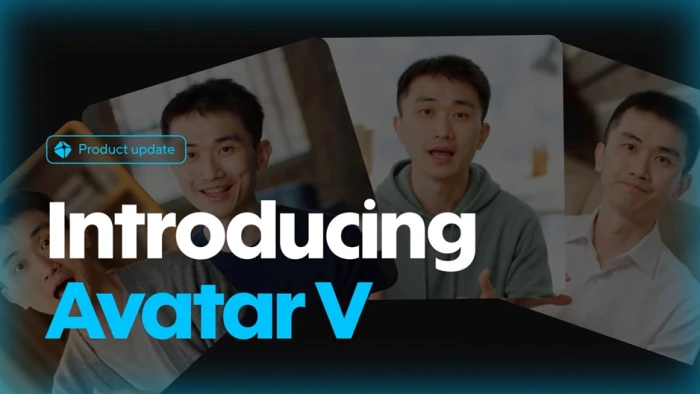
Avatar V keeps identity consistent across angles, expressions and long-form videos. Image: HeyGen
Video Agent extends this into full production. Paste a URL, upload a deck or PDF, or type a topic, and the agent writes the story, adds narration, picks B-roll and motion graphics, and renders the result. But even here the center of gravity stays the same: the avatar and the voice. If your content has no human presenter at all, you are paying for HeyGen's best feature without using it.
InVideo AI: the production is the product
InVideo asks a different question: "what should the finished video look like?" Agent Two treats you as a director. You describe a scene the way you would talk to a crew, and the agent chooses the model, writes the prompt and runs the shot. Because it holds your project in memory, you can say "switch the location to a rooftop at night" and it updates every affected clip instead of making you regenerate them one by one. Uploaded footage, scripts, PDFs and links are all read against the project's context.
The trade-off is that InVideo does not have a single flagship avatar model comparable to Avatar V. It can generate presenters and UGC-style spokespeople, and it offers avatar and voice-clone slots, but its strength is composing scenes from stock, generative clips and your own media, not making one consistent digital human deliver a 20-minute lecture.
| Rule of thumb: if the video would be filmed with a person facing the camera, start with HeyGen. If it would be edited together from footage, animation and graphics, start with InVideo AI. |
Difference 2: Pricing, credits and real cost per minute
Both tools publish tidy monthly prices and both meter premium work in credits. The sticker price rarely tells you what a month of output costs, so this section shows the plans and then the credit math behind them. All prices were checked on the official pricing pages on September 25, 2026 and can change.
HeyGen pricing (September 2026)
| Plan | Price | Credits per month | Key limits and inclusions |
|---|---|---|---|
| Free | $0 | Limited trial credits | 3 videos per month, up to 1 minute each, watermark, 500+ stock avatars, 1 custom video avatar, up to 3 photo avatars, 30+ languages |
| Creator | $29/month, or $24/month billed annually | 600 | Videos up to 30 minutes, 1080p export, watermark removed, voice cloning, unlimited photo avatars, 175+ languages, credit rollover |
| Pro | From $49/month | 1,000 (tiers up to 100,000 credits at $4,300/month) | Everything in Creator plus 4K export, faster processing, edit and proofread translation scripts, all advanced AI models |
| Business | $149/month plus $20 per extra seat | 1,500 (shared) | Videos up to 60 minutes, 5 custom video avatars, workspace collaboration, SAML/SSO, interactive video, SCORM, LMS integrations, Zapier, Make, n8n, HubSpot, one-time credit top-ups and auto-reload |
| Enterprise | Custom | Custom | No duration cap, SCIM, MFA enforcement, multi-workspace control, proofreader seats, dedicated success manager, invoice billing |
What a HeyGen credit buys. Standard Avatar III video is the cheap tier: third-party breakdowns based on HeyGen's credit documentation put it at about 3 credits per minute. Premium Avatar IV and Avatar V output runs about 20 credits per minute, so the Creator plan's 600 credits cover roughly 30 minutes of premium avatar video or around 200 minutes of standard avatar video each month. Video Agent renders at a higher rate (reported at 30 credits per minute in standard mode after a July 2026 change). Business customers can buy top-ups at $0.05 per credit in $5 packs of 100; Creator and Pro users must upgrade to a bigger tier instead. Additional custom video avatar slots cost $29/month, and LiveAvatar slots $49/month.
InVideo AI pricing (September 2026)
| Plan | Price | Credits per seat per month | Key limits and inclusions |
|---|---|---|---|
| Free | $0 | 1 AI credit per week | 2 video minutes per week, 4 exports per week with the invideo watermark, 10 GB storage, 2.5M+ standard media assets; quota resets every Monday at 12 a.m. UTC |
| Starter | $20 per seat per month (no discount for annual) | 400 | Agent Two Lite only, Seedance 2.0 Fast and Mini, timeline editor, color, audio and 3D tools, multiplayer up to 5 seats, 100 premium stock items, 200 GB storage, 4K export |
| Plus | $60 per seat per month, or $50 billed annually | 2,000 | Agent Two Lite, Pro and Ultra, all models including Seedance 2.5 at 1080p and Seedance 2.0 at 4K, 200 premium stock items, 600 GB storage, early access to new features, up to 10 seats |
| Max | $150 per seat per month, or $100 billed annually | 5,000 (options for 10,000 and 15,000) | Everything in Plus, 500 premium stock items, 2,000 GB storage, lowest cost per credit, up to 20 seats |
| Enterprise | Custom | Custom, credits never expire | SOC 2 and SSO, indemnification, budget controls per project and user, no model training on your data, Folders and Connect for outside collaborators |
What an InVideo credit buys. InVideo bills generative models at their original API rates, per second of video, so cost swings widely by model and resolution. The official pricing calculator lists Seedance 2.0 Fast at about 30 credits per 5-second clip at 720p, Seedance 2.0 at about 38 credits per 5 seconds at 1080p, Seedance 2.5 at about 50 credits per 5 seconds, and Nano Banana Pro images at about 2.5 credits each. The help center notes that a quick Kling 2.6 Standard clip can cost as little as 5 credits, while a Veo 3.1 4K clip with audio can exceed 100 credits. InVideo's own math: Starter's 400 credits equal roughly 160 Nano Banana Pro images or 13 to 15 Seedance 2.0 Fast clips; Plus covers about 56 Seedance 2 videos; Max about 142.
Three things to know before you subscribe. Credits do not roll over on any plan. Top-up packs are available if you run out mid-cycle. And the manual timeline editor uses no credits at all, so hours of cutting your own footage cost nothing beyond the seat.
| The comparison that matters: HeyGen sells predictable minutes of a talking avatar. InVideo sells a budget of generative seconds whose price depends on which model the agent picks. If you need a fixed monthly number for finance, HeyGen is easier to forecast. If you want frontier models like Veo 3.1 and Sora 2 without paying for each vendor separately, InVideo bundles them. |
Difference 3: Editing, translation and team features
Once a first draft exists, the two platforms diverge again in how you refine it and who you refine it with.
Editing control
HeyGen's AI Studio is a scene-based editor. Each scene has its own script, avatar, voice and visual layers, and a timeline lets you reorder scenes, add transitions, preview and generate. Voice Director controls tone, pacing and emotion per line, and you can import PowerPoint or PDF decks, record your screen, generate AI images and apply a brand kit. It is quick to learn and well suited to slide-style presenter videos, but it is not a full non-linear editor: you are not cutting on frames or mixing four audio tracks.
invideo Editor, launched September 1, 2026, adds a free manual multitrack editor with an AI assistant editor. Image: invideo
InVideo now offers two editors. Slate lives inside Agent Two and is a real multitrack timeline with a blade tool, transforms, audio levels, LUTs, transitions, text supers, a source monitor and asset bins, plus Premiere and DaVinci shortcut sets. The separate invideo Editor is free for everyone with no project or footage limit, and its assistant editor handles logging, syncing cameras, pulling selects and cutting silences when you ask in plain words. For anyone who has used desktop editing software, InVideo's editing depth is clearly greater.
Translation and localization
This is HeyGen's home turf. Video Translation dubs an existing video into 175+ languages and dialects with lip sync, a brand glossary, transcript upload and, on Pro and above, a script you can proofread before rendering. Enterprise adds proofreader seats. G2's Summer 2026 report scored HeyGen 97 on video translation against a competitor average of 62. InVideo handles localization as an Agent Two workflow and offers 50+ voiceover languages in its prompt options, which works for generated content but is not designed for dubbing a recorded human speaker.
Teams and collaboration
HeyGen's collaboration features start on the Business plan: shared workspace, video comments, team templates, role controls and extra seats at $20 each, with SCIM, MFA enforcement and multi-workspace control at Enterprise. InVideo builds collaboration in from the first paid tier: Starter allows multiplayer editing with up to 5 seats and live cursors, Plus 10 and Max 20, and the Team and Enterprise plans add Folders and Connect so outside partners can work in one folder without a paid seat. For L&D teams specifically, only HeyGen offers interactive quizzes, branching, SCORM export and LMS integrations.
How to make a video in HeyGen (step by step)
This walkthrough follows HeyGen's own Academy guide for AI Studio, with the avatar and credit decisions you will meet along the way.
1. Create an account and open the dashboard Sign up at heygen.com. No credit card is needed for the Free plan. After login you land on the dashboard, where past projects live and the left-hand panel links to every tool (AI Studio, Avatars, Video Translation, Video Agent, Projects).
2. Click Create Video and choose a starting point Select Start from Scratch for a custom avatar video, or pick a template from the 75+ in the library. The Interactivity option opens Learning and Development templates with quizzes and branching. Choose portrait or landscape; you can change this later.
3. Write or paste your script Name the project, then use the script editor to add your text scene by scene. Below the editor you can add scenes, record or upload audio, and insert pauses between lines. The megaphone icon opens Voice Director, where you set tone, pacing and emotional delivery. The three-dot menu on any scene lets you regenerate audio, translate that scene or delete it.
4. Choose your avatar Click Avatars above the canvas. Pick from your own avatars or HeyGen's public library (500+ on Free, 700+ on paid plans). To create a digital twin, open the Avatars tab from the side panel, turn on your webcam and follow the guided 15-second recording; it captures your look, voice, motion and consent in one take. Click the avatar on the canvas to switch looks, adjust framing, remove the background or add animations.
5. Pick the avatar engine and voice From the script editor you can switch between Avatar Unlimited (the standard engine, cheap in credits) and Avatar IV Motion (premium, about 20 credits per minute). Choose a voice from 1,000+ options or your cloned voice, which is available on Creator and above.
6. Add visuals and branding Next to the Avatars tab, add text, upload media, insert elements, generate AI images, manage captions or change the background. From the hamburger menu you can save the design as a template, upload a script, view version history, or apply a brand kit. Use the Layers panel to reorder overlapping elements.
7. Preview, then generate Click Preview to watch the draft. A still or blurred avatar is normal here; lip sync is applied during rendering. Click Generate, rename the video, choose a folder and set the resolution (up to 1080p on Creator, up to 4K on Pro and above). If you used Avatar IV, HeyGen calculates the credit usage before rendering.
8. Download, share or translate The finished video appears in the Projects tab. From there you can download it, share a link, or send it to Video Translation to produce versions in other languages with lip sync. Business users can also add quizzes and export as SCORM for an LMS.
| Faster path: for a full video without manual scene building, open Video Agent, paste a topic, URL, PDF or deck, and let the agent write the script, pick the avatar and B-roll, add music and render. Expect a higher credit rate than a standard avatar scene. |
HeyGen's July 2026 release added Video Podcast, website-to-video and 30-minute talking avatar videos. Image: HeyGen
How to make a video in InVideo AI (step by step)
This walkthrough follows InVideo's help center guides for prompting and the Script to Video workflow, updated for the Agent Two interface.
1. Sign up and open Agent Two Create a free account at invideo.io (no card required) and open the app at ai.invideo.io. The home screen is a prompt box with suggested workflows underneath it. Free accounts get 2 video minutes and 4 watermarked exports per week, reset every Monday at 12 a.m. UTC.
2. Describe the video, or pick a workflow Type a prompt that states the topic, audience, length, platform, tone, voiceover style, subtitle preference and orientation. The more specific the brief, the better the first draft. Alternatively click Workflows and choose one such as YouTube explainer, YouTube Shorts, Instagram Reel, TikTok, news video, listicle or Script to Video. Guided workflows ask for length (for example 3 to 10 minutes for an explainer), platform, topic, description, background music, language (50+ options), subtitle style and optional watermark text.
3. Use your own script if you have one Choose Script to Video, paste your script, describe the background music and pick a voiceover style, then click Continue. You can also add the line "Create a video using exactly this script" to any prompt and paste the script below it.
4. Review the prompt and generate InVideo shows the assembled prompt for you to verify and edit. Click Generate a video. The credit cost is displayed before you confirm; Agent Two Lite is included on Starter, while Pro and Ultra intelligence tiers require Plus or Max. Short clips render in a few minutes; multi-minute videos take longer.
5. Direct edits in plain English Watch the draft and type changes into the chat: shorten the intro, swap the voice to a British female accent, replace scene three with a city shot at night, remove the background music. Because Agent Two keeps project context, one instruction updates every affected shot. Upload your own footage, logos, fonts or a PDF brief and the agent reads them against the project.
6. Fine-tune in Slate or invideo Editor Open Slate for precise work on a multitrack timeline: trim on frames, adjust audio levels, apply LUTs, add transitions and text supers, or swap takes from asset bins. Editors coming from Premiere or DaVinci can switch to their own shortcut set in one setting. Manual editing does not consume credits.
7. Save rules for next time Create a Playbook with your brand's standing rules (language, structure, options per generation) so the agent follows them on every project. Use Notebooks when you want to generate one image, clip or sound with a specific model and hand it back to the agent.
8. Export and publish Click Export. Downloads are free of credits on every plan. Free exports carry the invideo and stock watermarks; Starter and above export clean video up to 4K. Download the MP4 and publish it wherever you like.
Workflows in Agent Two guide you through jobs like casting, storyboards and localization with the agent asking the questions. Image: invideo
Real user feedback
Ratings tell two different stories depending on where you look. On G2, where reviews skew toward business buyers, both tools score well and HeyGen is one of the most-reviewed products in its category. On Trustpilot, where consumers post unprompted, both companies score far lower, and the complaints cluster around the same theme: credits.
HeyGen on G2 4.8 out of 5, 1,500+ reviews G2's review tags show what people talk about most: ease of use (459 mentions), realistic avatars (350) and quality (363) lead the positives, while pricing issues (147), expensive (132) and avatar limitations (116) lead the negatives. In its Summer 2026 reports HeyGen earned 281 badges and ranked first in 23 reports. | InVideo on G2 4.5 out of 5, 170 reviews 137 of the 170 reviews are five stars and 9 are one star. Reviewers praise how quickly it produces social-ready content, especially for TikTok, and the depth of the stock library. A verified February 2026 review titled "Misleading pricing and credit trap" warned buyers about the top plan. |
HeyGen on Trustpilot 2.4 out of 5, about 2,000 reviews HeyGen replies to 92% of negative reviews, typically within 48 hours. A March 2026 reviewer described a system that consumed credits while producing videos they could not use; another the same month gave four stars, saying the credit pricing was hard to find but support refunded them quickly. A February 2026 reviewer reported failed dubbing renders that still charged credits. | InVideo AI on Trustpilot 3.1 out of 5, about 850 reviews About 350 reviews arrived in the last 12 months. Trustpilot's summary notes most recent reviewers were somewhat happy, with consistent praise for fast, patient support agents. The company replies to roughly 30% of negative reviews. Read the latest on the InVideo AI Trustpilot page. |
What HeyGen users say
Positive reviews focus on realism and speed. A G2 reviewer quoted in HeyGen's Summer 2026 report called the avatars "clean, expressive, and responsive." On Capterra, a reviewer named Danielle U. reported that support answered within minutes and rated the avatar quality highly, while Product Hunt reviewers mention that non-designers on their teams can produce usable videos and that translations sound natural to global audiences. A Miro video producer on TrustRadius wrote that HeyGen cut a typical project from three weeks to one because dialogue changes no longer require a studio.
Negative reviews focus on money and support. G2 reviewers from education, non-profits and individual creators flag pricing as a barrier, and several say the generative credit caps on paid plans surprised them after subscribing. Trustpilot complaints repeat three points: credits charged for failed or unusable renders, credit rules that were hard to find before purchase, and rendering delays at peak times.
What InVideo AI users say
Fans describe the core loop as close to magic. One verified G2 reviewer explained that they pasted a script and received a complete video with voiceover, graphics, music, sound effects and stock footage that matched the brief. A May 2026 Trustpilot reviewer who had used the product for several years praised how fast support fixed a rendering problem, and a March 2026 reviewer said a billing glitch was resolved in under 30 minutes. Reviewers on G2 single out the Storyblocks and iStock library and the ease of producing content in several formats.
Critics almost always mention credits. A June 2026 Trustpilot reviewer paid $20, then $27 more in top-ups, and said the credits vanished within two requests without the agent doing what was asked. Another one-star reviewer that year said a single prompt produced six disconnected short clips and used the whole allowance. Product Hunt reviewers add that the free plan's limits and watermarks feel misleading, and a Trustpilot reviewer noted the interface changes often enough that YouTube tutorials go stale. A third-party review notes that the "200 minutes" an earlier plan advertised at basic quality collapses to a handful of minutes when generated with premium models, which is exactly the pattern the G2 "credit trap" review describes.
Pros and cons
HeyGen
Pros • Best-in-class avatar realism and identity consistency (Avatar V) • Digital twin from a 15-second webcam recording • Video translation with lip sync in 175+ languages, rated 97 on G2's grid • Credits roll over; cost is shown before each render • Interactive video, SCORM and LMS integrations for training teams • Fast-shipping roadmap: 15 to 18 features per month through spring and summer 2026 | Cons • Premium avatar minutes are limited: about 30 per month on Creator • Creator and Pro cannot buy top-ups; you must upgrade tiers • Trustpilot score of 2.4 driven by credit and refund disputes • Scene editor is light compared with a true timeline editor • Collaboration and integrations start at $149 per month |
InVideo AI
Pros • One agent across 200+ models including Veo 3.1, Sora 2 and Seedance 2.5 • 16 million premium stock assets pulled in automatically • Real multitrack editing (Slate) plus a free manual editor • Multiplayer editing from the $20 Starter plan • Project memory: change one thing and every shot updates • SOC 2 Type II and GDPR compliance, with enterprise credits that never expire | Cons • Credits do not roll over and burn quickly on premium models • Plan names and credit allowances change frequently; older reviews and tutorials go stale • No single avatar model that matches HeyGen for long talking-head content • Free plan is tight: 2 video minutes and 4 watermarked exports per week • Only about 30% of negative Trustpilot reviews receive a reply |
Which one should you choose?
Match the tool to the job rather than the feature list.
| Your situation | Better fit | Why |
|---|---|---|
| Corporate training, onboarding, compliance | HeyGen | Presenter videos up to 60 minutes, quizzes, branching, SCORM, LMS integrations |
| Localizing existing videos into many languages | HeyGen | 175+ languages with lip sync, proofreading and brand glossary |
| Personal brand or sales outreach with your own face | HeyGen | Digital twin in 15 seconds, Avatar V consistency, Custom Motion direction |
| Faceless YouTube channel or listicle content | InVideo AI | Prompt-to-video workflows, 16M stock assets, voiceover in 50+ languages |
| Paid social ads and UGC-style creative | InVideo AI | UGC ad workflow, campaign adapts, multi-shot edits across variants |
| Short AI films or cinematic generative clips | InVideo AI | Veo 3.1, Sora 2, Kling and Seedance 2.5 behind one agent, plus Slate for finishing |
| A team that edits together in real time | InVideo AI | Multiplayer editing from Starter; HeyGen collaboration starts at $149 |
| A strict, predictable monthly budget | HeyGen | Avatar minutes map cleanly to credits, and unused credits roll over |
Plenty of teams use both: HeyGen for the presenter and translated versions, InVideo for the B-roll-heavy explainer and the ad variants. At $24 and $20 per month for the entry tiers, running both costs less than one mid-tier plan on either platform.
Final verdictHeyGen wins for presenter-led video. If a human face and voice carry your message, whether that is you, a stock avatar or a translated version of an existing recording, HeyGen's avatar quality, 175-language translation and training features are ahead of InVideo, and its G2 record (4.8 from more than 1,500 reviews, first in 23 Summer 2026 reports) backs that up. Budget for the credit system: Creator's 600 credits buy about 30 minutes of premium avatar video a month. InVideo AI wins for produced video. If your videos are edited together from footage, animation, generative shots and graphics, Agent Two's project memory, 200+ models, 16 million stock assets, Slate timeline and multiplayer editing give you far more production range for $20 to $100 per seat. Budget for the credit system here too: credits expire monthly and premium models can drain a plan in a handful of clips. Start with the free plan on whichever tool matches your format, make one real video, and check the credit meter before you upgrade. That single test will tell you more than any comparison table, including this one. |


Comments 0
Join the discussion and share your perspective.
Sign in to post a comment and reply to other readers.
No comments yet
Be the first to share your perspective on this article.