
The state of AI video in 2026
Two years ago, AI video was a research demo. In 2026 it is a budget line item. The purpose-built AI video generator market is valued at roughly $946 million in 2026, up from about $716.8 million in 2025, and forecasters expect it to roughly triple to $3.35 billion by 2033 at close to a 20% compound annual growth rate.
The adoption curve is the real story. Roughly 78% of marketing teams now use AI-generated video in at least one campaign per quarter, and 73% of Fortune 500 companies have folded AI video into their content workflows. Monthly active users across AI video platforms passed 124 million in January 2026. Among organizations using generative media, around 65% reported a return on investment within 12 months.
AI video generator market size, 2025 to 2033 (USD)
Narrow generation-focused market. Source: Grand View Research / Fortune Business Insights
| Year | Market size |
| 2025 | $717M |
| 2026 | $946M |
| 2030 | ~$2.0B |
| 2033 | $3.35B |
One structural shift matters more than any single model release: the rise of the aggregator. Instead of subscribing to Veo, Kling, Seedance and Runway separately, creators increasingly pay one bill and switch models inside a single dashboard. Several of the tools below are built on exactly that premise, which is why the list mixes pure generators, aggregators and automation platforms rather than treating them all as the same product.
How we evaluated
AI video tools do not compete on a single axis, so ranking them best to worst would be misleading. Instead, each tool below is judged on four things that buyers actually care about:
- Output quality and model access: what the finished clips look like, and which underlying models you can reach.
- Workflow fit: whether it suits a solo creator, a marketing team, or a product-image-first workflow.
- Pricing transparency: entry cost, credit systems, and how fast those credits burn.
- Learning curve: how quickly a non-specialist can ship something usable.
The five tools were selected because they represent distinct, non-overlapping jobs. Picking all five cinematic generators would help nobody. This mix covers aggregation, image-first creation, all-in-one studios, prompt-to-video automation, and creative design generation.
The top 5 AI video generation tools
Pollo AI

Pollo AI’s core pitch is simple: one dashboard, one bill, and access to top third-party models including Veo, Kling, Seedance and Wan alongside its own in-house Pollo models. If your workflow involves running the same prompt through several models to pick the best result, this removes the pain of juggling four logins and four subscriptions, which is why most hands-on reviews of Pollo AI keep returning to that multi-model dashboard as its real differentiator.
Starting price: Free tier, then ~$10/mo (Lite) Model: Credit-based Standout: Multi-model access + character consistency
Strengths: Veo, Kling, Seedance and more under one subscription; consistent-character tools and a trending effects library; affordable entry point versus stacking separate tools.
Trade-offs: credit anxiety since every generation and retry costs credits; free tier is very limited and watermarked; short clips still need an external editor for full videos.
PicLumen
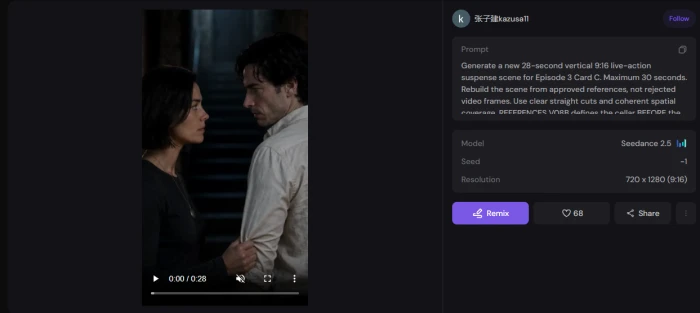
PicLumen comes at video from the image side. It pairs strong AI text-to-image generation with image-to-video and a canvas workflow, which makes it a natural fit for anyone whose process starts with creating a product shot or character frame before adding motion. People who have put PicLumen’s image-to-video through its paces consistently note that it keeps real product photos more consistent than prompt-only tools.
Starting price: Free image generation; video on paid tiers Workflow: Image-first, then animate Standout: Consistency on product & character frames
Strengths: strong text-to-image feeding directly into video; smoother image-first workflow than video-first rivals; good fit for e-commerce and product content.
Trade-offs: less suited to long-form cinematic storytelling; video features sit behind paid plans; narrower model catalog than dedicated aggregators.
OpenArt
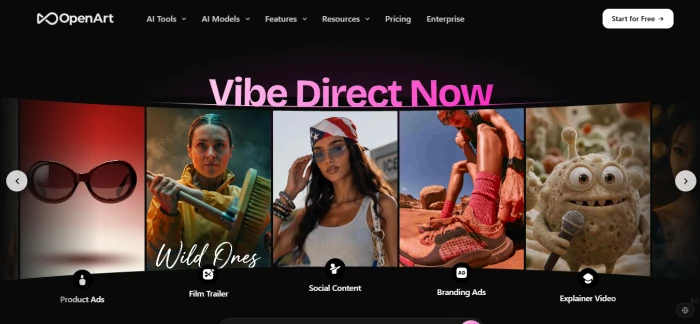
OpenArt started as an image platform and expanded aggressively into video, becoming an all-in-one aggregator with image, video, audio and character generation under one roof. As a closer look at OpenArt shows, its Director layer turns a prompt, a reference photo, or even an uploaded song into a multi-scene video up to five minutes long, keeping the same characters, music and voiceover throughout. In independent cost tests, OpenArt showed some of the lowest measured generation costs across Seedance, Kling and Veo.
Starting price: Free daily credits, then ~$14/mo Modalities: Image, video, audio, character Standout: Director builds 5-min multi-scene stories
Strengths: true end-to-end story, characters and voice in one place; low measured cost per generation; leading models plus saved consistent characters.
Trade-offs: interface can feel crowded with sub-tools; aggregator, not first-party owned inference; learning curve to master the Director layer.
InVideo AI
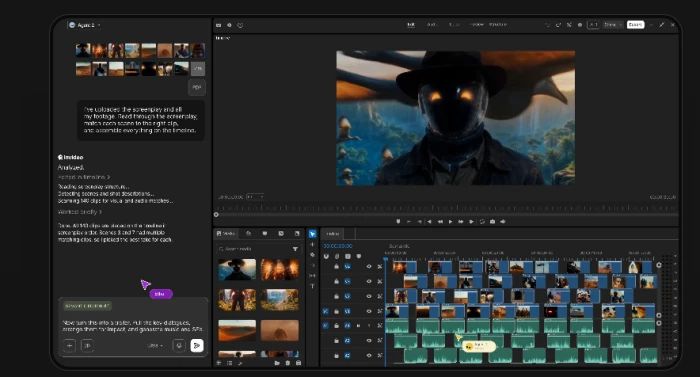
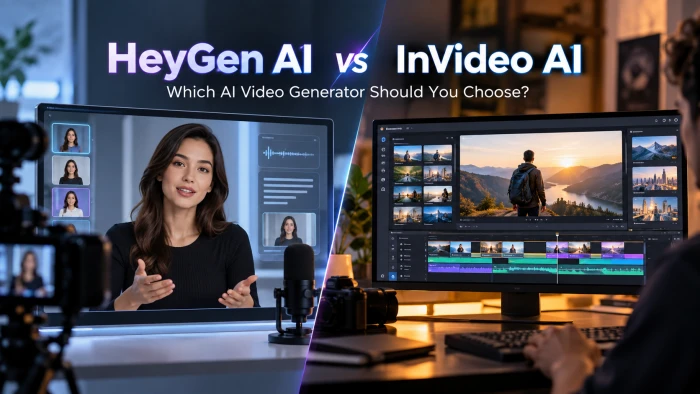
InVideo AI is the closest thing to an automated production studio. You type a prompt or paste a script, and it handles footage selection, voiceover, subtitles, music and transitions, then exports something in roughly fifteen minutes. What stands out when you dig into how InVideo AI actually works is that it has integrated OpenAI’s Sora 2 and Google’s Veo 3.1 directly into its pipeline, so you get genuine AI-generated clips woven in rather than only stock footage, backed by a library of 5,000+ templates and 16M+ stock assets.
Starting price: Free (watermarked), Plus ~$28/mo Workflow: Script/prompt to finished video Standout: Built-in Sora 2 and Veo 3.1
Strengths: truly end-to-end, zero editing skill required; fastest path from script to publishable social video; full timeline editor where manual cuts do not burn credits.
Trade-offs: AI generation minutes are limited even on paid plans; prioritizes volume over cinematic craft; template look can feel generic without customization.
Leonardo AI
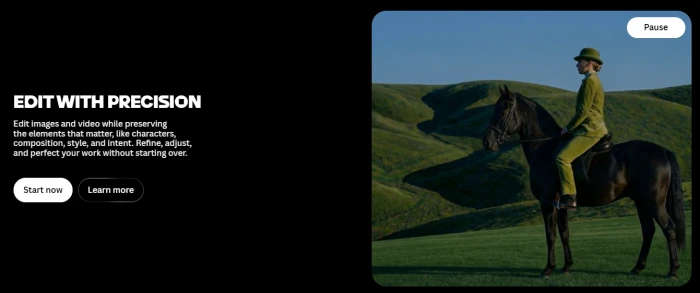
Leonardo AI earns its place for versatility and creative customization. Built around multiple specialized models with strong text rendering and video-focused workflows at relatively low generation cost, it suits creators and marketing teams who want granular control over style rather than a one-click template. A generous free allotment of daily tokens makes it easy to experiment before committing to a paid plan.
Starting price: Free (150 daily tokens), then ~$10-12/mo Workflow: Image + video, creative-control focused Standout: Specialized models + customization depth
Strengths: high versatility across styles and use cases; lower generation costs for video workflows; generous daily free tokens for testing.
Trade-offs: more of a creative suite than a pure video generator; depth of options adds to the learning curve; some advanced features gated to higher tiers.
Side-by-side comparison
The fastest way to narrow the field is to match the tool’s primary job to yours. Pricing reflects entry-level paid tiers as of late 2026 and shifts with promotions.
| Tool | Best for | Primary job | Entry price | Free tier |
| Pollo AI | Comparing models side by side | Multi-model aggregator | ~$10/mo | Yes (limited) |
| PicLumen | Product & image-to-video | Image-first creation | Paid for video | Yes (image) |
| OpenArt | End-to-end storytelling | All-in-one studio | ~$14/mo | Yes (daily) |
| InVideo AI | Marketing & social video | Prompt-to-video automation | ~$28/mo | Yes (watermark) |
| Leonardo AI | Creative control & style | Creative generation suite | ~$10-12/mo | Yes (150 tokens/day) |
Real-world case studies
The numbers below are drawn from industry research on how teams actually deploy these tools. They illustrate three common patterns: the high-volume social team, the lean e-commerce store, and the enterprise that needed speed at scale.
Case Study 1: Social Media Agency
From a dozen posts a week to dozens, without new hires. A small social-content agency producing feed content on tight deadlines adopted a prompt-to-video automation workflow. The appeal was mechanical: type a script, pick a template, and export in roughly fifteen minutes instead of booking an editor. For teams producing dozens of posts weekly, that speed changes the math on how much a single person can ship. The platform makes hundreds of micro-decisions per video, from footage selection to subtitle timing, which is what lets a non-editor keep pace.
Results: ~15 min script to exported draft • 5,000+ templates to reuse • dozens of posts per week per operator.
Case Study 2: E-commerce Store
Turning static product photos into motion. An online store with a catalog of product photography but no video budget used an image-first workflow to animate existing shots. Because the process begins from a real product image rather than a text prompt, the output stayed visually faithful to the actual product, which matters when a shopper expects what arrives to match the ad. This pattern reflects a broader trend: retail and e-commerce is one of the fastest-growing segments of the AI video market, expanding at a roughly 28% compound annual growth rate.
Results: 28.4% retail / e-commerce segment CAGR • 17.6% share of market held by retail • $0 extra footage shoots required.
Case Study 3: Enterprise Marketing Team
ROI inside the first year. Large organizations moved AI video from experiment to workflow fast. Among organizations using generative media, roughly 65% reported a measurable return on investment within twelve months, and the enterprise segment now holds just over half of the total market. The driver is cost collapse: generation times fell from minutes to seconds and per-clip costs dropped sharply, so a marketing team can test many creative directions cheaply before committing spend to the winners. That testing loop, rather than any single hero video, is where the reported returns come from.
Results: 65% saw ROI within 12 months • 50.9% market share held by large enterprises • 73% of Fortune 500 firms using AI video.
How to choose the right one
There is no single winner, because these tools do different jobs. Match the primary job to your situation:
- You want to compare outputs before committing: start with Pollo AI’s aggregator so you can run one prompt across several models.
- Your work begins with a product or character image: PicLumen’s image-first flow will keep your output consistent.
- You need a finished, multi-scene story with characters and voice: OpenArt’s Director layer is built for exactly that.
- You ship high volumes of marketing and social video: InVideo AI’s prompt-to-video automation is the fastest path.
- You care most about creative control and style range: Leonardo AI gives you the deepest customization.
The practical takeaway: most teams end up using two tools, not one. A common pairing is an aggregator or creative suite for generating raw clips, finished in an automation or editing platform. Start with the free tiers listed above, run the same brief through two or three, and let your own output decide before any card gets charged.
Comments 0
Join the discussion and share your perspective.
Sign in to post a comment and reply to other readers.
No comments yet
Be the first to share your perspective on this article.