
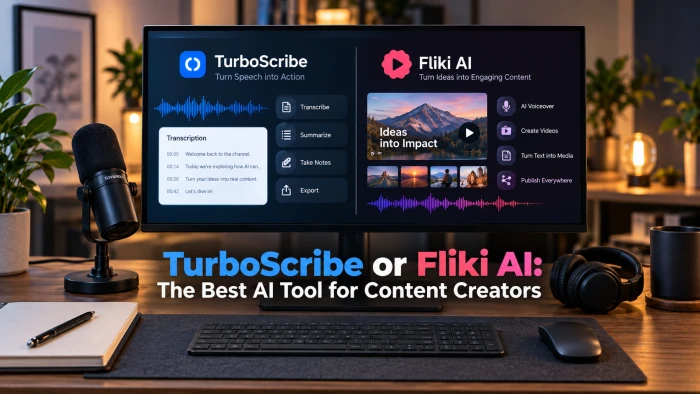
QUICK ANSWER TurboScribe and Fliki AI are not really rivals. TurboScribe is a transcription tool that converts recordings into accurate text, while Fliki AI is a text-to-video and text-to-speech tool that turns scripts into narrated clips. Pick TurboScribe if your job is capturing what was said, and Fliki if your job is producing something to watch. Many creators end up using both. |
Search for the "best AI tool for content creators" and these two names keep appearing side by side, which is a little odd, because they do opposite things. Getting that difference straight is the whole game.
One takes finished audio or video and gives you a clean transcript. The other takes a script, a blog post, or a rough idea and builds a video around it. Below is a plain comparison, how to try each in a few minutes, honest pros and cons, and clear guidance on which fits which kind of creator.
At a glance
The fastest way to see the split is a side-by-side look at what each tool is built to do.
| Feature | TurboScribe | Fliki AI |
|---|---|---|
| What it does | Transcribes audio and video into text | Turns text into narrated video |
| Core engine | OpenAI Whisper (large-v3) | AI voices, stock media, text-to-video |
| Best input | Recordings you already have | Scripts, blog posts, URLs, slides |
| Main output | Editable transcripts (TXT, DOCX, PDF, SRT, VTT) | Videos with voiceover and captions |
| Languages | 98+ languages, built-in translation | 80+ languages, 100+ dialects, 2,000+ voices |
| Free plan | 3 files per day, 30-minute cap | 5 minutes per month, 720p, watermark |
| Paid from | About $10 per month (annual), unlimited | About $21 to $28 per month (Standard) |
| Voice cloning | Not available | Yes, on higher tiers |
| Platform | Runs in the browser | Browser plus a mobile app |
| Turnaround | A few minutes per hour of audio | A finished video in about 1 to 2 minutes |
| Speaker labels | Automatic speaker labels and timestamps | Not part of the workflow |
| Editing | Light text editor for quick fixes | Slide-based scene editor for clips, voices, captions |
| Standout | Truly unlimited transcription for a flat fee | Huge multilingual voice library and voice cloning |
| Not built for | Live meetings or making videos | Precise transcription or hands-on editing |
| Pricing and limits shift often and vary by region and billing cycle. Treat these figures as indicative and confirm the current numbers on each tool's own site before you subscribe. |
TurboScribe
TurboScribe is a focused transcription service. You upload an audio or video file, or paste a link, and it returns an editable transcript with timestamps and speaker labels. It runs on OpenAI's Whisper model, the same engine behind many transcription tools, so its accuracy on clean, single-speaker audio is strong.
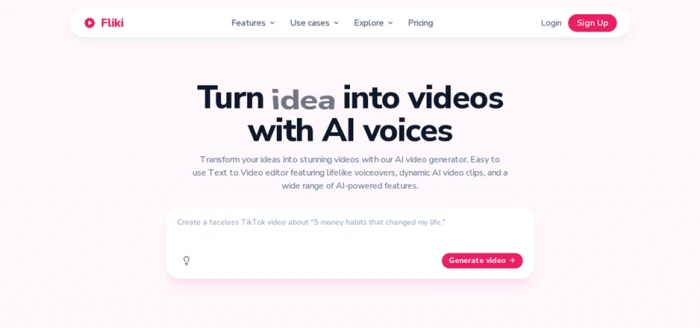
TurboScribe's homepage: unlimited audio and video transcription at a flat monthly rate, with 98+ languages and speaker recognition.
What stands out
• Unlimited transcription for a flat fee. The paid plan has no per-minute charges and no monthly hour caps, with single files up to about 10 hours.
• Whisper-grade accuracy on clean audio. Studio-quality, single-speaker recordings often land in the mid-to-high 90s with light cleanup.
• Speaker labels, timestamps, and translation. It marks who spoke and when, supports 98-plus languages, and can translate output.
• Flexible exports. Save transcripts and captions as TXT, DOCX, PDF, SRT, or VTT for docs, subtitles, and show notes.
• Processing modes. Choose a mode tuned for accuracy, balance, or speed depending on the job.
| Best for: podcasters, journalists, researchers, and students who need accurate transcripts, subtitles, or show notes from recordings, at volume, for a predictable price. |
Fliki AI
Fliki AI works from the other direction. You give it a script, a blog post, a URL, or even a slide deck, and it assembles a video by pairing your words with an AI voiceover, matching stock footage, and captions. There is no timeline to wrestle with, so you can produce a watchable clip without any editing experience.
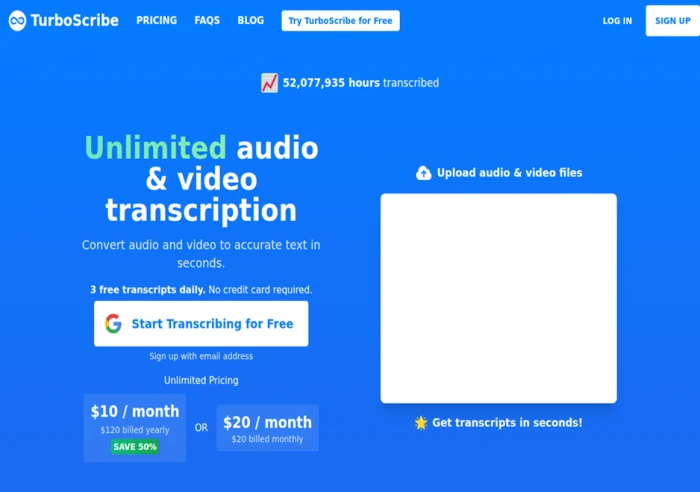
Fliki AI's homepage: type an idea, script, or blog post and generate a narrated video with AI voices.
What stands out
• Script to video in minutes. Paste text or a blog URL and Fliki drafts scenes, voiceover, and captions automatically.
• One of the largest voice libraries. Over 2,000 AI voices span 80-plus languages and 100-plus dialects for multilingual content.
• Voice cloning and AI avatars. Higher tiers let you clone your own voice for consistent narration and add presenter-style avatars.
• Repurposing built in. Turn existing articles, ideas, or slides into short-form clips for Reels, Shorts, and TikTok.
• Commercial rights on paid plans. Paid tiers remove the watermark, unlock 1080p, and allow commercial use.
| Best for: marketers, educators, and social creators who want to turn scripts or blog posts into narrated videos and voiceovers, in many languages, without a camera or an editor. |
How to try each in a few minutes
Both tools have a free tier, so you can test them before paying. The workflows are short.
TurboScribe
1. Create a free account. The free plan allows a few transcriptions per day with no card required.
2. Upload a file or paste a link. Add an audio or video recording, ideally clean, single-speaker audio for the best result.
3. Pick a mode and language. Choose accuracy, balance, or speed, and set the spoken language.
4. Review and export. Fix any small errors in the editor, then export to TXT, DOCX, PDF, SRT, or VTT.
Fliki AI
5. Start a new video project. The free plan gives a few minutes of video per month to experiment with.
6. Add your text. Paste a script, a blog URL, or a topic, and let Fliki split it into scenes.
7. Choose a voice and language. Preview voices from the library before committing, since voice choice shapes the whole clip.
8. Generate and refine. Swap stock clips per scene, adjust captions, then export the finished video.
Pros and cons
TurboScribe
Strengths
• Unlimited transcription for a low flat fee
• Strong accuracy on clean, single-speaker audio
• Speaker labels, timestamps, and translation
• Wide export range for docs and subtitles
Watch outs
• Accuracy drops with background noise or overlapping speakers
• No live or real-time transcription
• Browser based, with a modest free daily limit
• User ratings are mixed on some platforms
Fliki AI
Strengths
• Fast script-to-video with no editing skills needed
• Very large multilingual voice library
• Voice cloning and AI avatars on higher tiers
• Great for repurposing blogs into clips
Watch outs
• Free plan is limited: 5 minutes, 720p, watermark
• Minutes-based credits can be confusing
• Assembles stock footage rather than fully original video
• Costs rise quickly at higher volumes
Which should you choose?
Because they solve different problems, the right pick follows your task, not a single winner.
Choose TurboScribe if Your bottleneck is turning speech into text. You record interviews, podcasts, lectures, or meetings and need accurate transcripts, subtitles, or show notes, often in high volume, for a predictable monthly cost. |
Choose Fliki AI if Your bottleneck is turning text into something to watch. You want to convert scripts or blog posts into narrated videos and voiceovers, publish in several languages, and post short-form clips without a camera or an editor. |
Use both if You capture content and then repurpose it. A common workflow is transcribing a podcast or interview in TurboScribe, then feeding the tightened script into Fliki to spin up promo clips and multilingual voiceovers. The two sit at opposite ends of the same pipeline. |
The verdict
There is no single "best AI tool for content creators" here, because TurboScribe and Fliki AI are two halves of one workflow rather than true competitors. The honest answer depends on where your work actually slows down: pulling clean words out of audio, or turning finished words into something people can watch. Once you know which of those is your real bottleneck, the choice mostly makes itself.
If your days revolve around recordings, TurboScribe removes the most tedious step of the process and does it cheaply, provided your audio is reasonably clean. If your days revolve around scripts and ideas, Fliki collapses hours of editing into a couple of minutes, as long as you are comfortable with stock-assembled visuals and the occasional swap of a clip or voice.
TurboScribe 8.5 /10 A dependable, unusually affordable transcription workhorse. Its flat, unlimited pricing is the real edge for anyone moving through large volumes of audio, and the Whisper engine keeps accuracy high on clean, single-speaker recordings. Budget a little cleanup time for noisy or overlapping audio, and look elsewhere if you need live capture. Best for podcasters, journalists, researchers, and students who live in recordings. | Fliki AI 8 /10 A fast, genuinely beginner-friendly route from text to narrated, multilingual video. The huge voice library and voice cloning stand out at this price, and turning a blog post into a clip takes minutes rather than hours. The trade-offs are stock-assembled visuals instead of fully original footage and a credit system that climbs quickly at volume. Best for marketers, educators, and social creators who publish video often but do not want to film or edit. |
BOTTOM LINE Choose TurboScribe if your content starts as sound and needs to become text, and Fliki AI if your content starts as text and needs to become video. If you do both, the strongest setup is to run them back to back: let TurboScribe produce the transcript, then feed that same material into Fliki to build the visuals. |
Comments 0
Join the discussion and share your perspective.
Sign in to post a comment and reply to other readers.
No comments yet
Be the first to share your perspective on this article.