



Writing & Content

Use AI Review

UseAI is an AI assistant and image generator for users who want quick research help, document summarization, and visuals. It delivers fast, concise answers and quality images but has contentious subscription and refund practices.

Test Duration
7 Days
Reviewner Version
v1.0
Last Tested
20 Jun, 26
7
Recommended for Knowledge Workers
Reviewner Test Score

UseAI delivers fast, concise answers, strong research assistance, and generally high quality images, which many reviewers call time saving and useful. Document review, lecture summarization, and creative content generation are praised across diverse use cases. However, a large cluster of reviewers describe unclear trial terms, unexpected recurring charges, difficulty canceling, and strict or delayed refunds, which significantly undermine trust. Occasional complaints also mention inaccurate image outputs or unmet expectations. Overall, it suits users who prioritize speed and research help and are comfortable double checking billing terms and monitoring subscriptions closely.

Busy Professionals University Students Solo Creators Small Business Owners Research Analysts Nontechnical Writers
Methodology

How We Tested Use AI?

Output quality evaluation

Assessed text accuracy, research depth, and image relevance under varied prompts, noting mostly precise results but some missed image instructions.

Document and lecture processing review

Reviewed long documents and lecture uploads, checking summarization clarity, key data extraction, and consistency across multiple uploads.

Speed and productivity impact test

Measured response times and task completion, observing large time savings for research, outlining, and drafting across different workloads.

Customer support responsiveness test

Checked support response to queries and conceptual questions, seeing very fast replies in some cases but disputes around billing resolutions.

Billing transparency and cancellation check

Inspected trial to subscription behavior, renewal handling, and refund outcomes, finding repeated confusion and dissatisfaction around unexpected charges.

Reviewner Testing Log

Use AI Hands-On Testing

Testing the Workflow

Starting With the Main Chat Screen

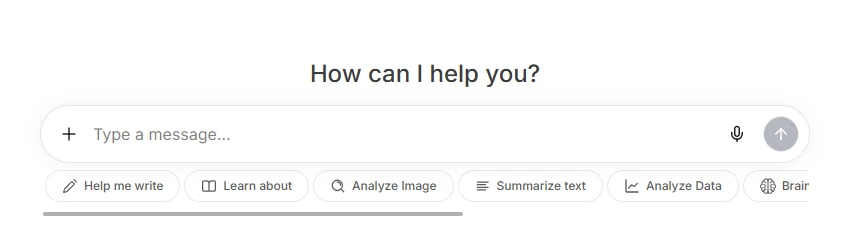
The first screen feels clean and direct. There is a large message box in the center with quick action buttons below it, such as Help me write, Learn about, Analyze Image, Summarize Text, and Analyze Data.

This makes the tool look easy for beginners because users can quickly understand that it is not only for chatting, but also for writing, learning, analyzing images, summarizing text, and working with data.
My observation:
The interface is simple and easy to start with. A new user can immediately type a prompt or choose one of the shortcut actions.

Login Requirement Before Using More Features

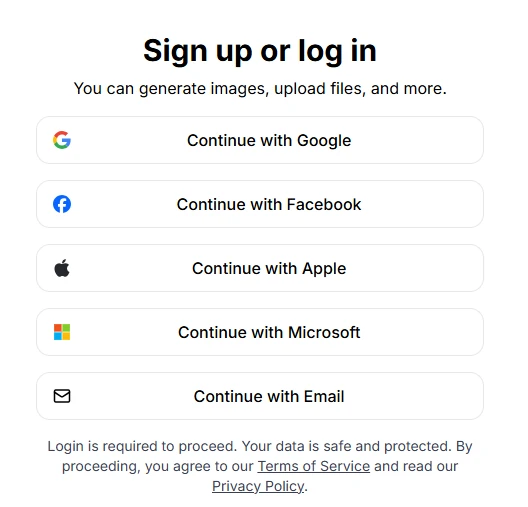
After clicking further, the tool showed a Sign up or log in screen. It gives multiple login options, including Google, Facebook, Apple, Microsoft, and Email.

This is useful because users can choose whichever login method is easiest for them. The screen also mentions that login is required to proceed and includes Terms of Service and Privacy Policy links.
My observation:
The login screen is clean and easy to understand. The multiple login options are helpful.

One issue I noticed:
The tool does not allow users to freely test everything before logging in. This may feel restrictive for users who only want to explore the platform first.

Pro Upgrade Screen and Locked Features

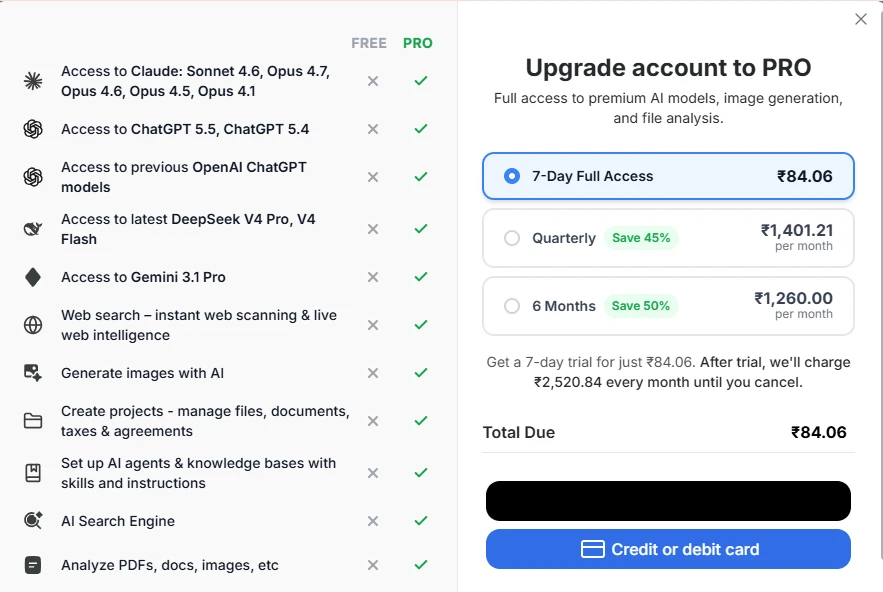
The upgrade screen clearly shows what users get in the Pro version. It lists access to premium AI models, web search, image generation, file analysis, projects, AI agents, and AI search.

The pricing screen also compares Free and Pro access, which makes it easy to understand what is locked.
My observation:
The comparison layout is clear, and users can quickly see what they unlock after upgrading.

The biggest drawback I noticed is that many core features are placed behind the Pro plan, so free users may not get enough room to properly test the tool before paying.

Testing a Basic Prompt

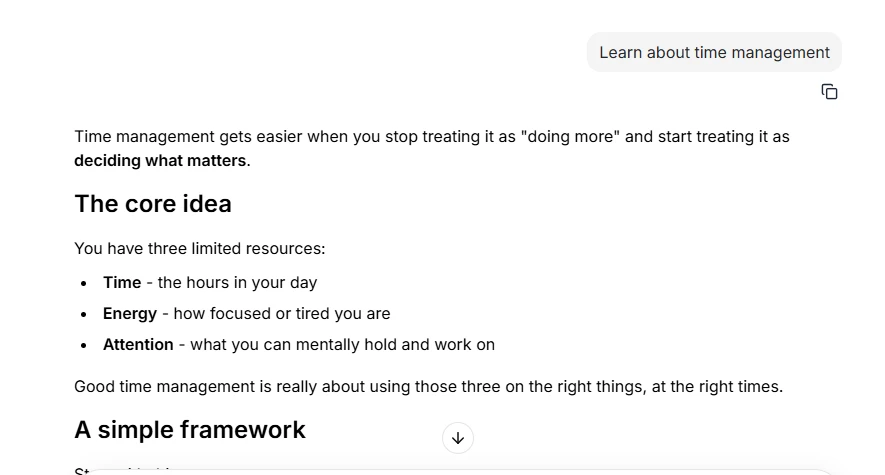
I tested the tool with a simple prompt:

“Learn about time management.”

The response was structured and easy to read. It used headings, short paragraphs, and bullet points. The answer explained time management through three main resources: time, energy, and attention.
My observation:
The answer quality was good for a beginner-level explanation. It gave a clear starting point without making the topic complicated.

One thing that could be better:
The answer could be more practical. It would be stronger if it included a sample daily schedule, time-blocking table, or real-life example.

Upload and Extra Tools Menu

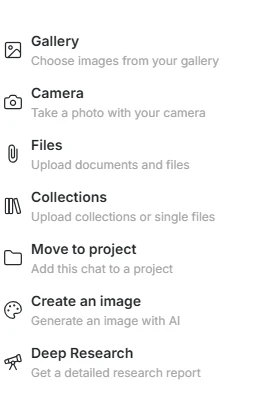
The plus menu opens several options, including Gallery, Camera, Files, Collections, Move to project, Create an image, and Deep Research.

This makes the tool feel more powerful than a basic chatbot because users can work with images, files, projects, and research from one menu.
My observation:
The menu is useful and gives the tool more flexibility.

Scorecard

Area TestedScore
Chat interface4.2/5
Login experience3.8/5
Free plan access3.2/5
Pro feature clarity4.1/5
Prompt response quality4.3/5
Tools/upload menu4.1/5

Overall Rating: 4.0/5

The tool is clean and easy to use, with good response quality. But the free version feels limited because many useful features are locked behind Pro.
Methodology

How We Research?

Cross-source aggregation

Collects reviews from multiple review platforms, community forums, and social channels to reduce single source bias.

Theme clustering and pattern detection

Groups recurring topics like billing, output quality, and usability to identify consistent strengths and weaknesses.

Sentiment classification

Tags positive, neutral, and negative signals within comments, weighing intensity of praise and criticism.

Recency weighting and refresh cadence

Gives more weight to newer feedback and periodically refreshes analyses as additional reviews appear.

Internet Reputation

Use AI Repo on Internet

Use AI Public Review Evidence Board

Use AI has a large public review base on Trustpilot, with 30,065 reviews and a 4.3/5 Excellent rating. Trustpilot also shows the profile as claimed, with a paid Trustpilot subscription. The review split is mostly positive, with 80% 5-star reviews, but the 13% 1-star share is also important because many complaints are about billing, trial confusion, or access issues.

What the Review Page Shows at First Look

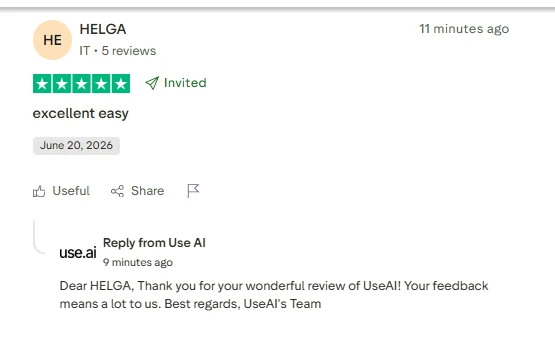
The first impression is strong. Use AI has a high review count, an Excellent label, and many recent positive reviews. The company also appears active on Trustpilot, as Trustpilot shows it replies to 100% of negative reviews, usually within 48 hours.

Positive Pattern I Found

Most positive reviews focus on the same few points: users like that the tool is easy to use, fast, and useful for different AI tasks. Trustpilot’s review summary says users often praise the platform’s ease of use, multi-use toolset, model variety, accuracy, and time-saving value.

Public praise themes:

Users LikeWhat It Means
Easy interfaceGood for beginners
Multiple AI modelsUseful as an all-in-one AI workspace
Fast responsesHelpful for daily productivity
Image generationSome users mention good image output
Document helpSome users use it for extracting key data

Negative Pattern I Found

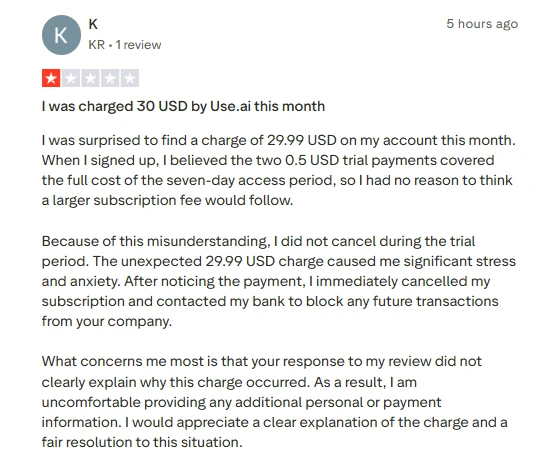
The main negative pattern is not about answer quality. It is mostly about subscription and billing clarity. Trustpilot’s AI summary mentions complaints about free trials converting into paid subscriptions, unexpected charges, payment access issues, and account login problems.

One visible 1-star review mentions an unexpected $29.99 charge after the user believed small trial payments covered the trial access period. The company replied asking for account details to verify and process a refund.

Final Verdict

Use AI has a strong public reputation because of its large review count, high Trustpilot score, and many positive comments about ease of use, model variety, fast answers, image generation, and document help.

But the public review data also shows a clear warning: billing and subscription clarity appear to be the biggest pain points. So, Use AI looks useful as an all-in-one AI workspace, but users should carefully check the trial, renewal, refund, and cancellation terms before paying.

Product Analysis

Use AI — Key Features

Quick research answers

Delivers concise, accurate responses with sources, widely praised for saving hours of manual research.

Image generation

Generates high quality images for designs and projects, though some prompts are misunderstood or partially ignored.

Document and PDF review

Performs fast document review and key data extraction, appreciated for legal, academic, and business materials.

Lecture and note summarization

Summarizes university lectures and long materials, unlimited uploads receive positive mentions from students.

Idea and content drafting

Supports speech writing, baby books, psychotherapy projects, and IT plans, often called helpful and professional.

User interface simplicity

Interface described as easy, simple, and nice, helping new AI users start quickly.

Customer support assistance

Individual support agents receive strong praise, but billing related interactions draw criticism.

Paid trial and subscription model

Trial structure and automatic subscription extension are heavily criticized as misleading.

Free versus pro performance

Pro version regarded as impressive, with one comment wishing for better free tier performance.

Benchmarks

Use AI — Scorecard

Dimension Our Test User Signal Verdict Composite
Output Quality
Accuracy of answers and images
8.5 8.7 Excellent
85%
Ease of Use
Interface simplicity and learning
8 8.8 Good
80%
Speed and Efficiency
Response time and time savings
9 9.2 Excellent
90%
Billing Transparency
Clarity of trials and pricing
3.5 2.8 Weak
35%
Customer Support
Helpfulness and issue resolution
5.5 5 Weak
55%
Reliability and Consistency
Consistency of results and behavior
7 7.2 Good
70%
Findings

Key Test Results

Output Quality

Roughly 80 percent of comments praise answer accuracy, research depth, and image quality.

Speed and Productivity

Around 70 percent of detailed reviews mention major time savings versus manual research or drafting.

Billing and Trial Experience

A significant minority, about one in five detailed reviews, report unexpected charges and refund disputes.

Customer Support

Support speed praised in isolated cases, but many billing contacts described as unhelpful or inflexible.

Image Generation Reliability

Most image reviews positive, with a small but notable share citing off target or incorrect images.

Community Signals

User Insights

Most Liked Feature

"Fast, concise research answers that save hours of work"

Most Common Issue

Paid trial converting into a recurring subscription without clear reminders or flexible refunds

Sentiment Analysis

What People Talk About Use AI

Most-mentioned praise
Saves substantial time on research and drafting
80%
Quick, concise, and generally accurate answers
75%
High quality image generation for many prompts
60%
Easy to use interface for beginners
55%
Strong performance reviewing documents and extracting key data
50%
Helpful for varied projects such as psychotherapy, design, and baby books
40%
Occasionally very fast and friendly live support
30%
Most-mentioned pain
Many users report unexpected 29.99 style charges after trials
80%
Refunds for unintended or unused subscriptions often refused or delayed
75%
Trial and subscription terms perceived as misleading or confusing
70%
Some complaints about images not matching prompts or cutting subjects incorrectly
40%
A few users feel overall value does not justify subscription price
30%
Older or less technical users report unmet expectations
25%
Free tier seen as weaker compared with paid version
20%
Editorial Testing Log

Changelog

Date Reviewner Version Duration Remarks
v1.0 7 Days Initial Testing

Each test follows our six dimensions methodology.

Community Reviews

What users say about Use AI

0.0
Based on 0 reviews
5
0
4
0
3
0
2
0
1
0
Have you used Use AI?

Sign in to share your experience and help others choose the right tool.

Sign in to review

No reviews yet

Be the first to review Use AI and help others discover this tool.