Artlist AI Has One Catch
I set out to test the AI image side of Artlist with a real commercial brief, a festive product shot for an optical store. Before anything else, the honest headline: there is no free trial for generation. I could open an account at no cost and set up the entire job, but the moment I asked for an image, the platform wanted a paid plan. So I never saw a final render.
What follows is a first-hand walk through everything up to that point, plus my candid read on the parts I could actually judge: the sign-up, the model choice, the prompt workflow, the content check, and the pricing. Every screenshot here is from my own session.
Getting registered
Opening an account was quick. I could sign in with Google or fill in a name, email, and password, and the screen promised no credit card and a single Start Free Now button. It is worth being precise about what free means here, though. It got me an account, not free generation. The free part is the login, not the images.
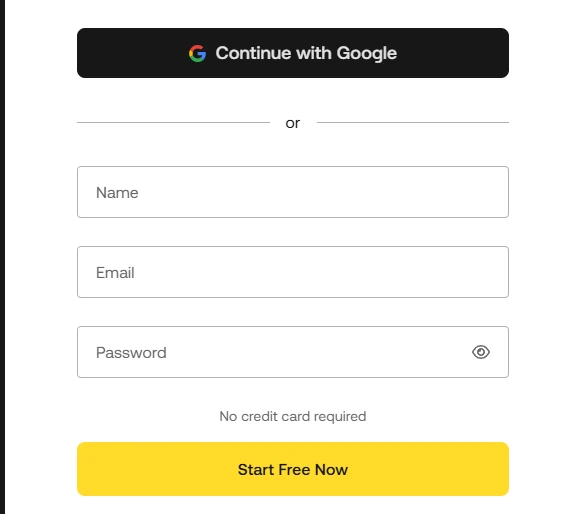
The sign-up screen: Google or email, and no card to create an account.
Under the hood: the two products
Once I was inside, the platform split in two. The AI Toolkit is the everyday workbench, billed as all the AI tools and models needed to create anything, and it spans Video, Image, Voiceover, and Music. Next to it sits Artlist Studio, wearing a BETA badge, aimed at higher-end AI video. I liked that the stable toolkit and the experimental studio are kept clearly apart, and that the beta label is not buried.
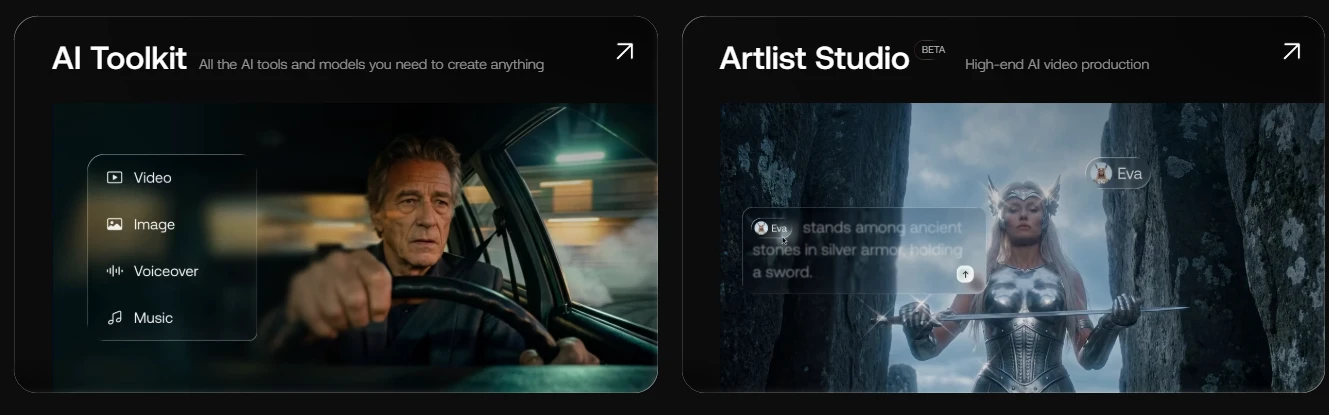
Two products side by side: the general AI Toolkit and the beta Artlist Studio.
Choosing a model
The model picker was the part that first got me interested. Every model on the list carried a FREE tag, and the roster was current: Nano Banana 2 Lite, Nano Banana 2, Nano Banana Pro, Seedream 5.0 Pro, Grok Imagine 2.0, Seedream 5.0, and GPT Image among them. I went with Nano Banana 2 Lite, which advertises multi-image input and 1K output and promises faster editing at sharper quality. One caution I only understood later: FREE here means the model is included, not that generating with it costs no credits.
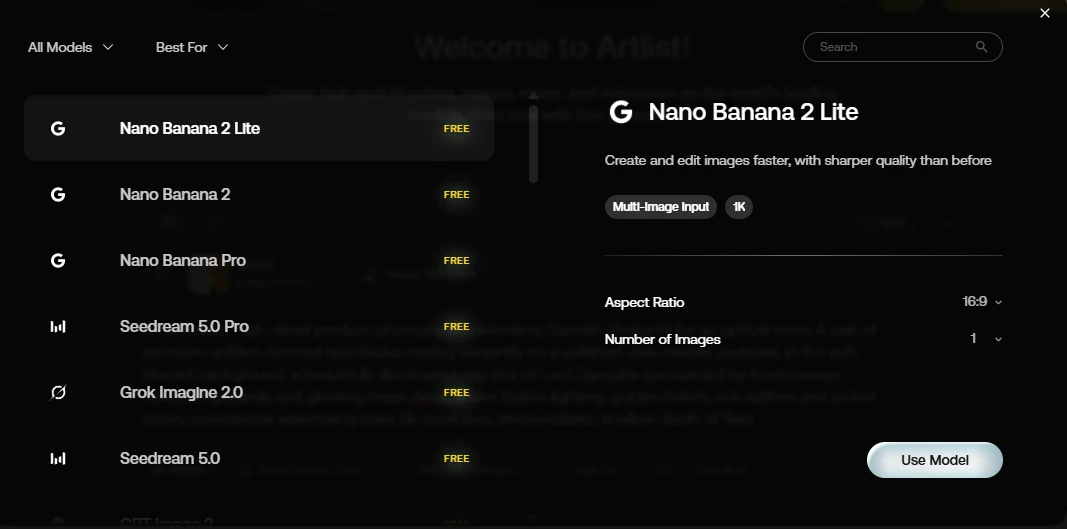
The model picker, with a current set of image models all tagged FREE.
My test brief
My brief was a single commercial still for an optical store tied to Ganesh Chaturthi. This is the full prompt I typed in:
A cinematic, high-detail product photograph celebrating Ganesh Chaturthi for an optical store. A pair of premium golden-rimmed spectacles resting elegantly on a polished dark marble pedestal. In the soft, blurred background, a beautifully illuminated clay idol of Lord Ganesha surrounded by fresh orange marigold garlands and glowing brass diyas. Warm festive lighting, golden bokeh, rich saffron and amber tones, commercial advertising style, 8k resolution, photorealistic, shallow depth of field.
With the model on Nano Banana 2 Lite, aspect ratio at 16:9, output at 1K, and one image requested, I also had a Style kit control and an Unlimited toggle sitting next to Generate. The workspace felt clean and I found every control where I expected it.
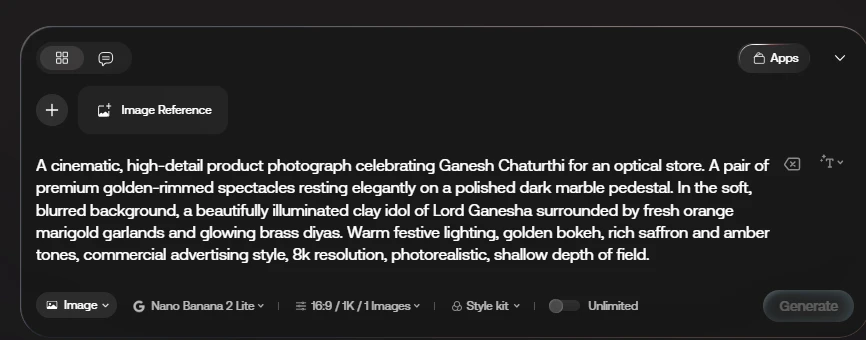
The prompt box with my full brief and the generation controls.
The part I most wanted to test was brand consistency, so I attached a reference image, shown as @img1, through the Image Reference control. The idea is to carry a specific look, in my case a particular pair of spectacles, across a whole campaign rather than getting a new random pair each time. I was glad this feature is available on the entry-level Lite model and not locked to the premium ones.
The content check
Before my reference image would upload, a confirmation appeared. I had to confirm the file held no explicit content, violence, minors, or people who had not consented, and that I held the rights to it, with a link to the Terms of Service and Cancel or Accept buttons. It is a fair guardrail, though it is a single click of self-declaration on my part rather than any real review.
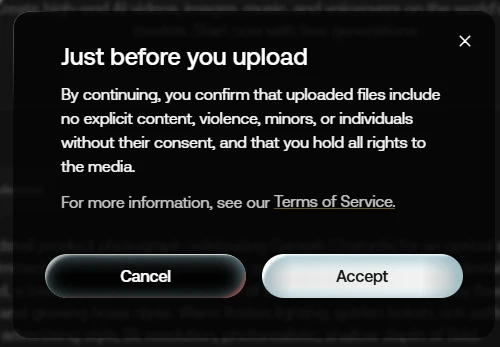
The content confirmation I had to accept before the upload would proceed.
Hitting the wall
Then came the wall. With the prompt written, the reference attached, and the settings chosen, I pressed Generate, and that is where the free account ran out of road. There was no trial credit to spend, and generation is gated behind a paid plan, with credits charged before an image is even produced. So I could not see a single output. That matters for a review, and I want to be straight about it: everything I say below about what impressed or disappointed me is based on the workflow, the interface, the model choices, the licensing, and the pricing, not on the quality of a finished image, because I was never allowed to make one without paying first.
What a plan would cost me
To generate anything I would have to pick a plan, so I studied what they cost. Four tiers were on offer, all shown at annual billing. AI Starter runs $11.99 per month (down from $19.99) with 16,500 credits, access to 100+ models, and allowances of up to 1,650 images, 206 videos, 3 hours of voiceover, 110 songs, and 70+ AI apps. AI Core, flagged Most Popular, is $23.99 per month (from $39.99) with 40,000 credits, unlimited generations on select models, and up to 4,000 images, 500 videos, 8 hours of voiceover, and 266 songs. AI Creator is $41.67 per month (from $69.99) with 80,000 credits, unlimited generations on select models, and up to 8,000 images, 1,000 videos, 16 hours of voiceover, and 533 songs. Custom Business is quote-based and adds unlimited generations on all models, custom parallel and fast generations, Artlist MCP and plugins, a custom business license, and legal indemnification.
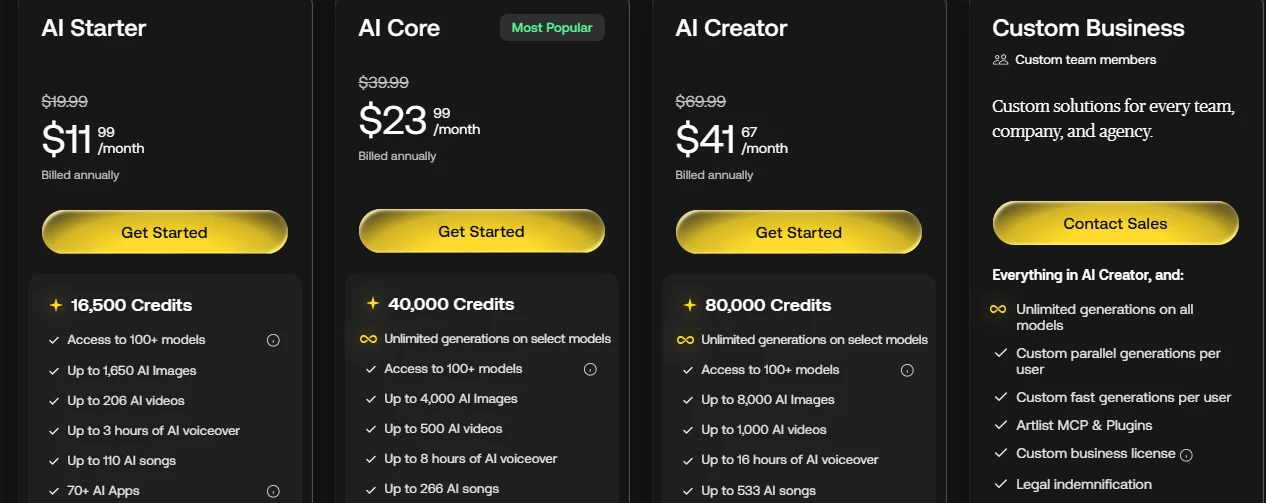
The four plans, shown at annual billing.
Pricing captured on 9 September 2026 from the Artlist plans page at annual billing. Prices, promotional discounts, and credit allotments change often; confirm the current figures on the official site before purchase.
What won me over
Even without a finished image, a few things genuinely won me over while I was setting the job up.
The model roster. Having Nano Banana 2 in three variants, Seedream 5.0 and 5.0 Pro, Grok Imagine 2.0, and GPT Image all in one picker felt like a lot of current firepower in one place, and it would save me juggling separate subscriptions.
Image reference on the cheap model. This was my favourite discovery. Multi-image input was right there on the Lite model, which is exactly what I need to keep a product looking the same across a set of festive ads.
One home for four asset types. Image, video, voiceover, and music together, backed by a brand built on licensing, is the kind of consolidation I keep wishing for in my own workflow.
Honest signposting. The BETA badge on Studio and the plainly stated 1K ceiling on the Lite model told me I was not being oversold.
A painless start. Google or email, no card to open the account, and a usable canvas in a single screen.
Grown-up commercial terms. Seeing a custom business license and legal indemnification on the top tier told me they treat commercial use seriously, which matters when I am producing for clients.
The single thing that surprised me most was image reference sitting on the entry model. That one feature is what would make me consider paying, because it is the difference between a toy and something I could put in front of a client.
Where it lost me
And then there were the things that frustrated me, starting with the biggest one.
No trial, no proof. This is my main gripe. I did everything right and still could not generate a single image to judge, because there is no free trial and credits are charged before anything is created. Being asked to pay before I can see one result is a hard sell for a tool whose whole value is the output.
Murky credit maths. Each plan lists a fixed credit pool and unlimited generations on select models, but nothing on the pricing screen told me which models are unlimited and which burn credits, so I could not estimate how far my money would go.
A resolution gap I clocked at once. My prompt asked for 8k, photorealistic output, while the Lite model tops out at 1K. Had I paid and generated, I suspect the size alone would have let me down.
Annual pricing on show. The rates I saw were billed annually with struck-through original prices, so the true monthly cost and the post-promotion cost were not clear to me.
One image at a time on Lite. With the count set to one, iterating would mean paying for repeated single generations rather than getting a spread of variations to choose from.
Studio still in beta. The high-end video promise is exactly that at this stage, a promise, and nothing in my image-focused session could confirm it.
None of these is a dealbreaker on its own, but the no-trial policy colours all of it. I walked away having done every step of the work and with nothing to show for it, which is a strange feeling for a creative tool.
My take
So where do I land? On paper Artlist is very appealing: a stack of current AI models plus voiceover and music under one subscription, with real commercial licensing behind it, and an entry model that already supports the image reference I care about. What holds me back is that I was asked to trust it with my money before it would show me a single result. If you already know these models and just want them bundled with clean licensing, the value is easy to see. If, like me, you want to judge the output first, the absence of any free generation is a real obstacle, and I would want to test credit burn and output resolution hard on a monthly plan before I ever committed to a year.